How to import Hypothesis annotations into Obsidian
Obsidian has no Hypothesis import of its own, and the older Hypothes.is plugin is no longer available in the directory, as of October 2026. Without a plugin, Hypothesis exports the annotations of one document to a text, CSV, HTML or JSON file. For a sync, use the free Annotation Inbox, a free Templater script, or the paid Readwise service.
Updated · 4 ways compared · 16 sources
Background
People have asked for this since 2020. A forum topic from August 2020 on Hypothes.is as a way to get notes into a notebook has 28 posts and 56 likes. In April 2021 a user shared Hypothes.idian, a Templater script that retrieves annotations, in a topic with 24 posts and 54 likes.
A community plugin named Hypothes.is then did the job and reached 15k downloads. Its last release, 0.1.19, is from June 2022, and in June 2026 its README got a notice that it is no longer maintained. The directory page now says the plugin is archived and no longer available.
4 ways to do it
Export from the Hypothesis sidebar
Hypothesis has its own export, and it needs no plugin. Open the document, activate Hypothesis, press Share in the sidebar and choose Export. You pick JSON, plain text, CSV or HTML, and then save a file or copy the result to the clipboard.
Paste the text into a note. Obsidian Help also lists HTML files and CSV files among the formats of the Importer plugin, and it lists no Hypothesis import. This guide did not test the Importer with a Hypothesis file.
limits
The help page describes an export for one document at a time, and it lists no Markdown format. Nothing syncs later, so you export again after new highlights.
Hypothes.idian is a script for the Templater plugin, shared on the forum in April 2021. It retrieves your annotations for one web page or web PDF. You give the address, or you pick from the pages that you annotated since a date.
On an empty note it writes front matter and then the annotations. In a note with text it inserts them at the cursor. It uses a free Hypothesis developer token, and it saves that token in a note named hypothesis config.md.
limits
The update log of the script ends in May 2021 and calls it a first alpha version. You run it once for each page, and this guide did not test it.
Readwise is a paid service that collects highlights from many sources. Its docs list Hypothes.is among the import integrations and say that Readwise can sync with the service directly. The Readwise Official plugin then sends the highlights to your vault, and it can sync new ones on its own.
The directory lists Readwise Official for desktop and mobile, with 249k downloads and the payment label Paid. The pricing page puts the export to Obsidian in the full plan, at $9.99 a month billed yearly. Readwise is free for the first 30 days.
limits
Your highlights pass through one more service, and the Lite plan has no export to Obsidian. This guide did not test the Hypothesis import of Readwise.
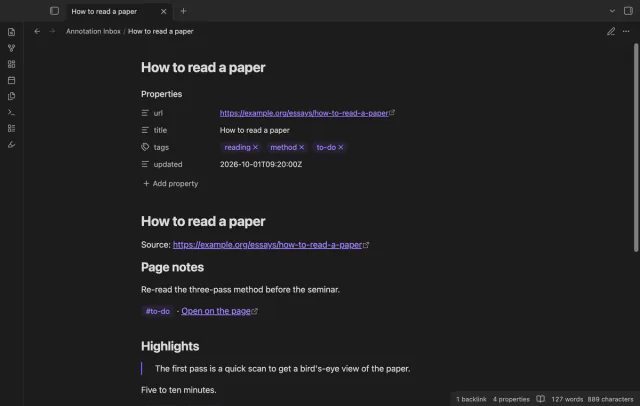
Annotation Inbox is a free plugin that reads the annotations under your user name with your own developer token. It writes one note per page, with page notes, highlights, comments, tags and links back to the page. A later sync starts from a saved cursor and adds new or changed annotations.
A note that you delete is not made again, and your text outside the two marker comments stays in the note. The token stays in Obsidian secret storage, and requests go to api.hypothes.is only. Hypothesis does not make or endorse this plugin.
limits
You start each sync yourself, replies are skipped, and a block stays after you delete its annotation on Hypothesis. It is listed for mobile in the directory and tested on desktop only, with a stand-in for Hypothesis.
Install Annotation Inbox from Community plugins and enable it. It needs Obsidian 1.13.4 or later.
Log in to Hypothesis in your browser and open hypothes.is/account/developer. Generate your API token and copy it.
In Obsidian, open Settings, then Annotation Inbox, and paste the token into the token field.
Select Check connection. The plugin fills in an empty user name field from the answer of Hypothesis.
Choose the folder and the file name template, or keep the defaults.
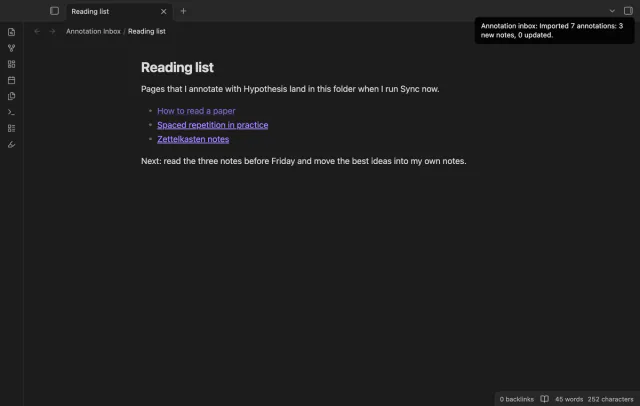
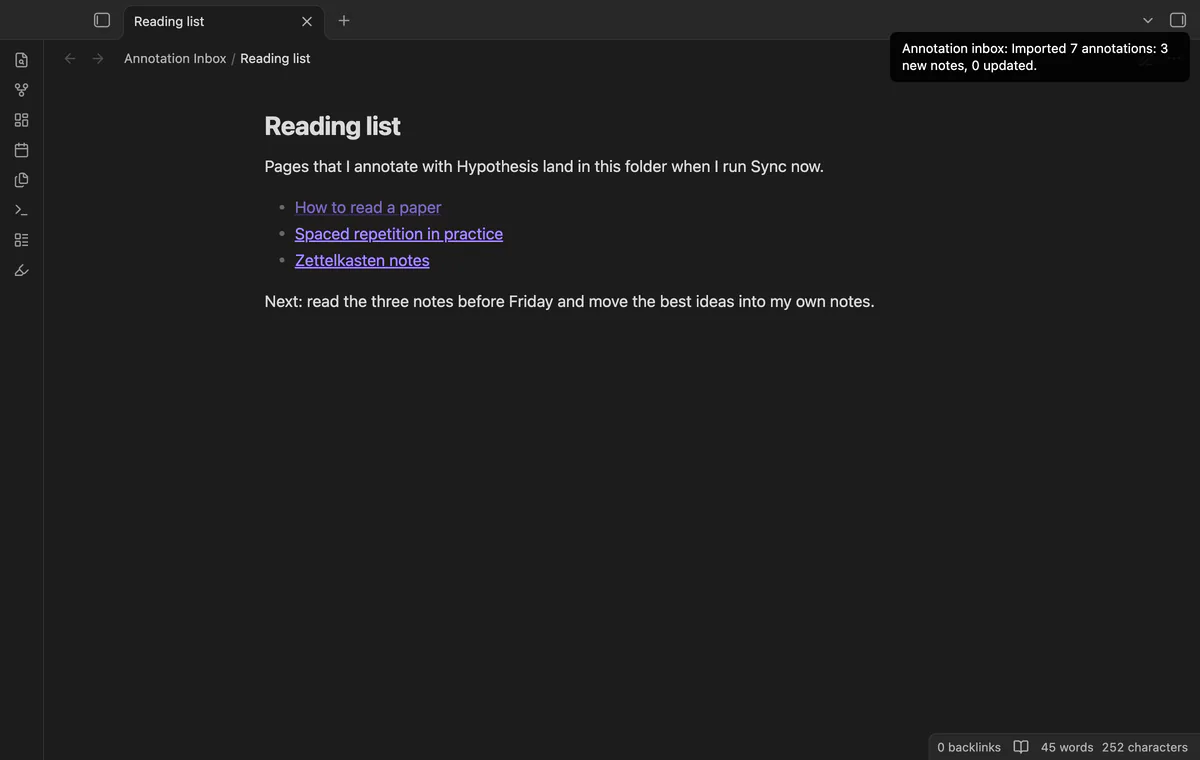
Run Sync now. A notice counts the annotations and the new notes, and the notes are in the folder that you chose.
Common questions
Can I still use the older Hypothes.is plugin?
The directory says it is archived and no longer available. Its README says it is no longer maintained and gets no fixes, updates or support. The files of release 0.1.19 from June 2022 are still on GitHub, and this guide did not test an install by hand.
Does Hypothesis export Markdown?
Its help page lists JSON, plain text, CSV and HTML, and no Markdown. The Export button saves a file, and Copy to clipboard gives you data to paste into a note. Only a JSON file can go back into Hypothesis.
Do I need Hypothesis to save web highlights in Obsidian?
No. Obsidian Web Clipper is a free browser extension with its own highlighter. It can save a page with your highlights marked, or a list of the highlights with no page content. Its help page names no Hypothesis import, so it suits new highlights and not the ones in your Hypothesis account.
Why does Annotation Inbox count an annotation when nothing is new?
Each sync starts just before the saved cursor, so two annotations with one time can't be missed. That overlap returns your latest annotation again. The notice counts it as imported, and the note does not change.
The free Toggl Track phone app already starts and stops your timer on a phone, with a widget and offline tracking. Obsidian has no Toggl feature of its own, and the free Toggl Track plugin is desktop only, as of October 2026. Mobile Timer for Toggl Track is listed for mobile in the directory, and it is tested on desktop only.
Obsidian doesn't open .adoc files on its own. AsciiDoc isn't in the list of accepted file formats, and a moderator wrote in July 2025 that core support isn't on the roadmap. As of October 2026 you either convert the files to Markdown or install a community plugin that opens them.