Table Rollup
All the rows from the small tables in your notes, in one sortable table that links back to each note.
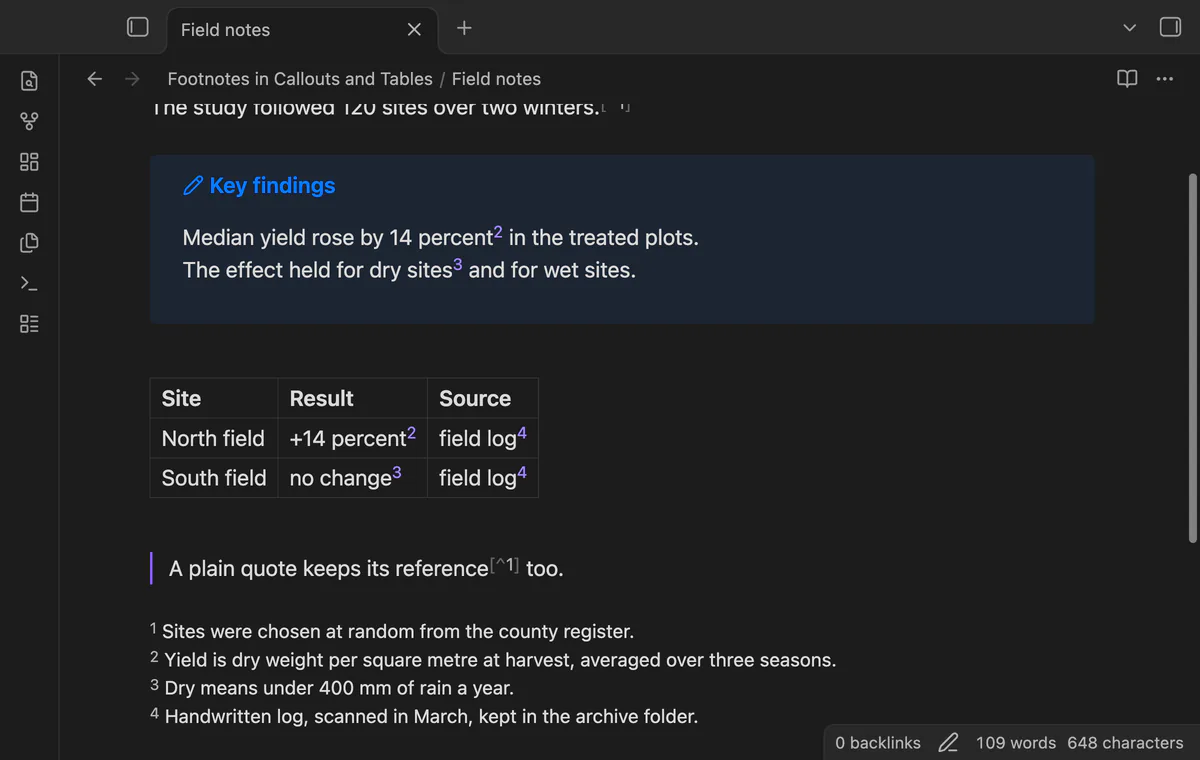
Shows footnote references as numbered links inside callouts and table cells in Live Preview, with a hover preview and a jump to the definition.
MIT · no telemetry · core features free
Directory facts fetched from community.obsidian.md/users/theluckystrike.
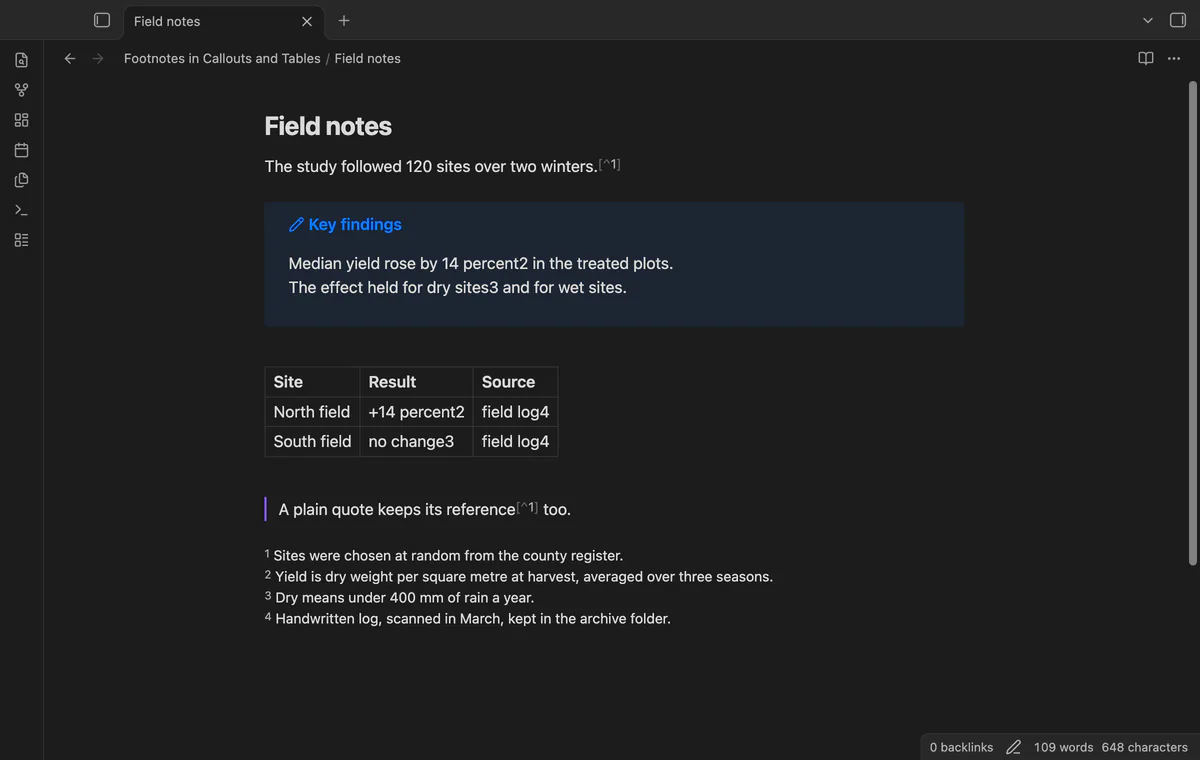
Footnotes in Callouts and Tables fixes a gap in Live Preview. When you write a footnote reference inside a callout or a table cell, Obsidian shows it as a bare number or word. You cannot click it, and you cannot read the definition without scrolling. This plugin turns each of those references into a numbered link, like the footnote links that Obsidian draws in a normal paragraph. Hover over the link to read the definition. Click it to go to the definition.
Three forum requests ask for this fix, with 72 votes together, and they are still open. The footnote plugins in the directory help you insert or tidy footnotes. None of them draws a reference inside a callout or a table cell.
 Play demo
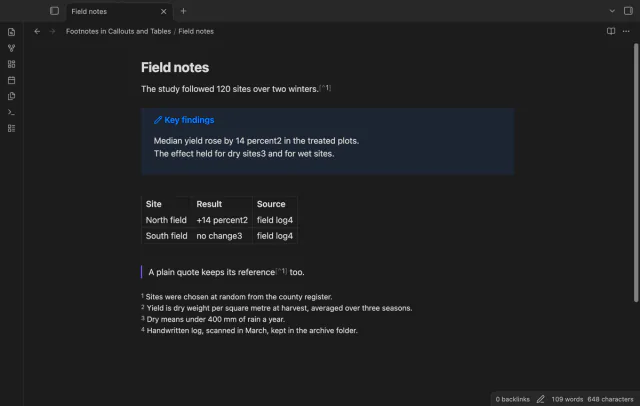

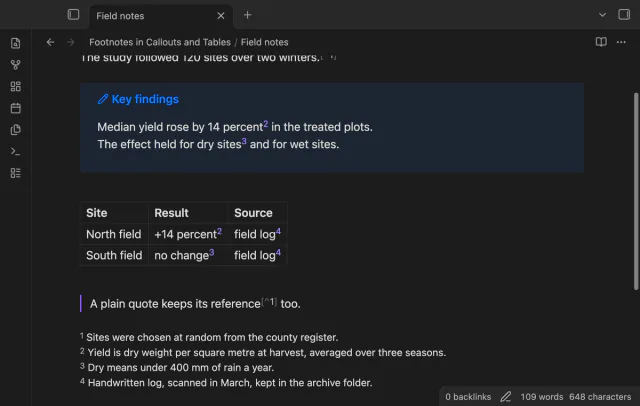
Write a footnote the usual way, with a label such as [^2] in the callout text and the definition anywhere in the note. Without the plugin, Live Preview shows the label as plain text next to the word. With the plugin, the same text shows a raised number that you can click. The number follows the order of first use in the note, the same order that the reading view uses. A reference that has no definition keeps the id that you typed.
A reference in a table cell becomes a link too, in the header row and in the body rows. A click on the link does not start editing the cell. A click on the cell text still does, and the links come back when you leave the cell.
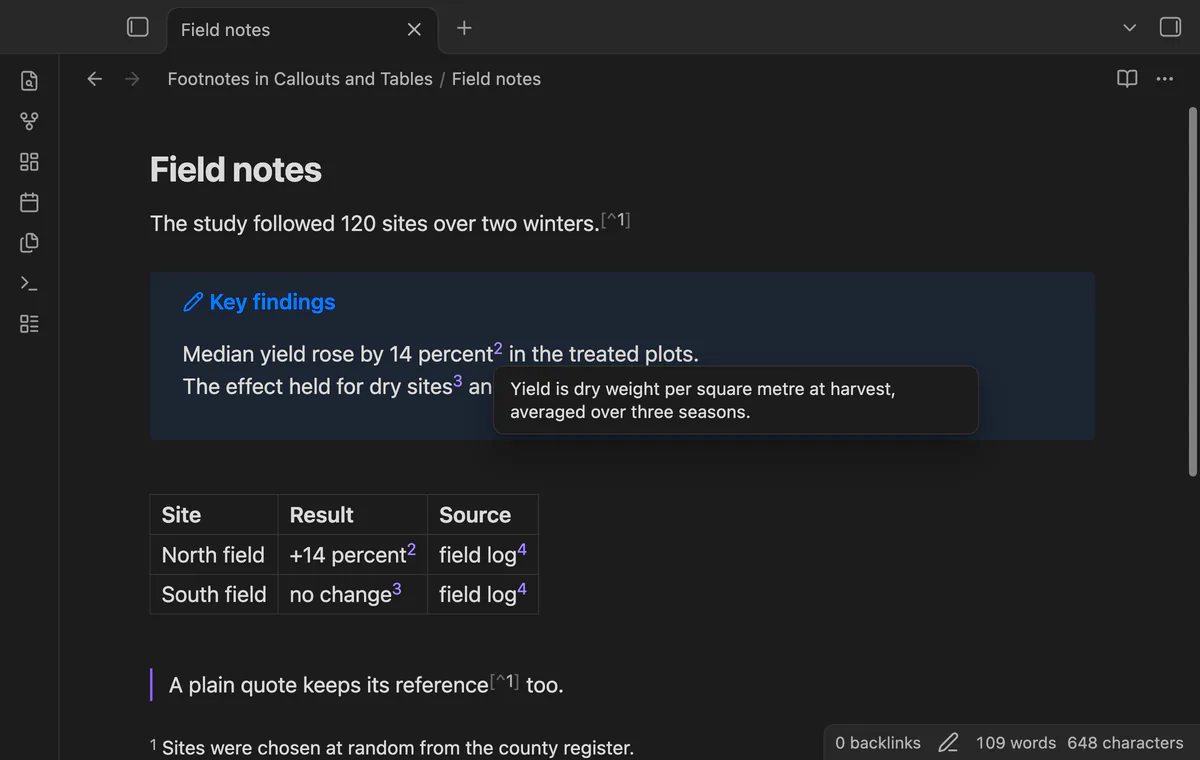
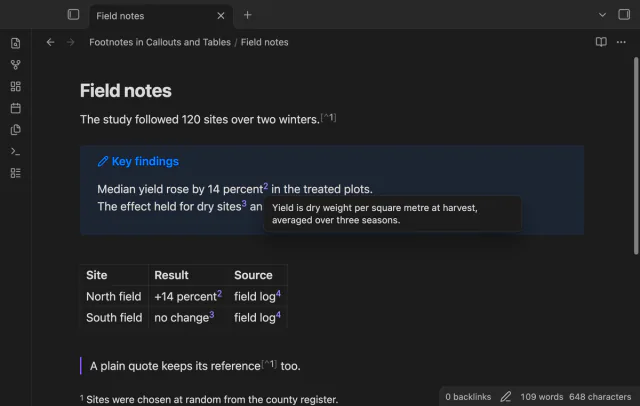
Rest the pointer on a link to see the text of the definition in a small popup. The popup shows Markdown, so links and bold text in the definition look as they do in the note.
A click on a link moves the cursor to the definition and scrolls to it. The line of the definition shows a colour for a moment, so you can see where you are. The plugin stops the press on the link, so a table does not start to edit the cell. The links also work with the keyboard: Tab to a link, then press Enter.
The free version has the numbered links in callouts and tables, the hover preview and the jump to the definition. Pro adds the footnote panel, the way back from a definition to its reference, the red warning for a reference without a definition, and the check for unused and missing footnotes. To get it:
Pro costs $5 a month or $15 one time through GitHub Sponsors. One sponsorship turns on Pro in all 15 plugins.
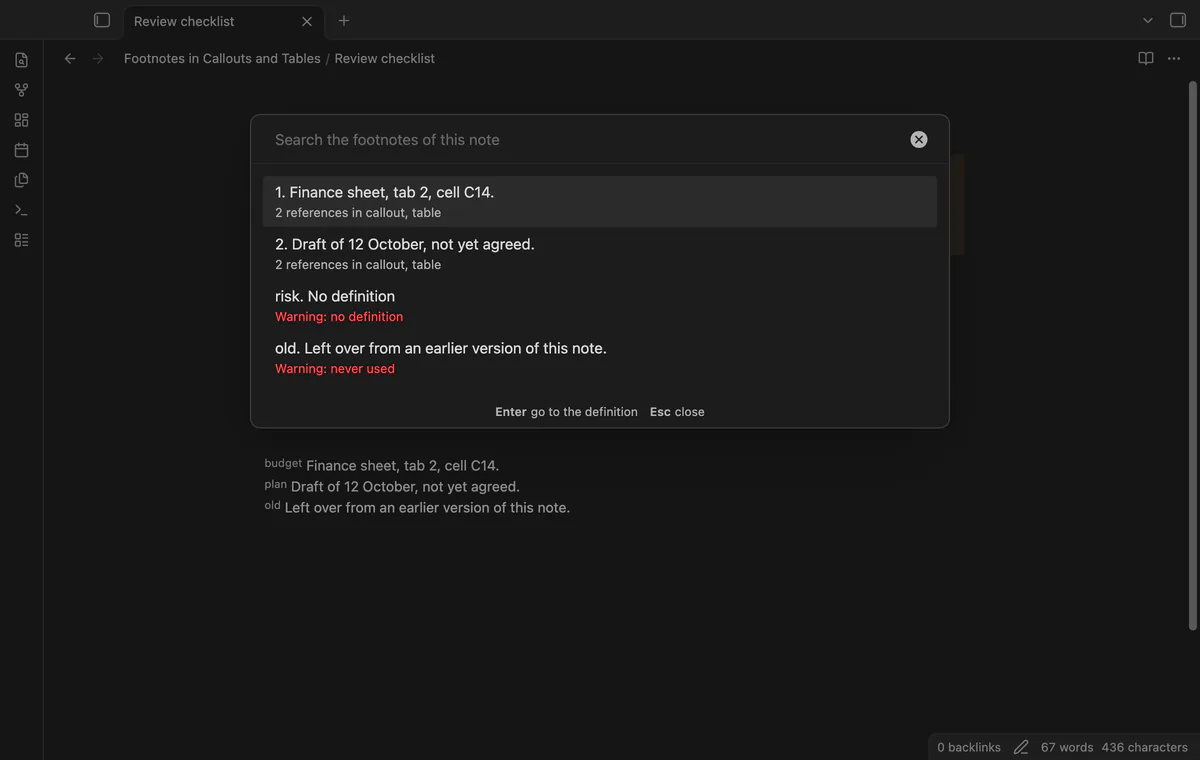
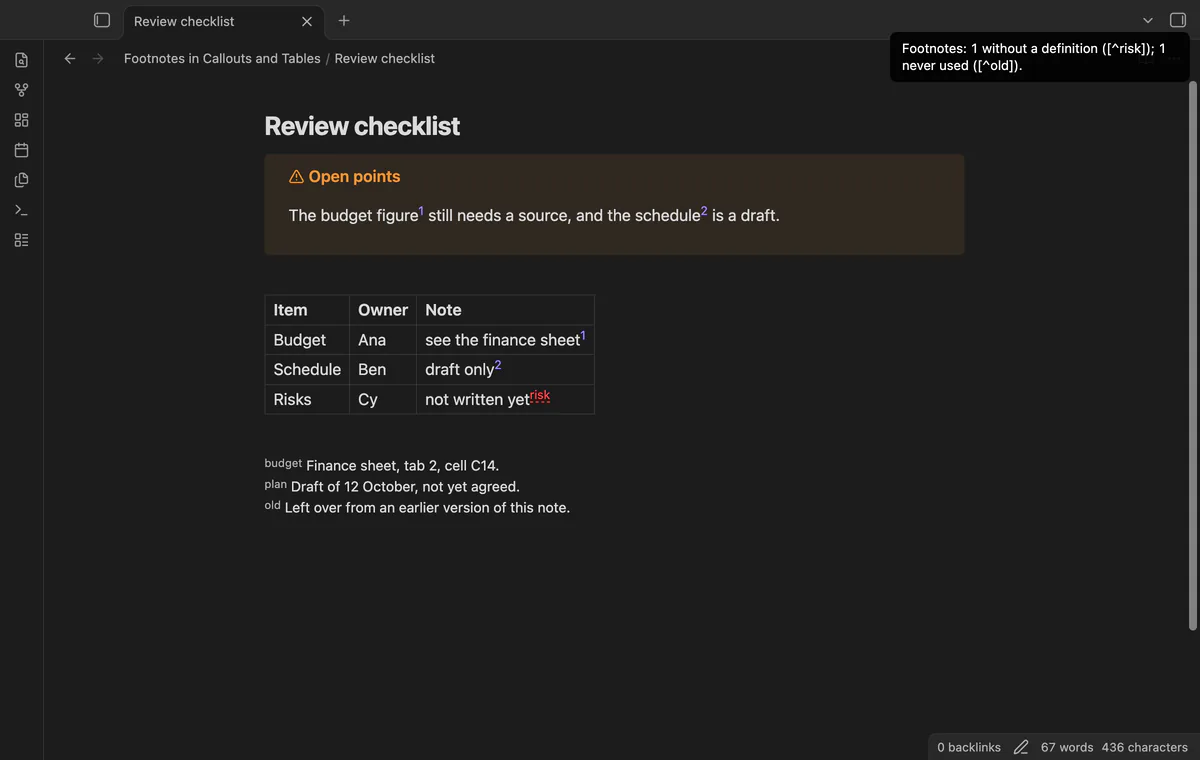
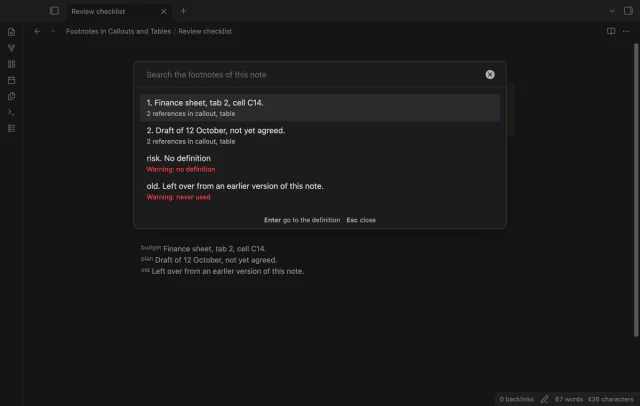
The command "Show the footnotes of this note" opens a searchable list of all the footnotes. Each row shows the number, the definition, how many references the footnote has and where they are: body, callout, quote or table. Press Enter on a row to go to its definition. A footnote that has no definition, or that no reference uses, shows a warning line.
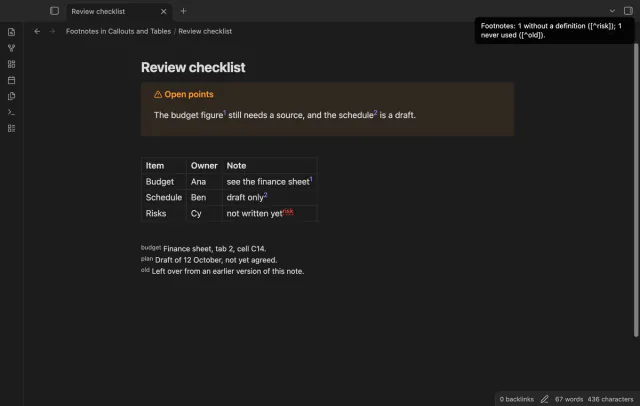
With Pro, a reference that has no definition shows in red with a wavy underline, in callouts and in table cells. The command "Check for unused and missing footnotes" shows one notice that names each one, for example Footnotes: 1 without a definition ([^risk]); 1 never used ([^old]). The command "Go from a footnote definition to its reference" moves the cursor from a definition line to the first reference. If the cursor is not on a definition, it goes back to the place where you last clicked a reference.
needs
steps
Write the reference as [^label] and the definition as [^label]: text on its own line, anywhere in the note.
Rest the pointer on a link to read the definition.
Click a link to go to the definition.
72 forum votes; core 1.14.4 shows [^n] inside callouts and tables as plain text.
No. The plugin reads the text of the note to find the references and the definitions. It never writes to a note.
[^source]?Yes. The label can hold letters, digits, hyphens and _. The link shows the number. Turn off "Show numbers" to show the label.
[^1]?Live Preview draws it that way, and the plugin leaves it. The plugin only changes bare labels.
Inline footnotes such as ^[text], and footnotes in embedded notes. A label that has no letter and no digit, such as [^-], also stays as drawn.
Footnote Shortcut and Tidy Footnotes help you write and tidy footnotes. This plugin changes how references look and work inside callouts and tables.
Until you select "Sign in with GitHub" in the settings, Footnotes in Callouts and Tables makes no network requests. Sign in uses the GitHub device flow. Footnotes in Callouts and Tables sends its public client ID and the scope read:user to https://github.com/login/device/code and shows you a code. While you enter the code at https://github.com/login/device, it asks https://github.com/login/oauth/access_token every few seconds whether sign in is done. The scope read:user is read-only access to your profile, which GitHub needs to show the sponsorship tier. It gives no access to repositories and no write access.
Footnotes in Callouts and Tables 1.0.0, MIT license
MIT · no telemetry · core features free
All the rows from the small tables in your notes, in one sortable table that links back to each note.
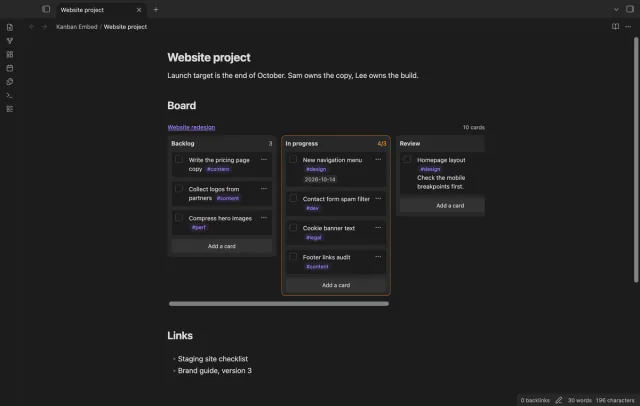
Put a Kanban board in a project page or a daily note and check off cards right there.
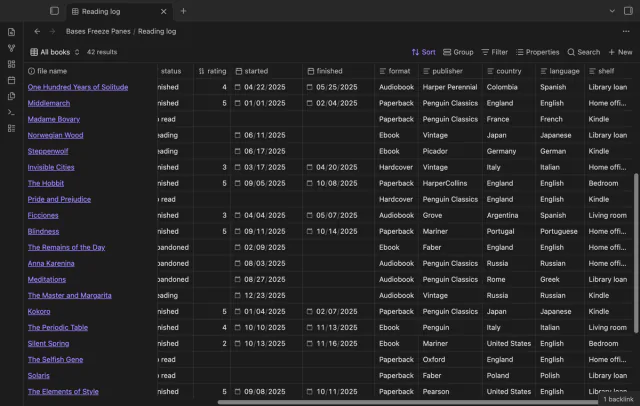
Scroll a wide base and the column names and note names stay put, like Freeze Panes in a spreadsheet.