How to edit spaces in Obsidian inline math
As of October 2026, Obsidian accepts inline math between dollar signs.
As of October 2026, Obsidian documents MathJax rendering for equations, rather than a symbolic solve command. You can rearrange an equation yourself and type the result as math. Pocket Symbolic Solver adds a local solver and an insertion preview.
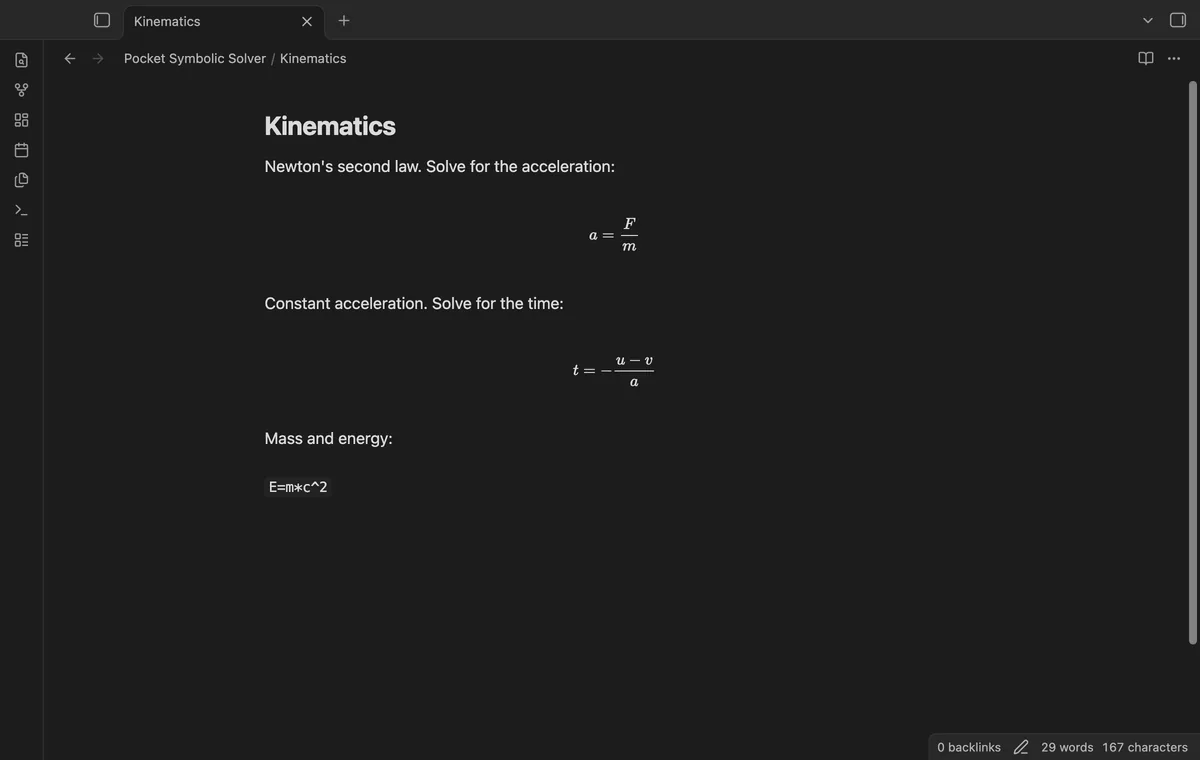
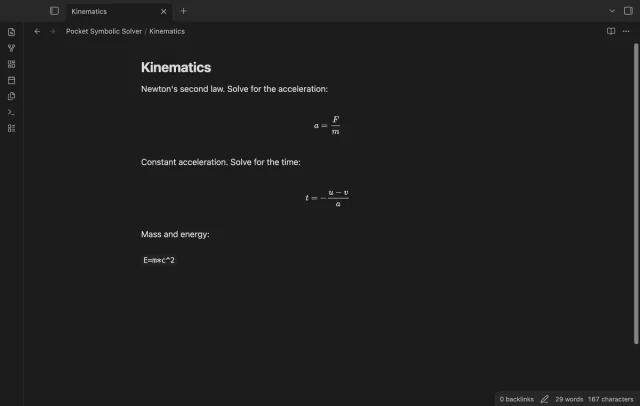
You write algebra or physics notes and want to rearrange an equation without leaving the editor. Select F=m*a and solve for a. Pocket Symbolic Solver shows the result before you insert it as display math.
Obsidian renders LaTeX math enclosed in dollar signs. Rearrange your equation yourself, then write the result using display math.
Select F=m*a and solve for a. Pocket Symbolic Solver shows the result before you insert it as display math.
MIT · no telemetry · core features free
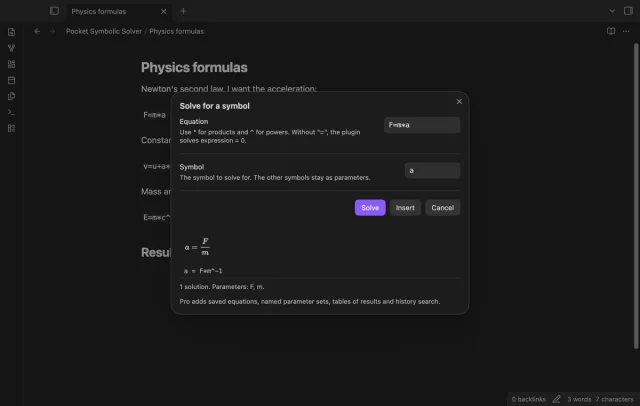
Select an equation such as F=m*a in your note.
Run Solve an equation for a symbol.
Enter a as the symbol and select Solve.
Check the rendered solution, then select Insert or cancel the preview.
The solver chooses an algebraic form. Check whether it is equivalent to your expected result before inserting it.
Insert replaces selected text. Clear the selection and place the cursor where you want the result instead.
 That's every step, start to finish.
You're officially a regular.
Obsidian rewards people who share. NoteMods is just me and a lot of coffee. If this guide saved you a fight with the syntax, buy me a cup.
That's visit . Regulars are the reason I keep NoteMods running. If it's part of your routine now, a coffee says thanks better than anything.
Solve for a symbol, check roots, and insert display math.