How to draft release notes from commit subjects in Obsidian
As of October 2026, the Obsidian core plugin list describes no commit subject grouper.
As of October 2026, the Obsidian core plugin list describes no JUnit report converter. You can paste a log excerpt into a note or convert local XML with JUnit Failure Notes. The plugin creates a new report beside the XML source.
A work log can keep a failure excerpt and a reference to the test run. JUnit Failure Notes provides a local conversion when you have XML in the vault. No forum demand count was verified for this guide.
Paste the text you need into a fenced code block in your note. Use a longer outer fence if the log contains backticks. You can put the excerpt in a foldable callout.
For a GitHub Actions run, open a job to inspect its steps and failed output. You can search expanded logs or copy a link to a specific line.
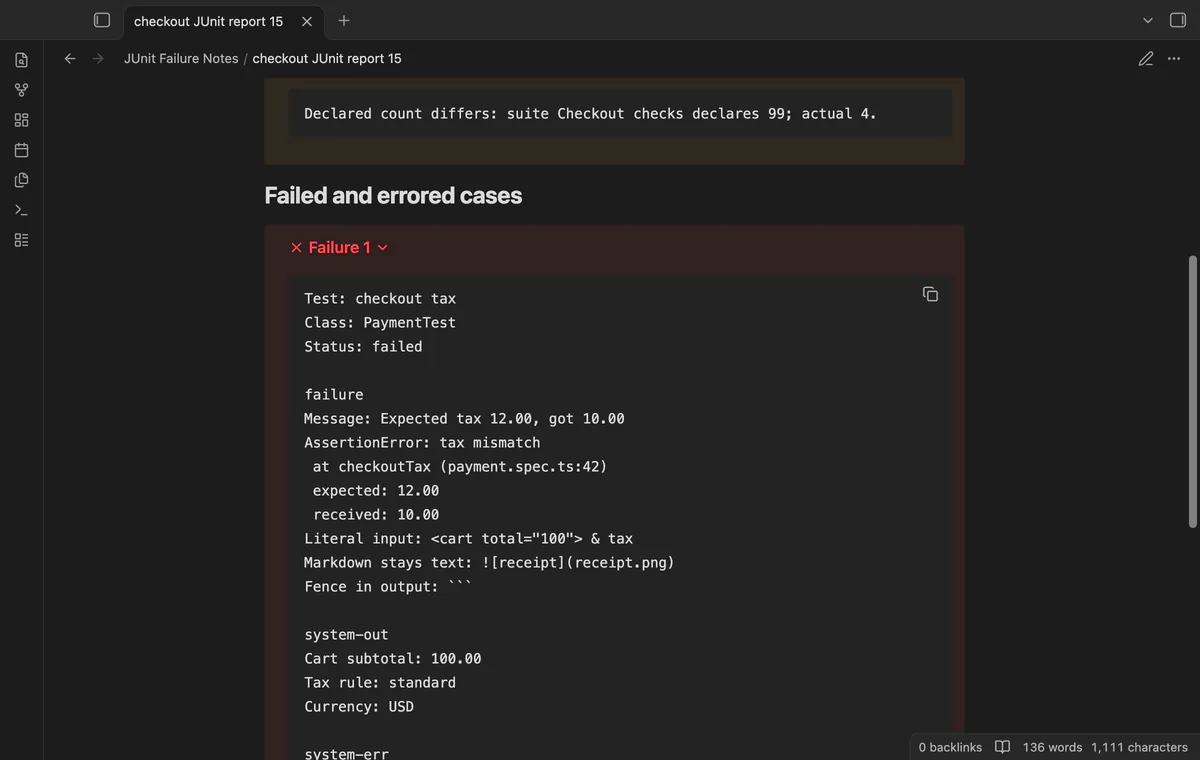
Choose a vault XML file to create counts, warnings and folded failure logs in Markdown. Pro adds folder reports and a comparison with saved failure names.
MIT · no telemetry · core features free
Save a JUnit XML report inside your vault.
Run Create report from XML from the command palette.
Choose the source path and select Create report.
Read the counts, open a folded failure callout and follow Source XML to inspect the source.
Create another report after a later run if you need a separate record.
The plugin counts testcase elements instead of adding declared suite totals. It warns when a declared suite count differs. A nested case contributes once to the result table.
With Pro, save the earlier XML as your local baseline. Choose the later XML with Compare with local baseline. The new note lists added, resolved and retained failure pairs.
Yes. Paste an excerpt into a fenced code block in a Markdown note. Obsidian also supports foldable callouts if you want to hide the text until needed.
 That's every step, start to finish.
You're officially a regular.
Obsidian rewards people who share. NoteMods is just me and a lot of coffee. If this guide saved you a fight with the syntax, buy me a cup.
That's visit . Regulars are the reason I keep NoteMods running. If it's part of your routine now, a coffee says thanks better than anything.
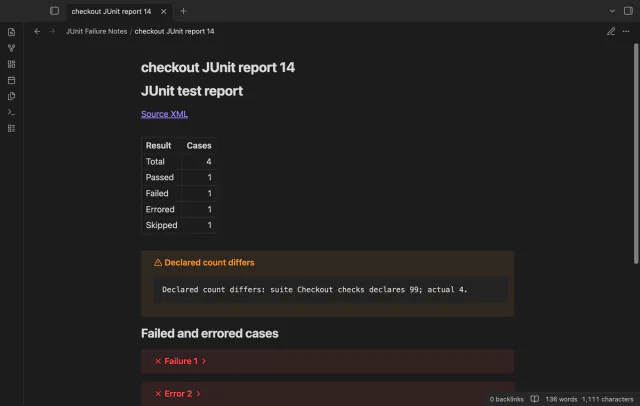
Read test counts and folded failure logs in a new note beside your local XML report.