The Views help page, read in October 2026, describes how to add filters, but no way to switch one off. In core Bases you delete a filter and add it again, or you keep one view for each filter. Two community plugins add a real toggle.
Updated · 4 ways compared · 7 sources
Background
The main request, Bases: Quickly enable/disable filter groups via buttons toggles, was opened on 23 May 2025. As of October 2026 it has 95 likes and 14 posts. A second topic asks for a quick filter on one property and has 10 likes.
The first poster came from the DB Folder plugin, which had filter buttons across the top bar. With four independent properties, one view for every mix gets out of hand. A June 2026 reply still describes adding, deleting and adding filters again.
4 ways to do it
One view for each filter
A base can hold several views, and each view can have its own filters. The filter menu has two sections, All views and This view. So you make a view named Todo and another named Doing, then switch in the view menu.
Several posters in the thread work this way today.
limits
The views multiply. The first poster notes that four independent properties need a view for every combination.
A filter that reads a property of the embedding note
In an embedded base, the word this points to the note that holds the embed. A forum post from August 2025 builds on that. Add a property to the note, then a formula that compares each file with that property and returns true when the property is empty.
Filter the base on that formula. Type a value in the property and the base narrows. Clear the property and every row comes back.
limits
The post shows it for one text match on the file name. Each further property you want to switch needs its own formula and its own note property.
Bases Toolbox is a community plugin with many tools for Bases. One of its commands, Toggle base filters, disables single filter conditions of a base file and keeps them. The plugin remembers the disabled filters, so you can turn them on again later.
limits
Its README says nested filter groups are listed but can't be toggled yet. It's a command, not a row of buttons on the base.
Bases Filter Switches, buttons under the toolbar from this site
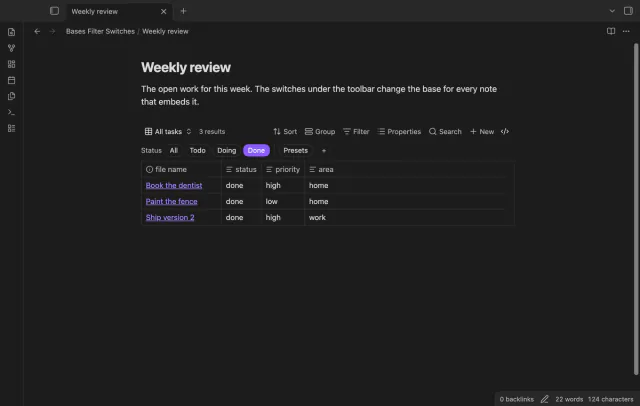
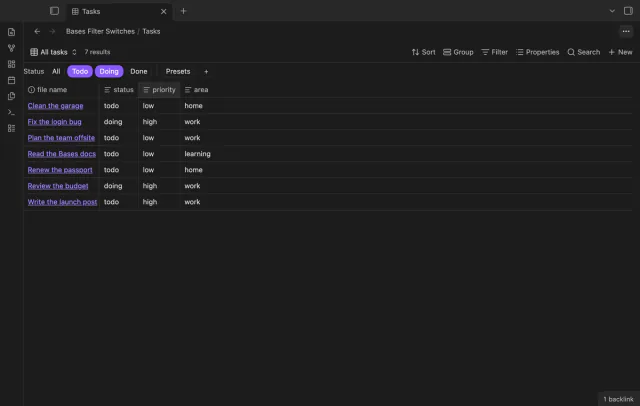
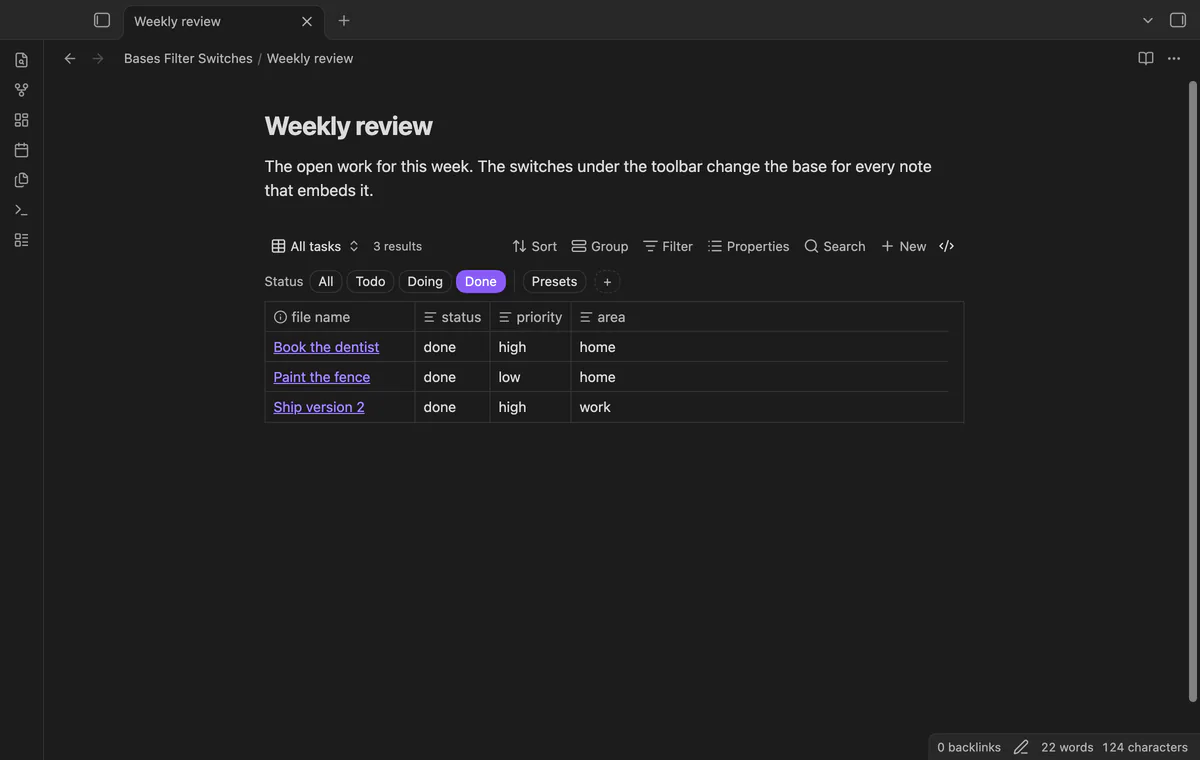
Bases Filter Switches puts a row of switches under the toolbar of a base. Each switch is a saved filter with a label, such as Todo for status == "todo". Click it and the filter goes into the top-level filters of the base file. Click again and the filter is gone.
Switches of one group are joined with or, and different groups with and. A base file embedded in a note gets the same switches, and they work with every layout.
limits
The free version gives each base one group of up to 3 switches. A switch applies to every view of the base, and base code blocks don't get switches.
Install Bases Filter Switches from Community plugins and enable it. It needs the Bases core plugin.
Open a base. Under the toolbar, select the small + Filter switch button.
Type a group, a label and a filter, for example group Status, label Todo and filter status == "todo". The filter uses the same syntax as the filter editor.
Add up to two more switches to the group. A fourth switch or a second group needs Pro.
Click a switch to filter the base. Select All to turn every switch of the group off.
Common questions
Can I disable a Bases filter without deleting it?
Not with core Bases, as far as the help page shows in October 2026. The Bases Toolbox command Toggle base filters does it for single conditions. Bases Filter Switches does it with one button for each saved filter.
Can I search a base quickly and leave its filters alone?
Yes. The Bases toolbar has a Search button that searches items by their displayed properties. A moderator note in the second forum topic adds that Ctrl or Cmd with F filters the view too.
Will a switch I turn on show in other notes that embed the same base?
Yes. A switch changes the base file itself, so every note that embeds this base shows the same filter. Filters that belong to one view stay as they are.
Bases has no setting that freezes a column, as of October 2026. Forum users report that a base file keeps its header row in view, and a CSS snippet does that for embedded bases. Nobody in the threads got the first column to stay with CSS alone.
Bases can't list the checklist tasks inside your notes on its own, as of October 2026. A base row is a file, and an Obsidian developer wrote in 2025 that Bases doesn't read file contents. You can make each task its own note, or add a community view for Bases that reads the task lines.