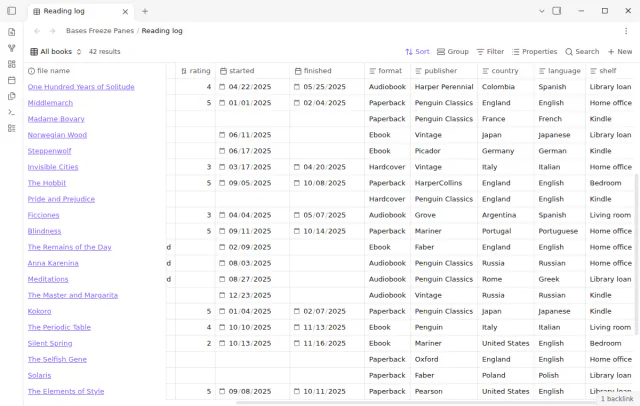
Bases Freeze Panes
Keep column and note names visible as you scroll a base.
Turn saved Bases filters on or off with switches.
MIT · no telemetry · core features free
Pro adds "Switches from the values of a property" and "Presets". Pro for all 134 plugins, $15 one time
Tested on desktop only.
Directory facts fetched from community.obsidian.md/users/theluckystrike.
You have one base with many filter combinations and don't want to keep one view for each mix.
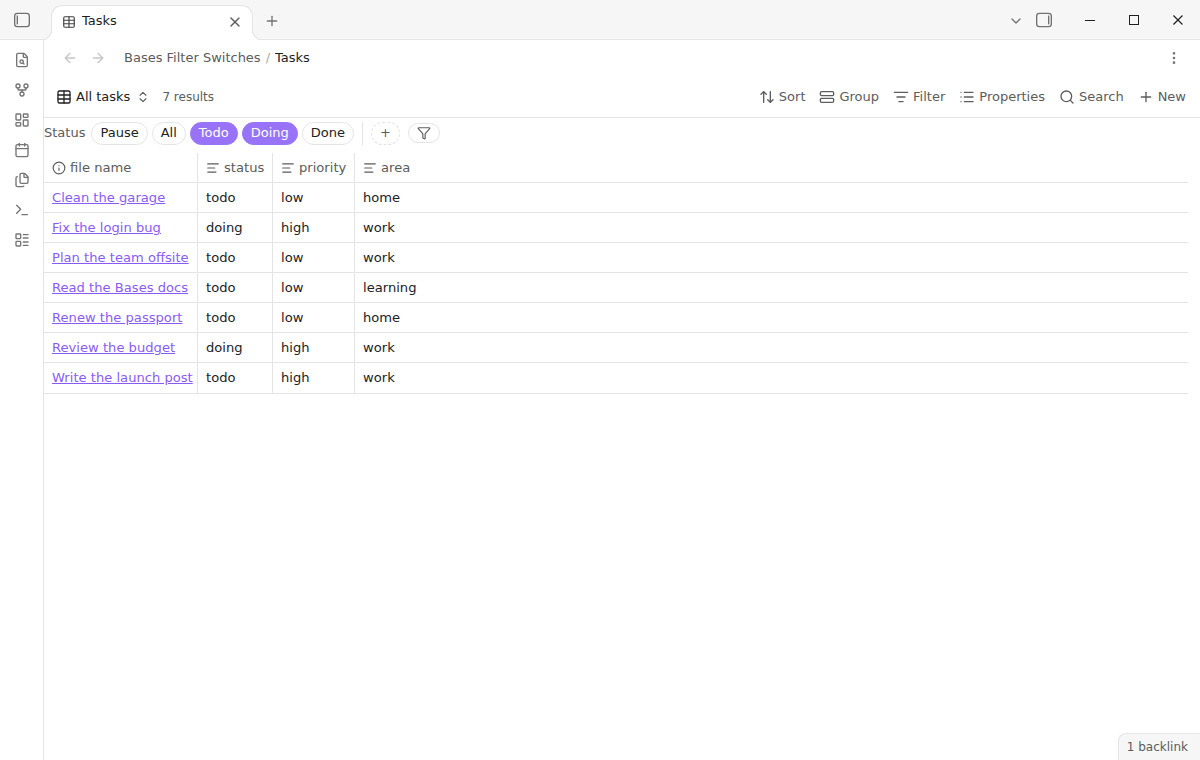
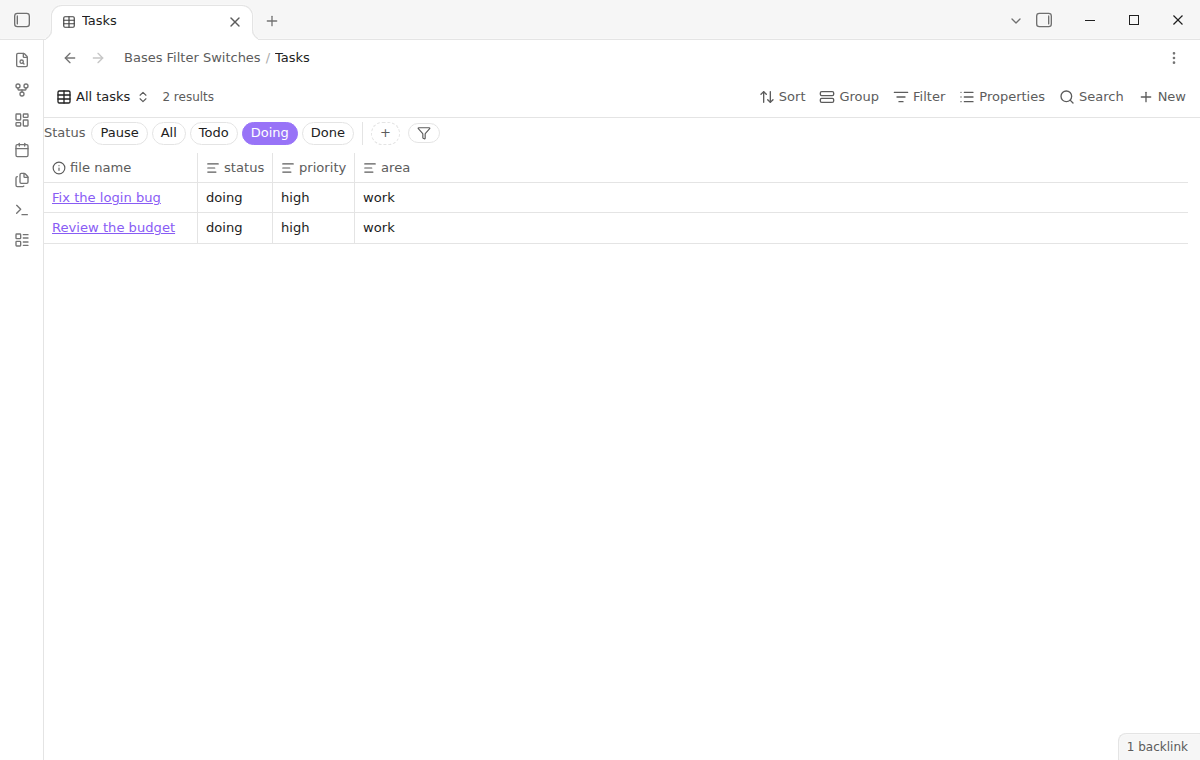
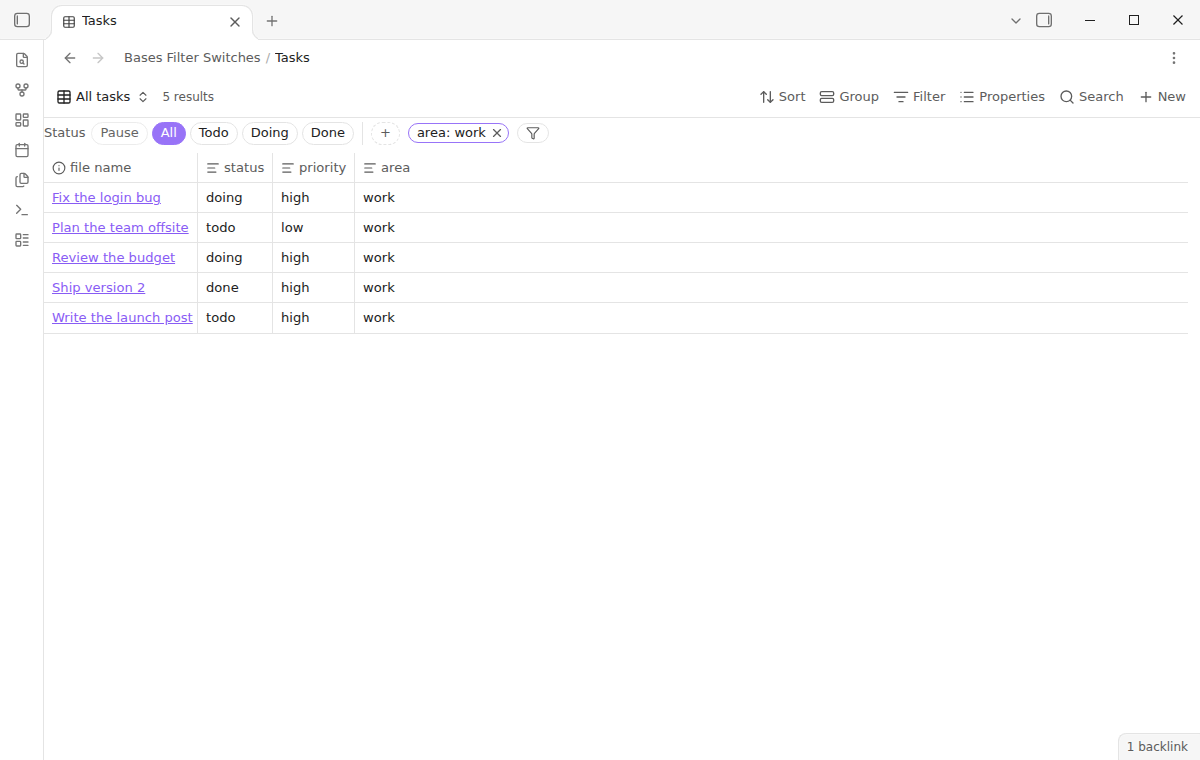
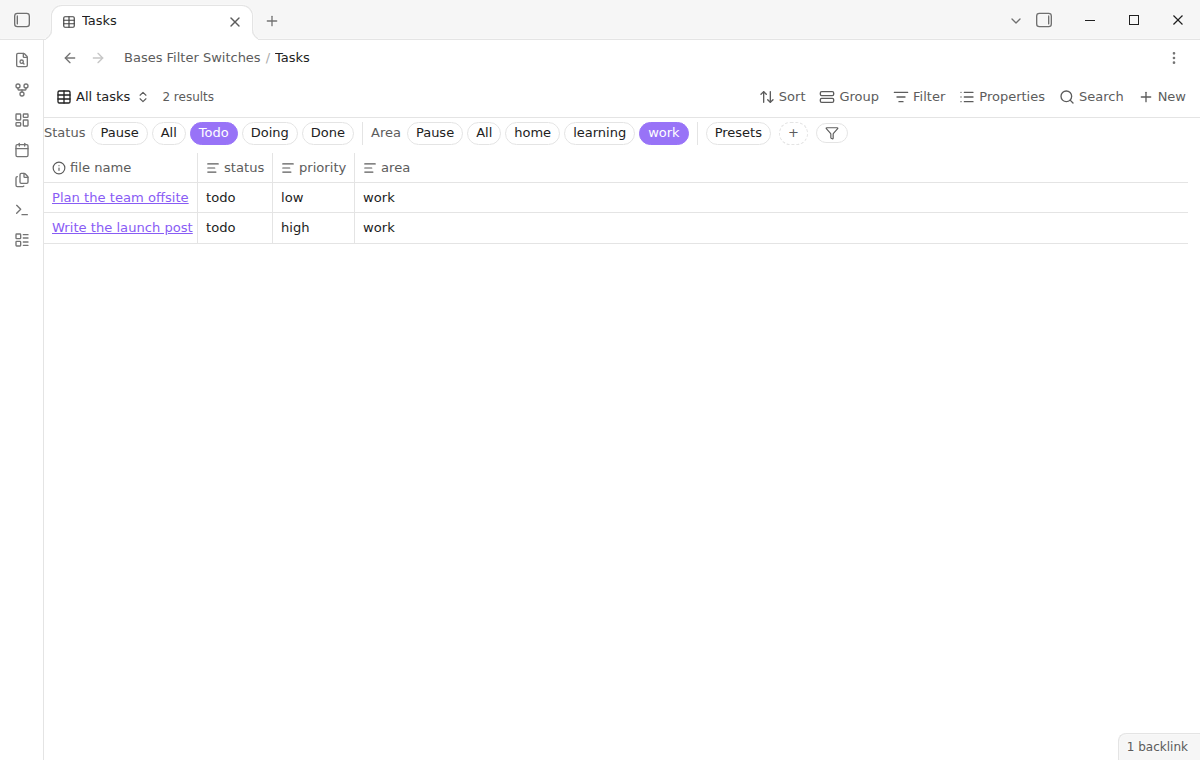
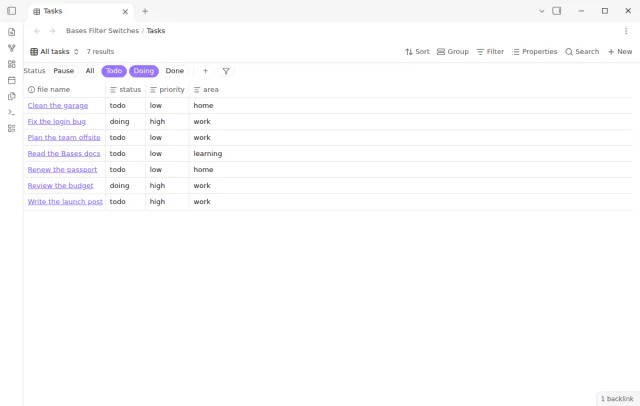
Each switch is a saved filter, such as Todo for status == "todo". Click it and the base shows only those notes, and click it again and the filter is gone. You never open the filter editor.
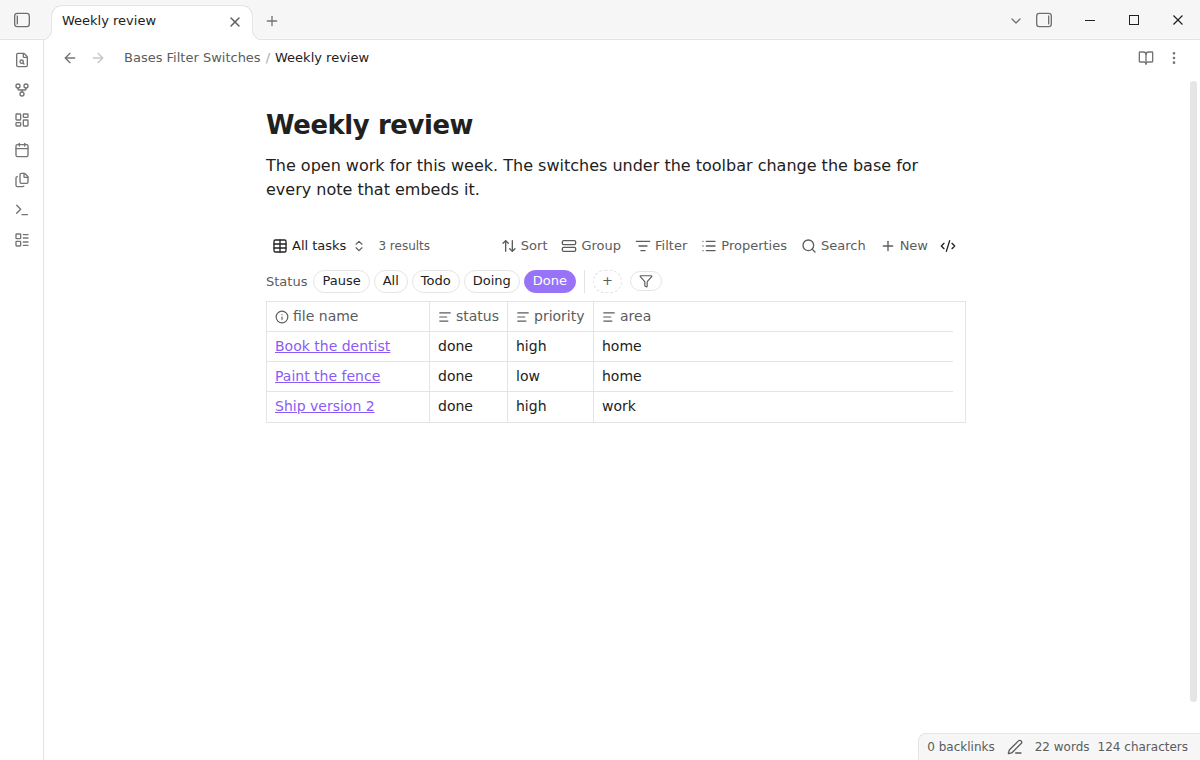
The switches work in base files and in bases embedded in notes. A switch changes the filter of the base itself, so the filter applies to the views of that base.
 Play demo
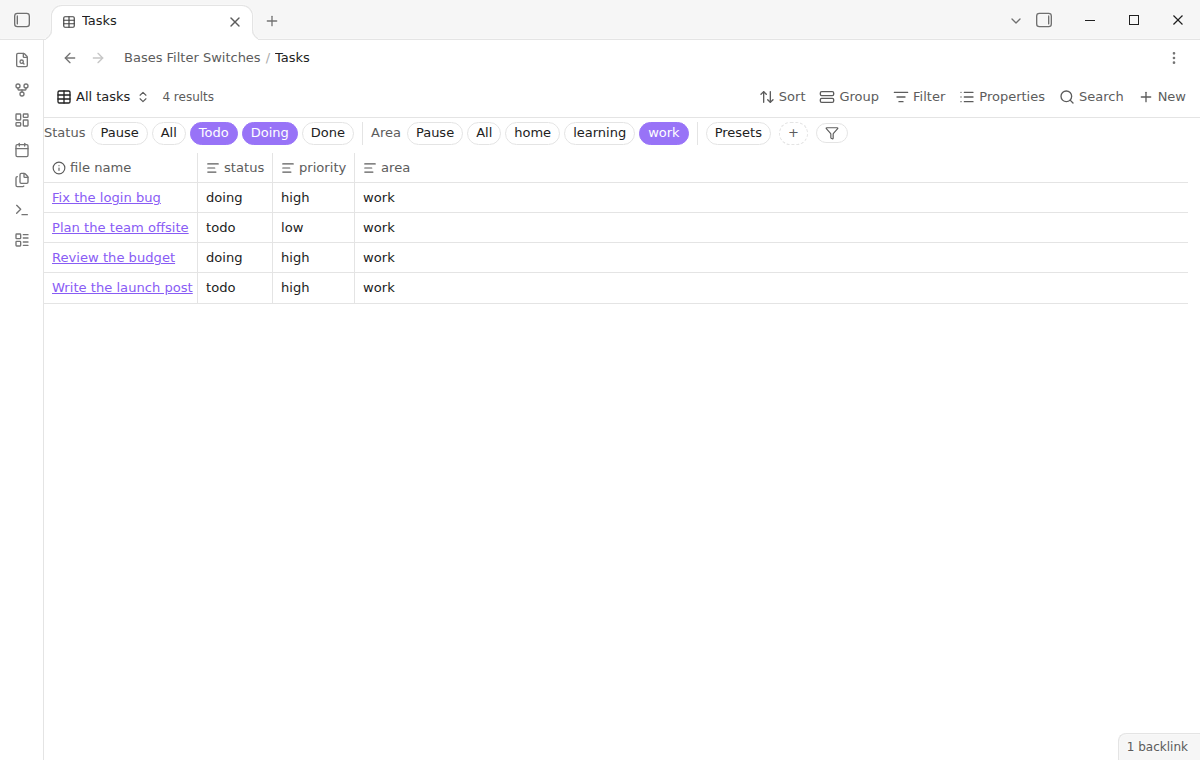
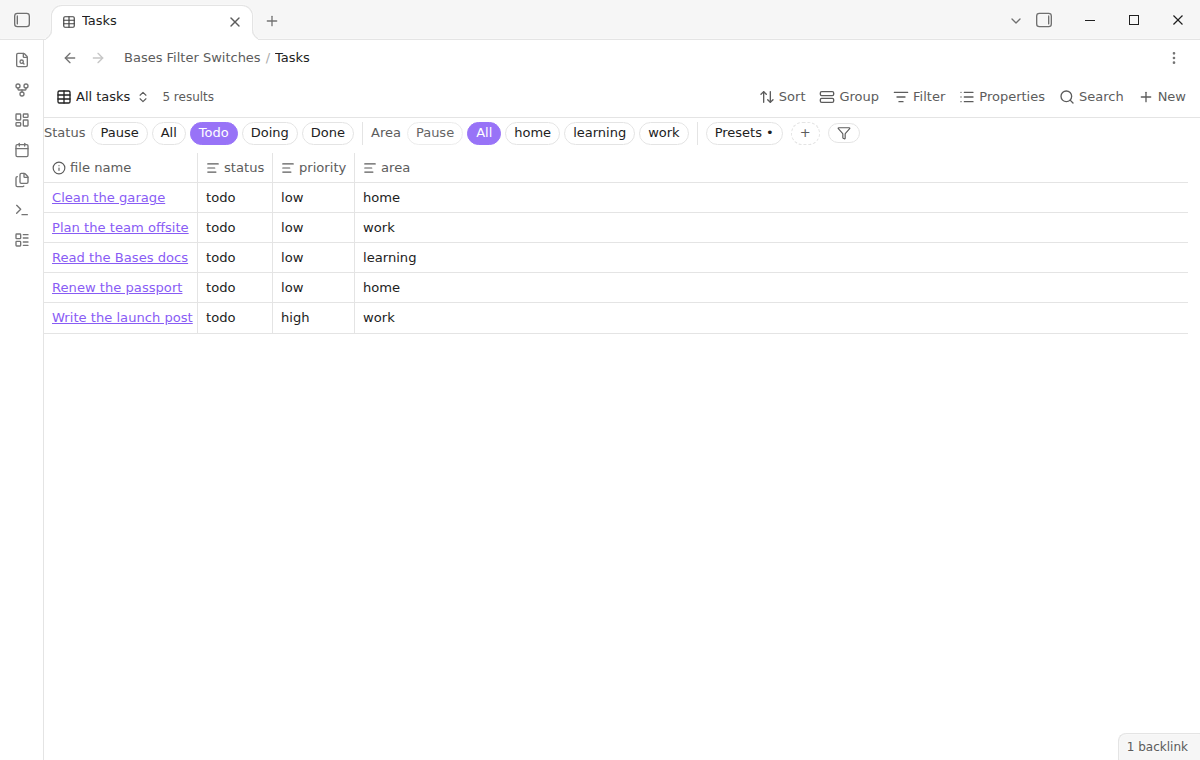
Switches of one group are joined with "or", so Todo and Doing together show the notes that are todo or doing. Different groups are joined with "and", and the All button, shown when a group has two or more switches, turns that whole group off. Each switch that is on is a real top-level filter, and your own filter conditions stay but may move into an and list.
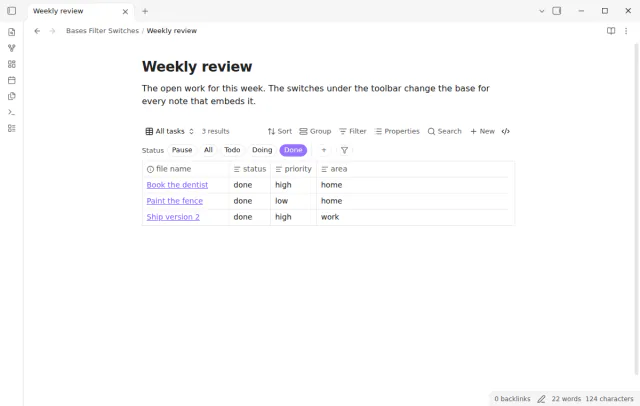
A base embedded in a note gets the same switches under its toolbar. A switch changes the base file, so each note that embeds this base shows the same filter.
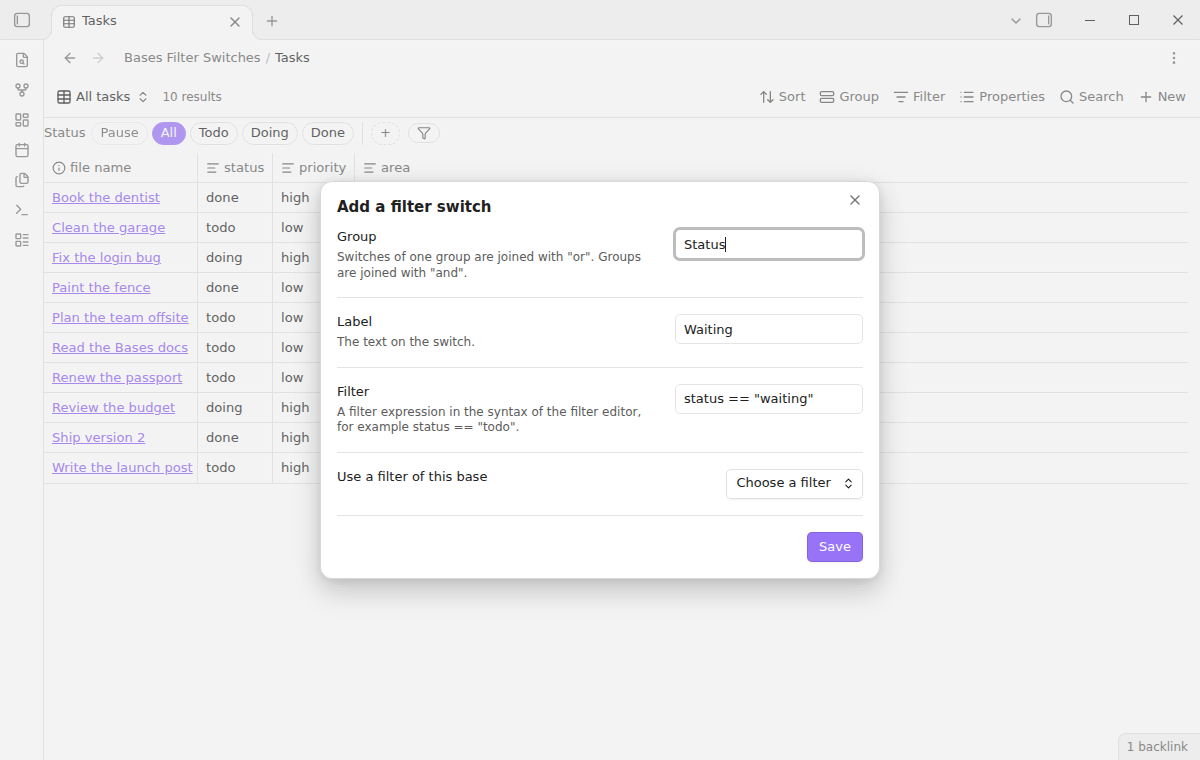
Select the + button, then type a group, a label and a filter in the same syntax as the filter editor. You can also pick a filter the base already has, and it becomes a switch. On desktop, right-click a switch to edit or remove it.
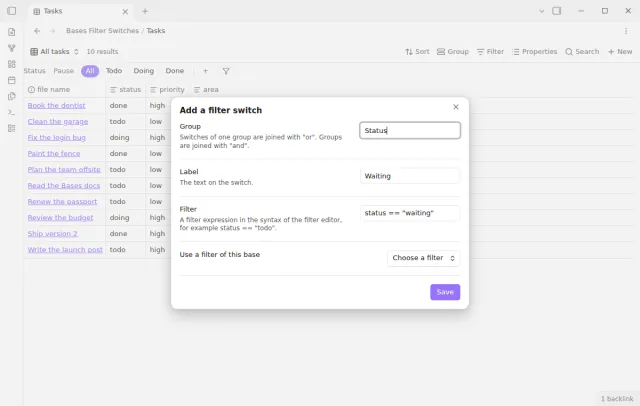
The switches take their colors from your theme, in light and dark mode, and a switch that is on has the accent color. Press Tab to reach the row, the arrow keys to move, and Enter or Space to flip a switch.
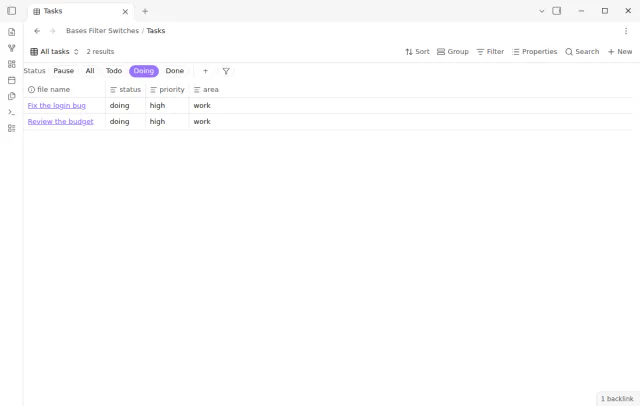
Pause removes a group's active filters and saves their labels in the base file. Resume restores the saved choices that still exist. This control is free.
Select the filter button at the end of the bar, then choose a property, "is" or "contains text", and a value. The filter shows as a chip, such as author: Le Guin, and the button on the chip removes it. The chips stay in the plugin data, not in the base file.
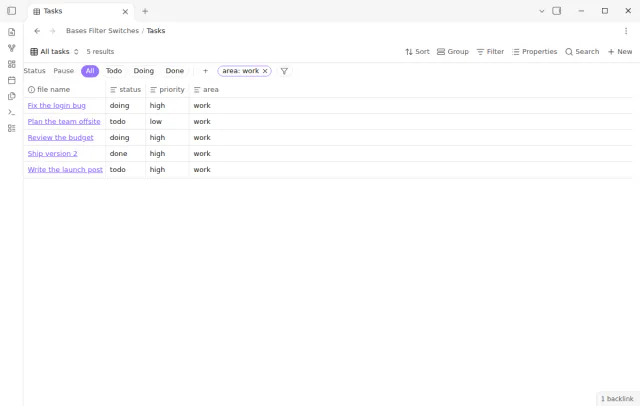
The free version gives each base one group of up to 3 switches and one quick filter at a time.
Pro costs $5 a month or $15 one time through GitHub Sponsors.
Choose a property with Add switches from the values of a property. Generated switches match exact scalar or list values, and identical labels share a switch. New values appear as the notes change.
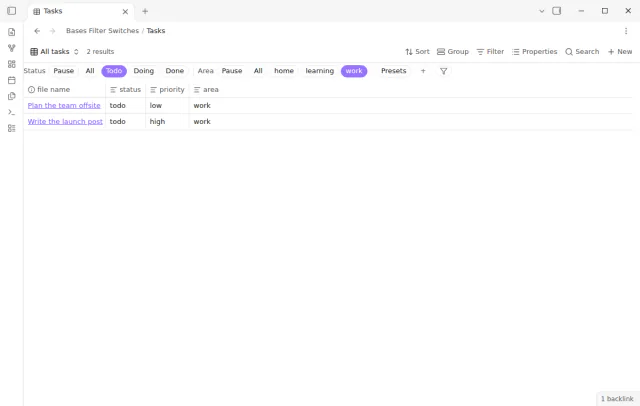
A preset saves which switches are on, across the groups, under one name. Choose it from the Presets menu to set the groups at once. Each preset also gets a command, so you can give it a hotkey.
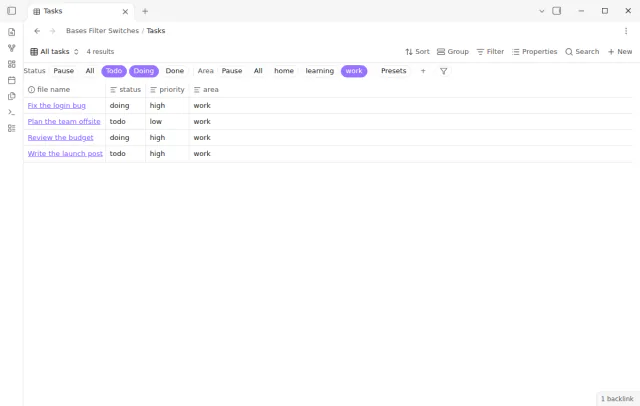
Save the switches that are on now as the default of a base. One command or menu item turns that default back on, and another clears it.
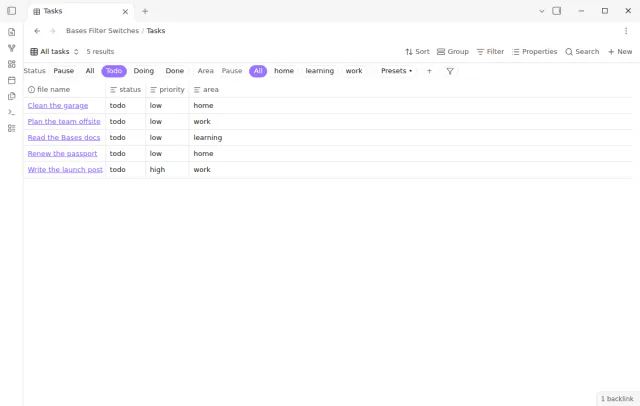
With Pro, up to 5 quick filters stay on at once, joined with "and". Without Pro, a new quick filter replaces the old one.
$15 once. Pro tools in 134 NoteMods plugins with one GitHub sponsorship. Nothing renews.
Pro turns on right after payment. Select Sign in with GitHub in the settings of each plugin you use. Free features stay free.
Secure checkout by GitHub Sponsors - needs a GitHub login.
17 of 50 founding licenses sold.
The price is set on the 1st of each month. It goes up only after a tier is full. Until then it stays $15. The next price review is on 1 December 2026.
A price change does not change a license that you paid for. The $5 a month option stays.
One sponsorship turns on the Pro features in 134 NoteMods plugins. Free features stay free.
$15 one time: Pro stays on, nothing renews. $5 a month: Pro is on while you sponsor, and stays on after you have paid $15 in total. You pay on GitHub (a GitHub login is needed), then select Sign in with GitHub in the plugin settings. All sponsor tiers
needs
steps
Open a base and find the small "+ Filter switch" button under the toolbar.
Select it and add a switch, for example group Status, label Todo and filter status == "todo".
Add more switches to the group, then click them to filter the base.
Use the All button of that group to turn it off. It shows when the group has two or more switches.
If you prefer YAML, edit the filterSwitches key in the base file by hand.
If the app can't find a new plugin yet, try again later. Obsidian says a plugin that passes the review shows in the app within 24 hours.
Two forum requests about quicker filtering in Bases have 41 likes on their first posts, 36 on topic 101040 and 5 on topic 101311.
Need a change for your team? I build custom Obsidian plugins and features.
In the filters of the base file. A switch is on when its filter is in the top-level filters. If you type a filter by hand that is the same as a switch, that switch shows as on.
No. Switches change the top-level filters, so they apply to the views of the base. View filters stay as they are.
It changes only the top-level filters and its own filterSwitches key, keeps comments, key order and quotes, and may normalize indentation. In Obsidian 1.14.4 the app writes the whole base file again when you change a view, and comments are lost then.
Until you select "Sign in with GitHub" in the settings, the code of Bases Filter Switches sends no network request. After a successful check, it waits 7 days before it asks GitHub again, and after a failed check it tries again at 6-hour intervals. Sign in uses the scope read:user, which gives no access to repositories and no write access, and the plugin sends no vault data.
Tell me what is broken in Bases Filter Switches, or what it should do next.
Bases Filter Switches 1.4.5, MIT license
MIT · no telemetry · core features free
Keep column and note names visible as you scroll a base.
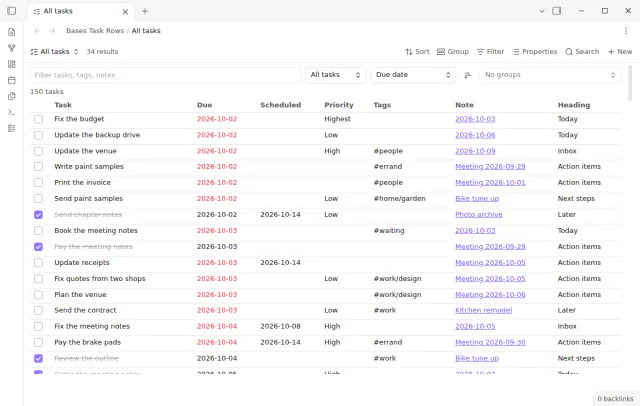
See each task from the notes in a base as a separate row.
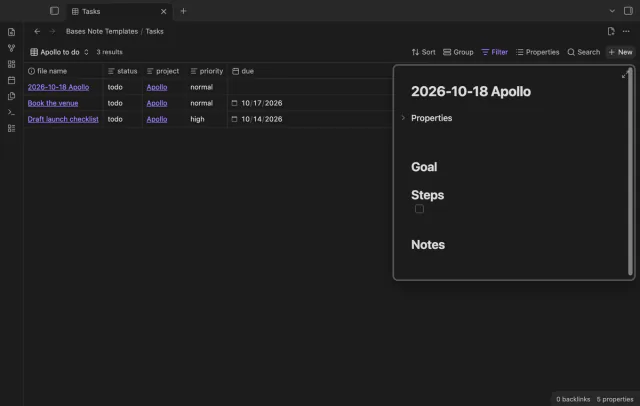
Create notes in Bases with a template and filter values.
Pro adds "Presets"Pro for all 134 plugins, $15 one time
Get Pro