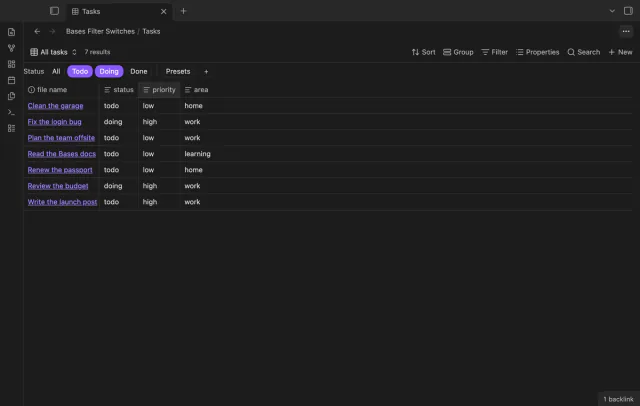
Bases Filter Switches
A row of switches under the base toolbar, each one a saved filter you turn on or off with a click.
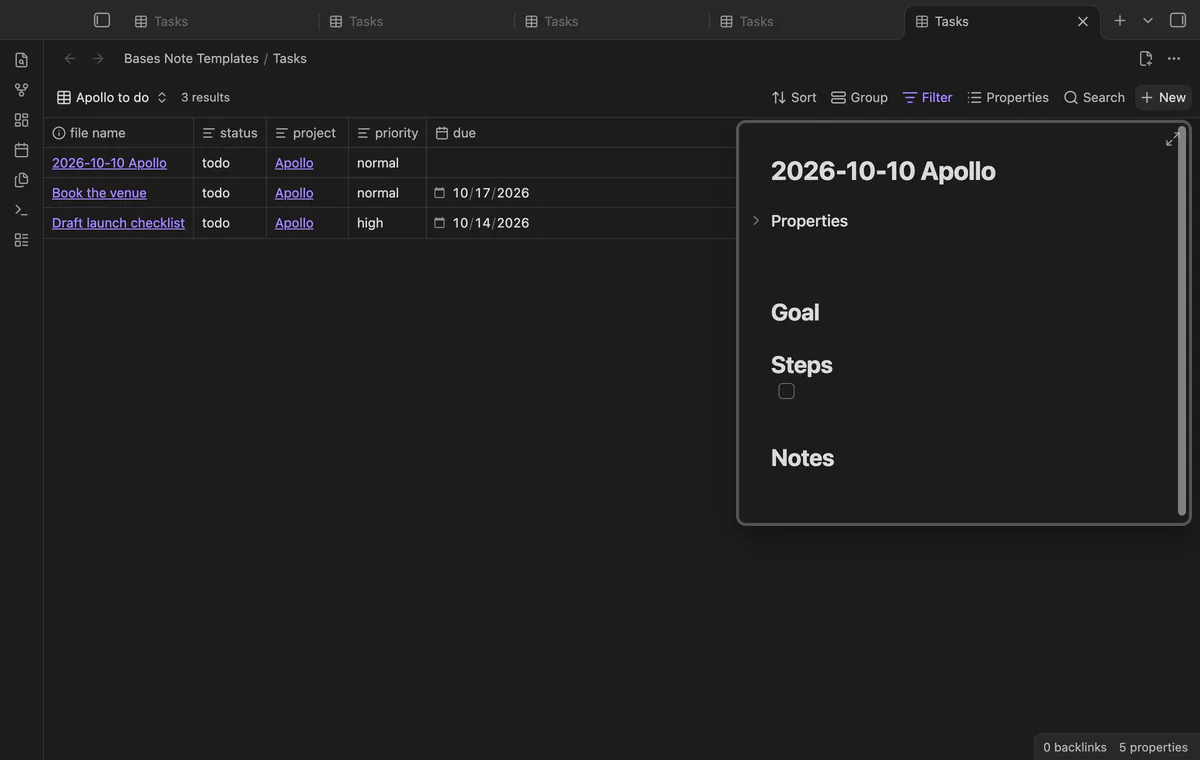
Press New in a base and the note arrives with your template, the filter values, a folder and a name.
MIT · no telemetry · core features free
Directory facts fetched from community.obsidian.md/users/theluckystrike.
People who use a base as a data entry tool for tasks, bugs, books or meetings.
You pick a template note for the base. When you press New, the new note gets the properties and the text of that template, plus the values of the base filters. It lands in the right folder, with a file name from a pattern.

A base filtered by status == "todo" and project == "[[Apollo]]" then gives notes like 2026-10-10 Apollo.md. You no longer make a note, delete it, and insert a template by hand.
 Play demo
Press New in a base as usual. The app makes the note and writes the filter values, then the plugin adds the template. If the base has no setup, the New button works exactly as before.
A value from the filters wins over the same property in the template, so the new note shows up in the view. An empty value never hides a template value. The plugin reads the same filter rules as the app, such as ==, contains, file.hasTag and file.inFolder.
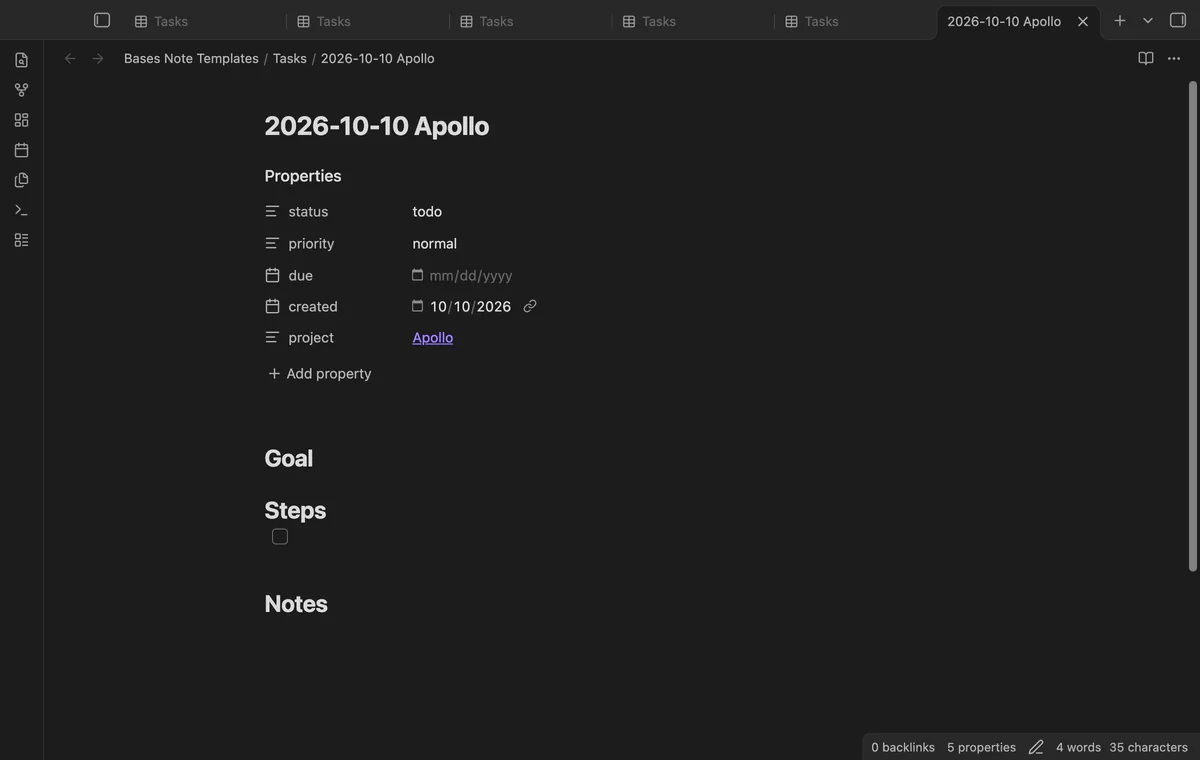
Run Set up templates for this base from an open base, then choose the template, a folder and a name pattern. The pattern can use {{date}}, {{time}}, {{base}}, {{view}}, {{template}} and any filter property, such as {{project}}. If the name is taken, the plugin adds a number, like the app does.
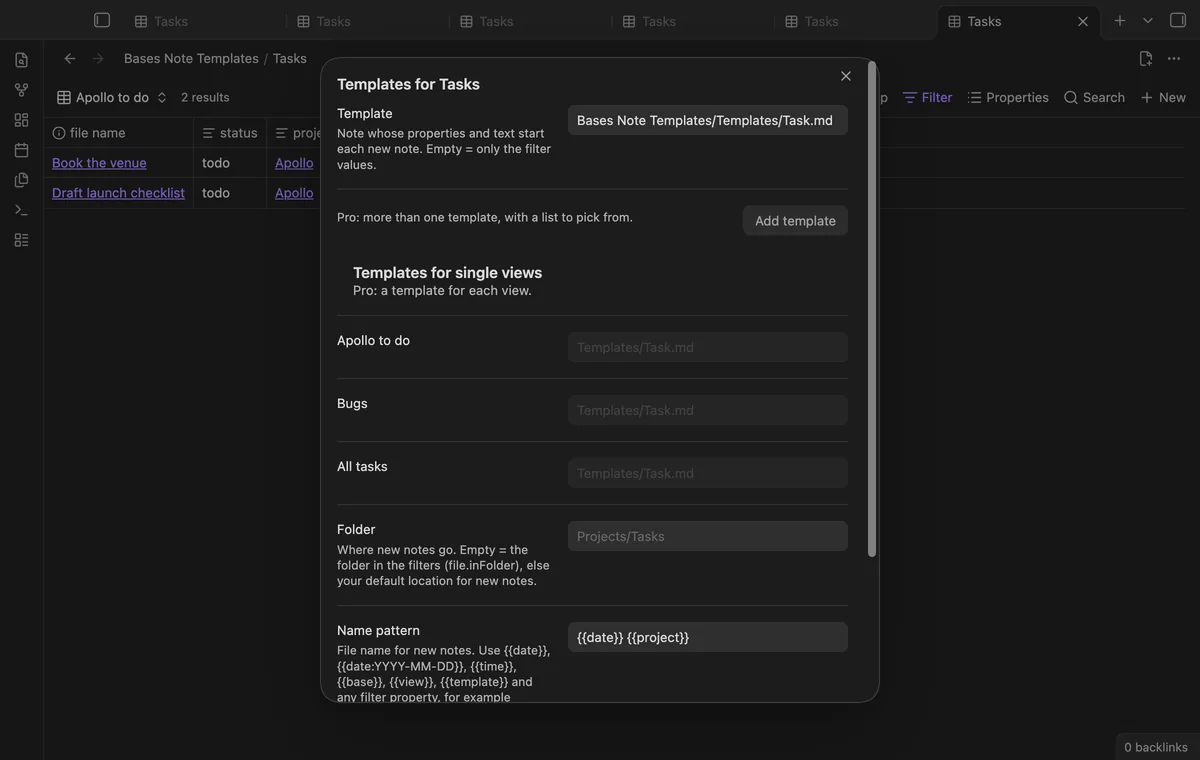
The command New note from template in this base makes the same note without the New button. It opens the note in a new tab. A base with a setup also gets a button in its tab header that does the same.
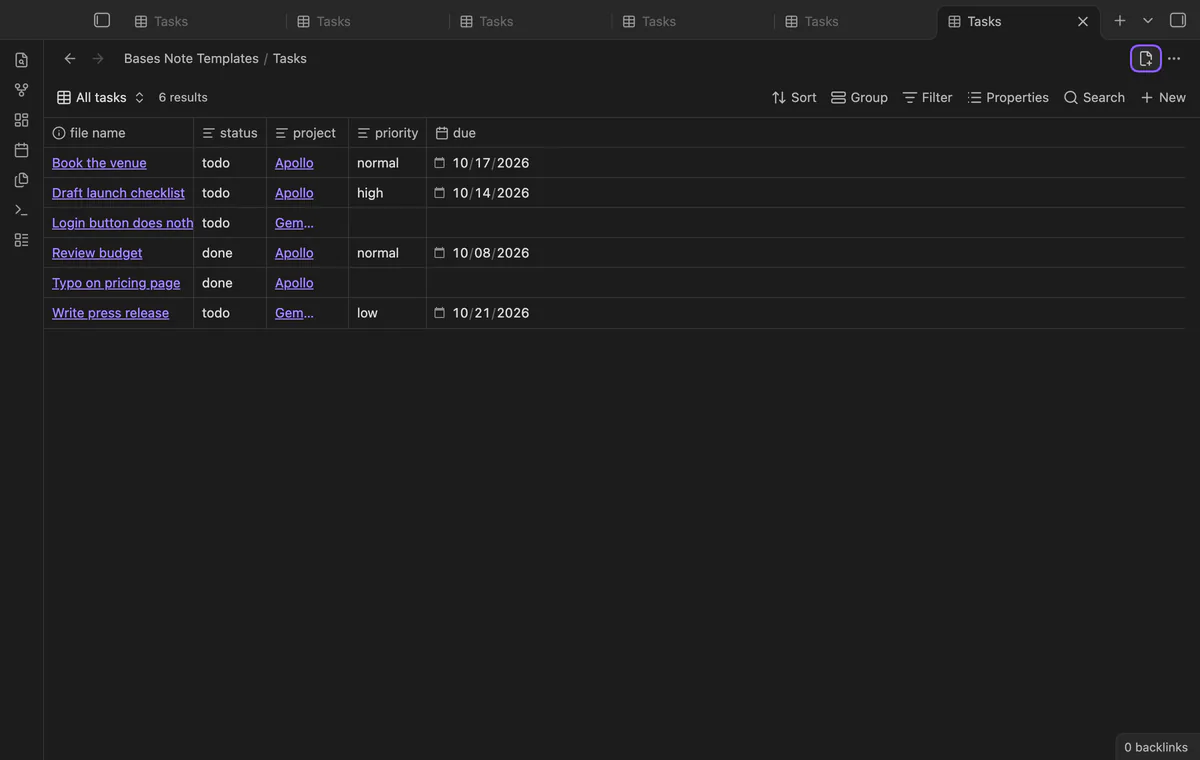
The free version uses one template for each base.
Pro costs $5 a month or $15 one time through GitHub Sponsors. One sponsorship turns on Pro in all 13 plugins.
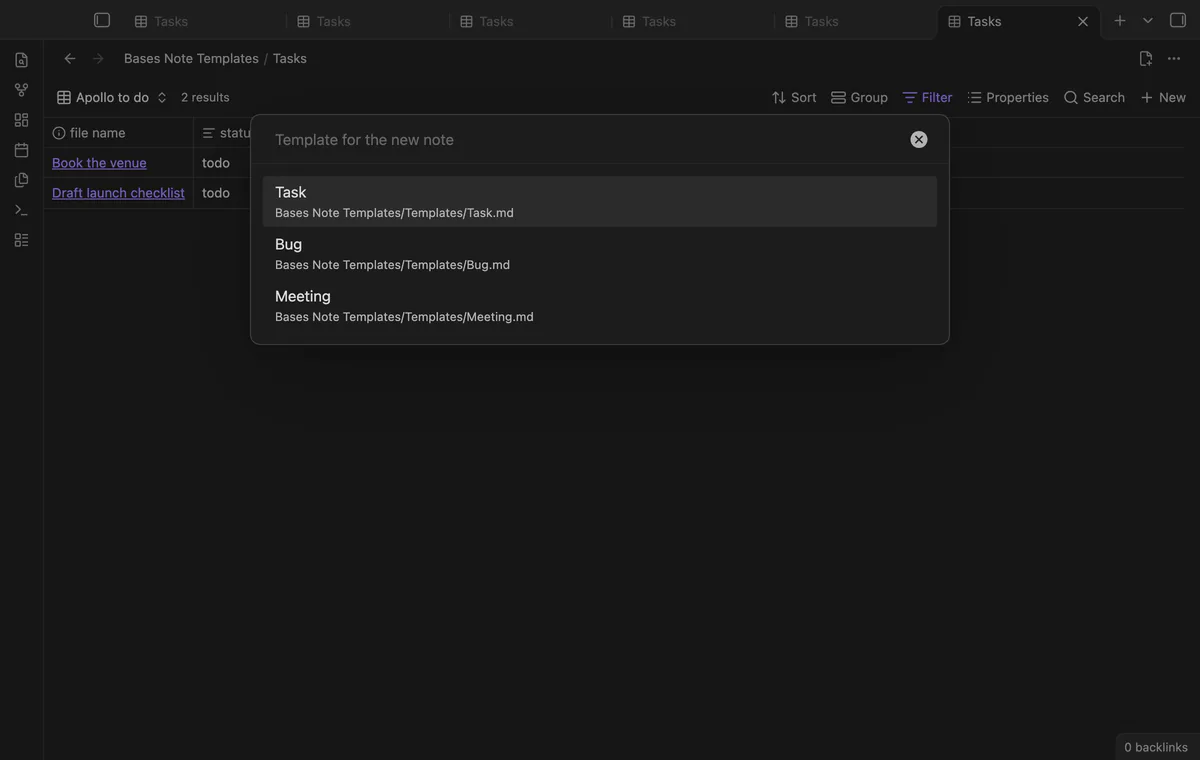
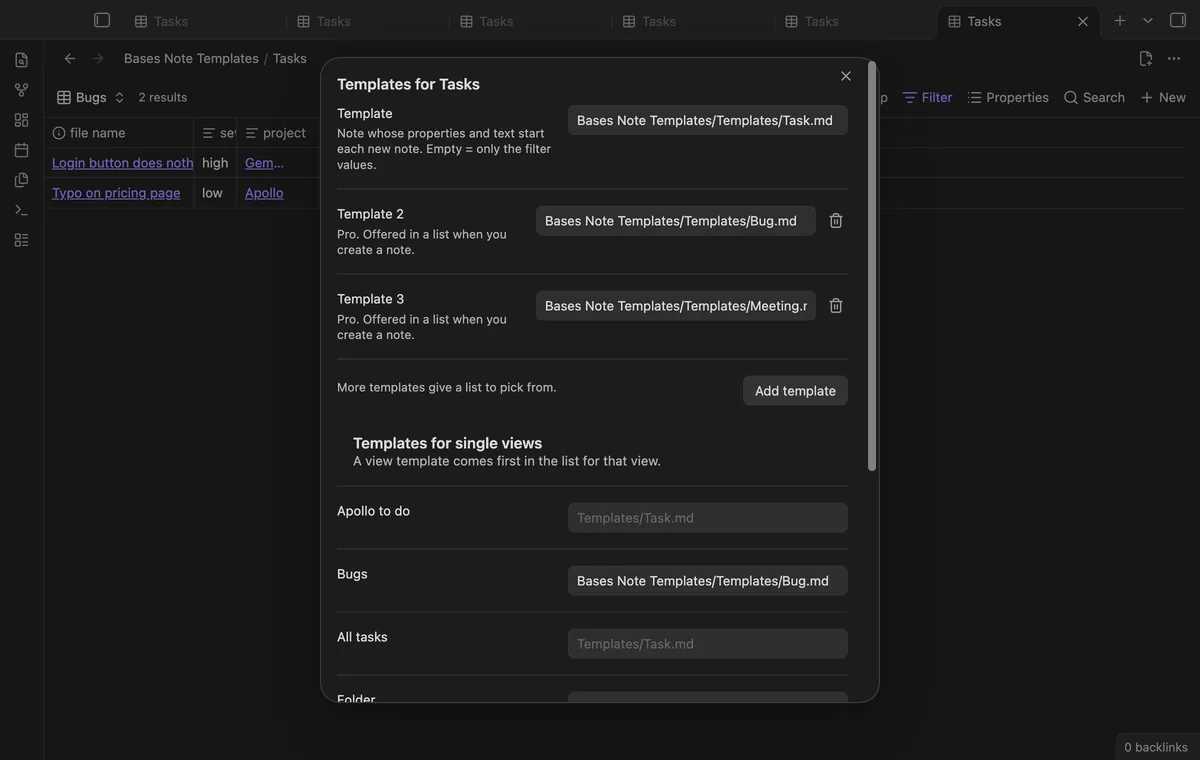
Add up to 10 templates to a base. When you press New, run the command or select the header button, a list asks which template to use. Press Escape and the note stays as the app made it.
Give a view its own template, for example a Bug template for the Bugs view of a Tasks base. In that view, the view template comes first in the list.
Right-click a row of a base and select Duplicate as new note. The plugin copies the note, with all its properties, to a new note next to it and opens it. The copy shows up in the same base.
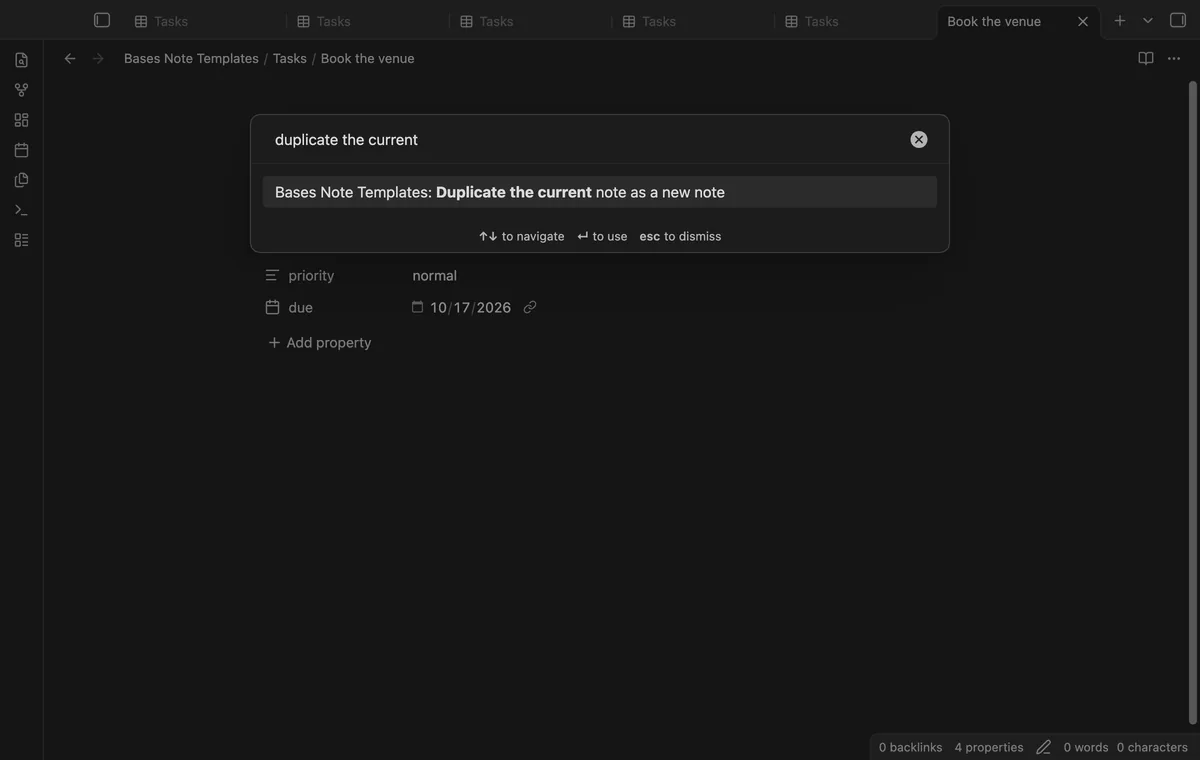
With Pro, the plugin can hand a new note to Templater. If the note still has Templater tags after Templater had its own chance, the plugin asks Templater to fill them in.
needs
steps
Make a template note, for example Templates/Task.md, with the properties and headings that each new note needs.
Open a base file and run the command Set up templates for this base.
Choose the template. Add a folder and a name pattern if you want them, then select Save.
Press New in the base, or run New note from template in this base.
For Pro, sponsor on GitHub, then open the settings and select Sign in with GitHub.
A forum feature request for a template on the New button of Bases has 148 votes and 297 likes. It has 34 posts, from 2025-07-05 to 2026-09-03.
Partly. The New button writes the filter values and uses the folder of file.inFolder(). Obsidian 1.13.4 and 1.14.4 also read a hidden newItemTemplate key, but it copies only the template's properties. The template text is left out, and then the filter values are lost.
No. The setup lives in the plugin's data.json. Base files stay as they are.
When a base is embedded in a note, the active tab is the note. The plugin can't tell which base made the new note, so it leaves that note alone. Open the base file and use New or the command there.
Yes. Templates can use the variables of the core Templates plugin, {{title}}, {{date}} and {{time}}, with or without a format. They work in the text and in property values.
Filters that compare with a formula or with this are skipped when the command makes a note. The New button of the app still writes them.
Until you select Sign in with GitHub, Bases Note Templates makes no network requests. After sign in, one query asks GitHub about your sponsorship, at most once every 7 days or on Refresh. It sends no note content, file names or other vault data.
Bases Note Templates 1.0.0, MIT license
MIT · no telemetry · core features free
A row of switches under the base toolbar, each one a saved filter you turn on or off with a click.
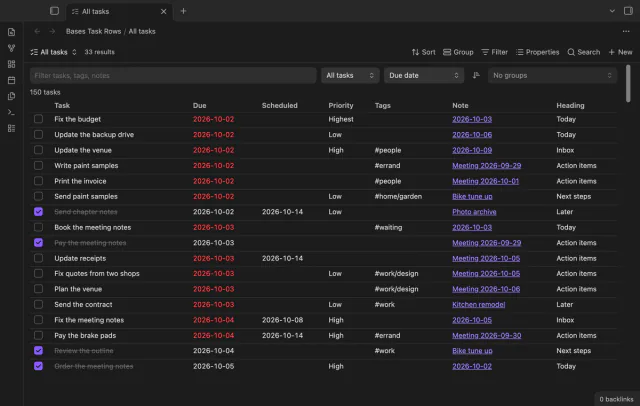
Every checklist task in the notes a base selects, one row each, with a done box you can tick.
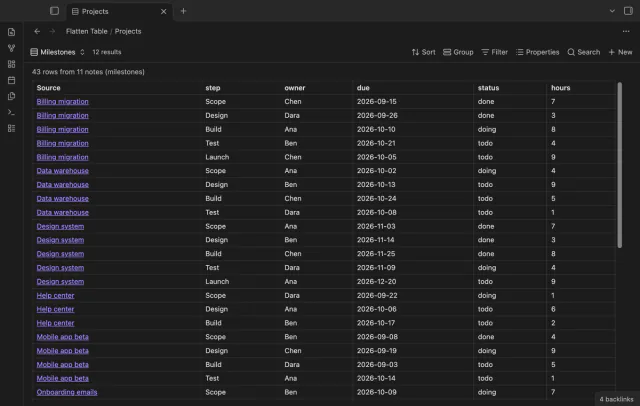
Each item of a list property becomes its own table row in Bases, so one note can give many rows.
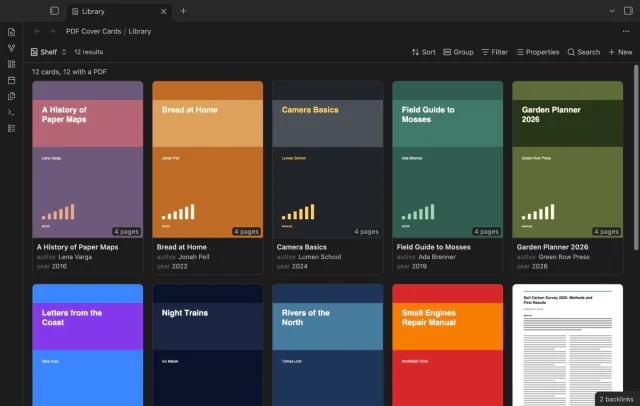
Your base of book and paper notes looks like a shelf, with page 1 of each PDF as the cover.