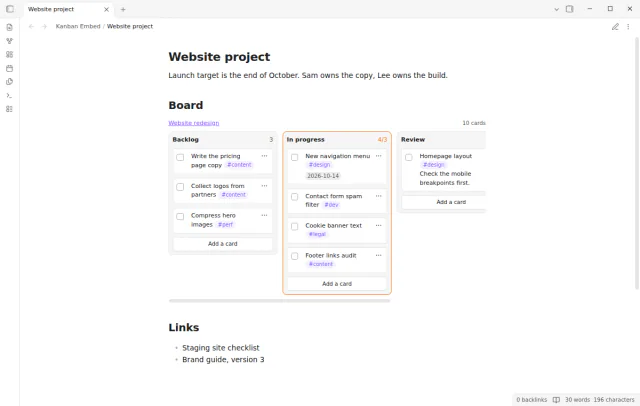
Kanban Embed
Use a Kanban board inside a project or daily note.
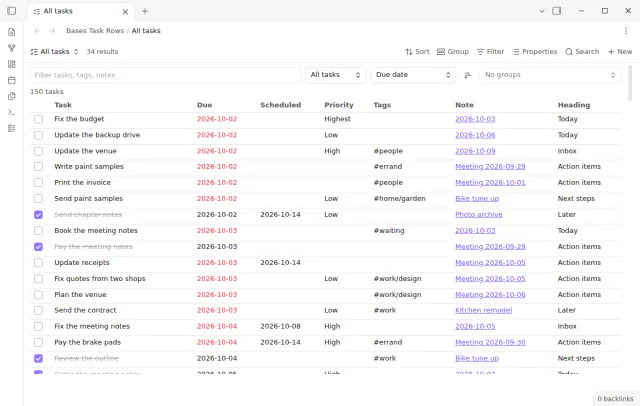
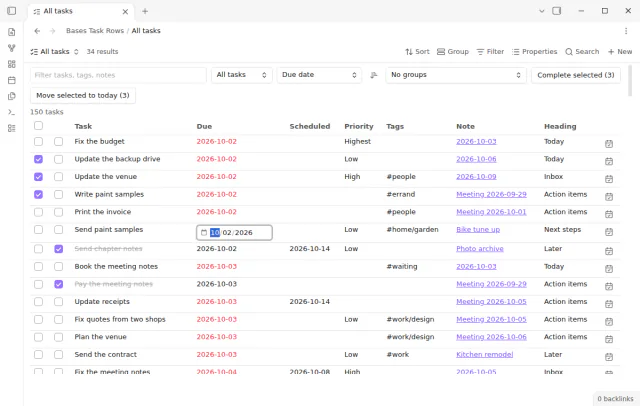
See each task from the notes in a base as a separate row.
MIT · no telemetry · core features free
Pro adds "Groups by date, note, heading or tag" and "Edit due dates, move to today, complete many". Pro for all 134 plugins, $15 one time
Tested on desktop only.
Directory facts fetched from community.obsidian.md/users/theluckystrike.
You write checklist tasks inside project, meeting and daily notes and want a combined task view.
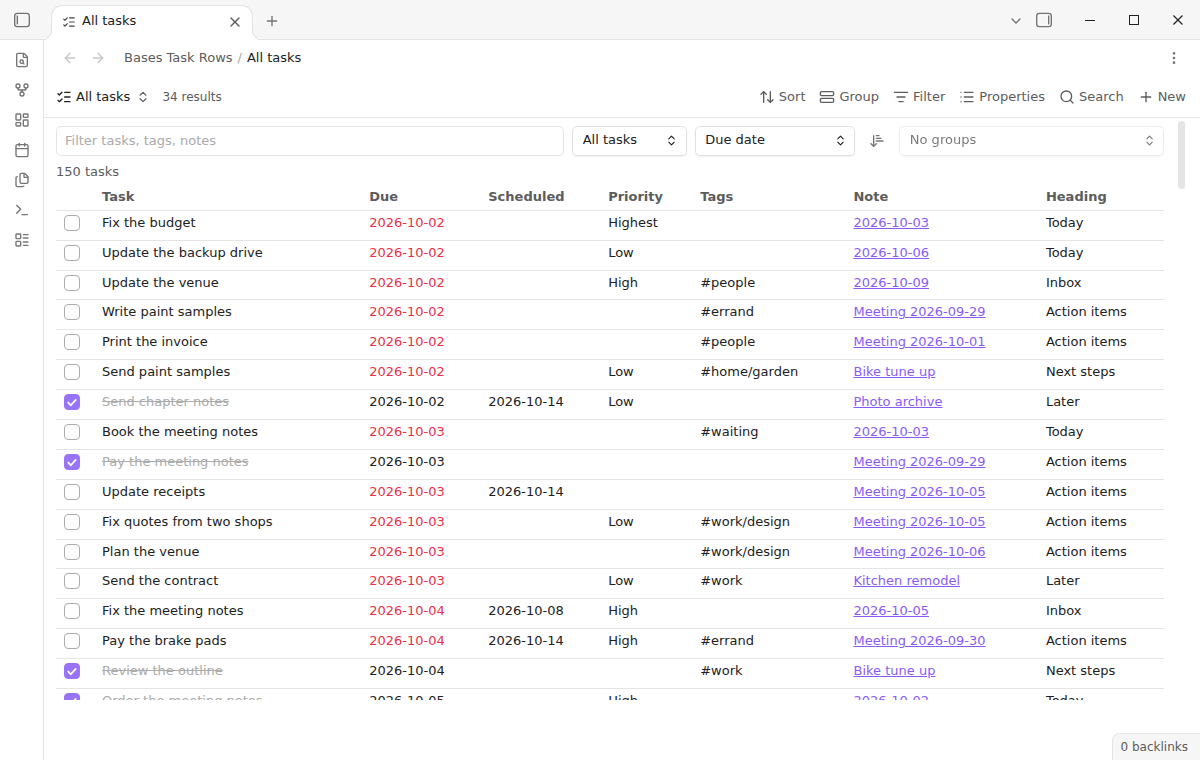
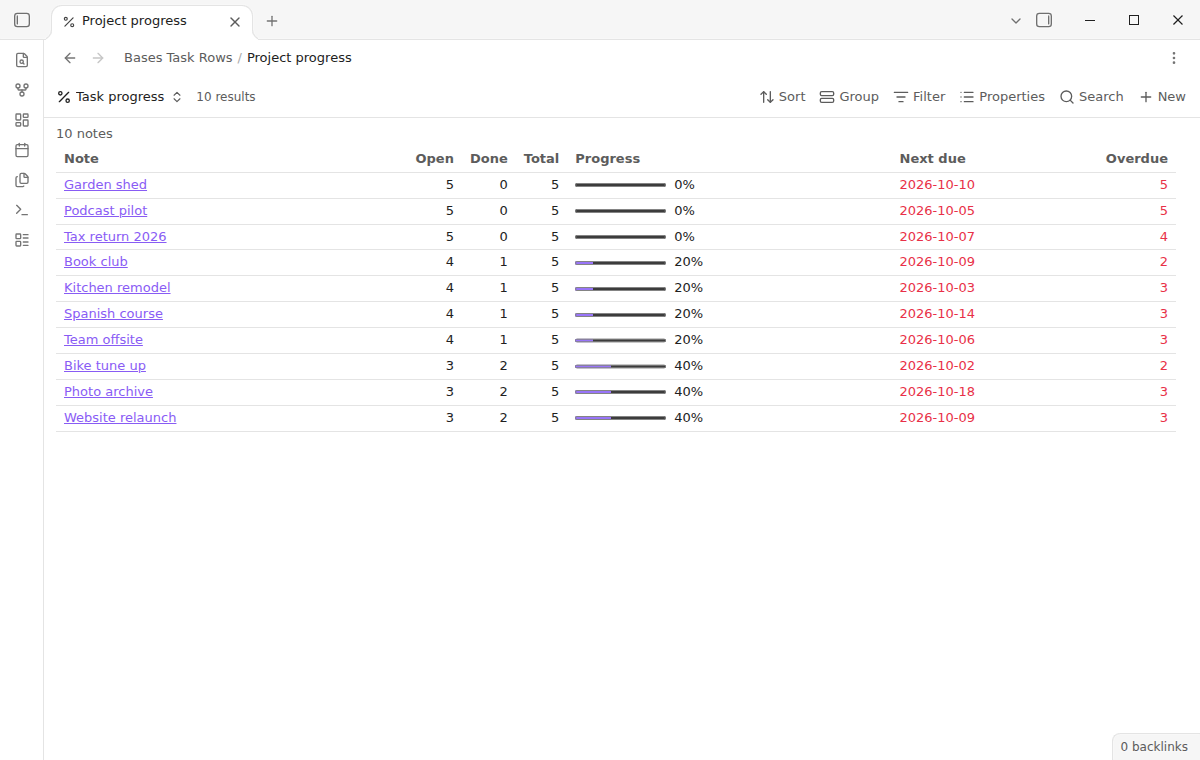
Bases Task Rows adds two views to Bases. In "Task rows", each checklist task in the notes that a base selects becomes its own row. "Task progress" shows one row for each note, with its open and done task counts.
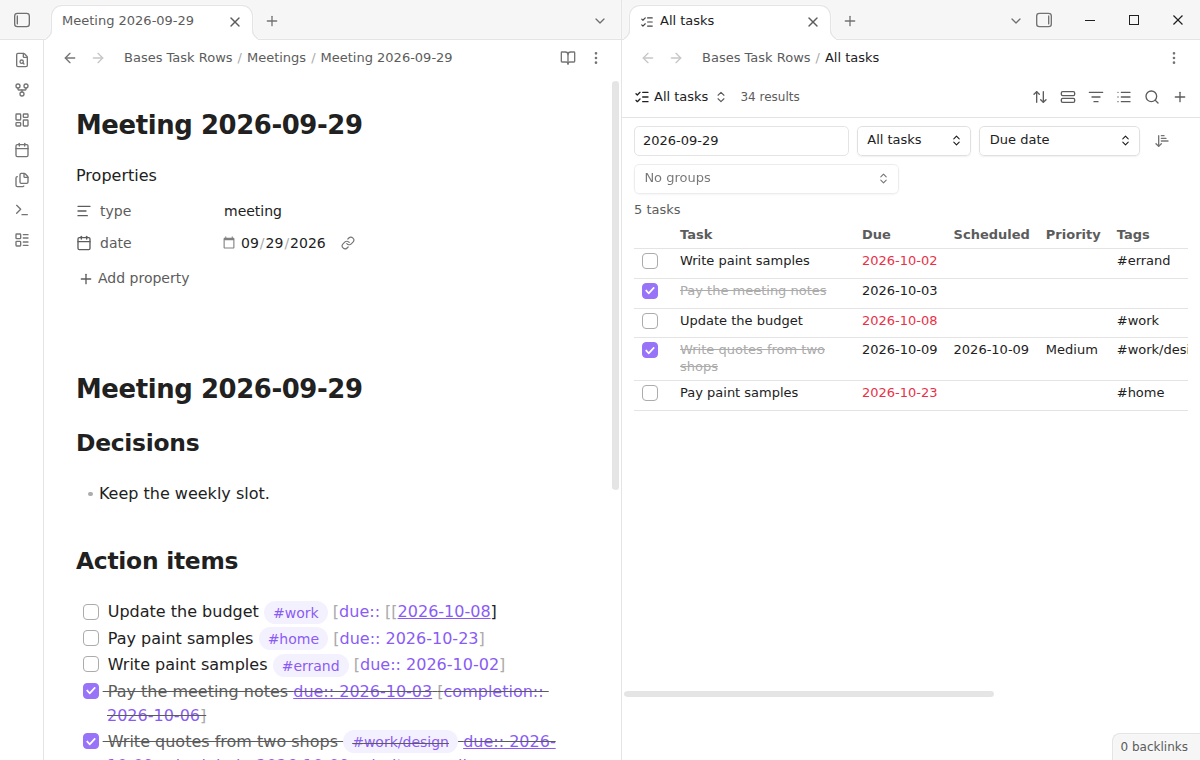
As of Obsidian 1.14, core Bases reads note properties, not the lines inside a note. This plugin reads the task lines themselves. It understands the date format of the Tasks plugin and Dataview fields, so it works with the notes you already have.
 Play demo
The base decides which notes count, with its normal filters, such as a folder or a tag. The view then lists the checkbox lines in those notes, open ones by default and done ones when you set Show. Select the task text or the note name to open the note at that line.
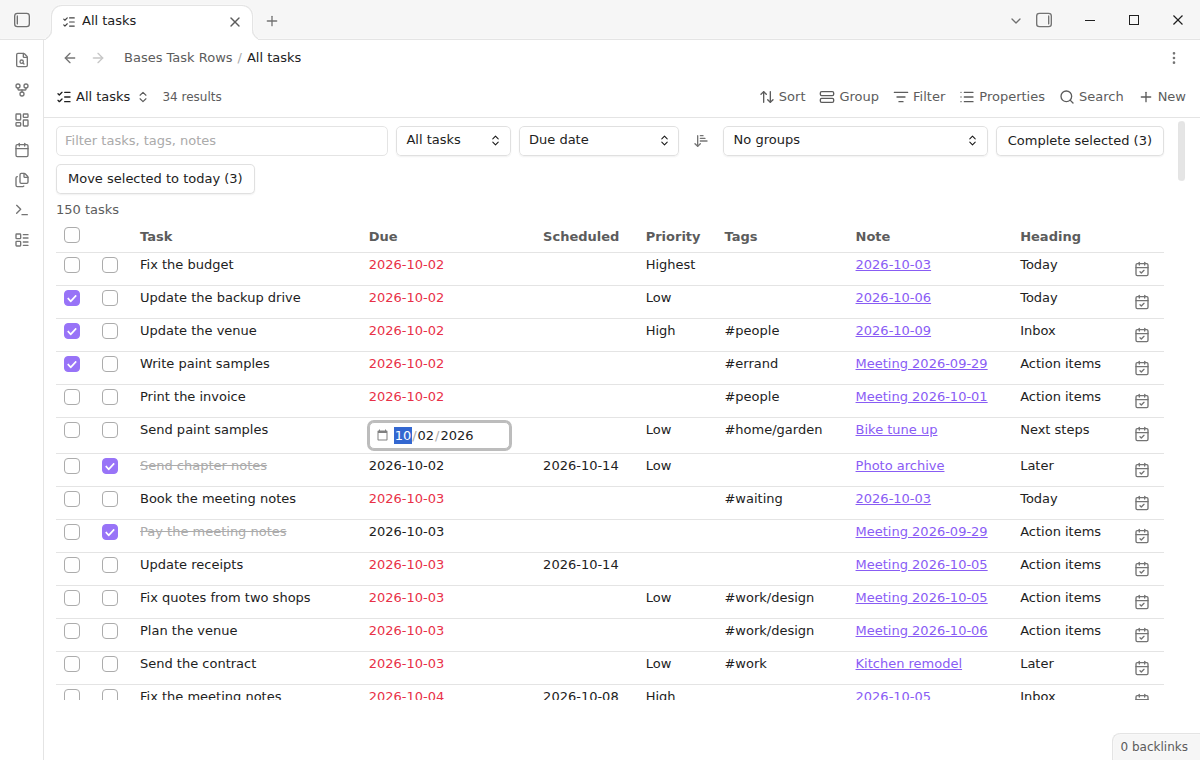
Tick the box and the plugin marks the source line as done. If the line already has a date, it also adds a done date in the format of the Tasks plugin. Before it writes, it checks that the line is still exactly the line it read, and it writes nothing if not.
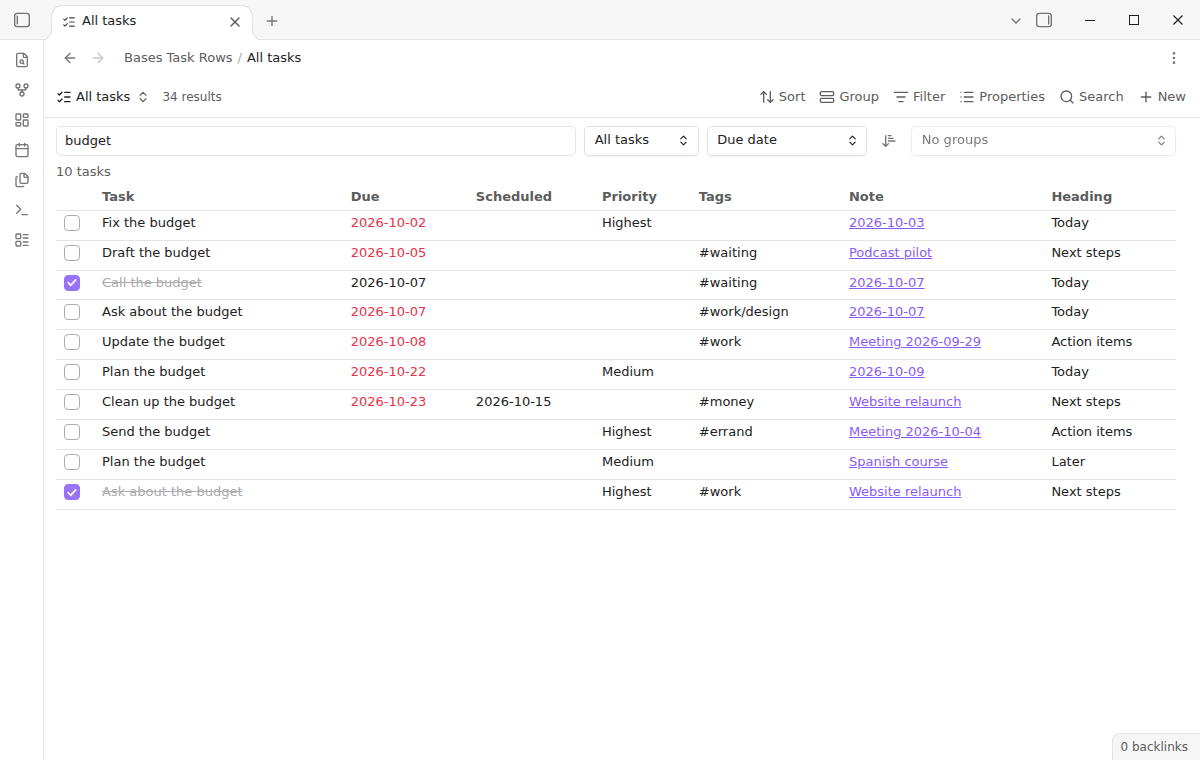
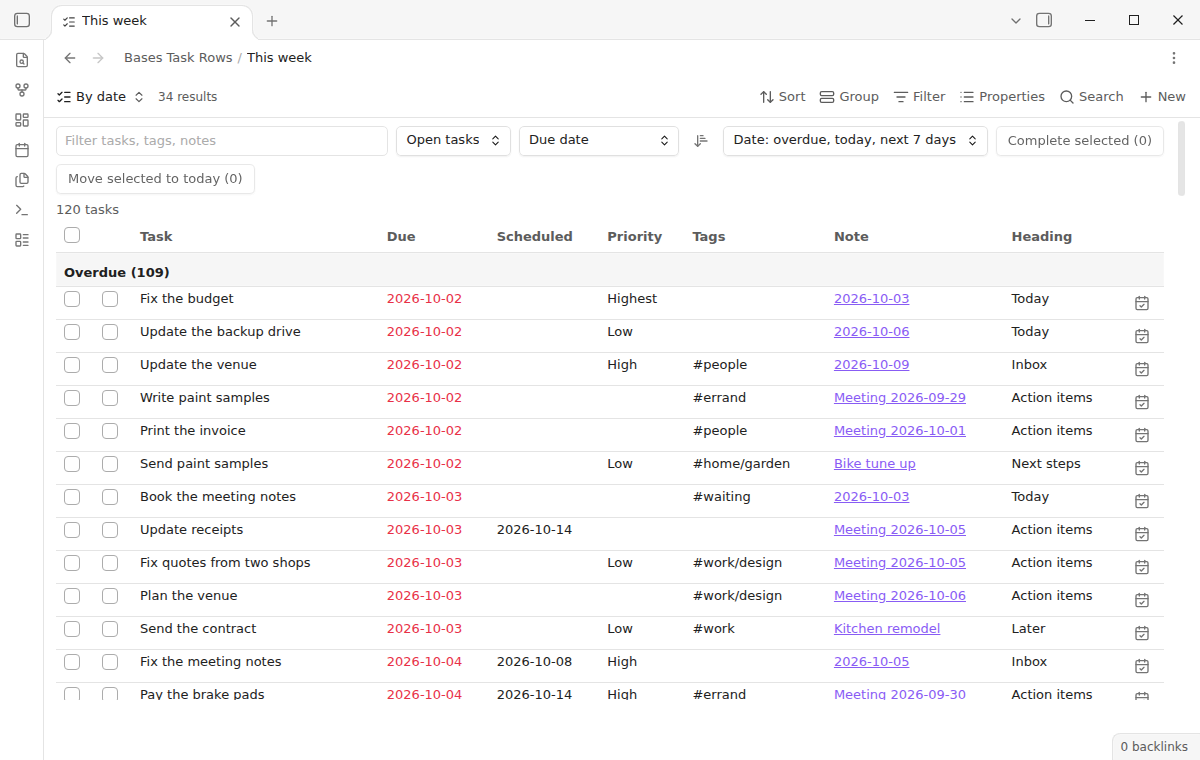
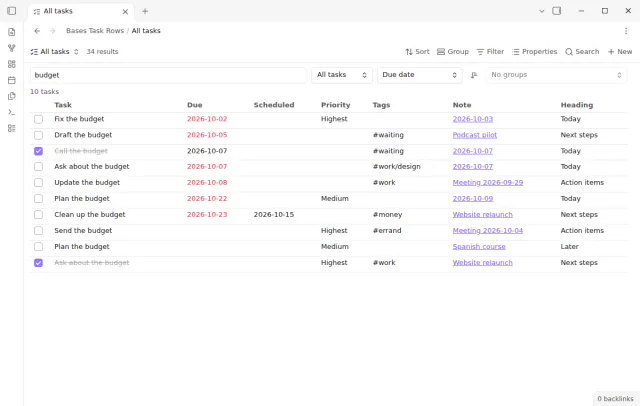
The toolbar has a filter box, a Show menu for open tasks, done tasks or both, a Sort menu and a reverse button. Sort by due date, scheduled date, priority, task text, note name or the order in the notes. The filter box matches words in the task text, tags, note name and heading.
The plugin reads due, scheduled, start, done, created and cancelled dates in the emoji format of the Tasks plugin. It reads the same dates as Dataview fields in square or round brackets, plus priority and tags. A new date uses the format the line already has.
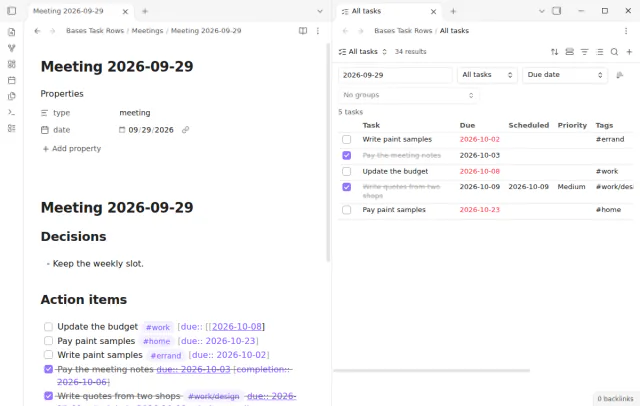
Dates can use links such as [[2026-10-21]] inside supported emoji or Dataview fields. Date edits preserve those brackets. Invalid calendar dates do not become parsed task dates.
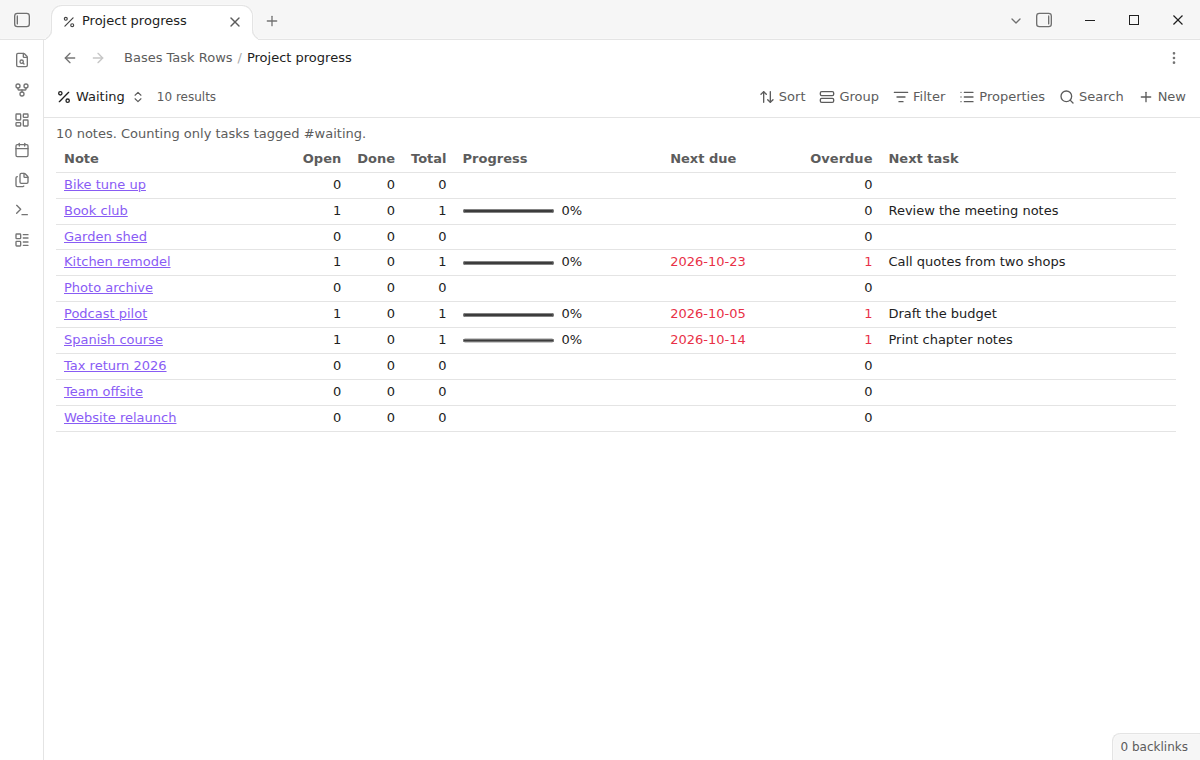
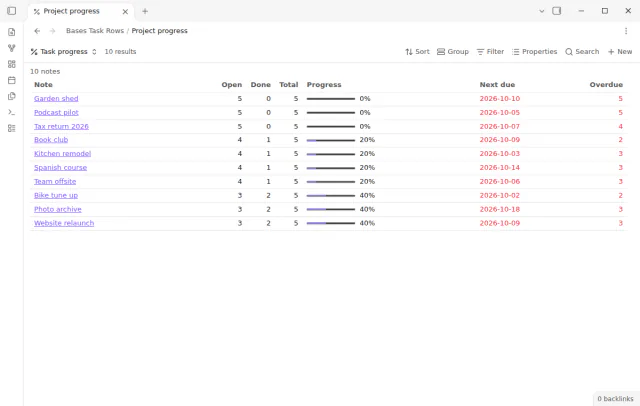
The Task progress view shows one row for each note in the base, with its open, done and total tasks. Each row also has a progress bar, the next due date and the count of overdue tasks. Cancelled tasks are not counted, the view never changes a note, and the free version shows 200 notes.
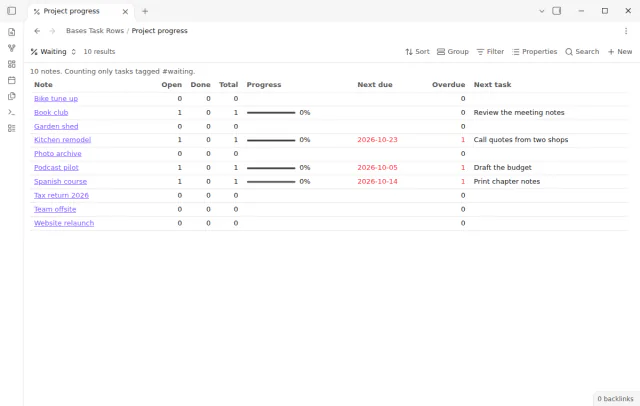
Type a tag such as #next-action in the view option Count only tasks with tag. The counts then use only the tasks with that tag. A Next task column shows the first open task with that tag in each note.
The free version shows up to 200 tasks in a Task rows view and up to 200 notes in a Task progress view.
Pro costs $5 a month or $15 one time through GitHub Sponsors.
Group by date puts each open task under Overdue, Today, Next 7 days, Later or No date. Done tasks go under Done. You can also group by note, heading or tag, and a task with two tags shows under both.
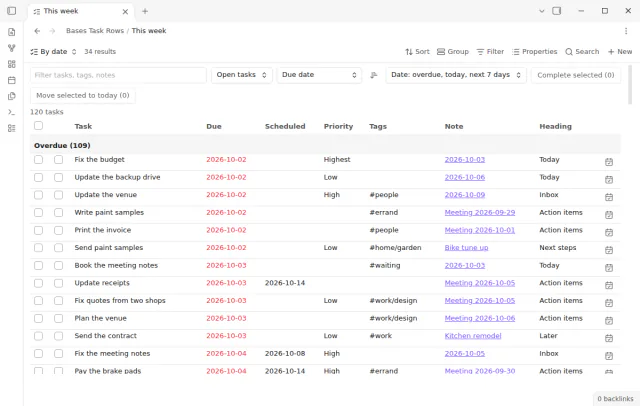
Select a due date to change it in the row, or use the calendar button to move the task to today. Select rows with the boxes on the left, then choose "Complete selected" or "Move selected to today". Ticking a recurring task writes the next occurrence on the line below.
Pro counts several tags, separated by spaces or commas. It also adds the toggle Only notes without a next task. The free version uses the first tag only.
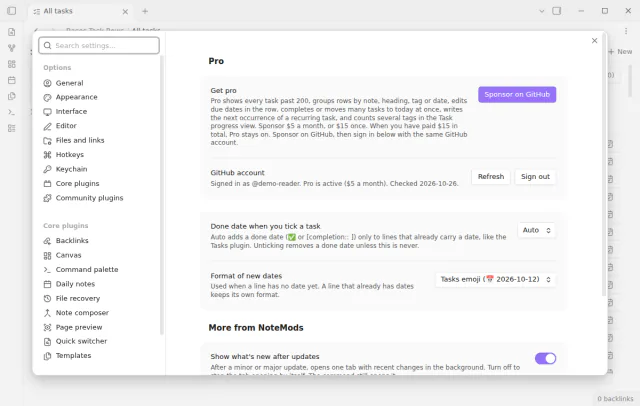
$15 once. Pro tools in 134 NoteMods plugins with one GitHub sponsorship. Nothing renews.
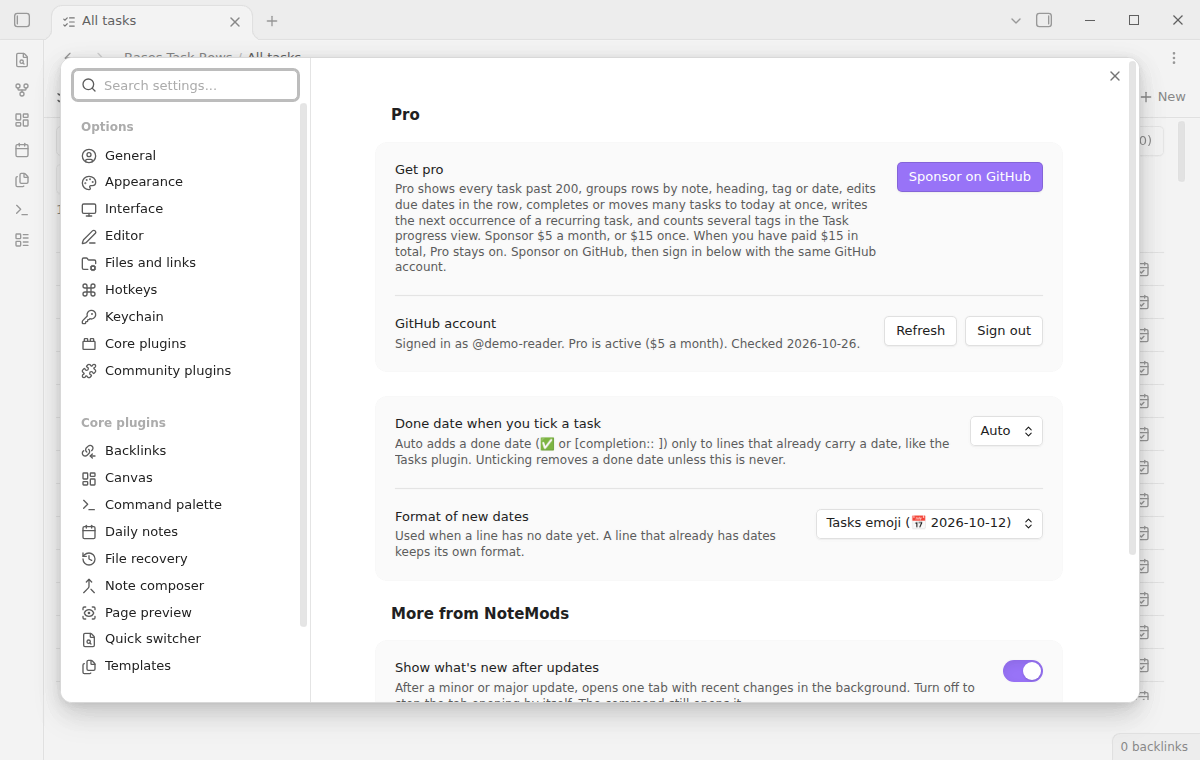
Pro turns on right after payment. Select Sign in with GitHub in the settings of each plugin you use. Free features stay free.
Secure checkout by GitHub Sponsors - needs a GitHub login.
17 of 50 founding licenses sold.
The price is set on the 1st of each month. It goes up only after a tier is full. Until then it stays $15. The next price review is on 1 December 2026.
A price change does not change a license that you paid for. The $5 a month option stays.
One sponsorship turns on the Pro features in 134 NoteMods plugins. Free features stay free.
$15 one time: Pro stays on, nothing renews. $5 a month: Pro is on while you sponsor, and stays on after you have paid $15 in total. You pay on GitHub (a GitHub login is needed), then select Sign in with GitHub in the plugin settings. All sponsor tiers
needs
steps
Open a note in the folder with your tasks and run the command Create a task base for the current folder. The plugin creates Tasks.base there with a Task rows view and a Task progress view.
Or open any base, add a view from the view menu, and choose the layout "Task rows" or "Task progress".
Change the base filters to choose the notes, then set Show, Sort and the columns in the toolbar or the view options.
If the app can't find a new plugin yet, try again later. Obsidian says a plugin that passes the review shows in the app within 24 hours.
A forum request for task support in Bases (topic 103074) has more than 30 posts and more than 110 likes. The Next task column answers post 6, which asks for a column that shows if a project has an unfinished next action task.
task, task-todo and task-done, and a query code block shows the results in a note. You get search results, not a base with columns and sorting.x, X and - count as done, so a task with a custom status such as / shows as open.Need a change for your team? I build custom Obsidian plugins and features.
Not on its own. As of Obsidian 1.14, core Bases reads note properties, not the lines inside a note. Bases Task Rows adds a view that reads each checklist line and shows it as a row.
Only when you tick a box or use a Pro action. Then it changes that one line, and in that line only the box and the done date, or one date. With Pro, a tick on a recurring task also adds one new line below it.
With Pro, a tick on a recurring task writes the next occurrence on the line below. Without Pro, the plugin ticks a recurring task like any other task.
The statuses x, X and the hyphen for cancelled count as done. Any other symbol in the box counts as open. The Task progress view leaves cancelled tasks out of its counts.
The plugin reads each note with tasks once and keeps the result until the note changes. The end-to-end test draws 2,000 tasks from 100 notes and fails if the draw takes 1,000 ms or more.
Until you select "Sign in with GitHub" in the settings, the code of Bases Task Rows sends no network request. After a successful check, it waits 7 days before it asks GitHub again, and after a failed check it tries again at 6-hour intervals. The check asks only about your sponsorship of theluckystrike, and the plugin sends no vault data and has no telemetry.
Tell me what is broken in Bases Task Rows, or what it should do next.
Bases Task Rows 1.5.4, MIT license
MIT · no telemetry · core features free
Use a Kanban board inside a project or daily note.
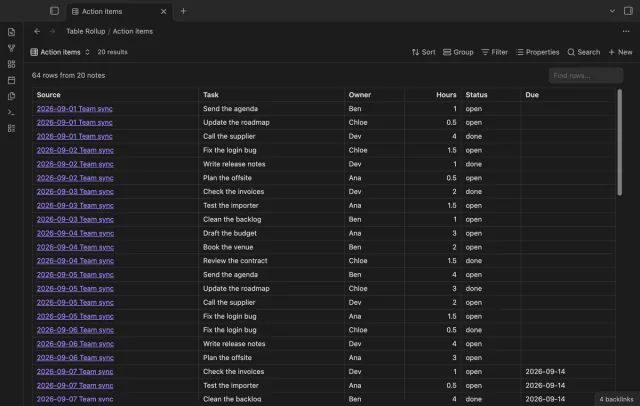
Combine note tables in one table with links to the source notes.
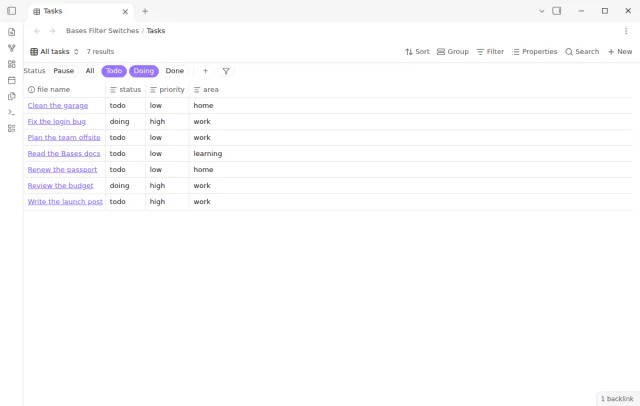
Turn saved Bases filters on or off with switches.
Pro adds "Groups by date, note, heading or tag"Pro for all 134 plugins, $15 one time
Get Pro