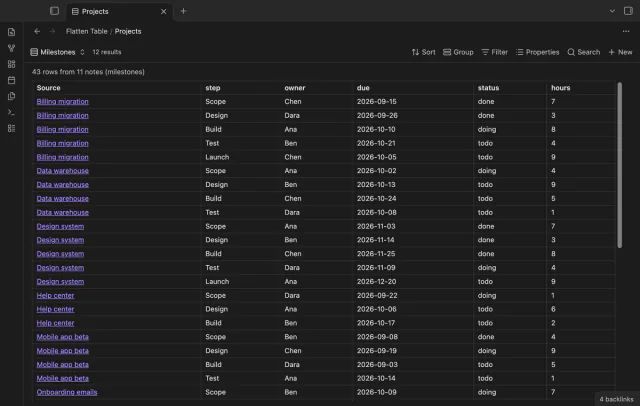
Flatten Table
Show each item of a Bases list property as a separate row.
Combine note tables in one table with links to the source notes.
MIT · no telemetry · core features free
Pro adds "Summary rows and group subtotals" and "Filter rows". Pro for all 134 plugins, $15 one time
Tested on desktop only.
Directory facts fetched from community.obsidian.md/users/theluckystrike.
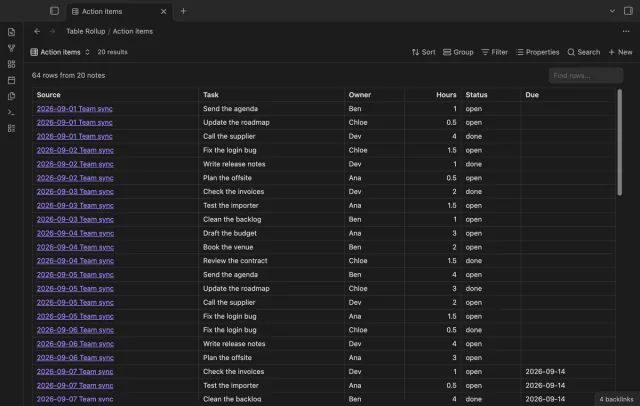
You keep a small table under the same heading in many notes, such as action items in meeting notes or expenses in daily notes.
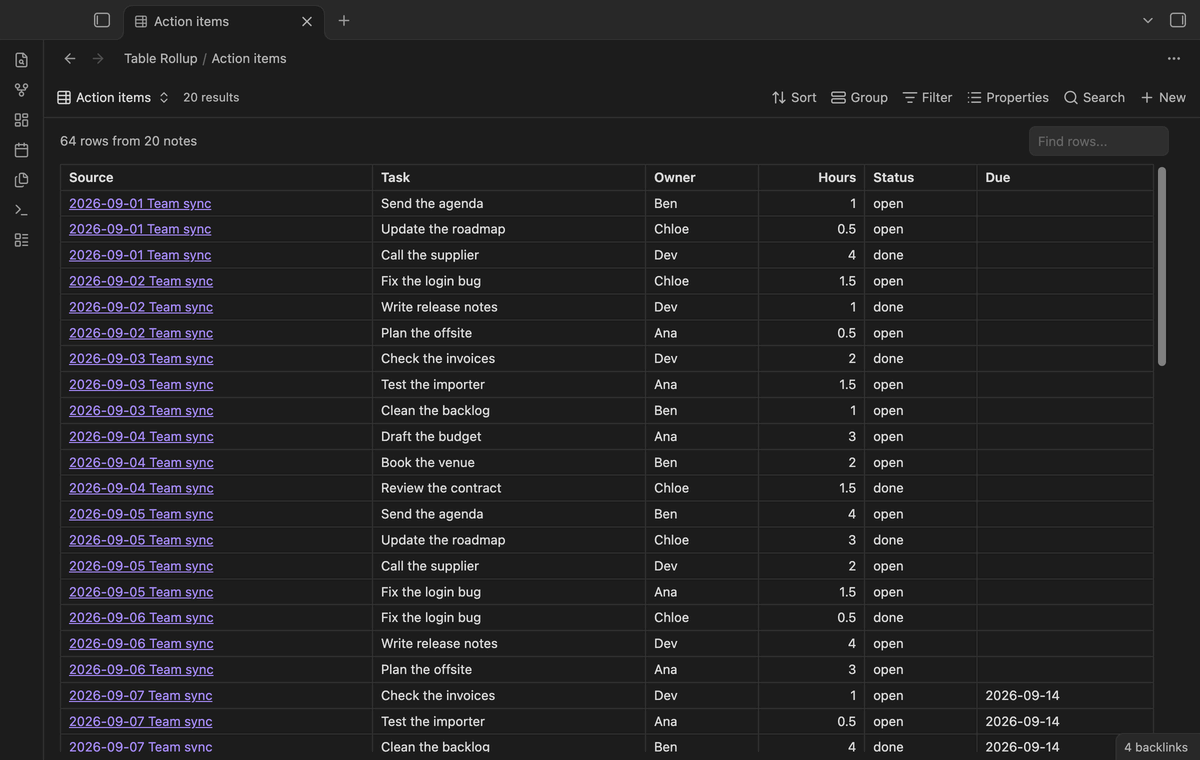
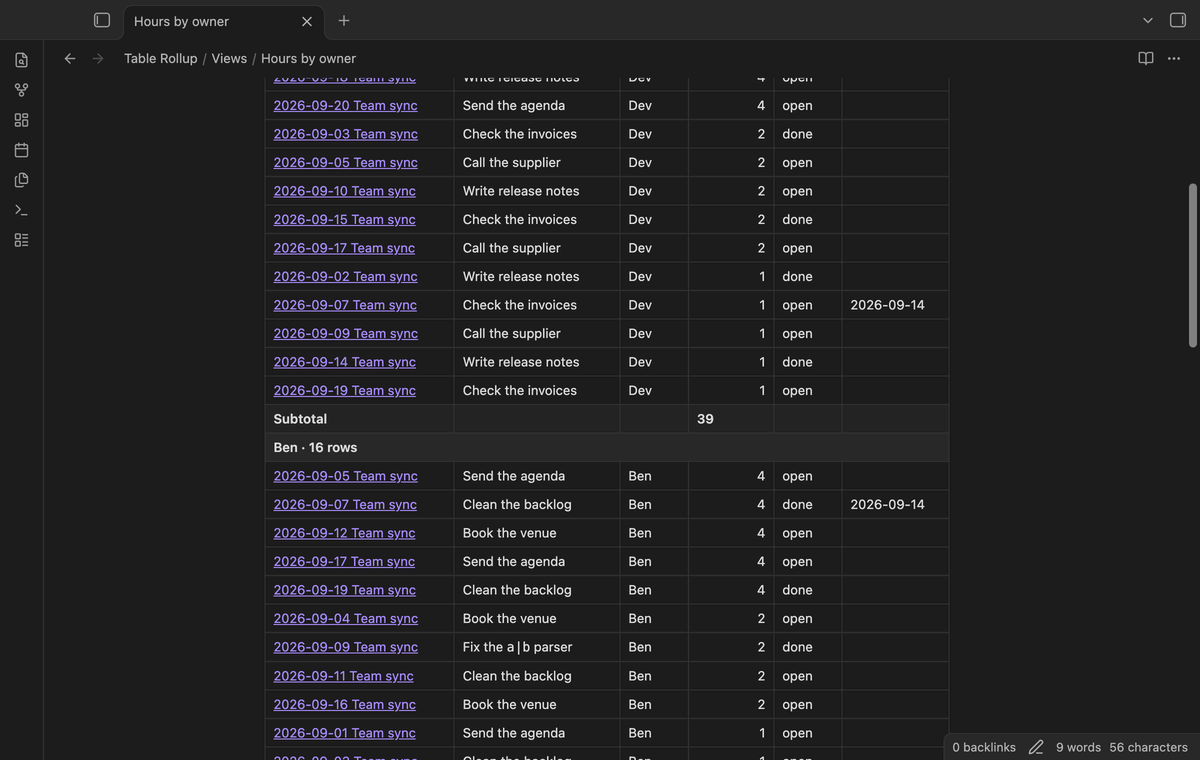
Table Rollup shows the rows of those tables together, with a Source link to the note each row came from. It matches columns by name, so the tables don't need the same column order. Your data stays in your notes.
It's a view for the core Bases plugin. The base selects the notes, and Table Rollup draws one merged table from their tables. It only reads your notes, and it uses only the public Bases API for plugins.
 Play demo
Each note in the base gives the rows of its table under the heading you choose. The merged table matches columns by name, so Owner in one note and owner in another share a column. A Source column links to each note.
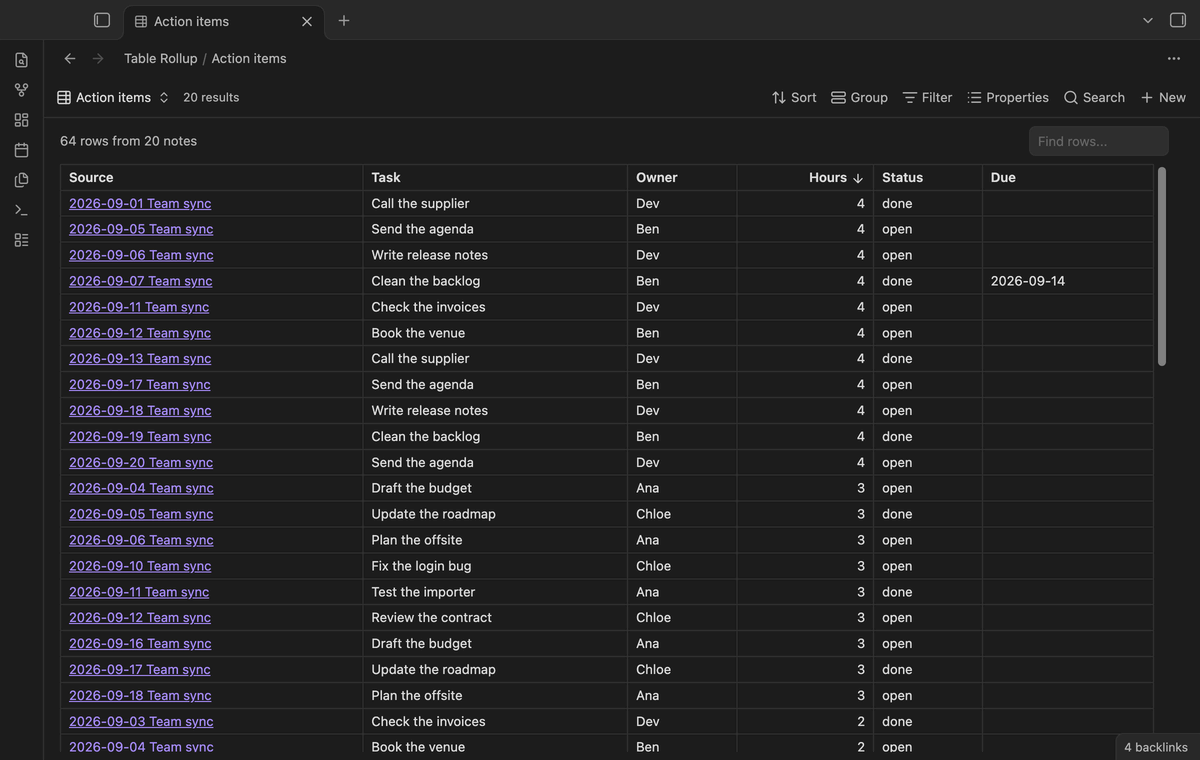
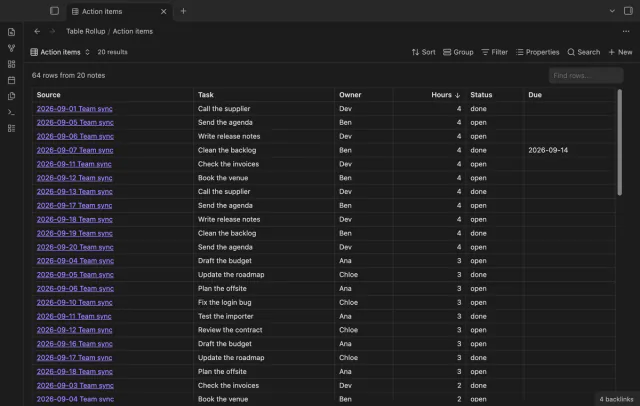
Click a column header to sort, click again to sort the other way, and a third time for the note order. Numbers sort as numbers. Empty cells stay at the end.
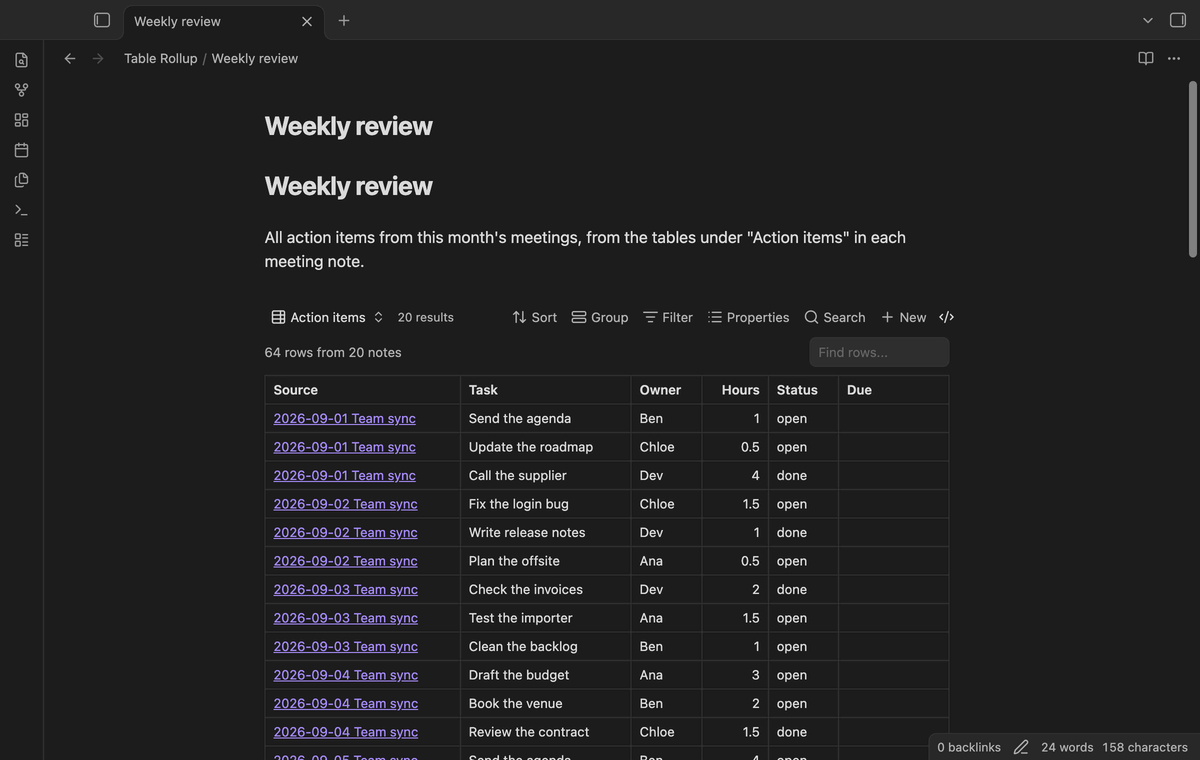
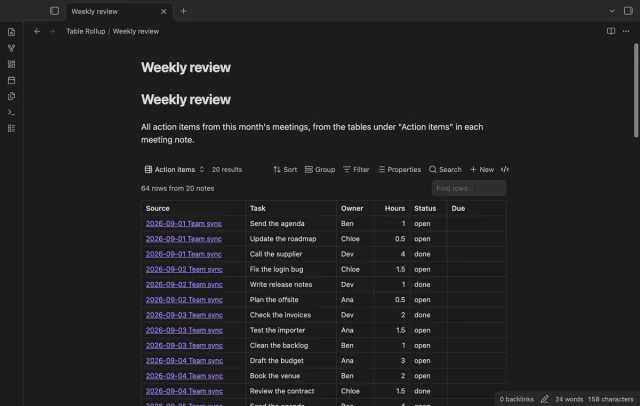
Edit a source note and the merged table draws again after a short delay. You can embed the view in any note with a normal embed link, for example in a weekly review.
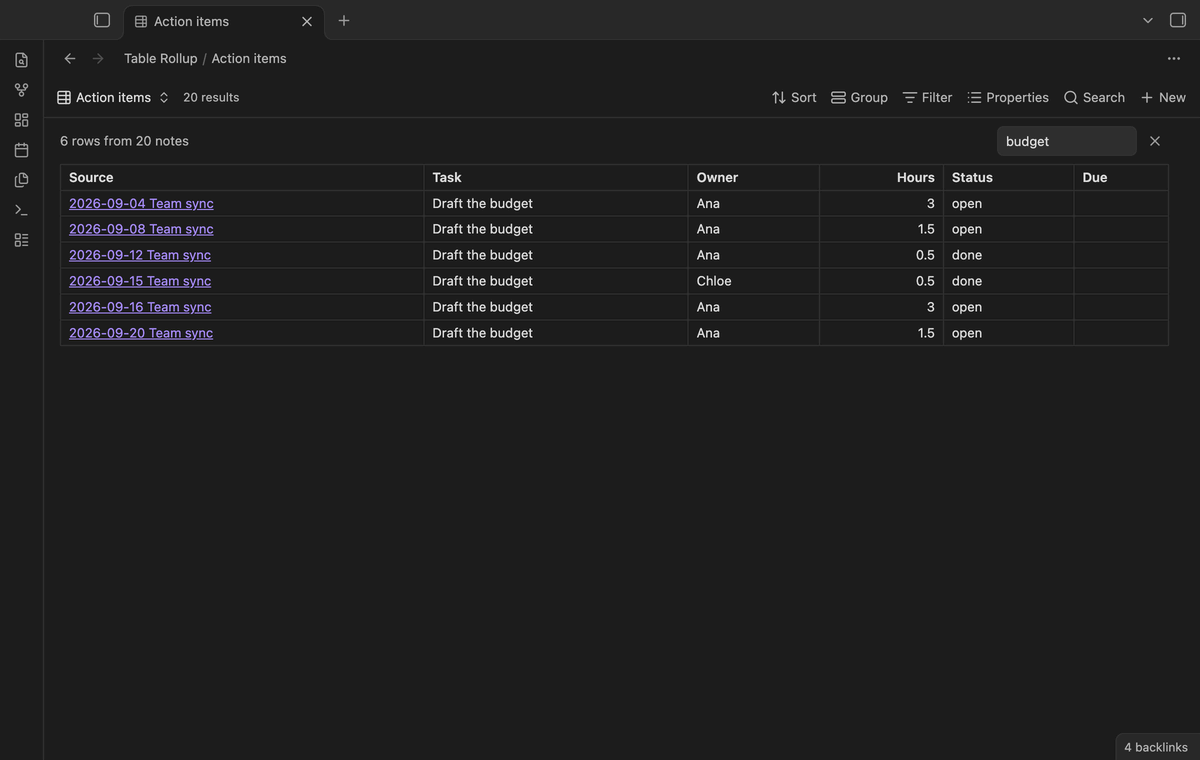
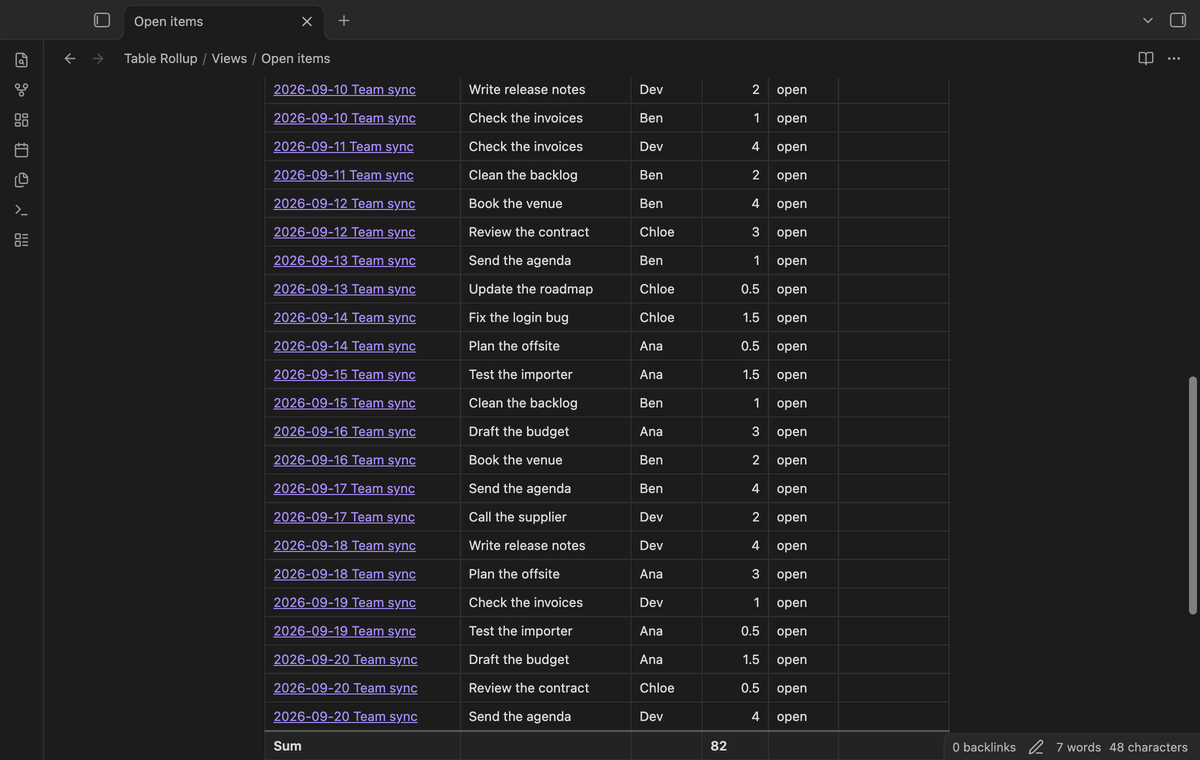
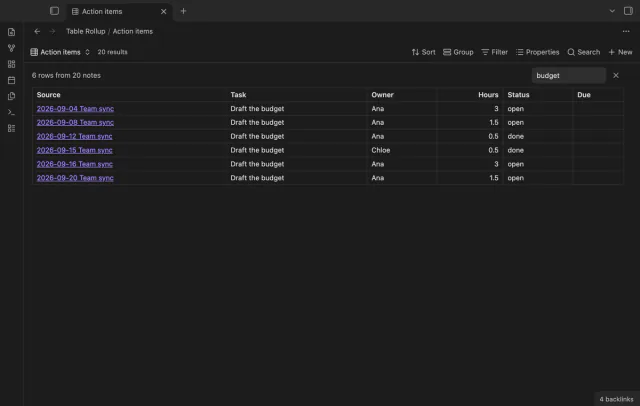
Type in the Find rows box to keep only rows whose cells or note name hold that text. With Pro, the summary row and the group subtotals count only the rows that are left.
Repeated headers get numbered names such as Amount (2). Empty headers get names such as Column 2, so their cells remain in the merged table.
The free version merges tables from up to 50 notes that have rows, and the table says how many notes it left out.
Pro costs $5 a month or $15 one time through GitHub Sponsors.
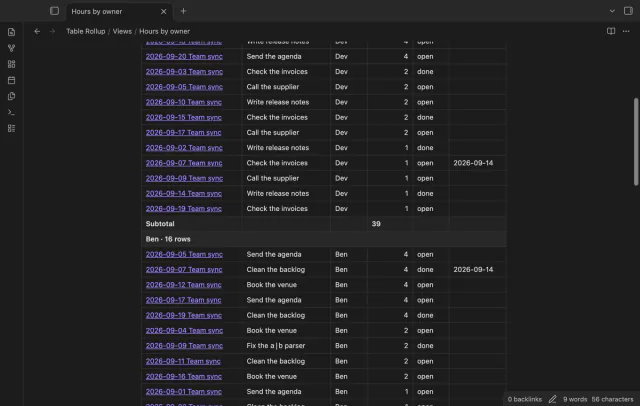
Add sum, average, count, minimum or maximum summaries, with optional group subtotals. Numeric summaries need numbers in the nonempty cells; malformed values such as 1 2 stay text.
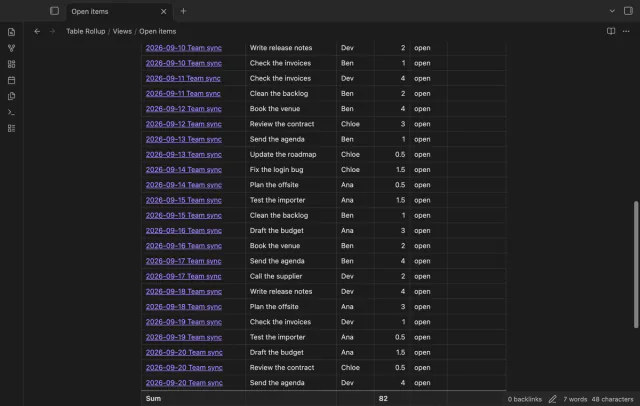
Keep only the rows where a column contains, equals or does not equal a value. You can also keep rows where a number is larger or smaller than a value. The summary row then adds up only the rows that are left.
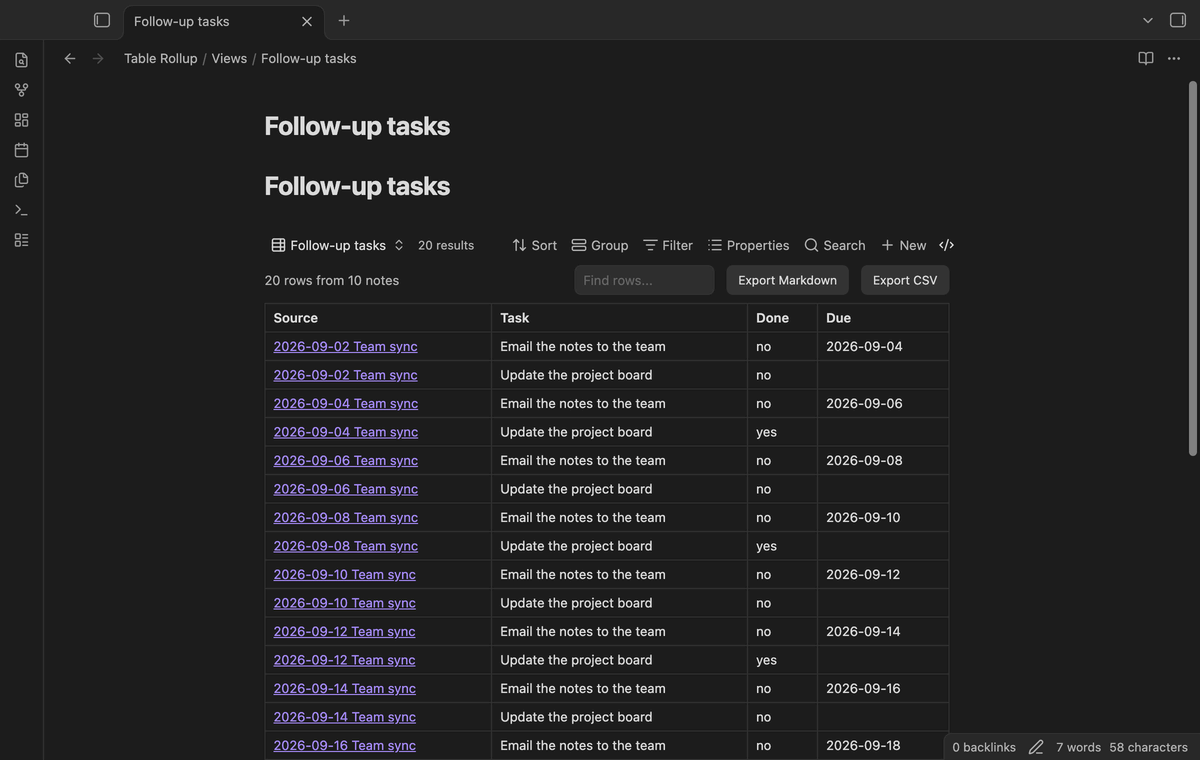
Set Read to Tasks to collect the task list items under a heading instead of a table. The merged table has the columns Task, Done and Due. Due comes from a date after the calendar emoji, the format the Tasks plugin writes.
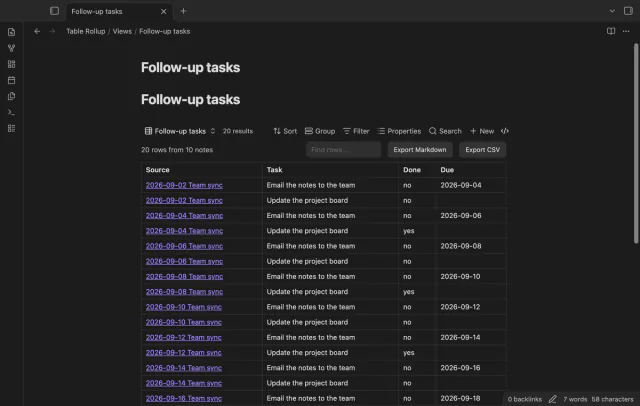
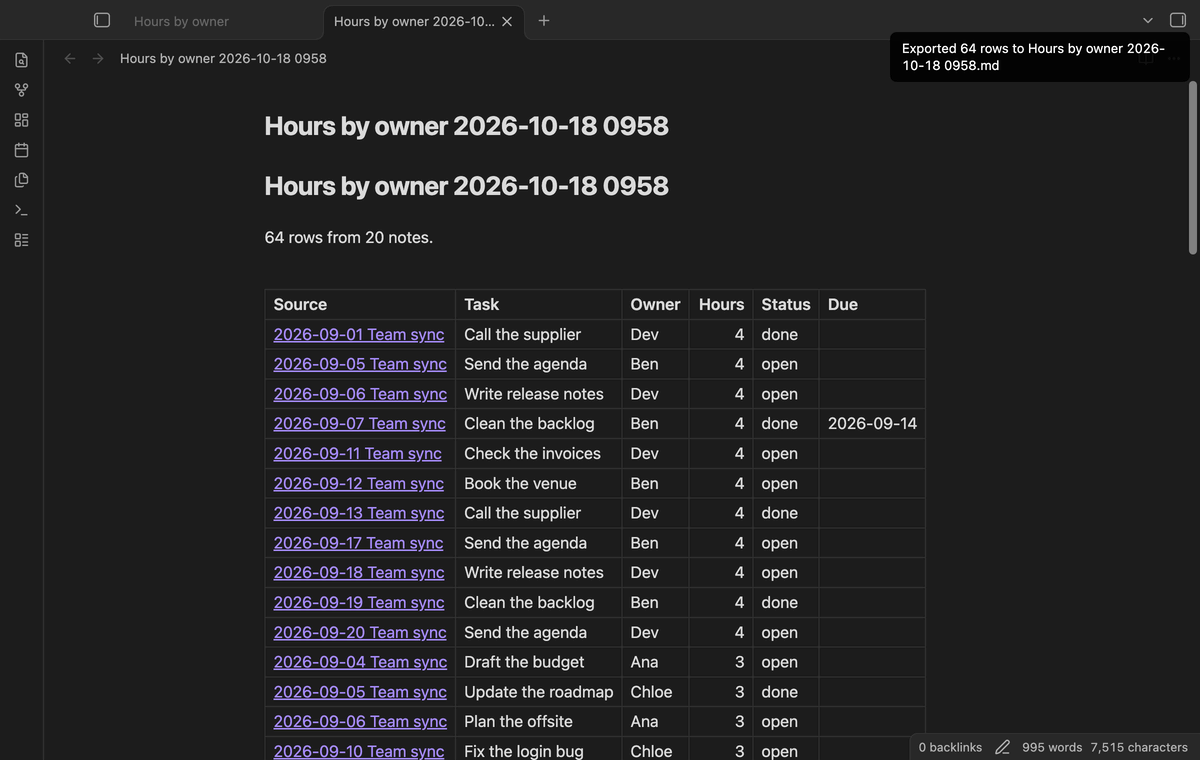
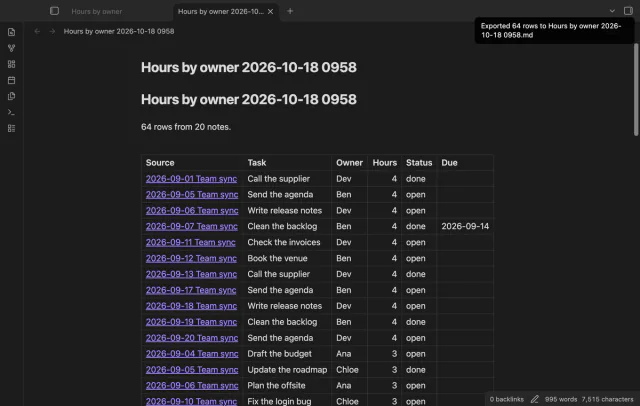
Export the merged table, with its filter and sort, to a new Markdown note or a CSV file. With the Source column on, each Markdown row links to its source note. A summary row ends the Markdown table, not the CSV file.
$15 once. Pro tools in 134 NoteMods plugins with one GitHub sponsorship. Nothing renews.
Pro turns on right after payment. Select Sign in with GitHub in the settings of each plugin you use. Free features stay free.
Secure checkout by GitHub Sponsors - needs a GitHub login.
17 of 50 founding licenses sold.
The price is set on the 1st of each month. It goes up only after a tier is full. Until then it stays $15. The next price review is on 1 December 2026.
A price change does not change a license that you paid for. The $5 a month option stays.
One sponsorship turns on the Pro features in 134 NoteMods plugins. Free features stay free.
$15 one time: Pro stays on, nothing renews. $5 a month: Pro is on while you sponsor, and stays on after you have paid $15 in total. You pay on GitHub (a GitHub login is needed), then select Sign in with GitHub in the plugin settings. All sponsor tiers
needs
steps
Create or open a base, and set its filters so it selects the notes with your tables, for example a folder or a tag.
Open the view menu in the base toolbar and add a view of the type "Table rollup".
Open the view options and type the heading above your tables in Under heading, for example Action items.
Leave Under heading empty if you want the first table of each note.
If the app can't find a new plugin yet, try again later. Obsidian says a plugin that passes the review shows in the app within 24 hours.
Dataview issue 555, which asks for Markdown tables as a data source, has been open since October 2021 with more than 80 reactions. Two forum topics that ask how to join tables from several notes have no answer.
summary and groupColumn in a base file are ignored while Pro is off, and the view shows the plain table with no hint.Ana and ana become two groups, while column names match without regard to case.Need a change for your team? I build custom Obsidian plugins and features.
No. Dataview reads properties and inline fields, not Markdown tables. As of October 2026, the request for tables as a data source is still open as Dataview issue 555.
No. It only reads notes. Export creates a new file and doesn't touch the sources.
It uses the first table under the heading you set, including tables in sub-sections. The Which table option can pick the second table, the third table or the full set of tables under that heading. Tables in fenced code blocks and in the front matter are ignored.
The end-to-end test draws 500 notes with 2,000 rows and fails if a full draw takes 1,000 ms or more. Table Rollup skips notes that have no table. It also keeps parsed tables until a note changes.
Until you select "Sign in with GitHub" in the settings, the code of Table Rollup sends no network request. After a successful check, it waits 7 days before it asks GitHub again, and after a failed check it tries again at 6-hour intervals. It sends no note content, file names or other vault data, and it has no telemetry.
Tell me what is broken in Table Rollup, or what it should do next.
Table Rollup 1.2.5, MIT license
MIT · no telemetry · core features free
Show each item of a Bases list property as a separate row.
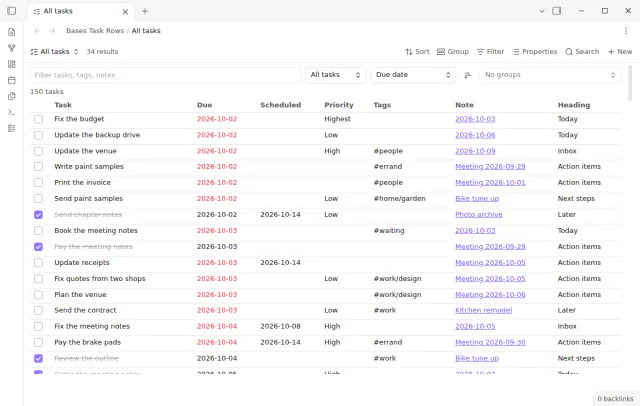
See each task from the notes in a base as a separate row.
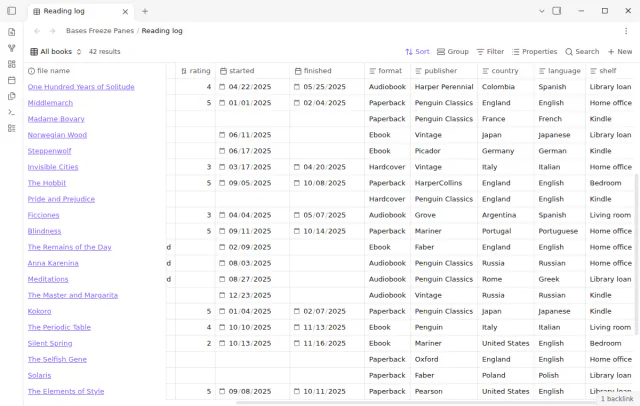
Keep column and note names visible as you scroll a base.
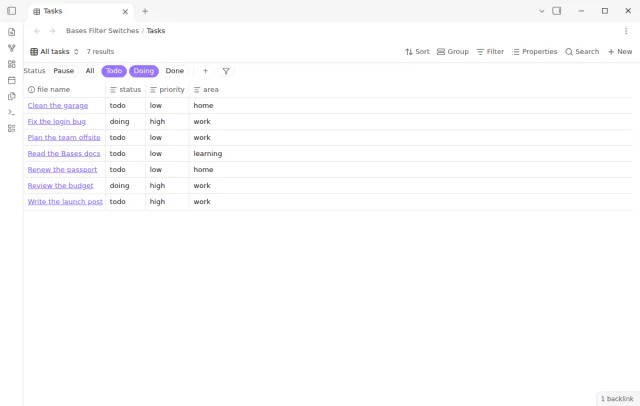
Turn saved Bases filters on or off with switches.
Pro adds "Filter rows"Pro for all 134 plugins, $15 one time
Get Pro