How to show checklist tasks in Obsidian Bases
Bases can't list the checklist tasks inside your notes on its own, as of October 2026.
Obsidian's help site, read in October 2026, describes no way to merge Markdown tables from several notes into one table. Bases builds its rows from files and its columns from properties, and Dataview doesn't read tables either. You can move the rows into properties, write SQL with SQLSeal, or add a Bases view that reads the tables.
Table Rollup has Pro, and $15 one time turns it on in all 134 plugins.
Dataview issue 555, support markdown tables as data sources, was opened on 17 October 2021 and is still open. It has 82 reactions, and 56 of them are thumbs up. In December 2023 a Dataview contributor wrote there that the plugin is in maintenance mode and the feature is unlikely to be added.
Two forum topics ask the same question, one from December 2023 and one from May 2025. Both closed with no reply. The 2025 poster wants an index note that collects the tables of other notes into one combined table.
Bases shows one row for each file and fills the columns from properties. It can sort the rows and add a summary under a column. So if each row of your table becomes its own note with properties, a core base replaces the merged table.
The 2025 forum poster names this route and its cost. A commenter on issue 555 does something similar with lists and inline fields for Dataview.
SQLSeal is a community plugin that runs SQL in a code block. Since version 0.30.0 its table function can read a table from another file, by position or by the heading above it. You give each table a name, then join the tables or stack them with UNION ALL.
Block View is a community plugin that adds a view to Bases. The base picks the files, and Block View lists the matching blocks from them. Its options include Markdown tables, and one display option keeps only the table rows that match.
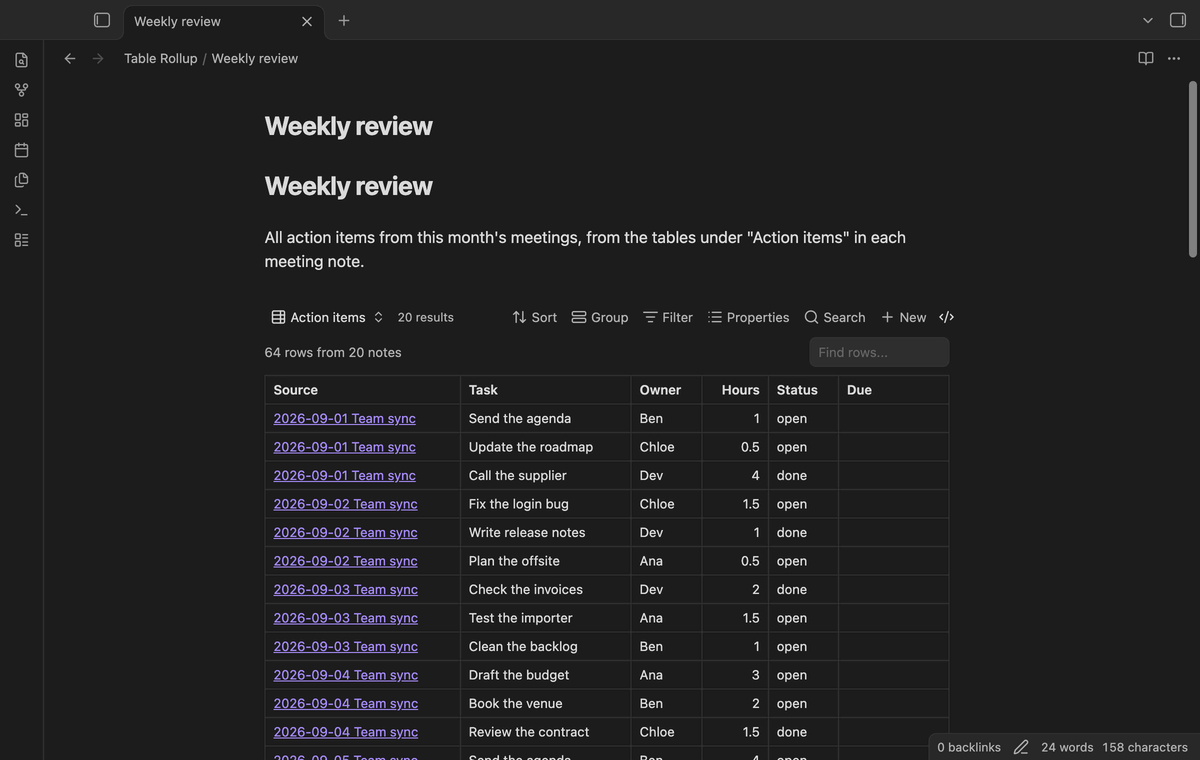
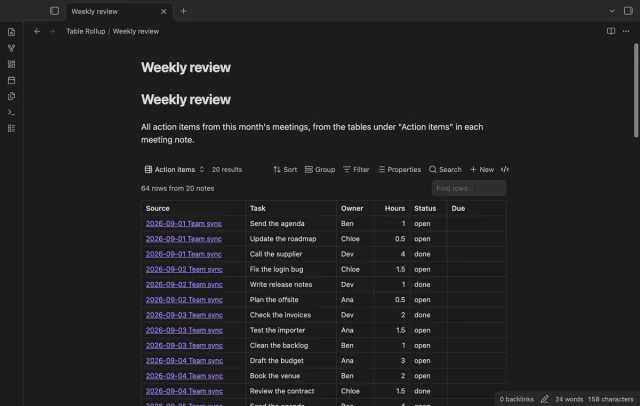
Table Rollup is a view for the core Bases plugin. The base selects the notes, and the view takes the first table under the heading you name in each note. It matches columns by name, so Owner and owner land in one column. A Source column links each row to its note.
Click a column header to sort. The merged table draws again when you edit a source note, and you can embed the view in another note. Table Rollup only reads your notes.
MIT · no telemetry · core features free
Install Table Rollup from Community plugins, enable it, and make sure the core plugin Bases is on.
Create a base or open one. Set its filters so it selects the notes with your tables, for example a folder or a tag.
Open the view menu in the base toolbar and add a view of the type Table rollup.
Open the view options and type the heading above your tables in Under heading, for example Action items.
Click a column header to sort the merged rows. The Source column links each row to the note it came from.
For a total under a column, set Summary row in the view options. That option needs Pro.
It doesn't look likely. Issue 555 has been open since October 2021. In December 2023 a contributor wrote that Dataview is in maintenance mode and the feature is unlikely to be added.
Yes. Obsidian can embed a heading or a block from another note, so an index note can show every table in turn. They stay separate tables, though. You add one embed by hand for each new note.
Not for Table Rollup. It matches columns by name, and case, bold text and column order don't matter. A column that only some notes have is added at the end.
The free version of Table Rollup merges the tables from up to 50 notes that have rows. When more notes have rows, the table says how many it left out. Pro removes the limit.
 That's every step, start to finish.
This guide uses Table Rollup. Pro adds "Summary rows and group subtotals" and "Filter rows". One payment of $15 turns on Pro in 134 plugins.
This guide uses Table Rollup. Pro adds "Summary rows and group subtotals" and "Filter rows". One payment of $15 turns on Pro in 134 plugins.
$15 once. Pro tools in 134 NoteMods plugins with one GitHub sponsorship. Nothing renews.
Pro turns on right after payment. Select Sign in with GitHub in the settings of each plugin you use. Free features stay free.
Secure checkout by GitHub Sponsors - needs a GitHub login.
Combine note tables in one table with links to the source notes.
One sponsorship turns on the Pro features in 134 NoteMods plugins. Free features stay free.
$15 one time: Pro stays on, nothing renews. $5 a month: Pro is on while you sponsor, and stays on after you have paid $15 in total. You pay on GitHub (a GitHub login is needed), then select Sign in with GitHub in the plugin settings. All sponsor tiers