How to merge Markdown tables from many notes in Obsidian
Obsidian's help site, read in October 2026, describes no way to merge Markdown tables from several notes into one table.
As of October 2026, Obsidian supports block references to a whole table but does not support references to specific table parts. Use that reference for the table, or Table Row Links for navigation to a marked data row.
The product brief describes referring to an order, task or review item within a table. A row marker gives the navigation target without storing its line number.
Put a block id on a separate line after the table, with blank lines around it. Link to that id using the note name and #^.
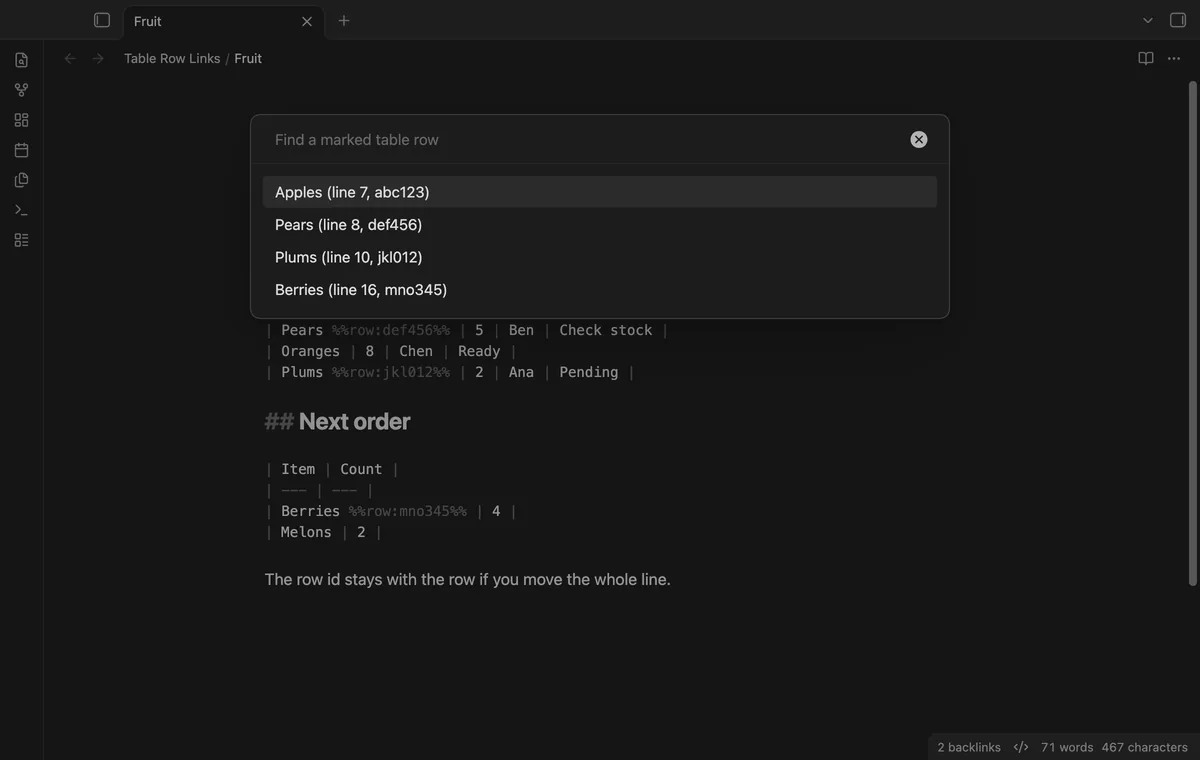
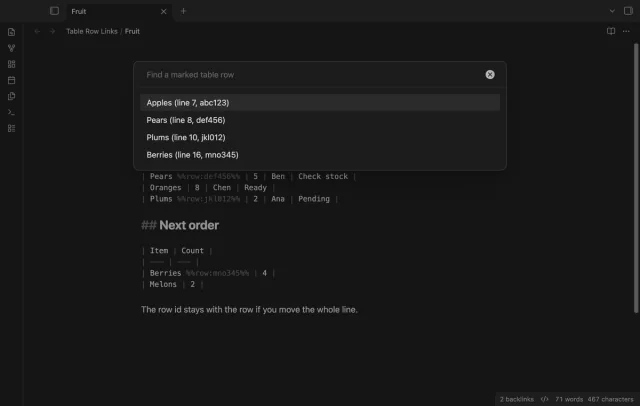
Put the cursor on a data row and copy its URI link. The plugin adds a first-cell marker and uses it to open the note at that row.
MIT · no telemetry · core features free
Open your Markdown note in editing mode, using Source mode if needed.
Put the cursor on a data row below the table header and separator.
Run Copy link to this table row from the command palette or context menu.
Paste the link into your note, task or message and keep the target marker.
Use a native block reference for the whole table. It does not target an individual row.
Keep the target marker while you need the link. Cleanup cannot check links in messages or another vault.
 That's every step, start to finish.
You're officially a regular.
Obsidian rewards people who share. NoteMods is just me and a lot of coffee. If this guide saved you a fight with the syntax, buy me a cup.
That's visit . Regulars are the reason I keep NoteMods running. If it's part of your routine now, a coffee says thanks better than anything.
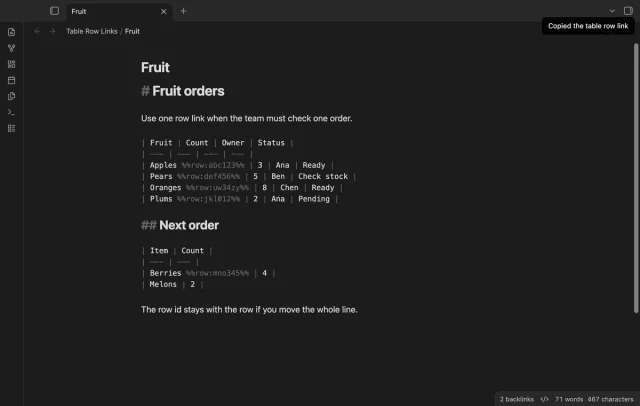
Copy a link to a marked table row in your note.