How to find missing files in your Obsidian vault
As of October 2026, File recovery can restore saved snapshots of Markdown and Canvas files.
For a few credentials, create matching secrets on the target through a plugin that uses SecretComponent. As of October 2026, Obsidian’s documented control can select or create secrets but offers no parcel export. Secret Parcel adds a selected export and import preview.
A plugin can save a secret’s name in settings while retrieving its value from SecretStorage. Copying that name alone does not recreate its value on the target device.
A plugin using Obsidian’s SecretComponent lets you select an existing secret or create one. On the target, create the required secret and select its name in that plugin.
Select source IDs and export an encrypted parcel, then transfer it with your chosen file method. Decrypt it in the target vault, review conflicts and confirm import.
MIT · no telemetry · core features free
Check the source vault and run Export secrets.
Select the required IDs, choose a vault folder and enter a long, unique passphrase of at least eight characters.
Transfer the encrypted parcel to the target vault and run Import parcel there.
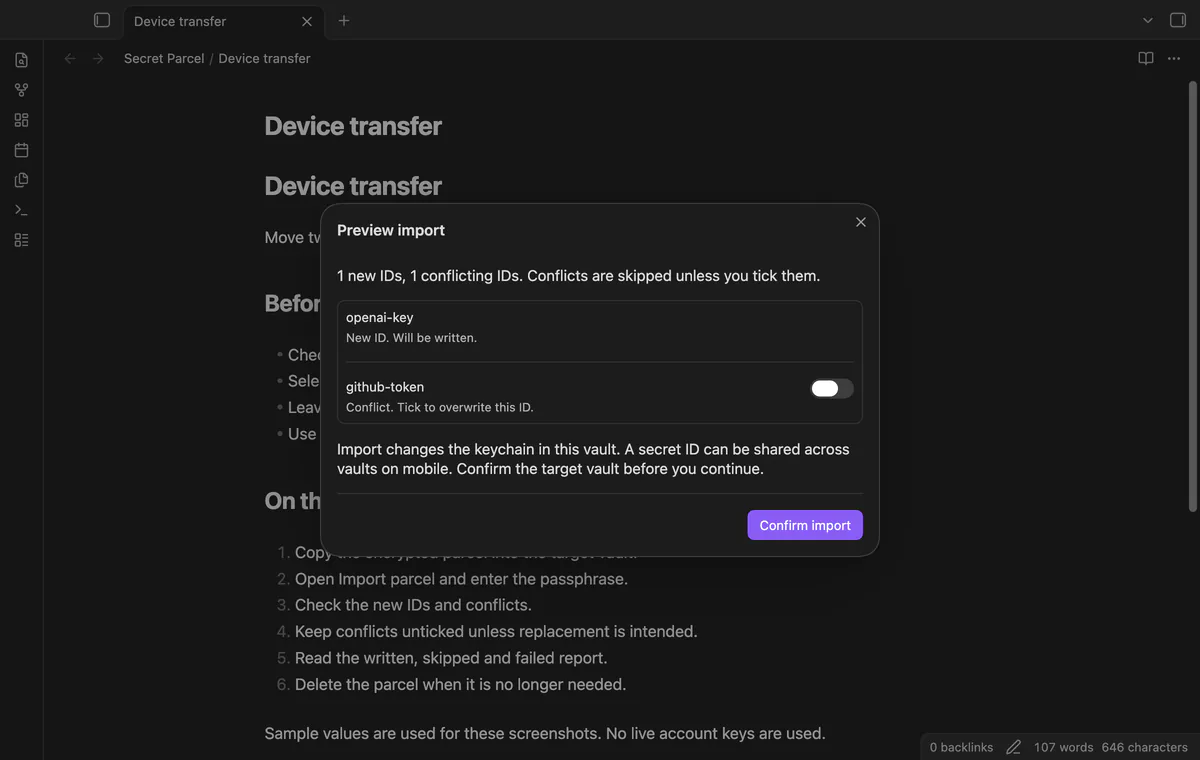
Enter the passphrase and review new IDs and conflicts, selecting replacements only when intended.
Confirm import, inspect the result and test the consuming plugin with its usual command.
Leave it unticked to keep the target value. Select it only when you intend to replace that credential; the write step checks conflicts again.
Read the written, skipped and failed report, then test the consuming plugin. Delete the parcel if you no longer need it, keeping its passphrase separate while you retain it.
 You can now transfer Obsidian secrets between devices.
You're officially a regular.
Obsidian rewards people who share. NoteMods is just me and a lot of coffee. If this guide saved you a fight with the syntax, buy me a cup.
That's visit . Regulars are the reason I keep NoteMods running. If it's part of your routine now, a coffee says thanks better than anything.
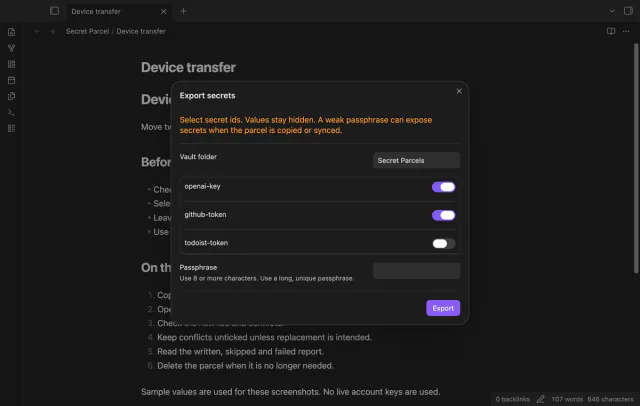
Transfer selected secrets and preview conflicts.