Date Property Backlinks
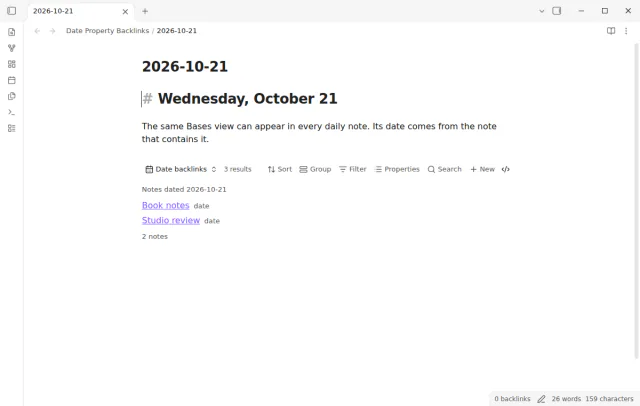
See every note whose date property matches the day, in a live Bases view inside your daily note.
Get an in-app notice when a date property of a note in a filtered Base comes due.
MIT · no telemetry · core features free
The directory takes these platforms from the plugin manifest. The automated tests run in the desktop app only.
Directory facts fetched from community.obsidian.md/users/theluckystrike.
You track renewals, reviews or deadlines as date properties in normal notes.
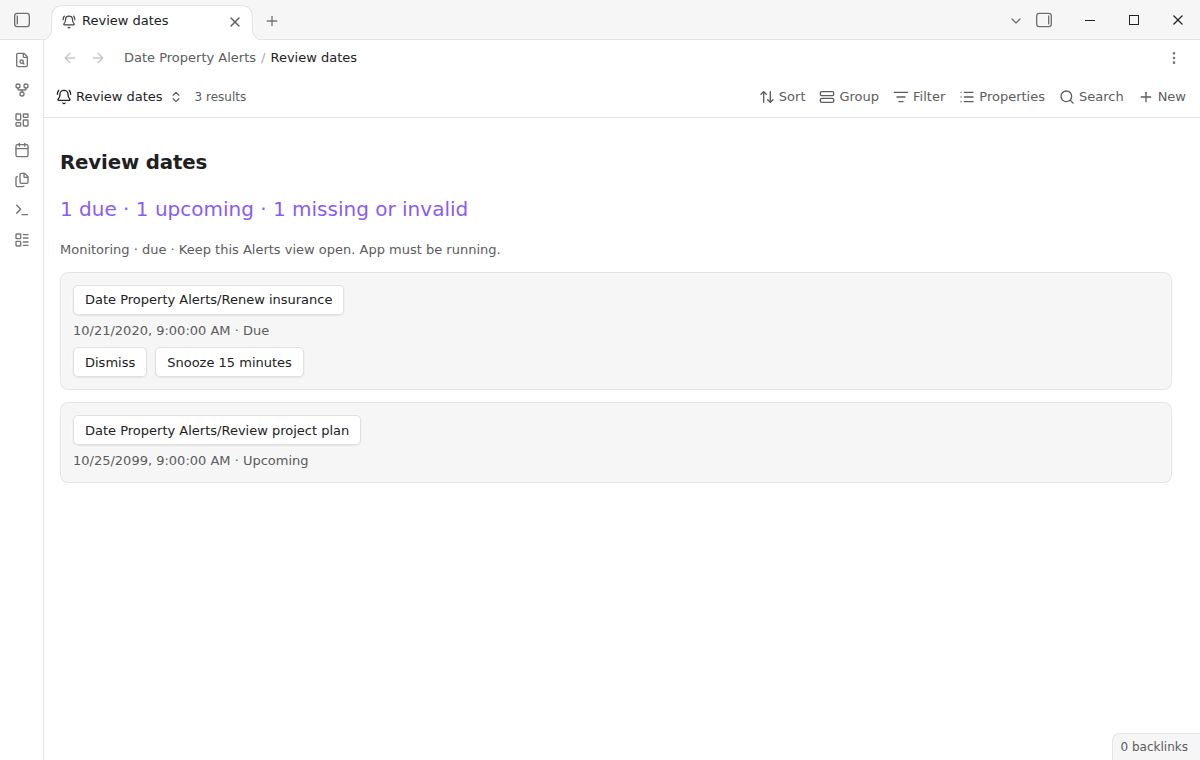
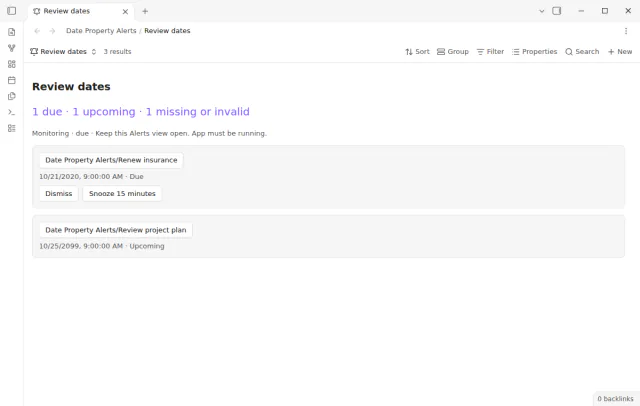
Add an Alerts view to a Base and choose a date property. The Bases filter selects the notes to watch, and each newly due note gets a notice inside Obsidian. Keep the view or an embed of it open while the app runs.
 Play demo
Use the core Bases filter to choose a folder, status, tag or other expression. The list shows due dates first, then upcoming ones. Missing or invalid values get a count above the list.
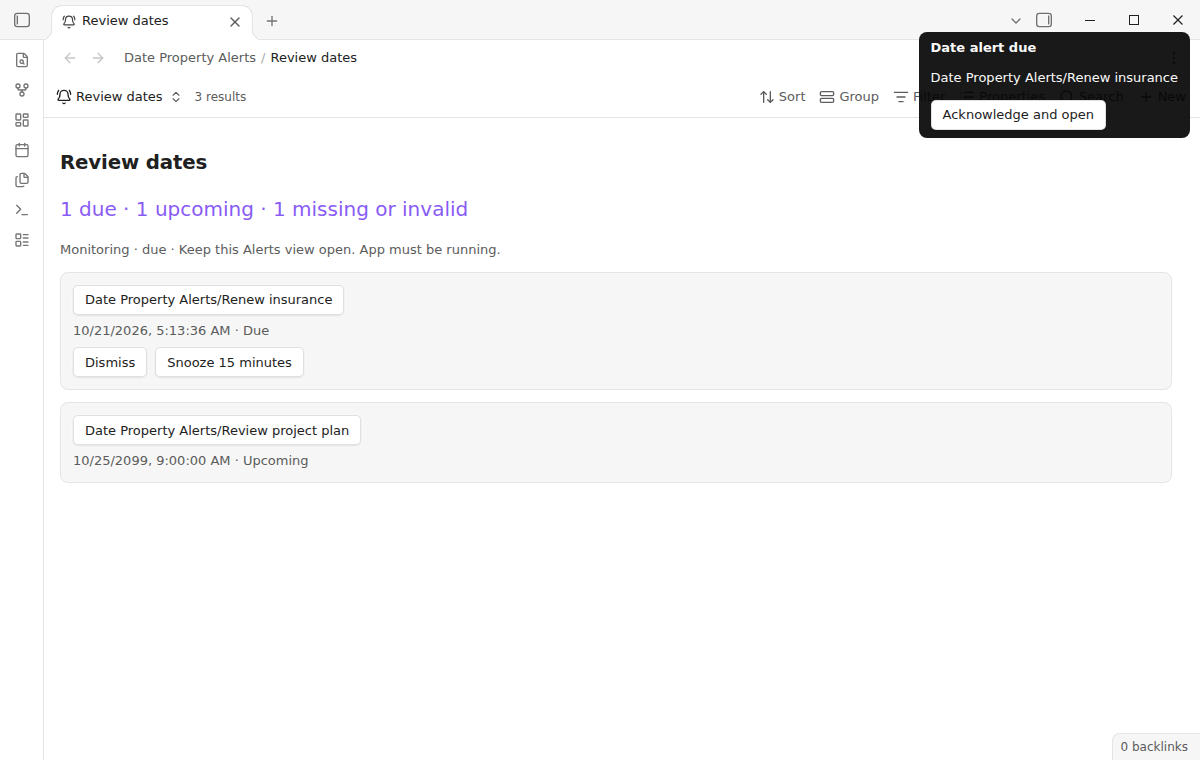

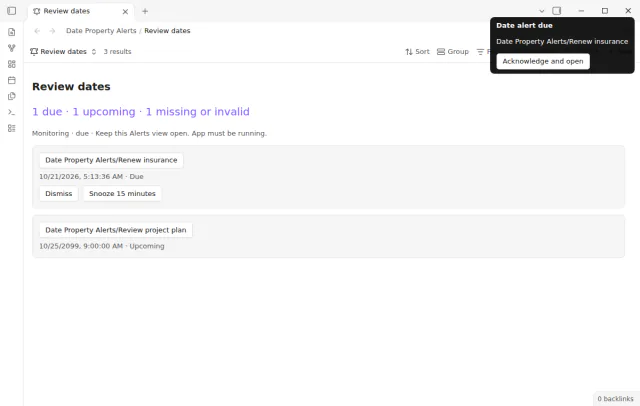
Each newly due note gets a notice that stays until you click it. The click opens the note and is remembered on this device for this vault. Dismiss and snooze never edit your notes.
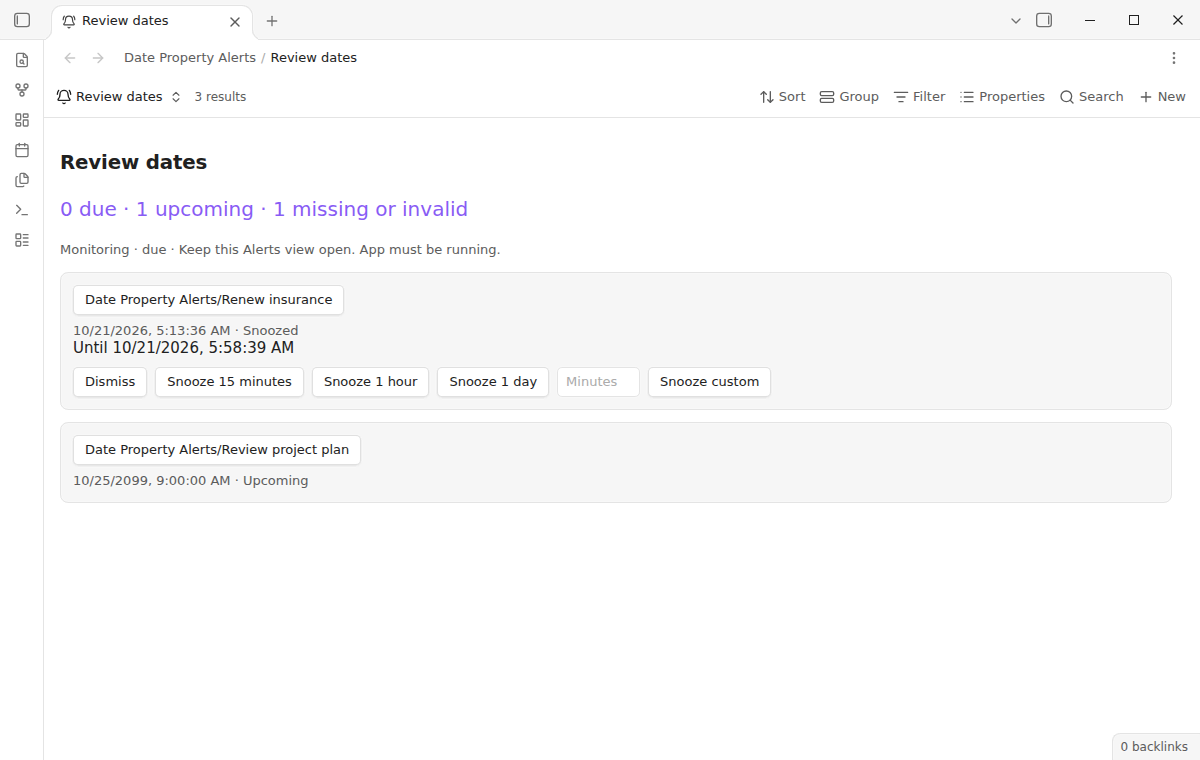
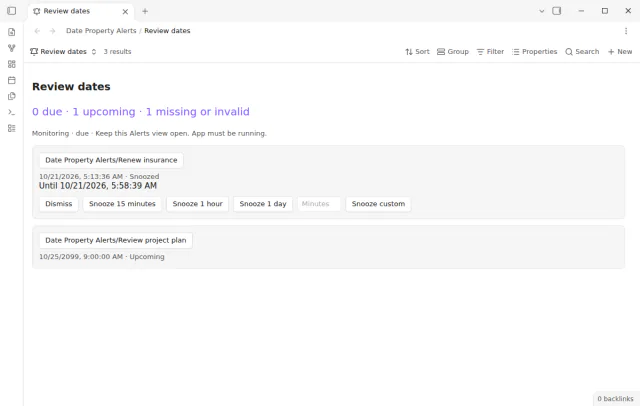
Every due entry has Snooze 15 minutes for free. A snooze asks for another notice and does not move the due date. Pro adds longer and custom durations.
Every alert source, notice and the 15-minute snooze are free, and Pro adds one-hour, one-day and custom snooze durations.
Pro costs $5 a month or $15 one time through GitHub Sponsors. One sponsorship turns on Pro in every plugin that has it.
Pro adds one-hour, one-day and custom snooze durations from 1 to 10,080 minutes. The list shows the wake time. A snooze that is set still finishes if your Pro access ends.
needs
steps
Add a property named due with the type Date or Date and time, for example 2026-10-25.
Create a Base and add an Alerts view from the view selector.
Open the view options, select the date property and set the hour for date-only values.
Filter the Base for active notes, then keep the view or an embed of it open.
If the app can't find a new plugin yet, try again later. Obsidian says a plugin that passes the review shows in the app within 24 hours.
Forum topics ask for reminders and notifications in Obsidian, and the existing Reminder plugin works with task lines, not note properties.
Need a change for your team? I build custom Obsidian plugins and features.
No. It reads a note property, not checkboxes or inline reminder markers. The separate Reminder plugin supports task reminders.
No. This release sends notices inside the app only, and a phone can suspend Obsidian in the background. Use a dedicated alarm tool when a missed alert would matter.
Check the filter, the row limit of the view, the selected property and the date format. Values such as next Friday are not accepted. Use an ISO date such as 2026-10-25 or 2026-10-25T14:30.
No. This version has no recurrence. Set a new due date to schedule the next review.
No. Delivery and snooze state stay in the storage of each device. Another phone or computer keeps its own history, even when the notes sync.
Alerts and notices work on your device and make no network request before you select Sign in with GitHub. Sign in sends the client ID and the read:user scope to github.com, and the sponsorship check sends your token to api.github.com. No note text, file names or other vault data goes to either host.
Tell me what is broken in Date Property Alerts, or what it should do next.
Date Property Alerts 1.2.0, MIT license
MIT · no telemetry · core features free
See every note whose date property matches the day, in a live Bases view inside your daily note.
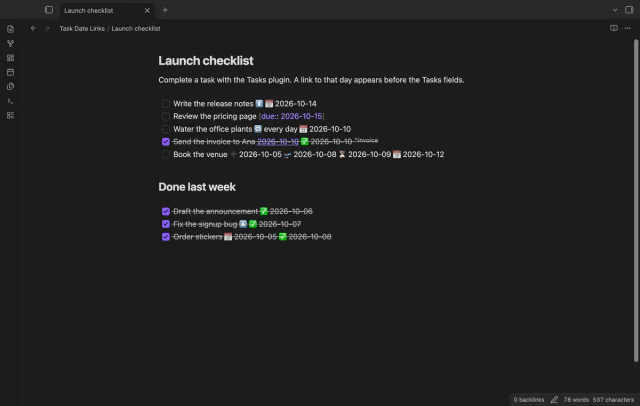
Link completed tasks to their daily notes for backlinks.
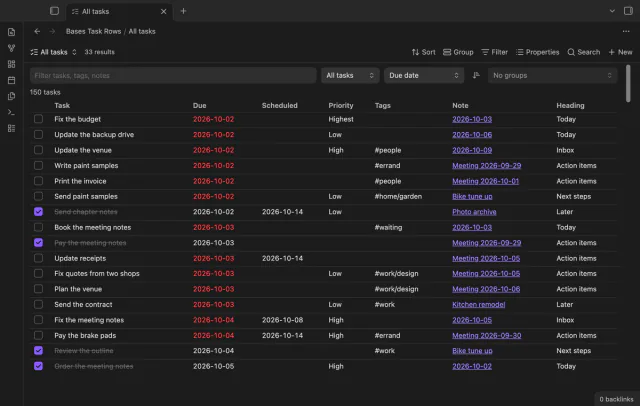
See each task from the notes in a base as a separate row.