Bases can't list the checklist tasks inside your notes on its own, as of October 2026. A base row is a file, and an Obsidian developer wrote in 2025 that Bases doesn't read file contents. You can make each task its own note, or add a community view for Bases that reads the task lines.
Updated · 4 ways compared · 10 sources
Background
The forum request Bases : Support for tasks was opened on 19 July 2025. As of October 2026 it has 31 posts and 114 likes. The author wants a base where each row is a task with its due date and tags, not a note.
A member of the Obsidian team explained the limit in the same thread. The metadata cache stores where a task is and that it exists, but not its text. The task details are in the file contents, and Bases doesn't read those.
4 ways to do it
Core search with a task operator
Obsidian's Search plugin has the operators task, task-todo and task-done. The second one finds matches in uncompleted tasks only. Put a search in a query code block and the results show inside a note.
No community plugin is needed. That matters to one poster in the thread, who works where community plugins aren't approved.
limits
You get search results, not a base, so the filters, columns and sorting of Bases don't apply. Obsidian Publish doesn't show embedded search results.
Bases reads properties, so a task that is its own note shows up as a row. Two posters in the thread describe this setup, with properties for things like the assignee. One of them calls it fast and easy to embed.
TaskNotes is a community plugin built on the same idea. Its README says each task is a Markdown note with frontmatter and every view is a Bases query.
limits
Your tasks stop being checkbox lines inside meeting and project notes. Checklists you already have stay invisible to the base until you turn them into notes.
Block View is a community plugin that adds a view of blocks to Bases. Turn on its Tasks option, choose Incomplete, and it lists the open tasks from the files the base selects. Its README says you can group them and check them off in the view.
limits
Its README describes a list of blocks. It names no columns for due date or priority and no sorting by a task's due date.
Bases Task Rows, one row for each task from this site
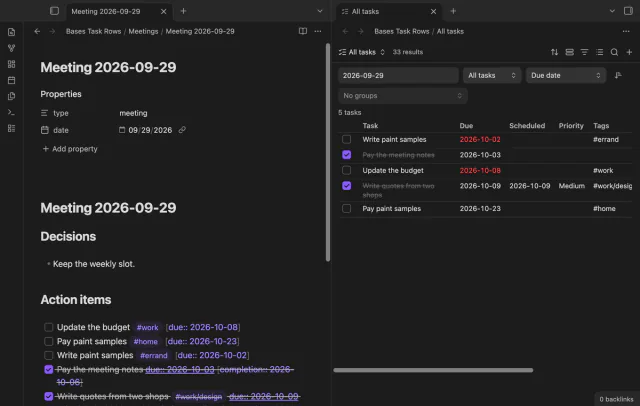
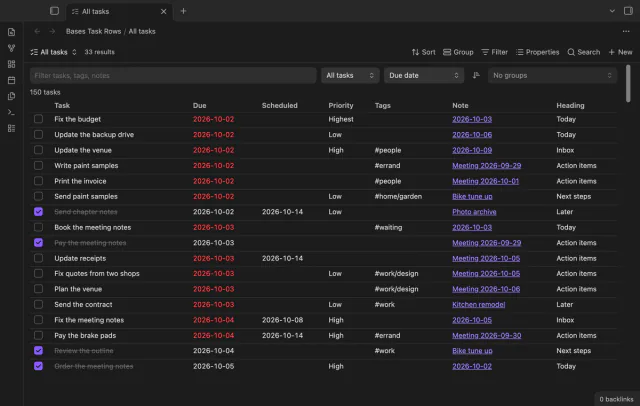
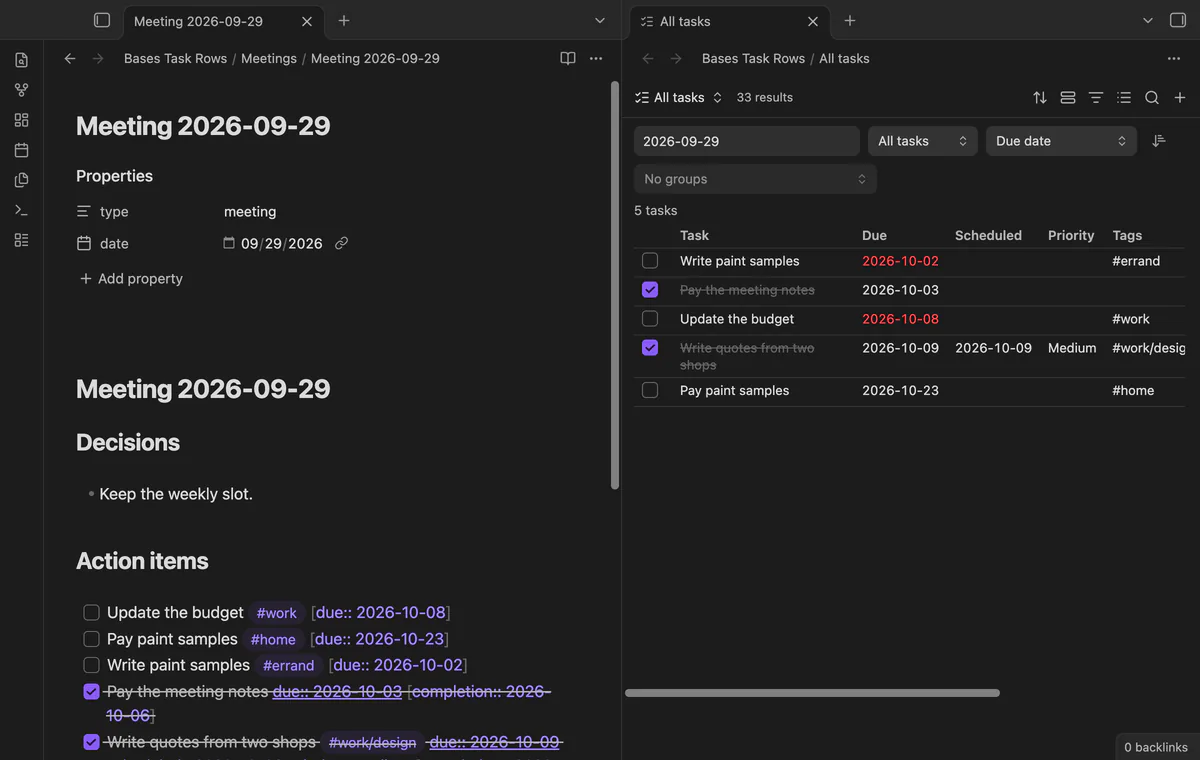
Bases Task Rows adds a Task rows view to Bases. The base picks the notes with its normal filters, and the view lists every checkbox line in them as a row. A row has the done box, the task text, due and scheduled dates, priority, tags, the note and the heading.
It reads the Tasks emoji dates and the Dataview fields you already have. Tick a box and the plugin changes that one line of the note. You can sort by due date, scheduled date, priority, task text or note name.
limits
The free version shows up to 200 tasks per view. Groups, due date editing in the row and bulk actions need Pro, and the plugin doesn't create the next copy of a recurring task.
Install Bases Task Rows from Community plugins, enable it, and check that the core plugin Bases is on.
Open a folder of notes with tasks and run the command Create a task base for the current folder. The plugin creates Tasks.base there and opens it.
Or open any base, add a view from the view menu and choose the layout Task rows.
Change the base filters to choose the notes, for example a folder or a tag.
Set Show and Sort in the toolbar. Show switches between open tasks, done tasks and all tasks.
Tick a box to complete a task. To group tasks by date, note, heading or tag, use Group by, which needs Pro.
Common questions
Does Bases have a file.tasks property?
No. The file properties on the Bases syntax page, read in October 2026, include links, embeds and tags, but nothing for tasks. A proposal for such a property sits in the same forum thread.
Do I still need Dataview or the Tasks plugin?
Not to see tasks in a base. Dataview has its own TASK query, which lists tasks and checks them off in the source file. For recurring tasks, keep ticking them in the note or in a Tasks query. Bases Task Rows doesn't create the next one.
How many tasks does the free version of Bases Task Rows show?
Up to 200 tasks per view, in sort order, and the view says how many it hides. Pro shows every task past 200.
As of October 2026, a normal embed of a Kanban plugin board shows plain Markdown, one heading under the other. Obsidian itself can put a Kanban view of a base inside a note since version 1.14, but each card there is a note. To see a Kanban plugin board as side-by-side lanes in a note, you need a plugin that reads the board file.
The Views help page, read in October 2026, describes how to add filters, but no way to switch one off. In core Bases you delete a filter and add it again, or you keep one view for each filter. Two community plugins add a real toggle.