Date Property Alerts
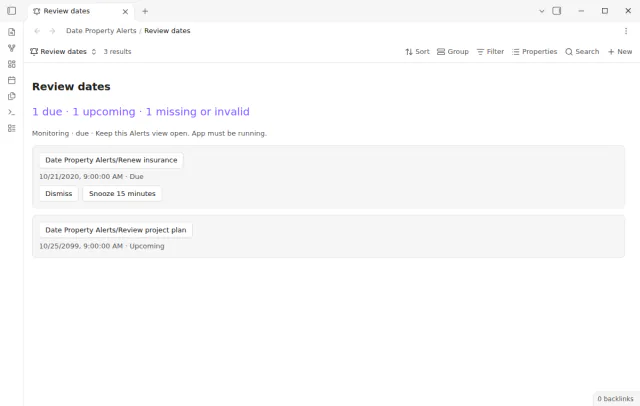
Get an in-app notice when a date property of a note in a filtered Base comes due.
See which days have a daily note, open any day with one click, and create the note when it is missing.
MIT · no telemetry · core features free
Pro adds "Quarter and year cells" and "Heat colours, tag colours and date property". Pro for all 134 plugins, $15 one time
The directory takes these platforms from the plugin manifest. The automated tests run in the desktop app only.
Directory facts fetched from community.obsidian.md/users/theluckystrike.
You keep daily notes, and you want to see the days you wrote and jump to any date without typing its name.
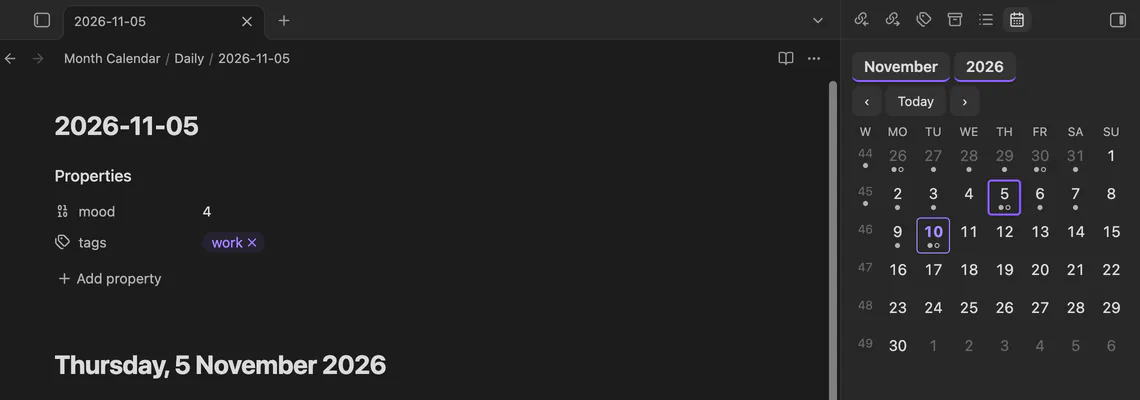
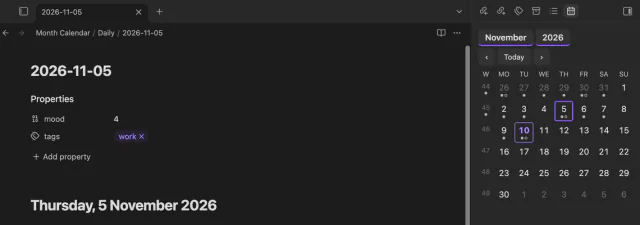
Month Calendar puts a month view in the right sidebar. Each day with a daily note gets dots, and one more dot shows for each 250 words. Select a day to open its note, or to create it with your template.
The plugin reads the folder, format and template of core Daily notes, so you set nothing up twice. It only reads notes, and it writes only the new notes that you ask for.
 Play demo
Each day with a daily note gets dots under its number. One dot shows the note, and each 250 words add one more dot, up to five. A day with an open task gets a small ring.
Select a day to open its note, or to create it in the daily notes folder with your template. Hold Ctrl, or Cmd on macOS, to open it in a new tab. Turn on Ask before you create a note to get a question first.
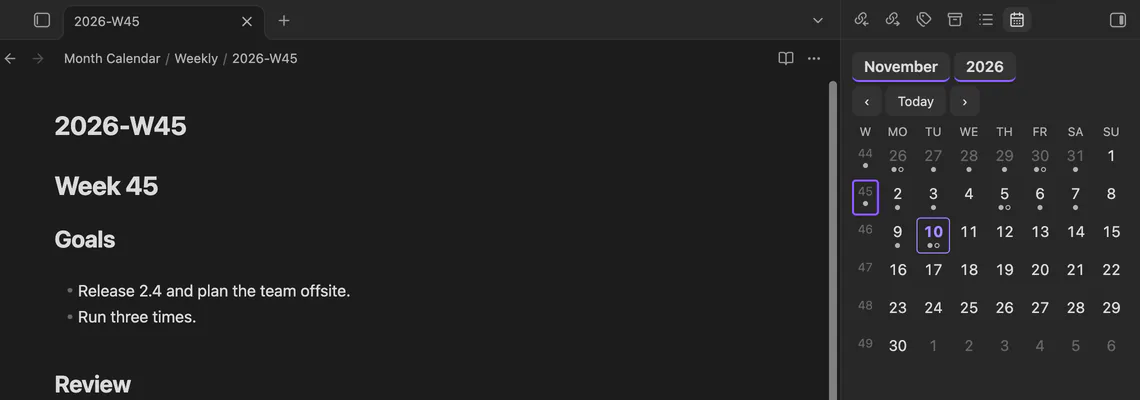
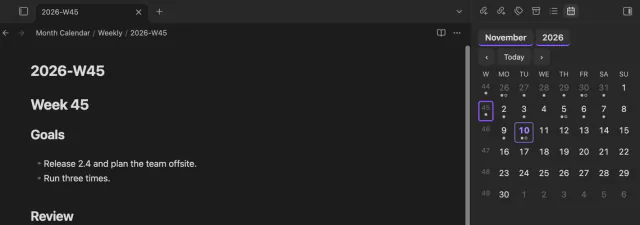
The first column shows the week number of each row, and a click opens or creates the weekly note. The week start and the rule for week 1 come from your locale. You can change both, for example to ISO 8601 weeks.
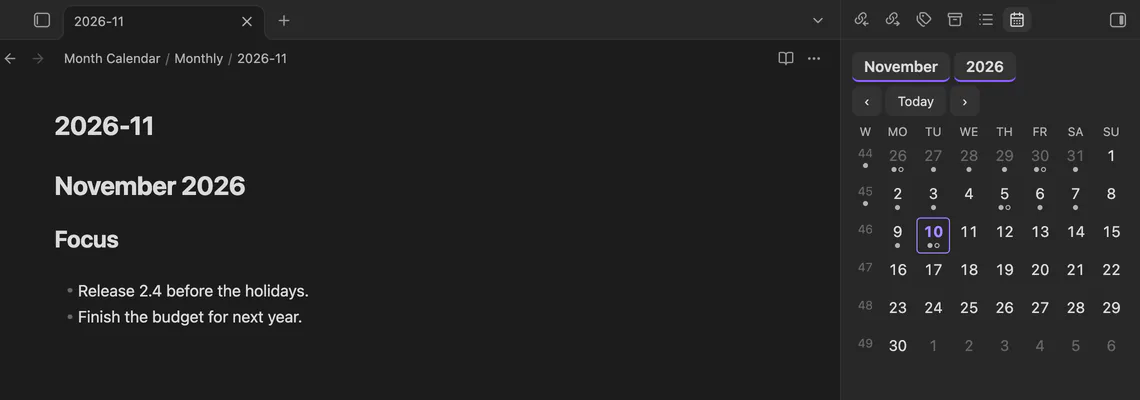
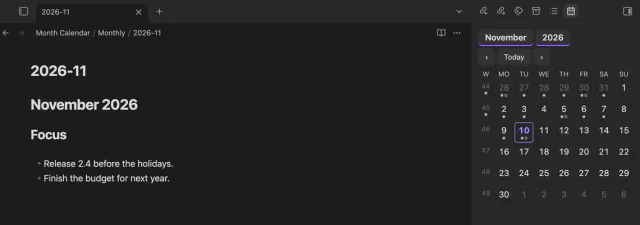
The month name and the year above the grid are buttons. Select one to open or create the monthly or the yearly note. A line under the name shows that the note exists.
The free version shows the month, week, monthly and yearly notes, and it has no quarter cells, heat colours, tag colours or date property.
Pro costs $5 a month or $15 one time through GitHub Sponsors.
Pro adds a row under the month with Q1, Q2, Q3, Q4 and the year. Each cell opens or creates its note and shows a dot when the note exists.
Pro colours each day by a number property of its daily note, for example mood or sleep. It can also colour the dots by tag, for example blue for work. With a date property, any note with that property shows as a dot on its day.
$15 once. Pro tools in 134 NoteMods plugins with one GitHub sponsorship. Nothing renews.
Pro turns on right after payment. Select Sign in with GitHub in the settings of each plugin you use. Free features stay free.
Secure checkout by GitHub Sponsors - needs a GitHub login.
17 of 50 founding licenses sold.
The price is set on the 1st of each month. It goes up only after a tier is full. Until then it stays $15. The next price review is on 1 December 2026.
A price change does not change a license that you paid for. The $5 a month option stays.
One sponsorship turns on the Pro features in 134 NoteMods plugins. Free features stay free.
$15 one time: Pro stays on, nothing renews. $5 a month: Pro is on while you sponsor, and stays on after you have paid $15 in total. You pay on GitHub (a GitHub login is needed), then select Sign in with GitHub in the plugin settings. All sponsor tiers
needs
steps
Turn on Month Calendar, and the calendar appears one time in the right sidebar.
Select today to open or create your daily note.
Use the arrows next to the title to move one month back or forward, and select Today to come back.
If you closed the pane, run the command Open calendar from the command palette.
If the app can't find a new plugin yet, try again later. Obsidian says a plugin that passes the review shows in the app within 24 hours.
On 10 November 2026, the Calendar plugin had a gain of 85,074 installs in 30 days. Its last release is from 20 April 2021, and core Obsidian 1.15.1 has no calendar layout.
Need a change for your team? I build custom Obsidian plugins and features.
No. Month Calendar reads the saved settings of core Daily notes when they exist. Without them it uses the vault root and the format YYYY-MM-DD. You can also set a custom folder and format.
Week numbers follow a rule. In ISO 8601, week 1 is the week with January 4, so 29 December 2025 is in week 1 of 2026. In the United States, week 1 is the week with January 1.
No. Month Calendar only reads notes. It creates a new note only when you select an empty day, week, month or year.
Yes. It reads the list of notes when the pane opens and after a note is created, renamed or deleted. It counts words only for the month that shows.
Until you select Sign in with GitHub, Month Calendar makes no network requests. Sign in and the sponsorship check contact github.com and api.github.com with the scope read:user, and a successful check is reused for 7 days. The plugin sends no note content, file names or other vault data.
Tell me what is broken in Month Calendar, or what it should do next.
Month Calendar 1.0.0, MIT license
MIT · no telemetry · core features free
Get an in-app notice when a date property of a note in a filtered Base comes due.
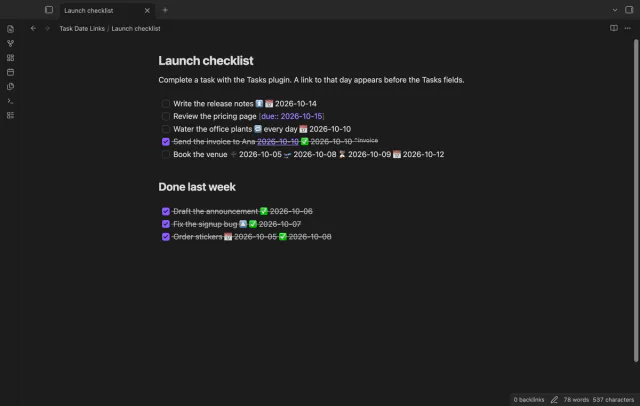
Link completed tasks to their daily notes for backlinks.
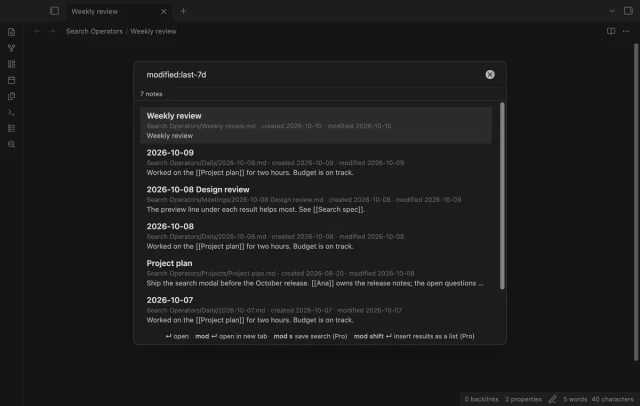
Find notes by date and links, with a preview for each result.
Pro adds "Quarter and year cells"Pro for all 134 plugins, $15 one time
Get Pro