Heading Link Sync
Update heading links and embeds when you edit a heading.
Find notes by date and links, with a preview for each result.
MIT · no telemetry · core features free
Pro adds "OR, NOT and property operators" and "Results as a Markdown list". Pro for all 134 plugins, $15 one time
Tested on desktop only.
Directory facts fetched from community.obsidian.md/users/theluckystrike.
People who know when they wrote a note or what it links to, but not its words.
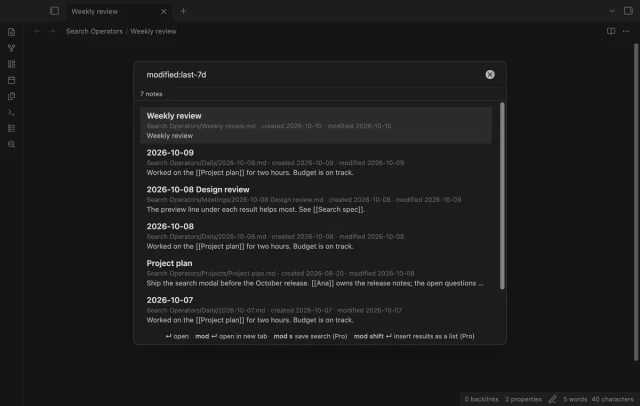
The core search of Obsidian 1.15 has no operator for the date a note was made or changed, and none for links. Search Operators adds them in its own modal, with a preview line for each result. It doesn't change the core search pane.
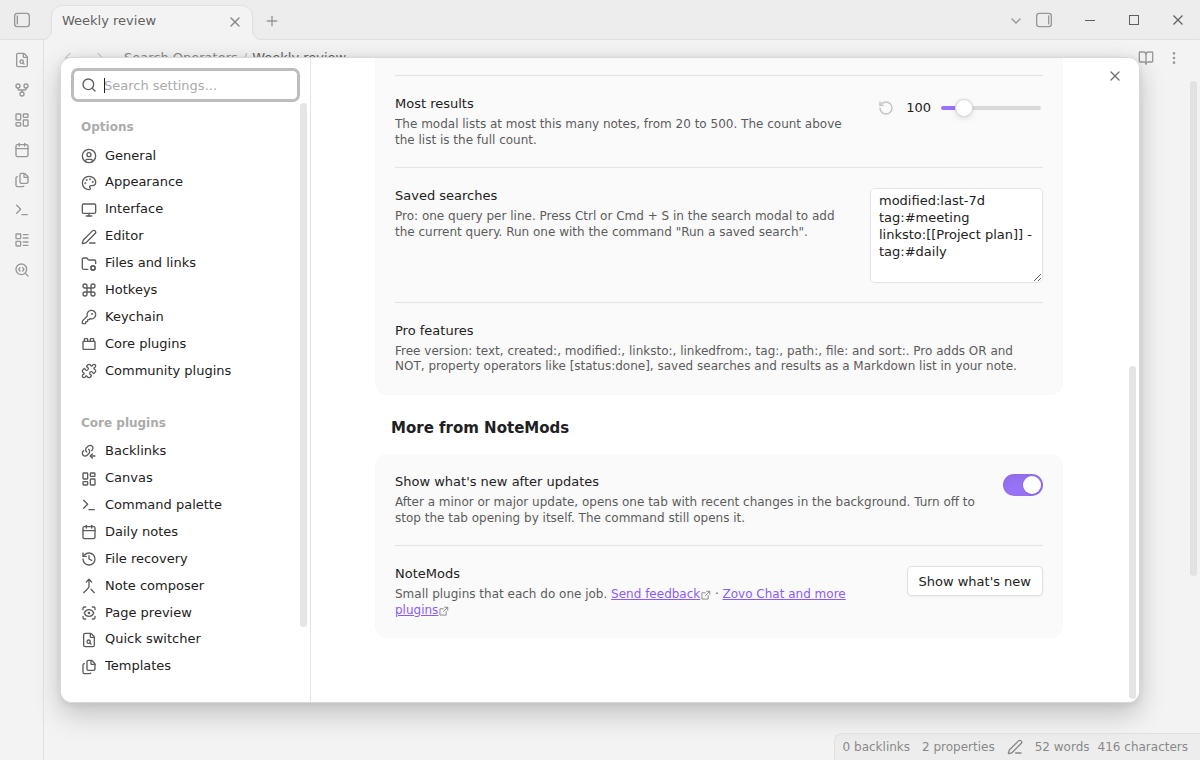
The date, link, tag, path, file and sort operators are free, with no Pro limit. The modal lists at most 500 notes, 100 by default, with the full count above the list. Only Markdown notes are searched.
 Play demo
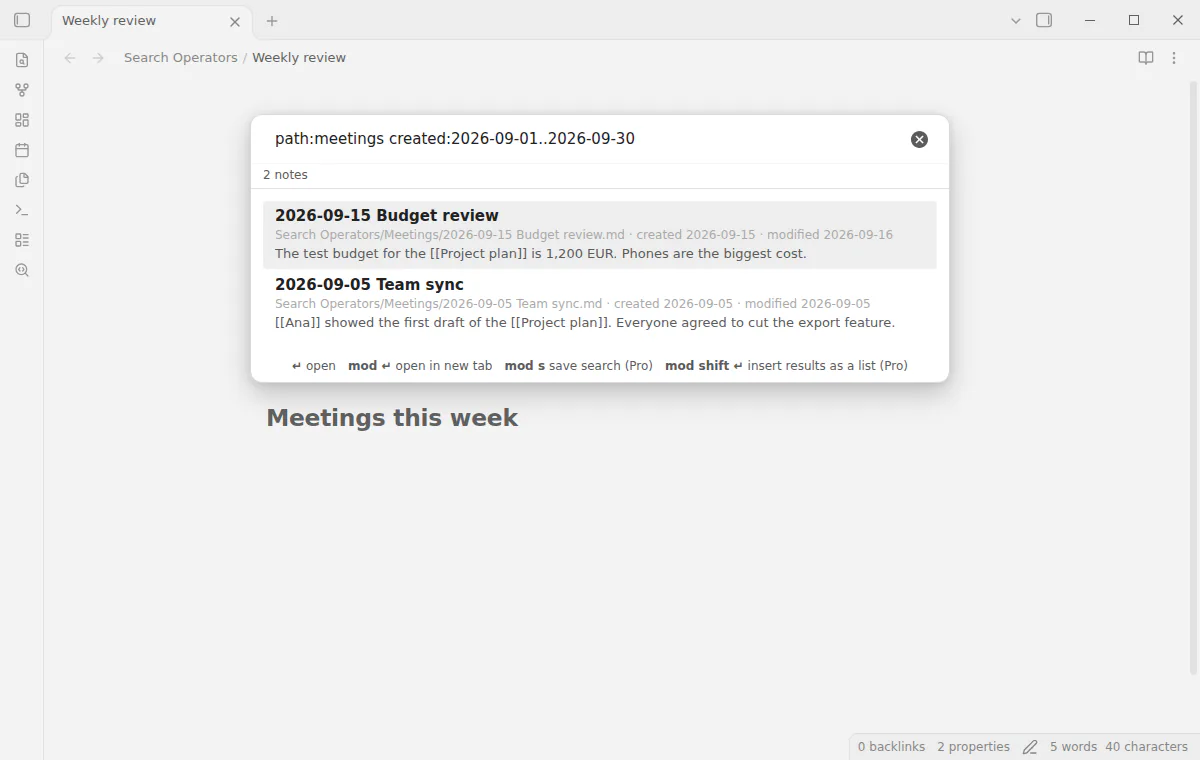
The operators created: and modified: take a day, a month, a year or a range. So created:2026-09 finds the notes of that month, and created:2026-09-01..2026-09-30 includes both end days. Put >, >=, < or <= in front of a date to search after or before it.
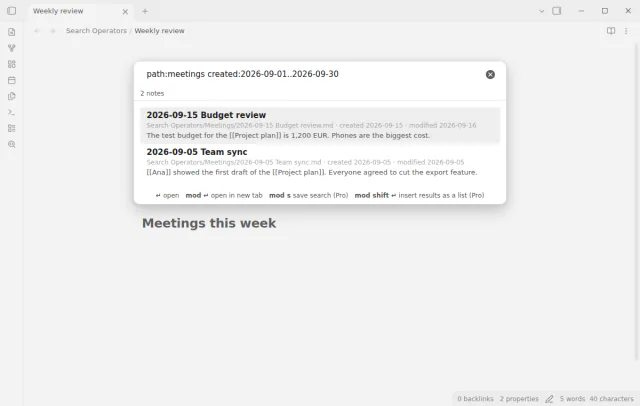
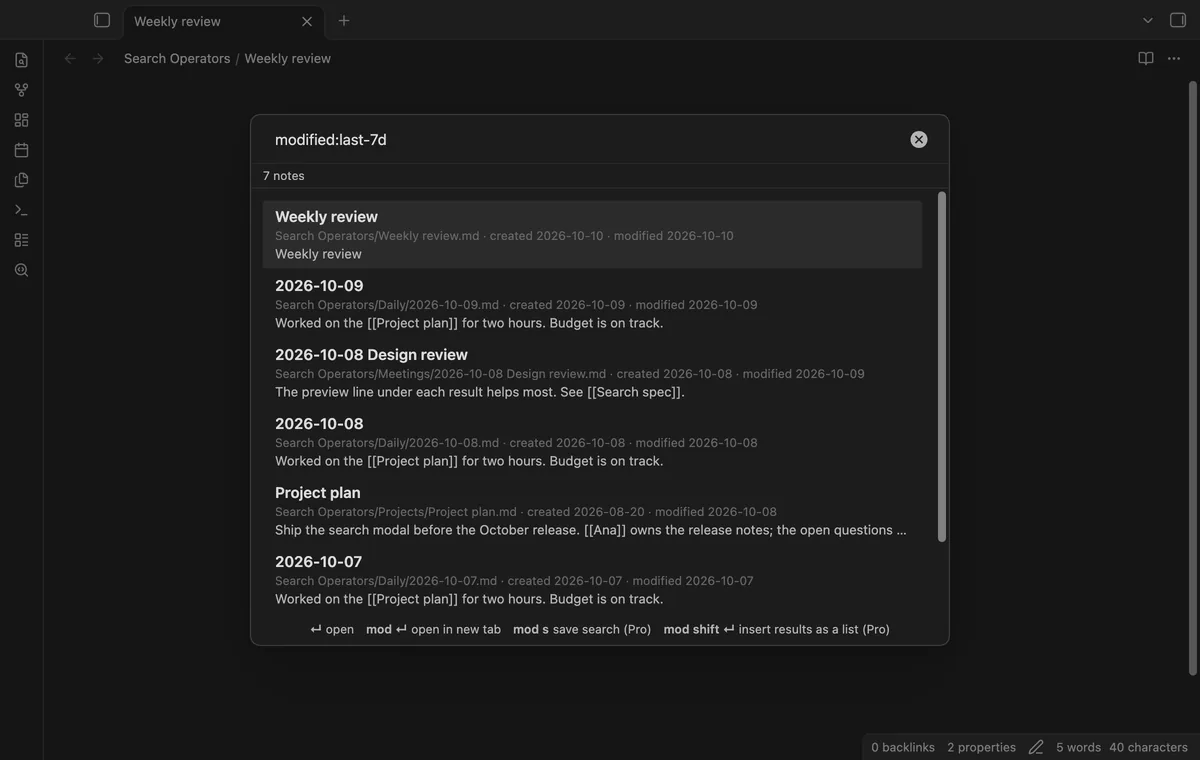
The values last-7d, last-2w, last-3m and last-1y count back from now, and today and yesterday work too. So modified:last-7d lists the notes you changed in the last 7 days, newest first.
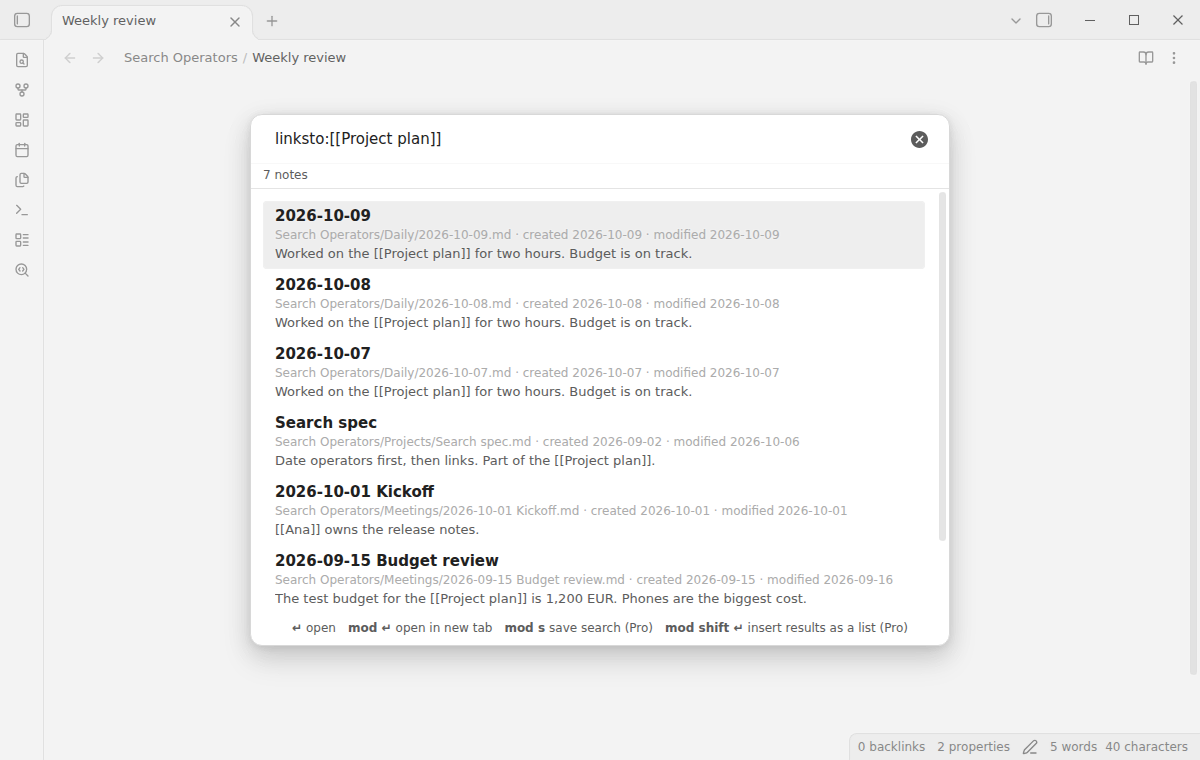
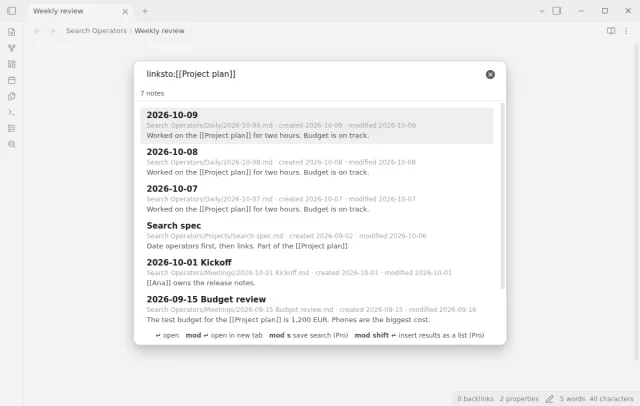
The operator linksto:[[Project plan]] lists Markdown notes that have a resolved link to Project plan. Type the name with or without brackets and with a folder, and the plugin ignores display text and a heading. A command opens the modal with this operator filled in for the current note.
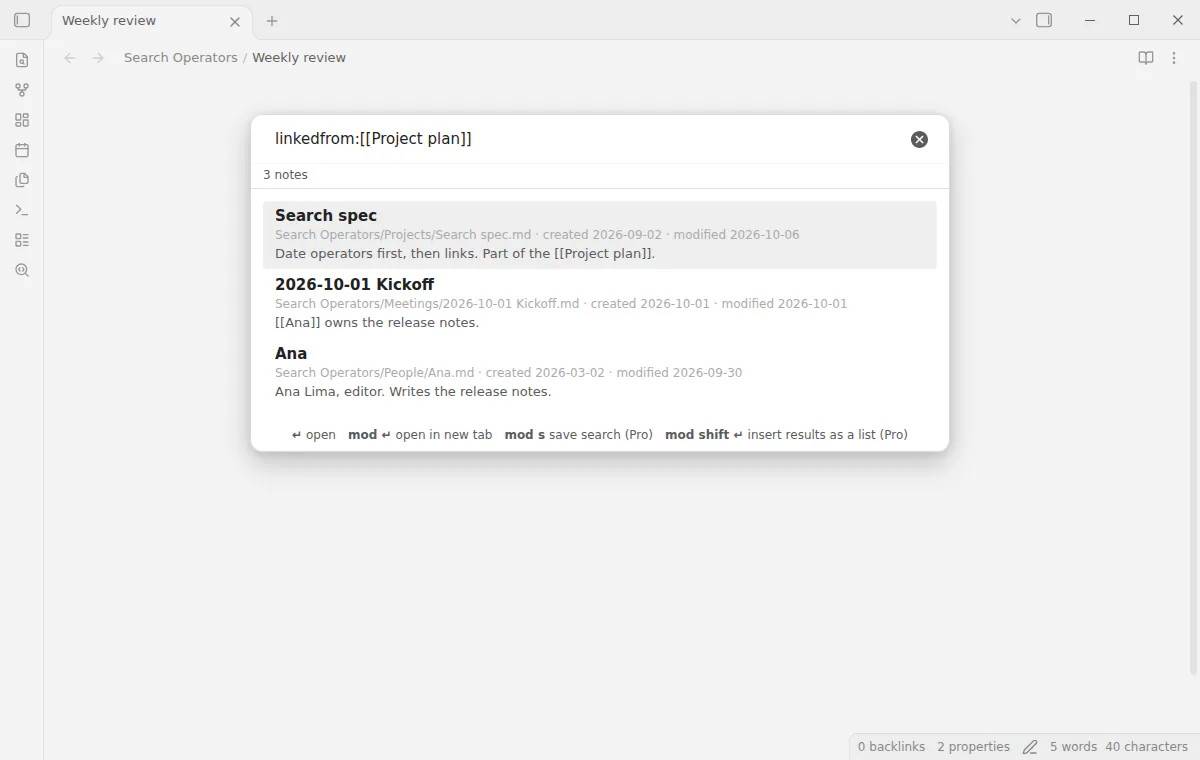
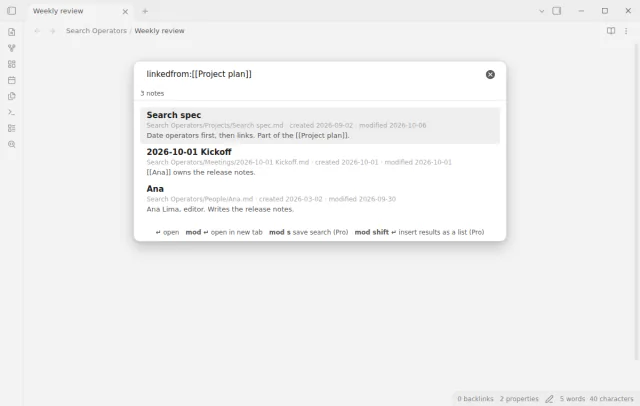
The operator linkedfrom:[[Project plan]] lists the notes that Project plan links to. Add more operators to narrow the list, for example linkedfrom:[[Project plan]] tag:#person.
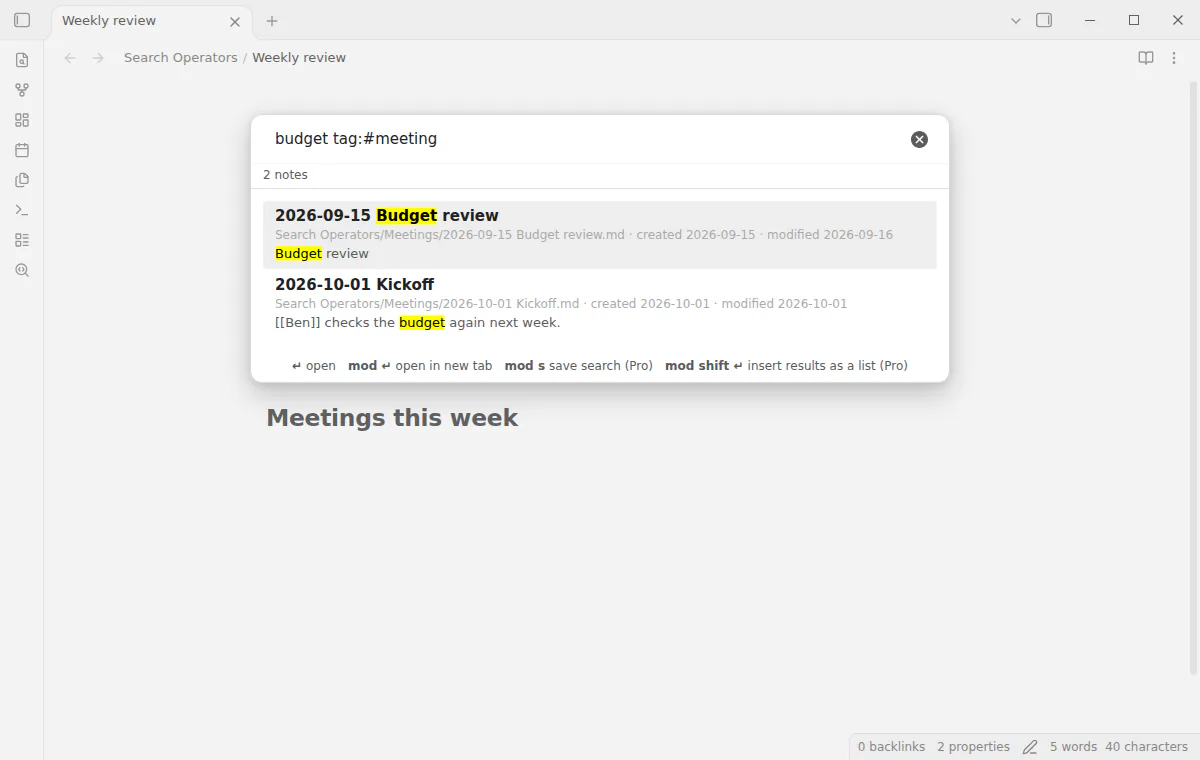
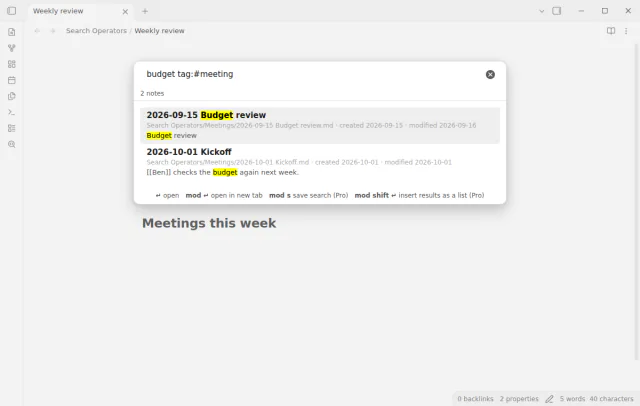
Plain words must appear in the title, the path or the text, and a title match scores higher than one match elsewhere. Each result shows the path, the created and modified dates, and one line of the note. The operator tag:project also finds nested tags such as #project/search.
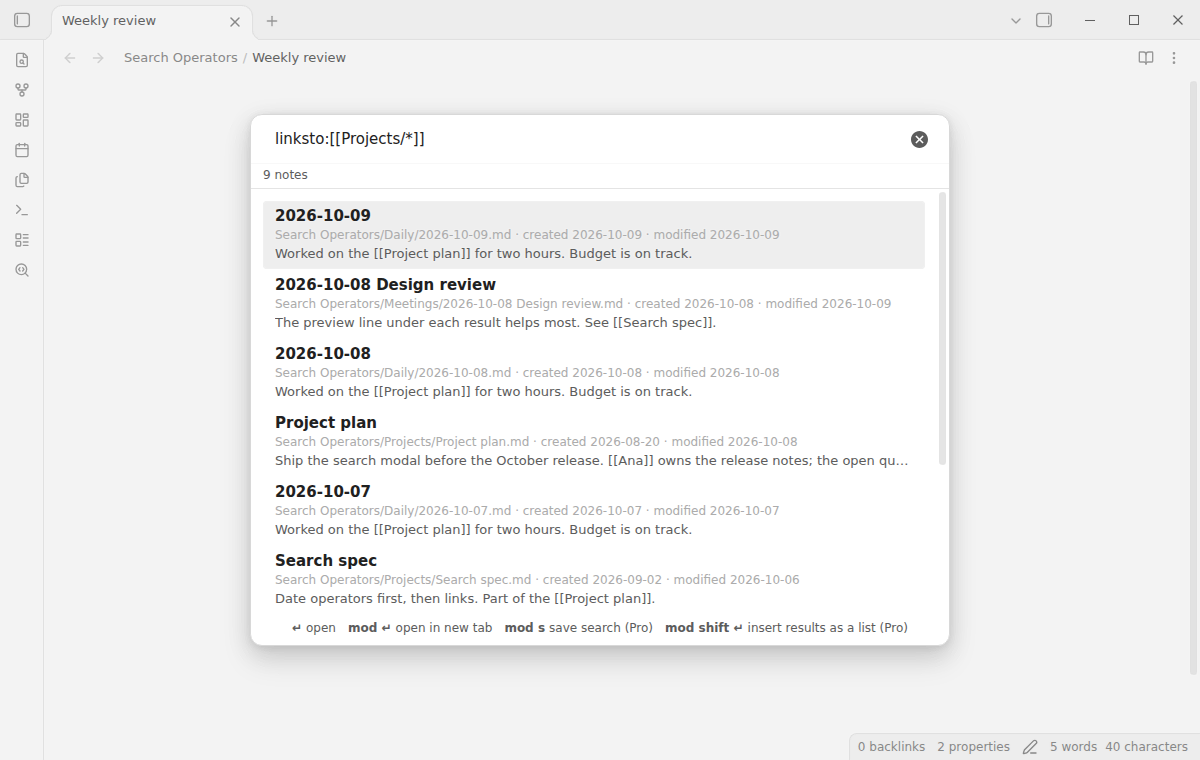
Put * or ? in the target of linksto or linkedfrom to match a group of notes. linksto:[[Projects/*]] lists the notes that link to any note in a Projects folder.
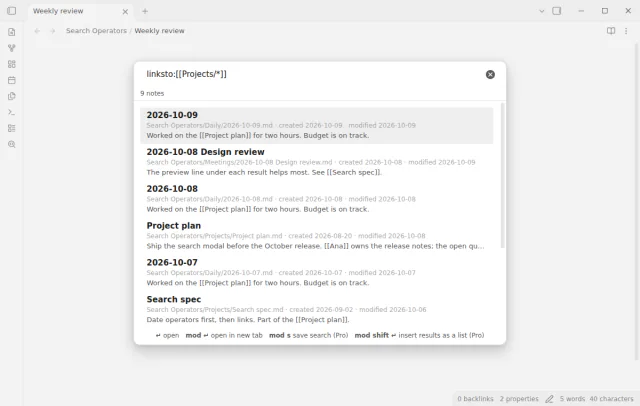
Hold Ctrl or Cmd when you click a result to open a new tab. Ctrl or Cmd plus Enter opens the selected result in a new tab.
An invalid date clause or other parser error returns no matches. Read the error in the search dialog before correcting the query.
Pro costs $5 a month or $15 one time through GitHub Sponsors.
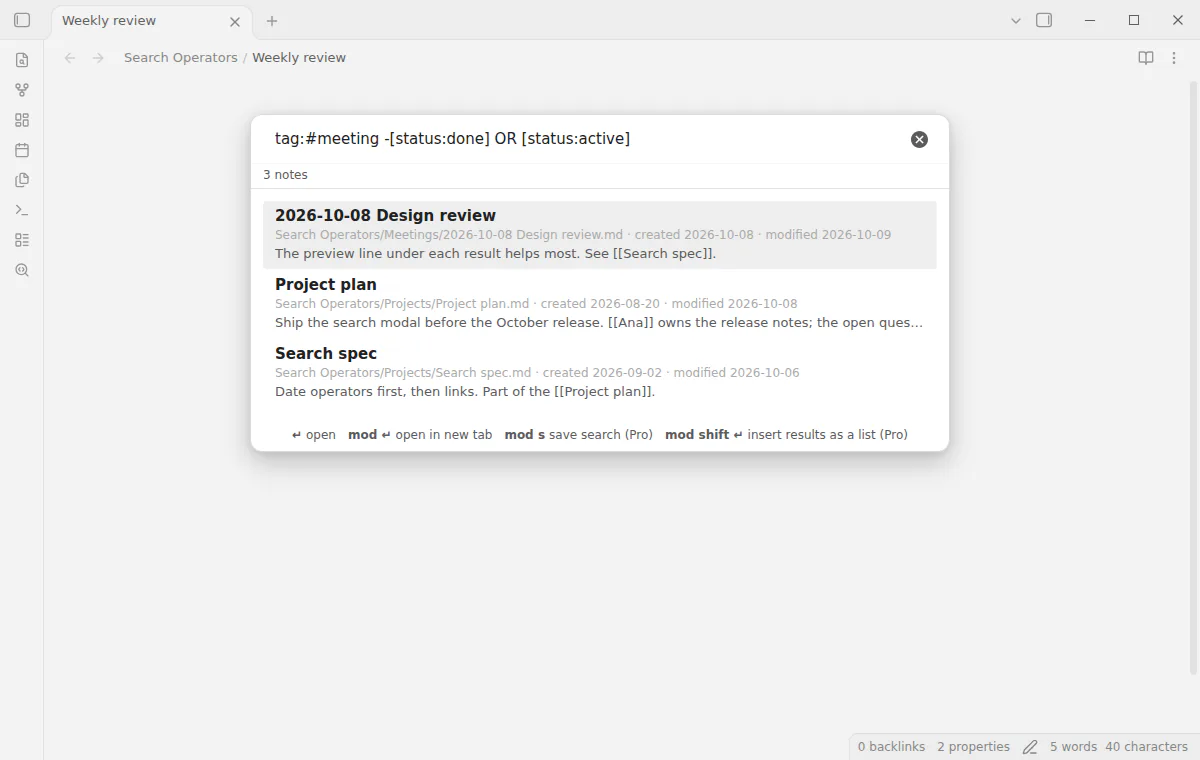
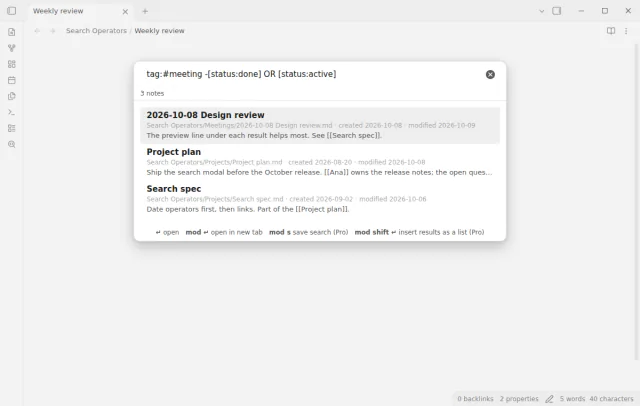
Put OR between two groups to match either one. Put - in front of an operator or word to exclude it, as in path:meetings -tag:finance. Property operators test frontmatter, such as [status:done] or [priority:>5].
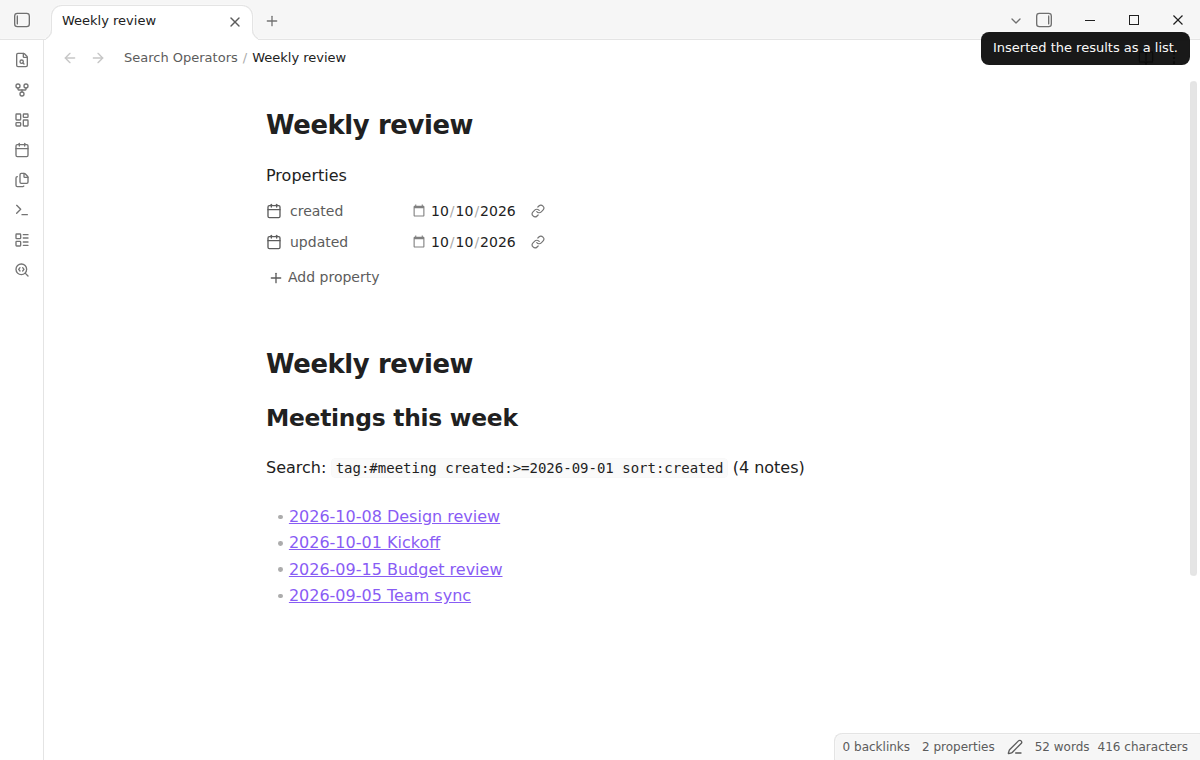
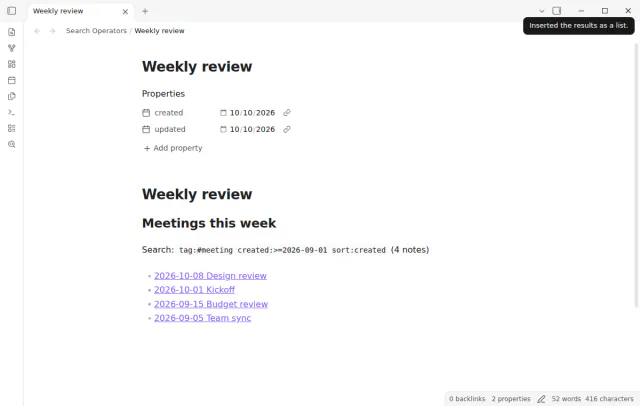
In the modal, press Ctrl or Cmd + Shift + Enter, because this action has no button or command. The plugin writes the results into the active note at the cursor, as a list of wiki links with the query above it. If no note is in edit mode, the list goes to the clipboard.
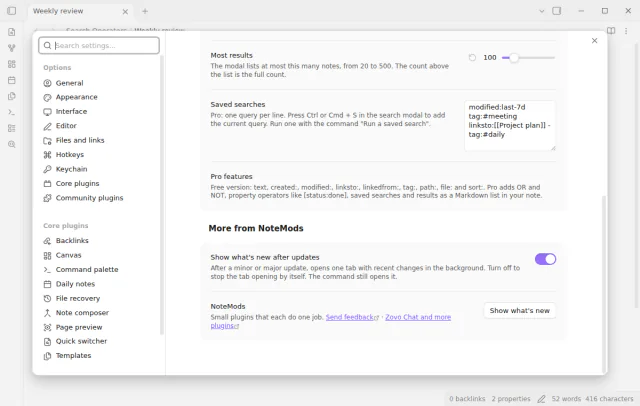
Press Ctrl or Cmd + S in the modal to save the query. The command Run a saved search lists them. They're plain text in the settings, one per line, so you can edit them there.
$15 once. Pro tools in 134 NoteMods plugins with one GitHub sponsorship. Nothing renews.
Pro turns on right after payment. Select Sign in with GitHub in the settings of each plugin you use. Free features stay free.
Secure checkout by GitHub Sponsors - needs a GitHub login.
17 of 50 founding licenses sold.
The price is set on the 1st of each month. It goes up only after a tier is full. Until then it stays $15. The next price review is on 1 December 2026.
A price change does not change a license that you paid for. The $5 a month option stays.
One sponsorship turns on the Pro features in 134 NoteMods plugins. Free features stay free.
$15 one time: Pro stays on, nothing renews. $5 a month: Pro is on while you sponsor, and stays on after you have paid $15 in total. You pay on GitHub (a GitHub login is needed), then select Sign in with GitHub in the plugin settings. All sponsor tiers
needs
steps
Open the command palette and run Search notes with operators, or select the search icon in the ribbon.
Type words and operators. Spaces separate them, and each part must match.
Use the arrow keys to pick a note, then press Enter to open it.
If the app can't find a new plugin yet, try again later. Obsidian says a plugin that passes the review shows in the app within 24 hours.
Two requests on the Obsidian forum ask for these operators, one for dates and one for links. On 2026-10-10 their first posts had 38 and 62 likes.
file.mtime and file.ctime and test links with file.hasLink. A base is a saved view that you set up first, not a box for a quick query.art also finds start, and there is no whole-word search.linksto: and linkedfrom: find a note by its name or path, and not by an alias from its properties.linksto: misses links from canvas files and unlinked mentions.Need a change for your team? I build custom Obsidian plugins and features.
The core search of Obsidian 1.15 has no date operator. Search Operators adds created: and modified: in its own modal. They take a day, a month, a year, a range or a relative value such as last-7d.
Sync tools and copies can reset the file creation time. Put the date in a property and set its name in the settings. A note without the property uses the file time.
The free operators have no Pro limit. The setting Most results limits the list to between 20 and 500 notes, 100 by default. The count above the list is always the full count. Without Pro, a query with a Pro part lists nothing, and the status line names that part.
Tested on desktop only. Mobile behavior is unknown. The Pro list and save actions in the modal need keyboard shortcuts, with no button or command.
No. Only Markdown notes are searched.
Until you select Sign in with GitHub in the settings, the code of Search Operators sends no network request. After a successful check, the plugin waits 7 days before it asks GitHub again, and Refresh asks at once. After a failed check it tries again at 6-hour intervals, and no check sends note content, file names or other vault data.
Tell me what is broken in Search Operators, or what it should do next.
Search Operators 1.2.6, MIT license
MIT · no telemetry · core features free
Update heading links and embeds when you edit a heading.
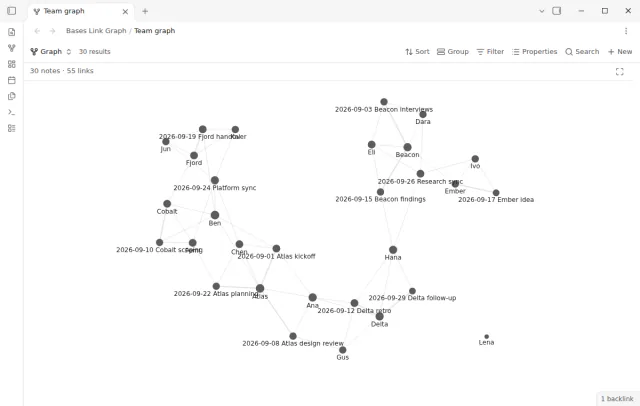
See the notes and links from a filtered base as a graph.
Pro adds "Results as a Markdown list"Pro for all 134 plugins, $15 one time
Get Pro