Embed Outline
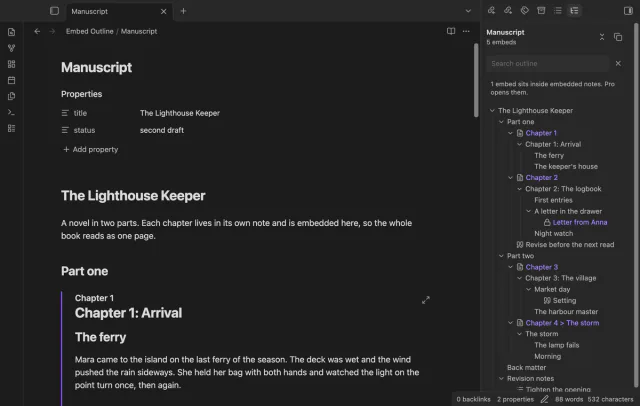
See headings from embedded notes in one outline.
Update heading links and embeds when you edit a heading.
MIT · no telemetry · core features free
Pro adds "Markdown links" and "Block IDs". Pro for all 134 plugins, $15 one time
Tested on desktop only.
Directory facts fetched from community.obsidian.md/users/theluckystrike.
You link to headings across notes and you edit headings by typing over them.
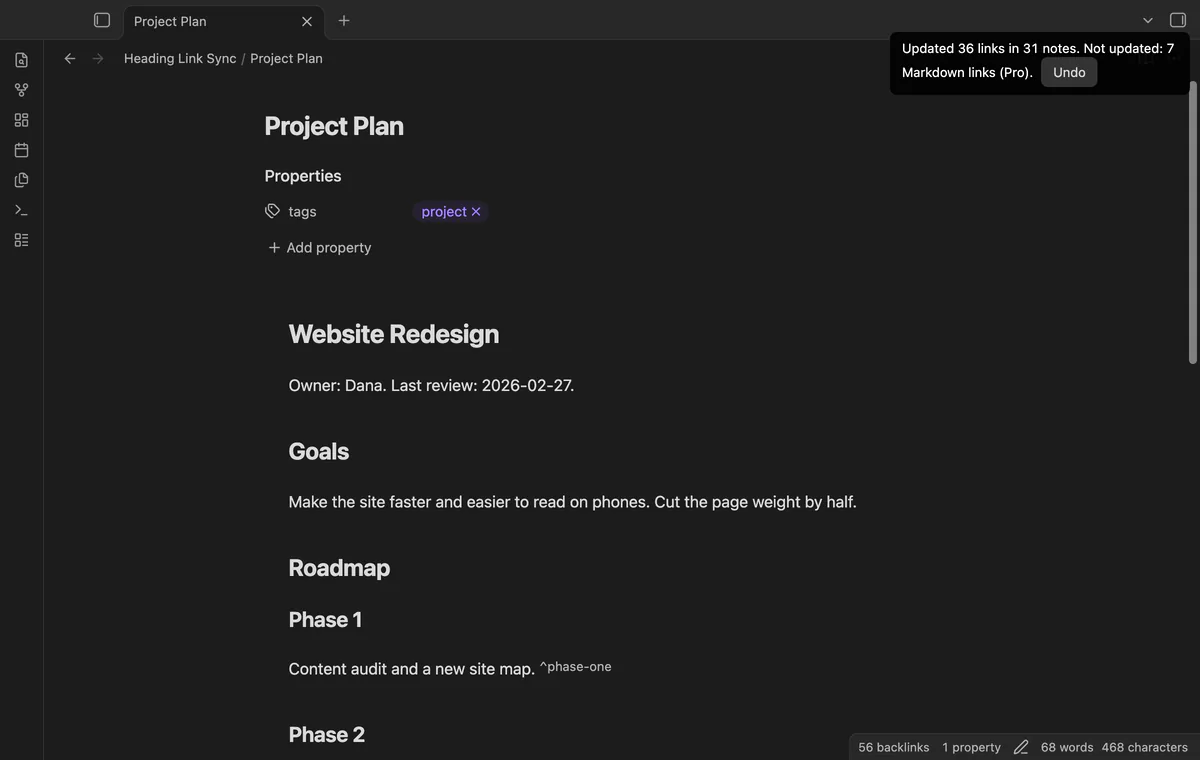
Change a heading from Milestones to Roadmap and move the cursor off the line. The wikilinks and embeds to Project Plan#Milestones in your other notes now point to Project Plan#Roadmap. You open no menu and see no dialog.
In October 2026, Obsidian has Rename this heading in the editor menu, but it opens a dialog first. When you type over a heading instead, the links to it break without a warning. Heading Link Sync updates the links after such an edit.
 Play demo
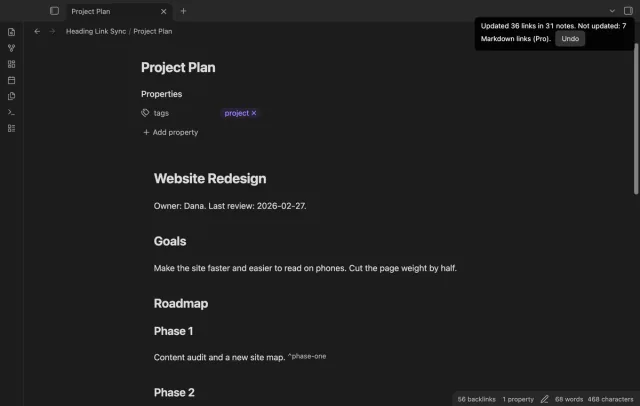
Edit the heading as normal text. The plugin waits until you move the cursor off the heading line, or until 1.5 seconds pass after Obsidian last indexed the note. Then it updates the links and shows one notice with an Undo button.
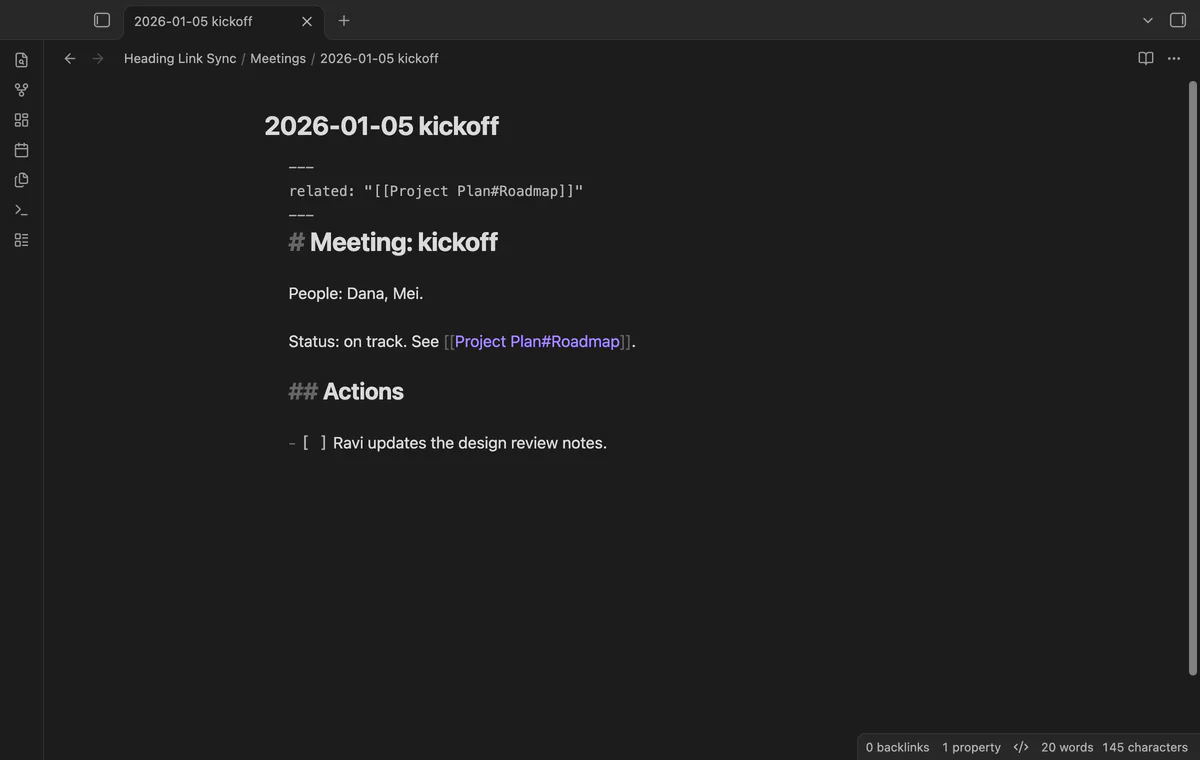
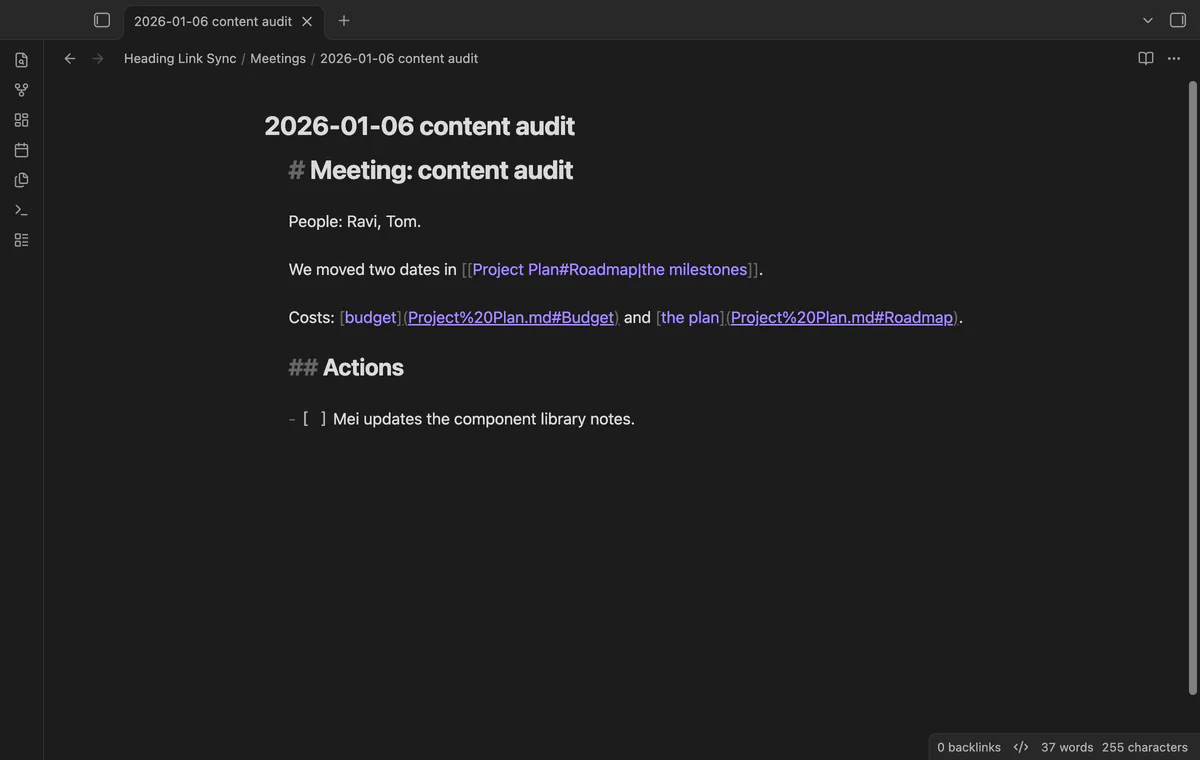
Links with an alias, embeds, links inside the same note, nested heading paths and wikilinks in properties follow. Links in tables keep their escaped pipe. Links in fenced code, inline code and math blocks never change.
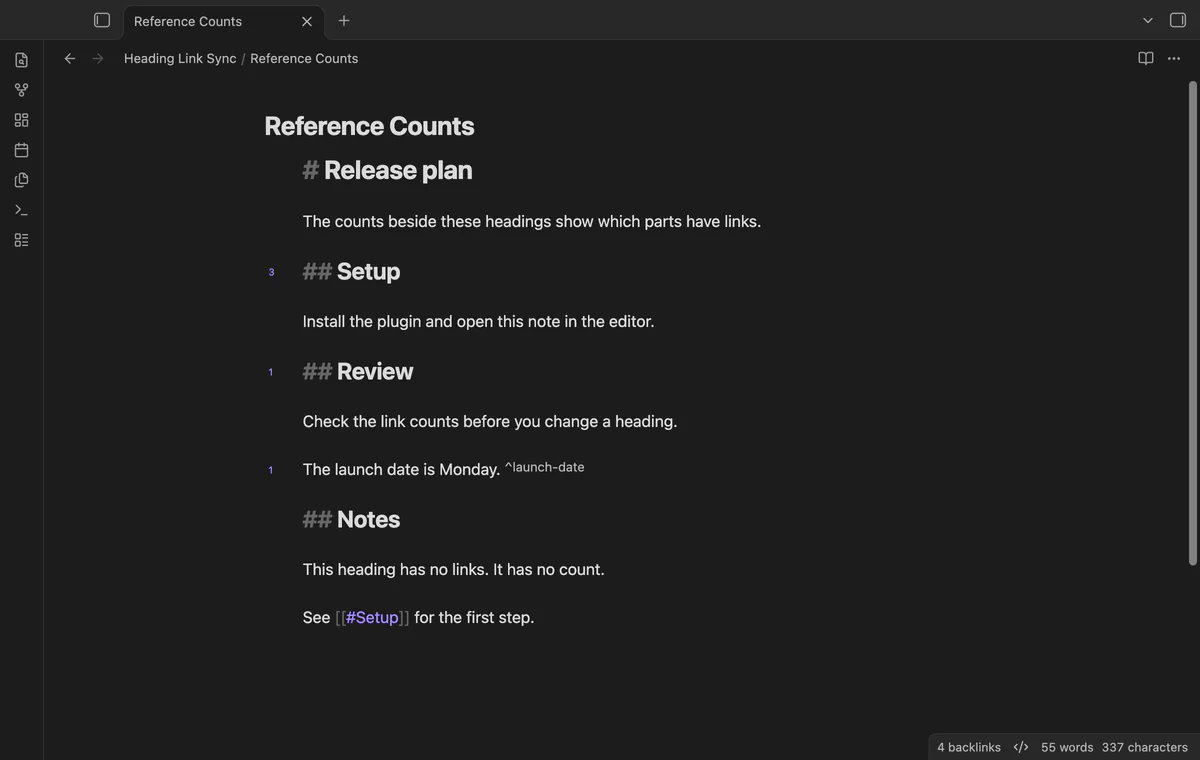
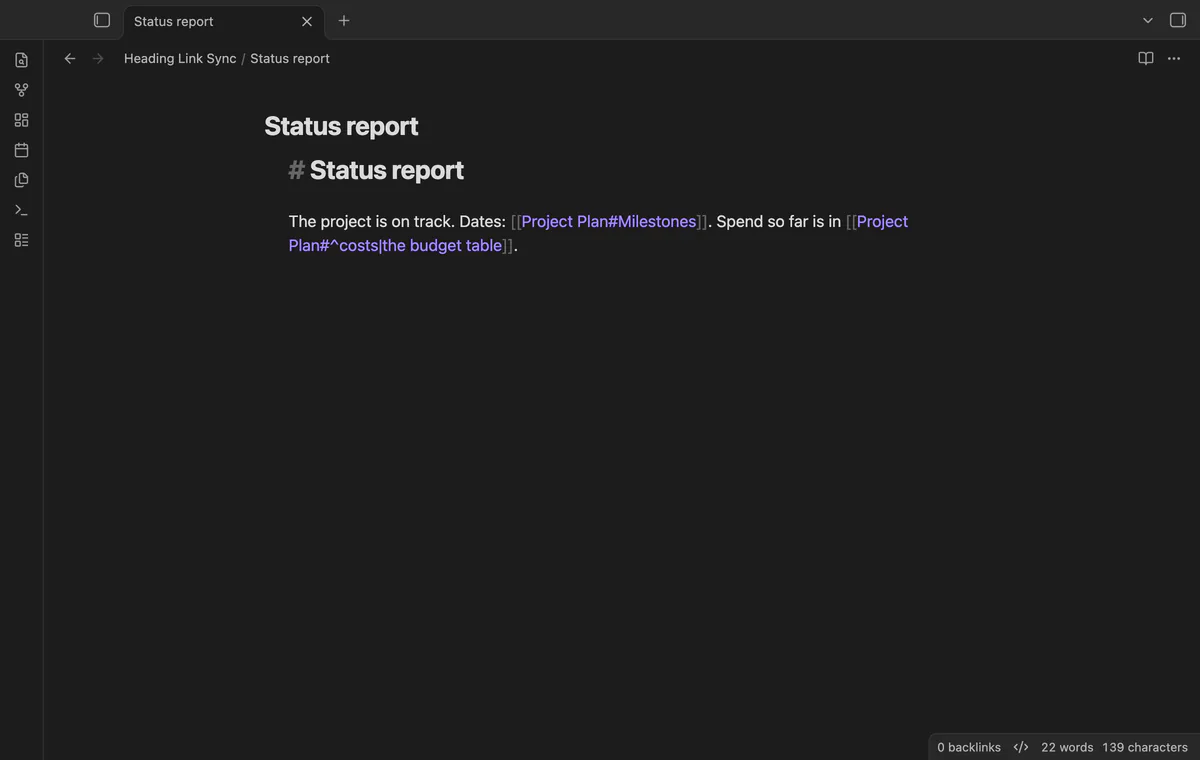
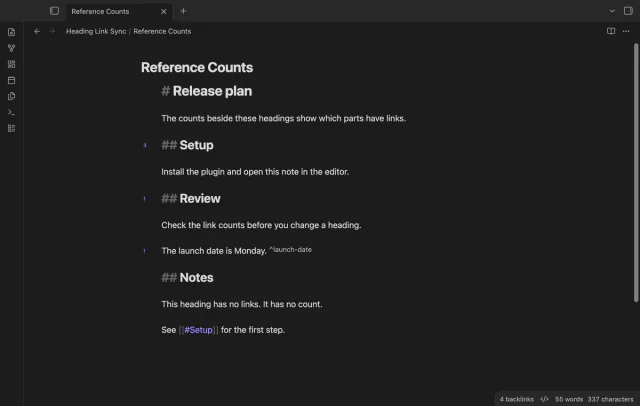
Numbers beside headings and block IDs count incoming links, including Markdown links, embeds, property links and links within the note. Counts refresh after indexing and omit unreferenced text, broken subpaths and excluded folders. Show reference counts turns this free display off.
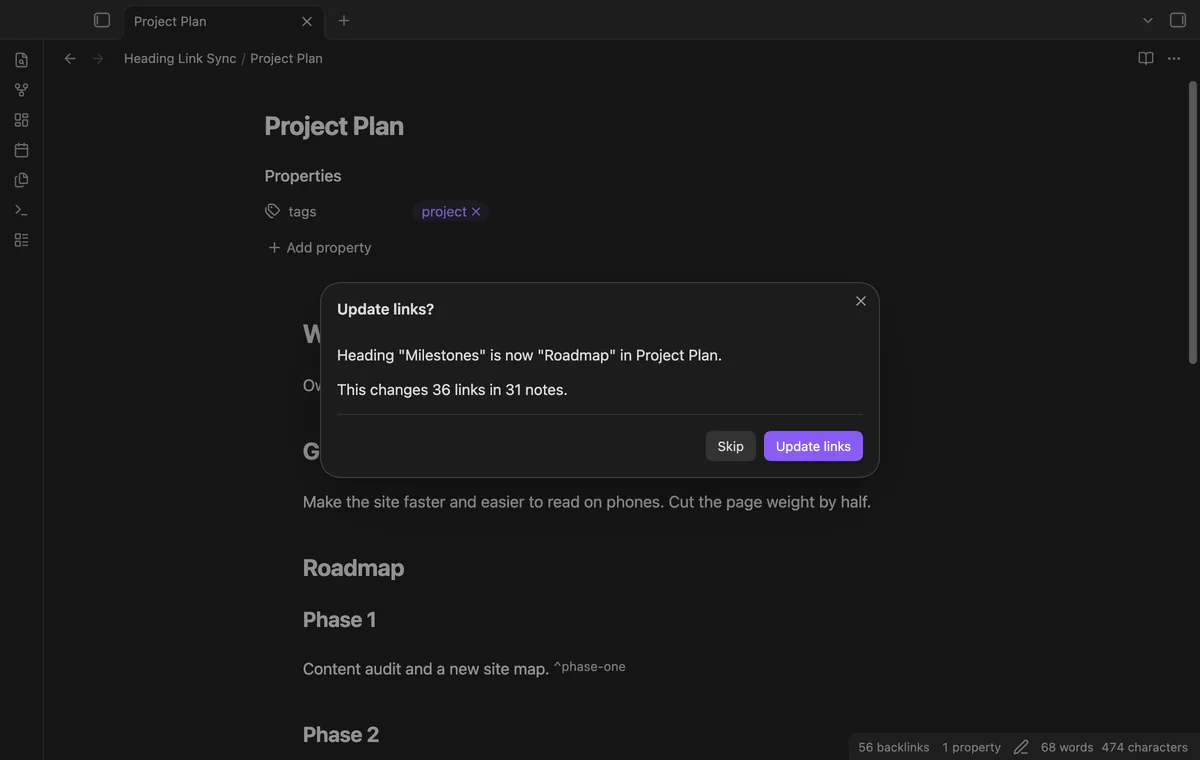
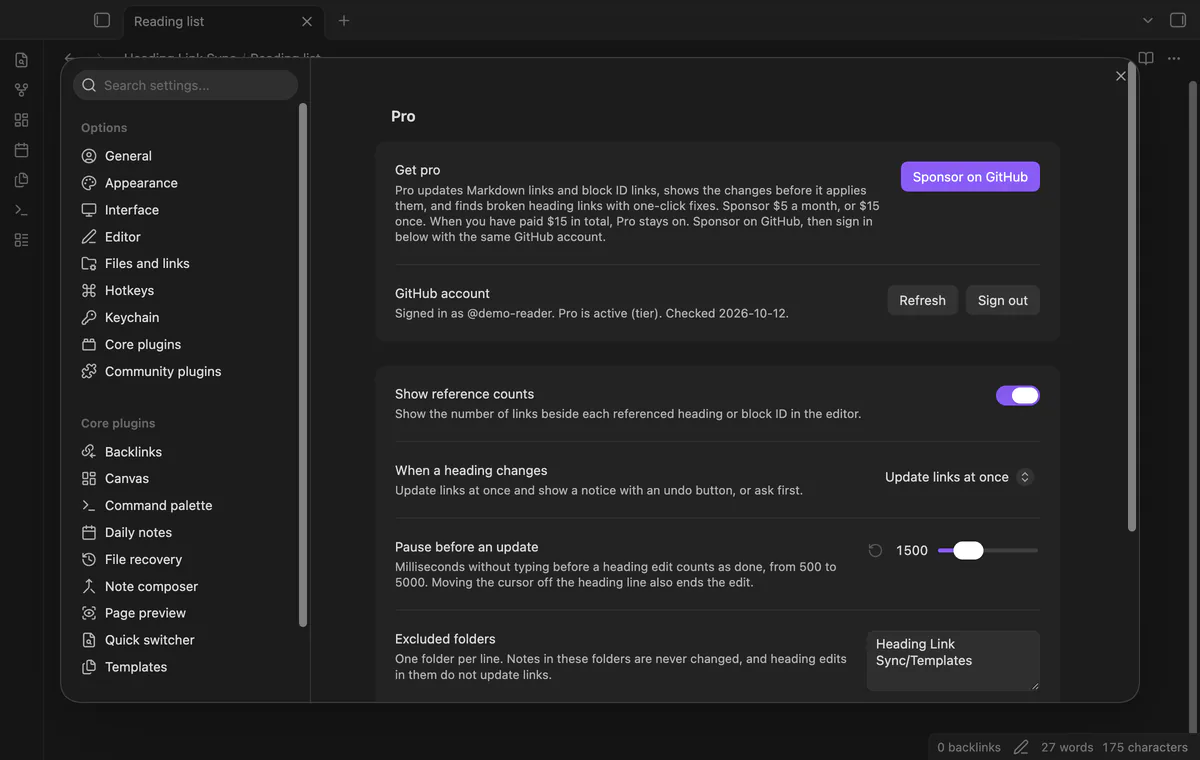
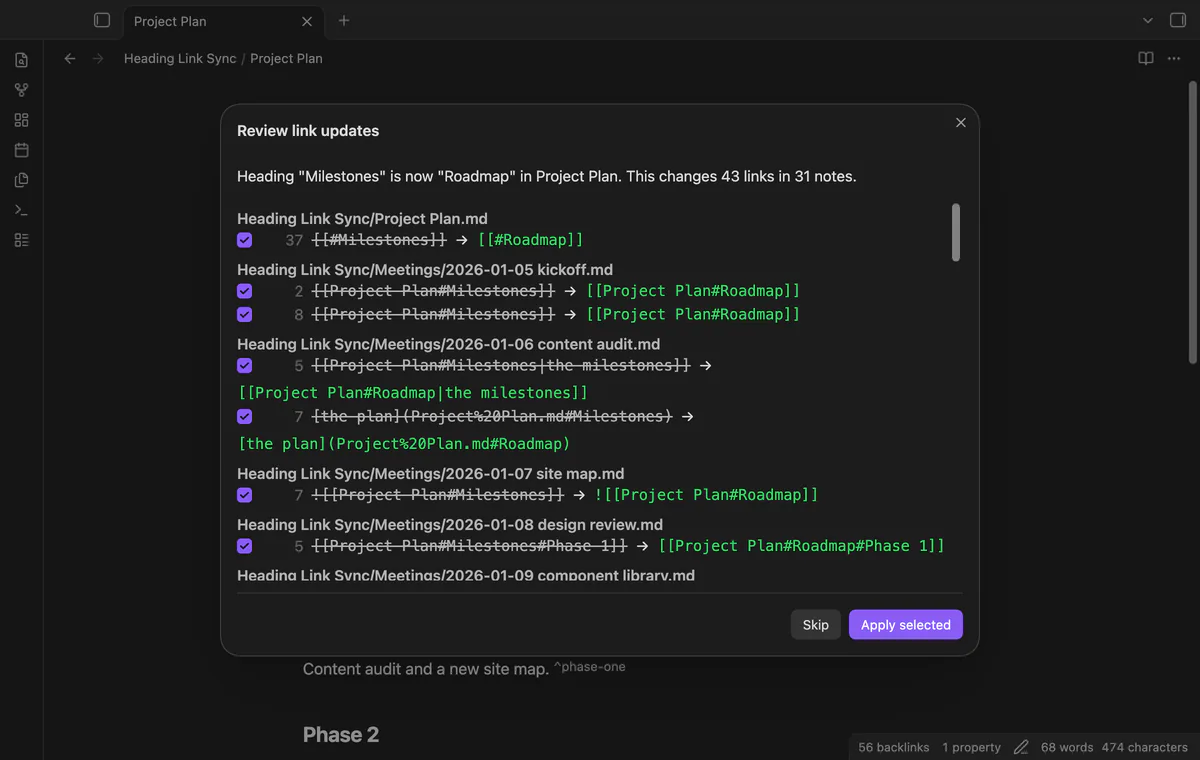
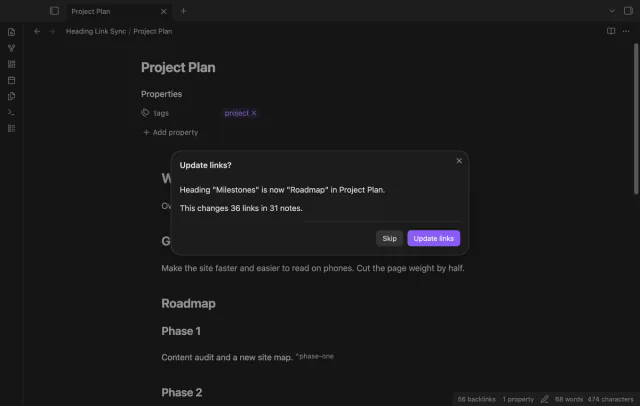
Set When a heading changes to "Ask first" if you want to confirm each update. The dialog names the old and new heading and the number of links and notes. Skip leaves each note as it is.
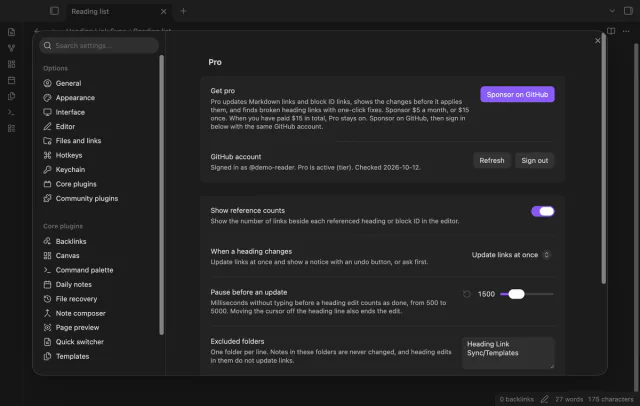
List folders in the settings, one per line, and notes in them are never changed. Heading edits in those folders don't update other notes. Use it for templates and archives.
Select a reference count or run Show links to this heading or block. The free list opens source notes and shows up to 500 links, with a count of omitted links.
Link updates read and edit the current text of an open linking note. A changed source stops a partially selected preview from applying to that note.
Heading wikilink updates, Ask first and reference counts are free; Markdown links, block IDs, the change preview and the broken link report need Pro.
Pro costs $5 a month or $15 one time through GitHub Sponsors.
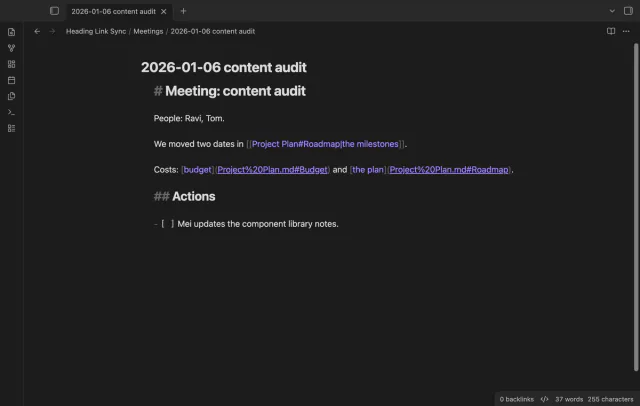
Pro also updates Markdown links that point to a heading. It writes spaces as %20, as the app does when it makes a Markdown link. Links in angle brackets keep raw spaces, and fully encoded links stay fully encoded.
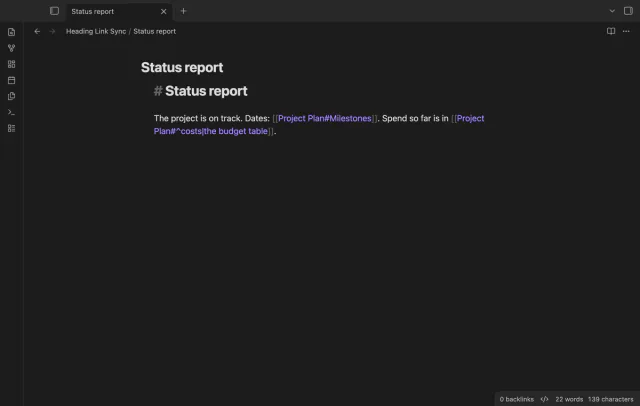
Edit a block ID at the end of a paragraph or under a table, and Pro updates the links and embeds to it. The plugin matches block IDs in any letter case.
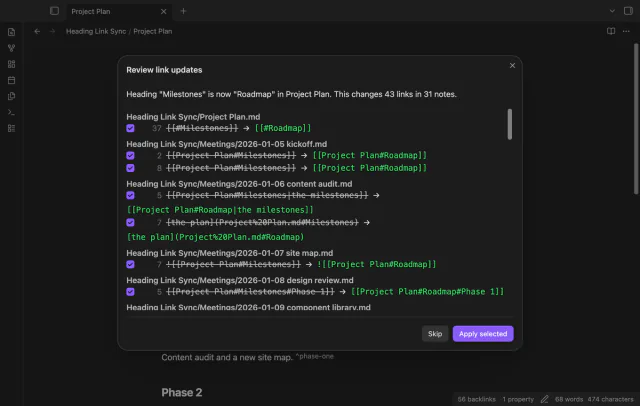
With Pro, "Ask first" lists the first 500 changes with the note, the line, the old link and the new link. Clear a check box to keep one link as it is, then select "Apply selected". With more than 500 changes, a line above the buttons counts the links that are not shown, and "Apply selected" changes them too.
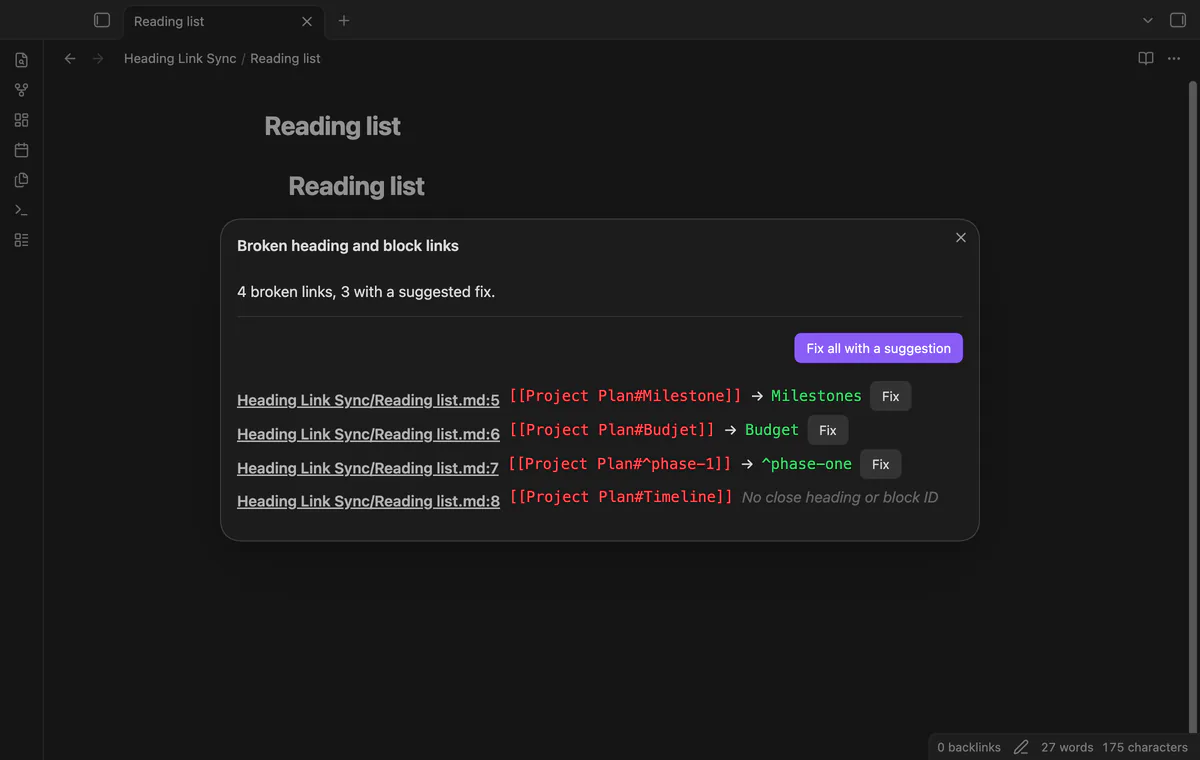
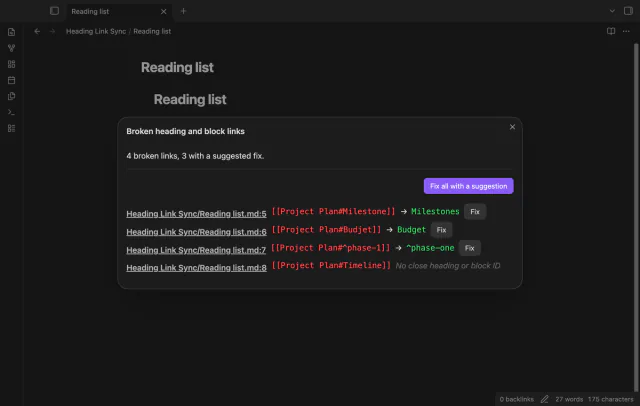
The command Find broken heading and block links finds links whose note exists but whose heading or block ID is missing. It scans up to 2,000 such links, lists the first 500, and suggests the closest heading or block ID when one is close enough. Fix one link, or apply the suggested fixes.
$15 once. Pro tools in 134 NoteMods plugins with one GitHub sponsorship. Nothing renews.
Pro turns on right after payment. Select Sign in with GitHub in the settings of each plugin you use. Free features stay free.
Secure checkout by GitHub Sponsors - needs a GitHub login.
17 of 50 founding licenses sold.
The price is set on the 1st of each month. It goes up only after a tier is full. Until then it stays $15. The next price review is on 1 December 2026.
A price change does not change a license that you paid for. The $5 a month option stays.
One sponsorship turns on the Pro features in 134 NoteMods plugins. Free features stay free.
$15 one time: Pro stays on, nothing renews. $5 a month: Pro is on while you sponsor, and stays on after you have paid $15 in total. You pay on GitHub (a GitHub login is needed), then select Sign in with GitHub in the plugin settings. All sponsor tiers
needs
steps
Turn on the plugin.
Open a note that other notes link to, and type over the text of one of its headings.
Move the cursor to another line, or stop typing for a moment.
Read the notice, and select Undo if you didn't want the change.
If the app can't find a new plugin yet, try again later. Obsidian says a plugin that passes the review shows in the app within 24 hours.
Forum topic 25412 asks for links to headings and blocks to update inline, with no extra dialog window. On 10 October 2026 it had 80 posts and 351 likes, and its first post had 136 likes.
Apply selected writes them too, and a line above the buttons counts them.Need a change for your team? I build custom Obsidian plugins and features.
In October 2026, Obsidian has the Rename this heading command, but it opens a dialog and you must remember it before you edit. Heading Link Sync works on the edit you already made. Both can live side by side.
Yes, for the last update. Undo puts a link back only where it finds the exact link that the update wrote. If it cannot find one for certain, it leaves that whole note as it is, and the notice names up to five such notes. The Undo button shows for 10 seconds, and the command Undo the last link update works until the next update or a restart.
The links follow the half-typed text, then follow again when you finish. Raise Pause before an update in the settings if that happens often. The pause can be 500 to 5000 milliseconds.
A plain link goes to the first one, and Heading Link Sync follows the same rule. If a rename would send an old link to a different heading, the plugin adds the parent heading to the link. If no such path exists, it leaves the link alone and says so.
Not as a rule. The plugin acts on a heading change only when you edited that note in the editor in the last 5 seconds. A change of letter case alone isn't a rename, because links ignore case.
Until you select "Sign in with GitHub" in the settings, the code of Heading Link Sync sends no network request. After a successful check, it waits 7 days before it asks GitHub again, and after a failed check it tries again at 6-hour intervals. It sends no note content, file names or other vault data, and it has no telemetry.
Tell me what is broken in Heading Link Sync, or what it should do next.
Heading Link Sync 1.3.4, MIT license
MIT · no telemetry · core features free
See headings from embedded notes in one outline.
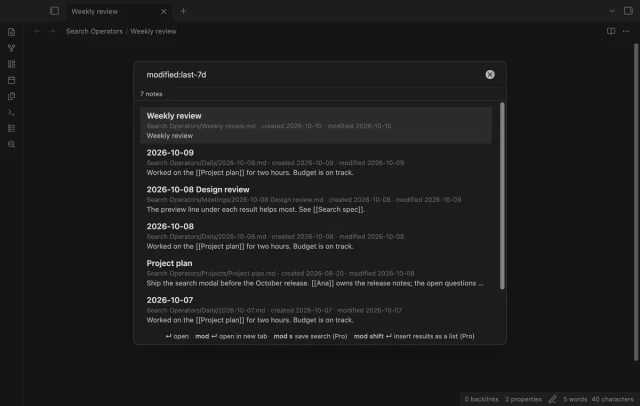
Find notes by date and links, with a preview for each result.
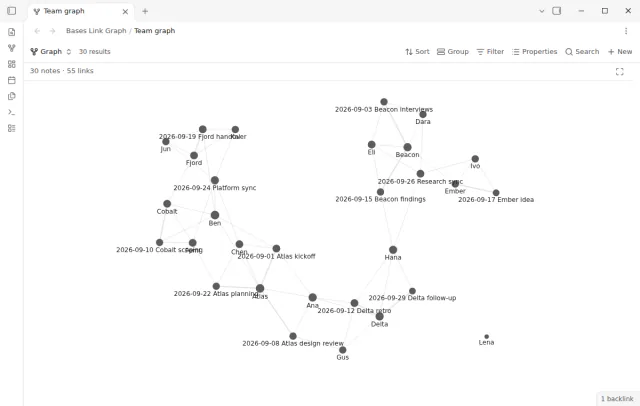
See the notes and links from a filtered base as a graph.
Pro adds "Block IDs"Pro for all 134 plugins, $15 one time
Get Pro