Heading Link Sync
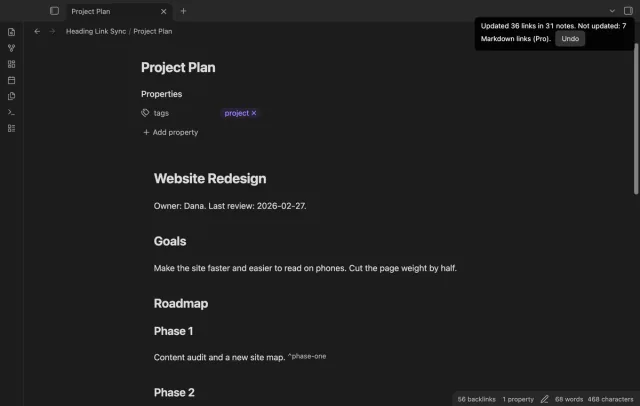
Update heading links and embeds when you edit a heading.
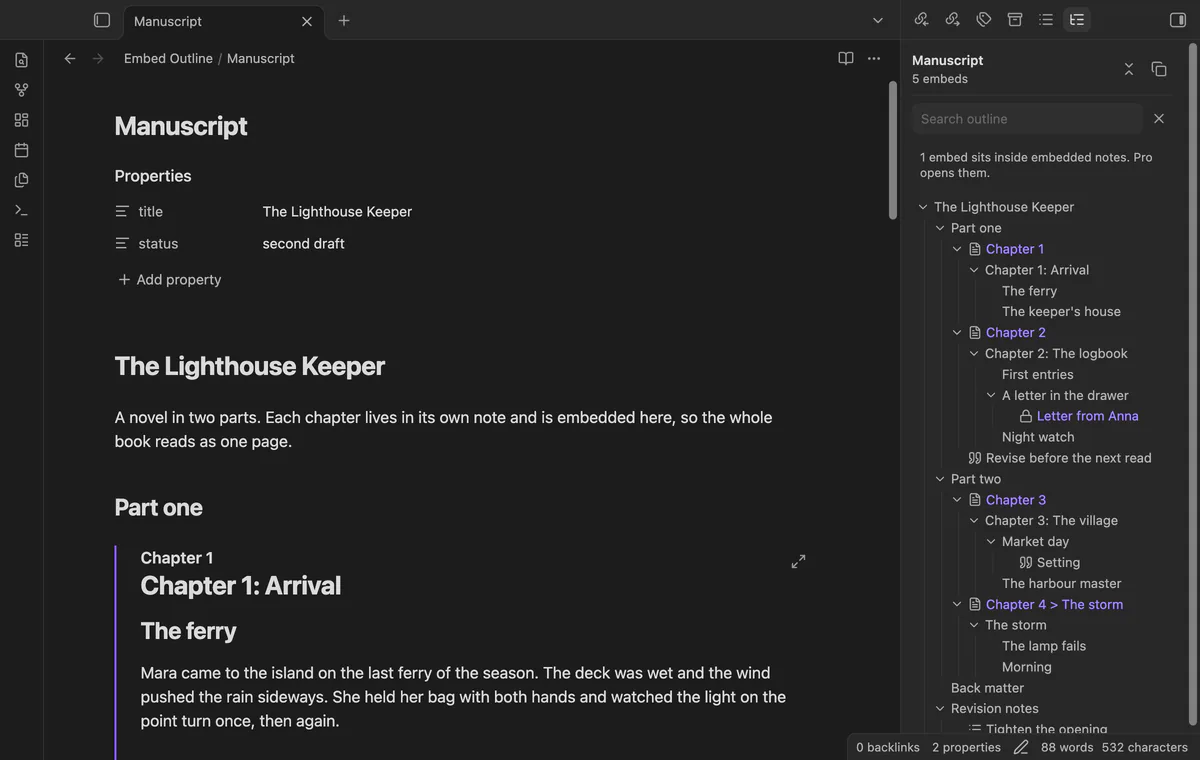
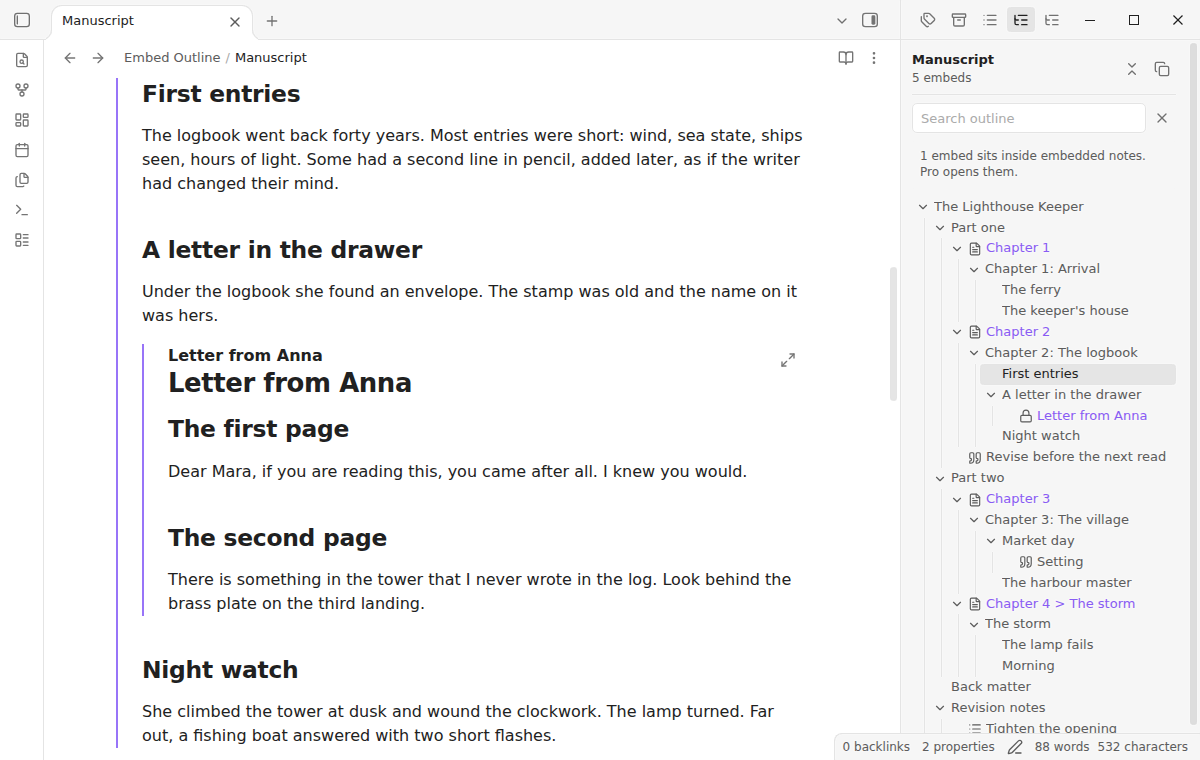
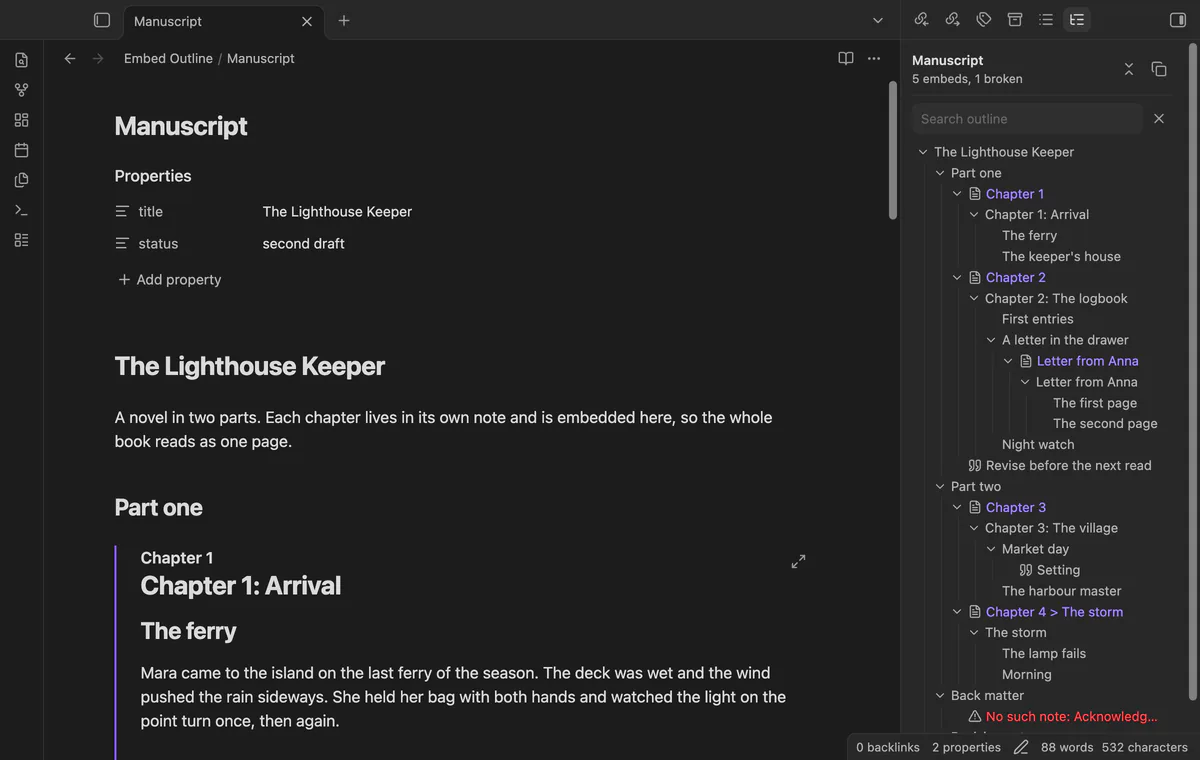
See headings from embedded notes in one outline.
MIT · no telemetry · core features free
Pro adds "Nested embeds" and "Word counts". Pro for all 134 plugins, $15 one time
Tested on desktop only.
Directory facts fetched from community.obsidian.md/users/theluckystrike.
Writers who keep a book, a thesis or a project page as one overview note that embeds the other notes.
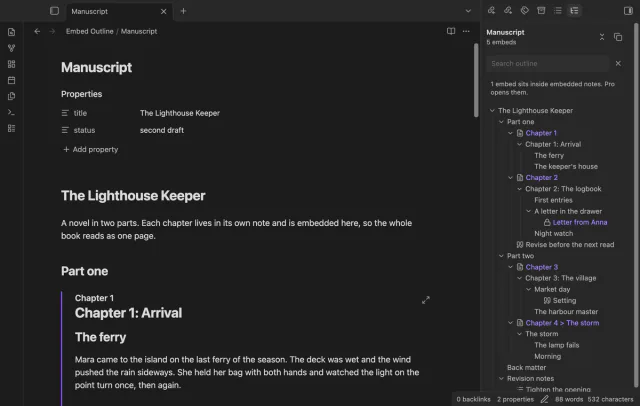
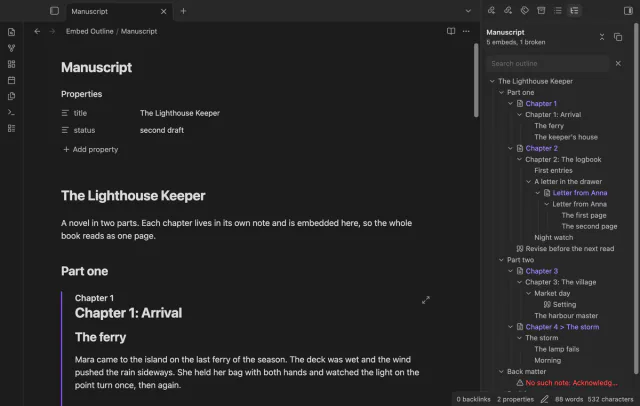
As of October 2026, the core Outline lists the headings of the active note and not those of embedded notes. When a note is mostly embeds of chapter notes, that outline is almost empty. Embed Outline puts the headings of each embedded note under its embed, in the order you read them.
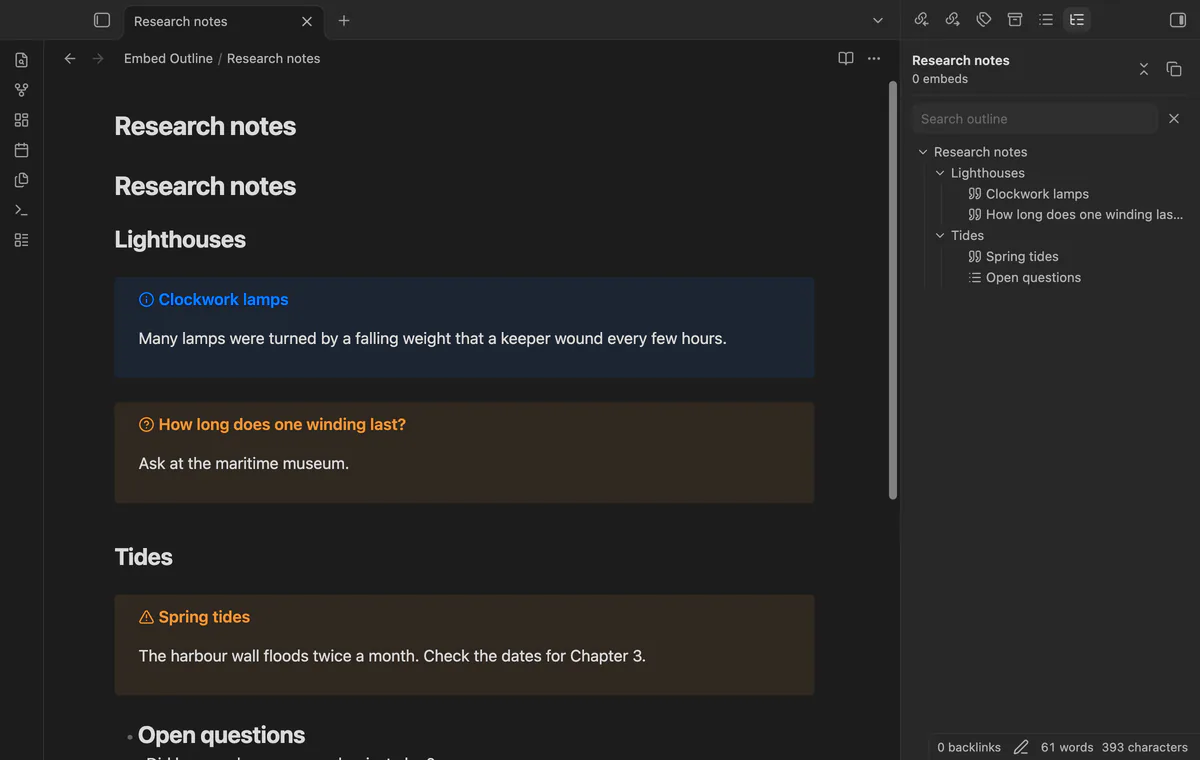
It also adds callout titles and headings that sit inside list items. The plugin only reads your notes. It never changes one.
 Play demo
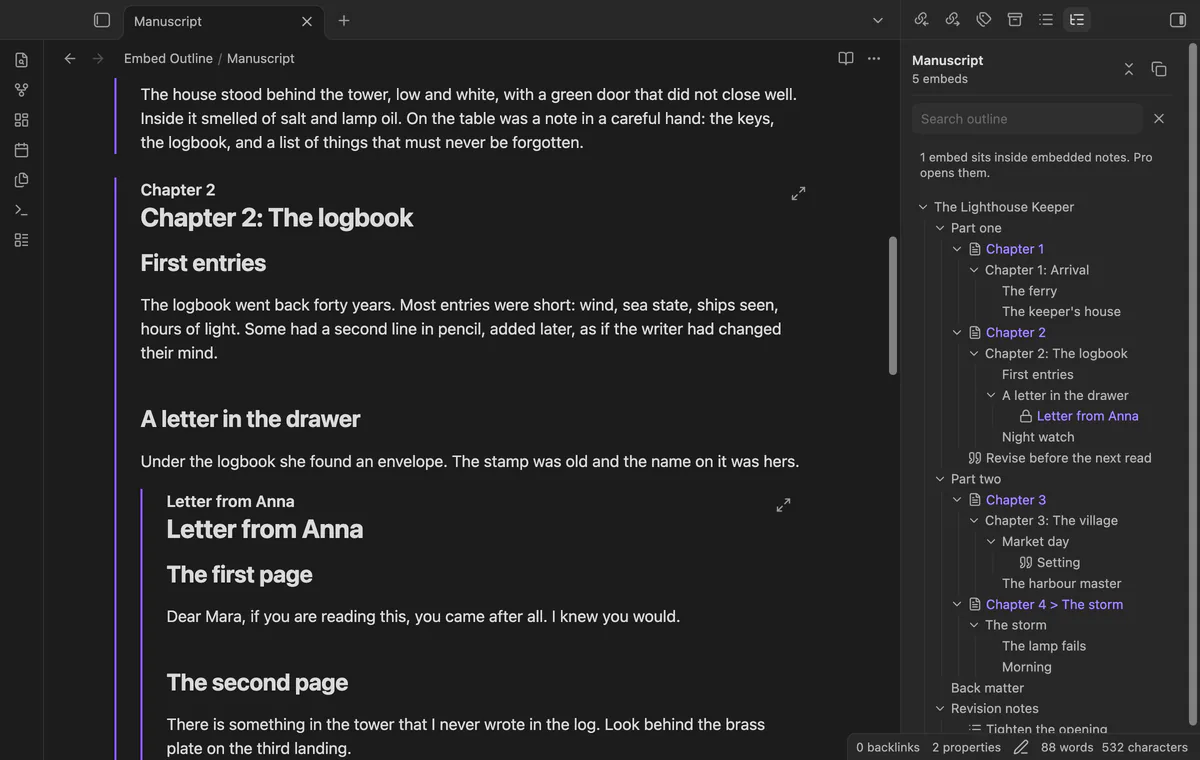
Each embedded note gets a row with its name and headings, and images, PDFs and other files get no row. The rows sit under the heading of your note that holds the embed. A section embed shows only the headings of that section.
Click a heading of your note and the cursor moves to it. Click a heading of an embedded note and the note scrolls to the embed, then to that heading. Hold Ctrl, or Cmd on macOS, and click to open the embedded note in a new tab.
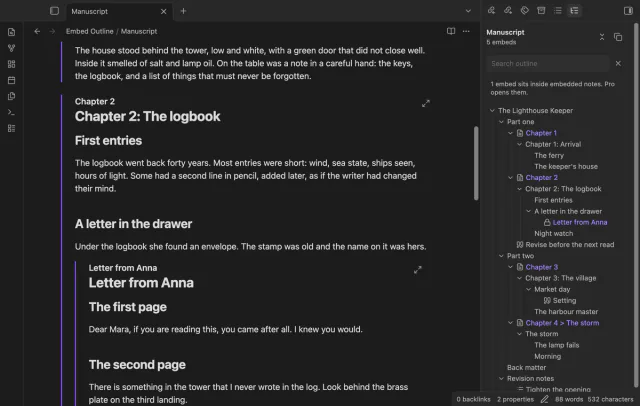
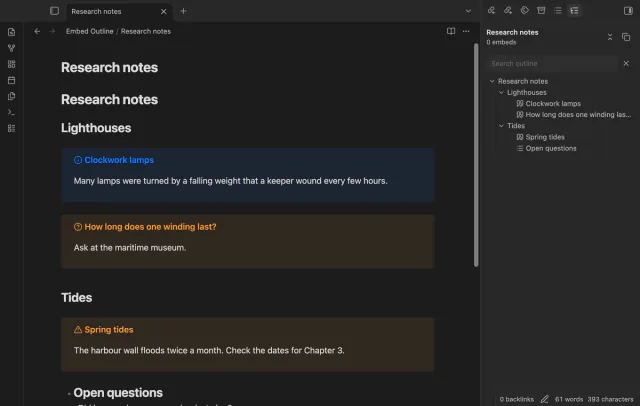
A callout shows as a row with its title, under the heading it sits in. A heading written inside a list item is a row too, and as of October 2026 the core Outline doesn't show one. You can turn both off in the settings.
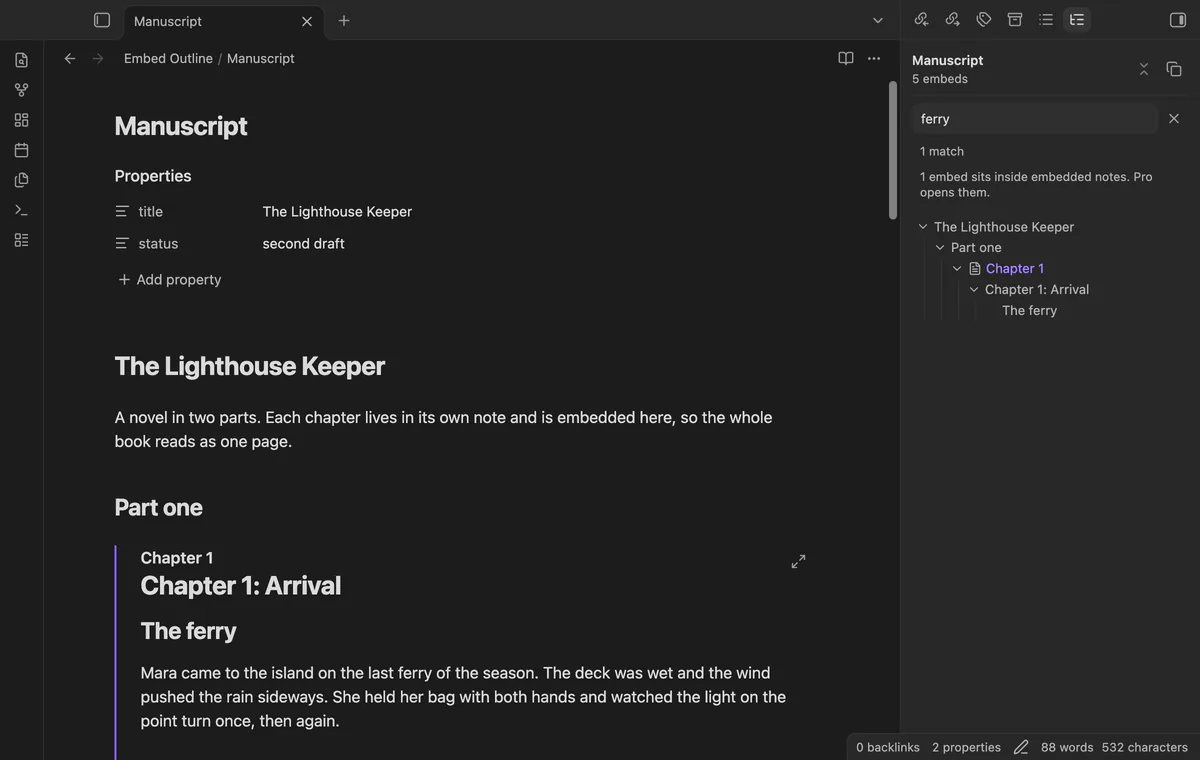
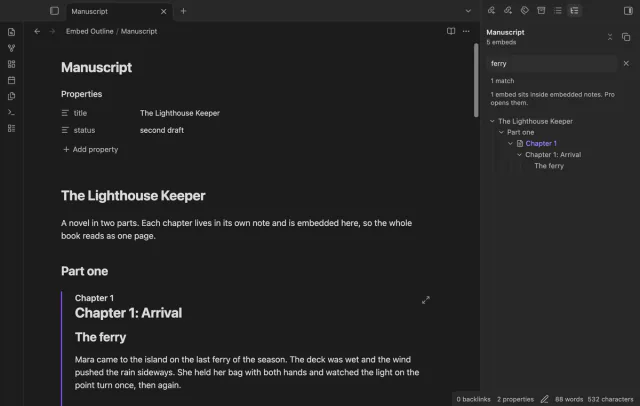
Type in Search outline to find headings, callout titles, list headings or embed names without matching case. Results keep their parent rows and open folded paths to matches. Clear the search or press Escape in the search field to restore the full outline and its folds.
The panel remembers fold choices for up to 20 notes while it stays open. Closing the panel clears those choices.
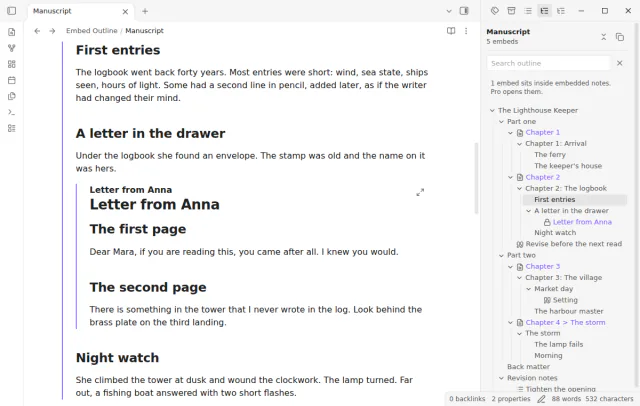
As you scroll, the outline marks the row of the section at the top of the note, also inside embedded notes. When that row is in a folded branch or a locked embed, its visible parent gets the mark. It works in reading view and live preview, and the setting Highlight the current section turns it off.
The outline stops at 400 source notes or 5,000 rows. A message warns when notes, rows or embedded word counts are left out.
The free outline opens the embeds of the note itself, and an embed inside an embedded note shows as a locked row.
Pro costs $5 a month or $15 one time through GitHub Sponsors.
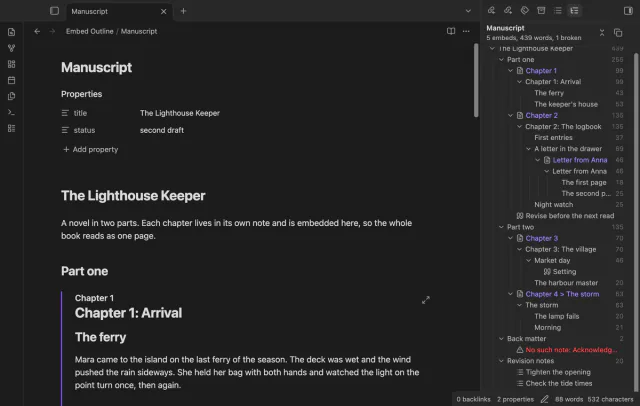
Without Pro, an embed inside an embedded note shows as a row with a lock. Pro opens embeds down to 5 levels, where level 1 is the embeds of the note itself. You set the depth in the settings.
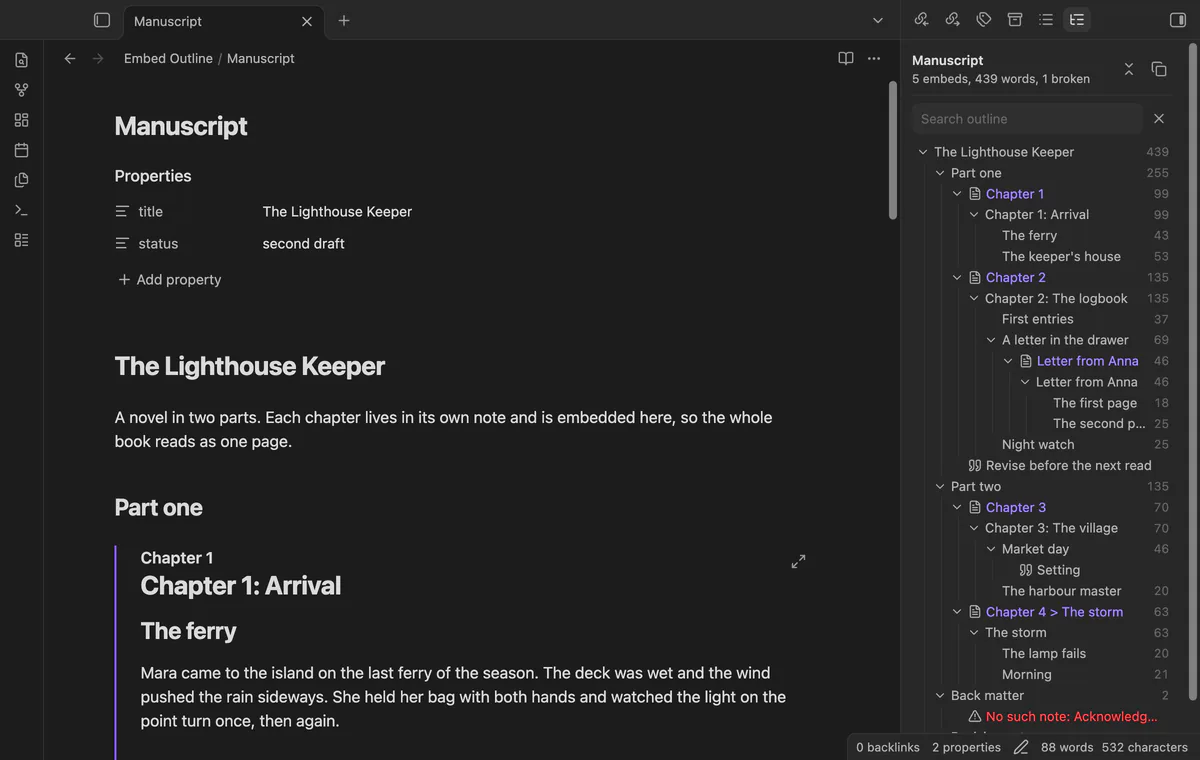
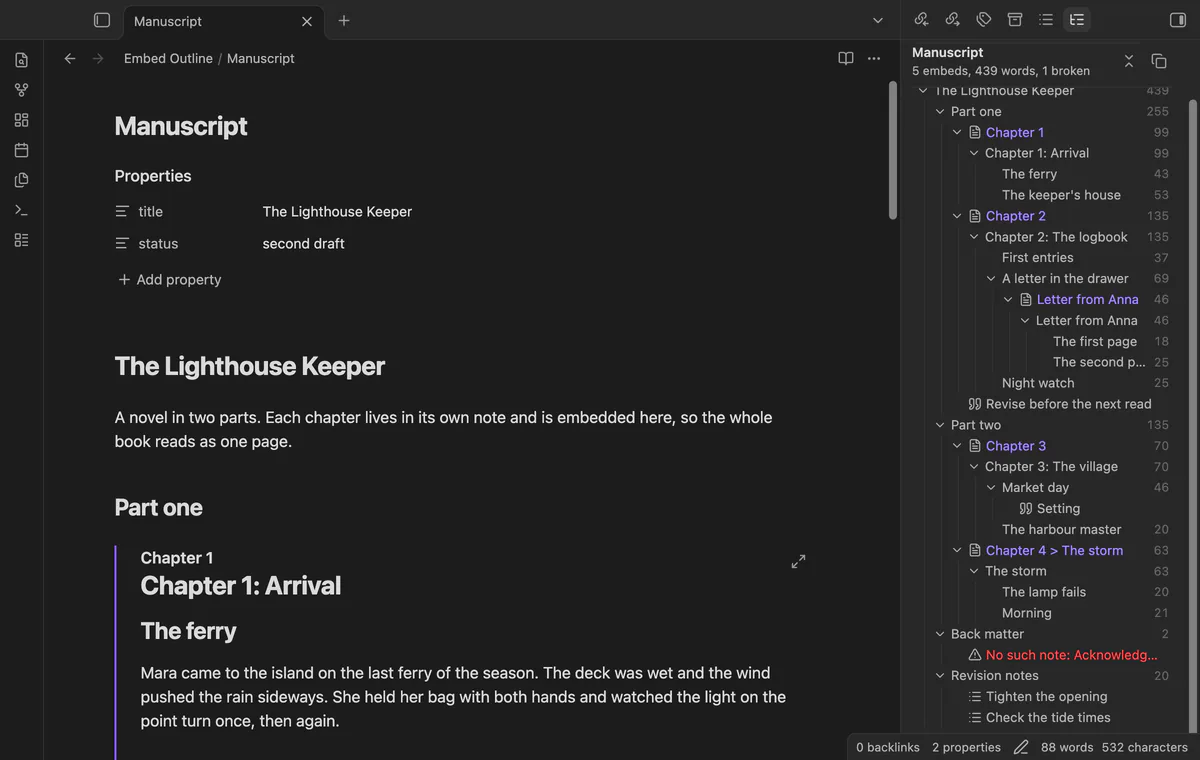
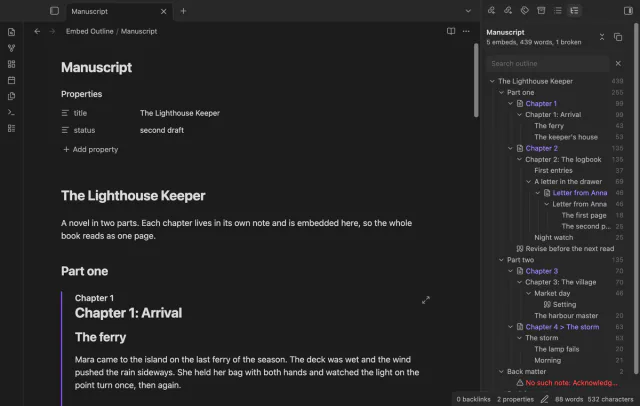
Pro shows the number of words next to each heading and each embed, with the embedded text counted. The top of the panel shows the total for the note. Code, comments, front matter, URLs and callout markers don't count.
Pro marks an embed whose note, heading or block ID doesn't exist. It also marks an embed that ends up embedding itself. Without Pro, these embeds are left out of the outline.
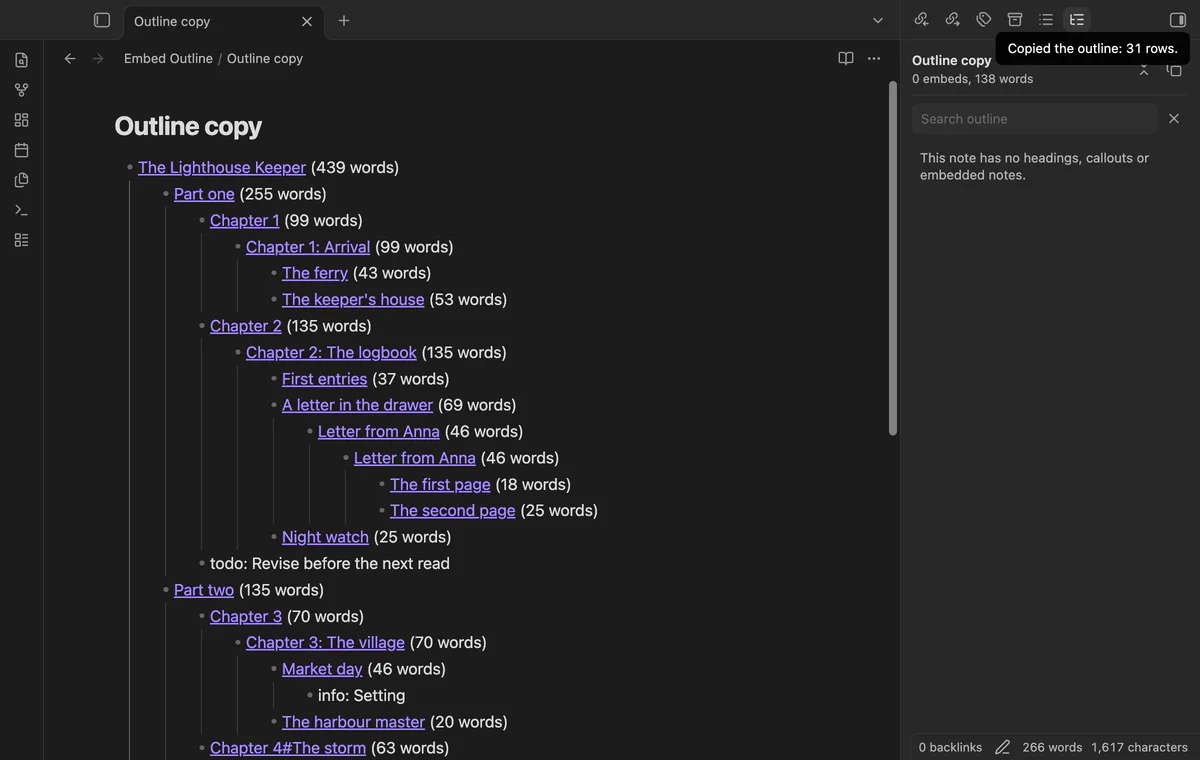
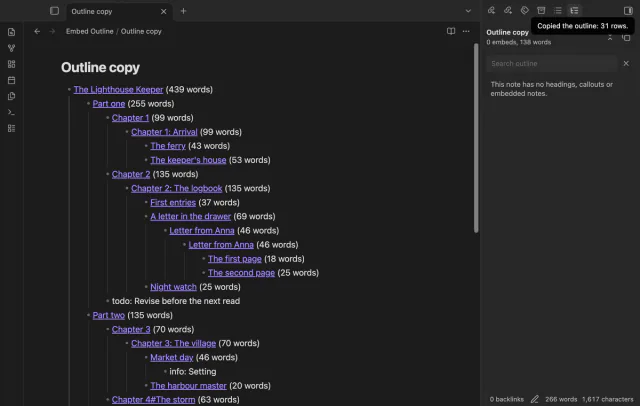
The copy button puts the outline on the clipboard as a nested list. Each heading becomes a link to the note it comes from, with the word count when counts are on. Paste it into a note for a table of contents with a link to each heading.
$15 once. Pro tools in 134 NoteMods plugins with one GitHub sponsorship. Nothing renews.
Pro turns on right after payment. Select Sign in with GitHub in the settings of each plugin you use. Free features stay free.
Secure checkout by GitHub Sponsors - needs a GitHub login.
17 of 50 founding licenses sold.
The price is set on the 1st of each month. It goes up only after a tier is full. Until then it stays $15. The next price review is on 1 December 2026.
A price change does not change a license that you paid for. The $5 a month option stays.
One sponsorship turns on the Pro features in 134 NoteMods plugins. Free features stay free.
$15 one time: Pro stays on, nothing renews. $5 a month: Pro is on while you sponsor, and stays on after you have paid $15 in total. You pay on GitHub (a GitHub login is needed), then select Sign in with GitHub in the plugin settings. All sponsor tiers
needs
steps
Turn on the plugin. The outline gets a tab in the right sidebar.
Open a note that embeds other notes.
Select the Embed outline tab, or run the command Open the outline panel.
Click a row to go to it.
If the app can't find a new plugin yet, try again later. Obsidian says a plugin that passes the review shows in the app within 24 hours.
Three open forum requests ask the Outline for embedded headings, callout titles and headings in lists. On 2026-10-10 their first posts had 27, 21 and 18 likes.
How to show headings from embedded notes in the Obsidian outline
Need a change for your team? I build custom Obsidian plugins and features.
As of October 2026, the core Outline lists the headings of the active note and not those of embedded notes. Embed Outline adds the headings of each embedded note under its embed. Both panels can be open at the same time.
No. Embed Outline only reads your notes, and it never changes a note. The Pro copy puts the outline on the clipboard.
It reads the open note and the notes it embeds from the app's cache. The outline stops at 400 notes and 5,000 rows. A line at the top tells you when source, row or word count limits leave something out.
Search checks the row text the panel shows and treats punctuation literally. It includes deeper embeds when Pro opens them, but word counts and Markdown copy still use the full outline. The query stays during updates to the same note and clears when you open another note.
No test ran on a phone or tablet. Opening an embedded note in a new tab needs a Ctrl or Cmd click, so it has no touch path. The row hints show on hover only.
Until you select Sign in with GitHub in the settings, the code of Embed Outline sends no network request. After a successful check, the plugin waits 7 days before it asks GitHub again, and Refresh asks at once. After a failed check it tries again at 6-hour intervals, and no check sends note content, file names or other vault data.
Tell me what is broken in Embed Outline, or what it should do next.
Embed Outline 1.4.4, MIT license
MIT · no telemetry · core features free
Update heading links and embeds when you edit a heading.
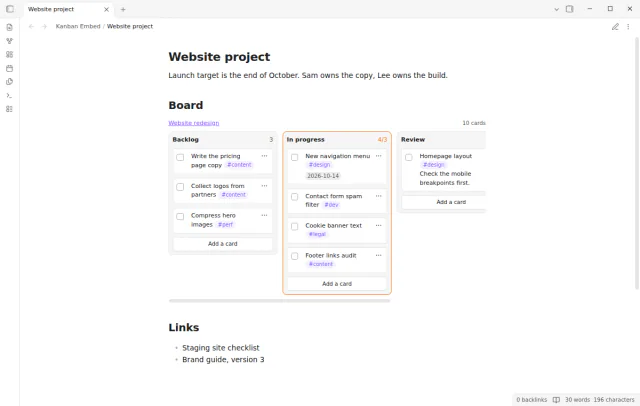
Use a Kanban board inside a project or daily note.
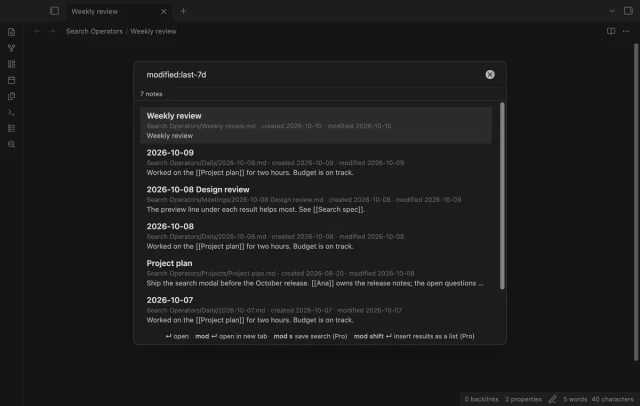
Find notes by date and links, with a preview for each result.
Pro adds "Word counts"Pro for all 134 plugins, $15 one time
Get Pro