Bases Task Rows
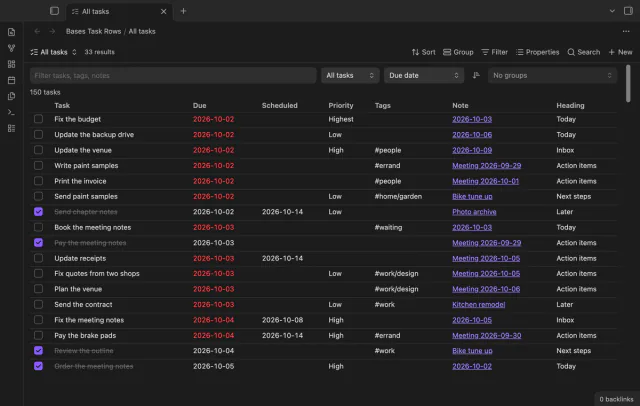
Every checklist task in the notes a base selects, one row each, with a done box you can tick.
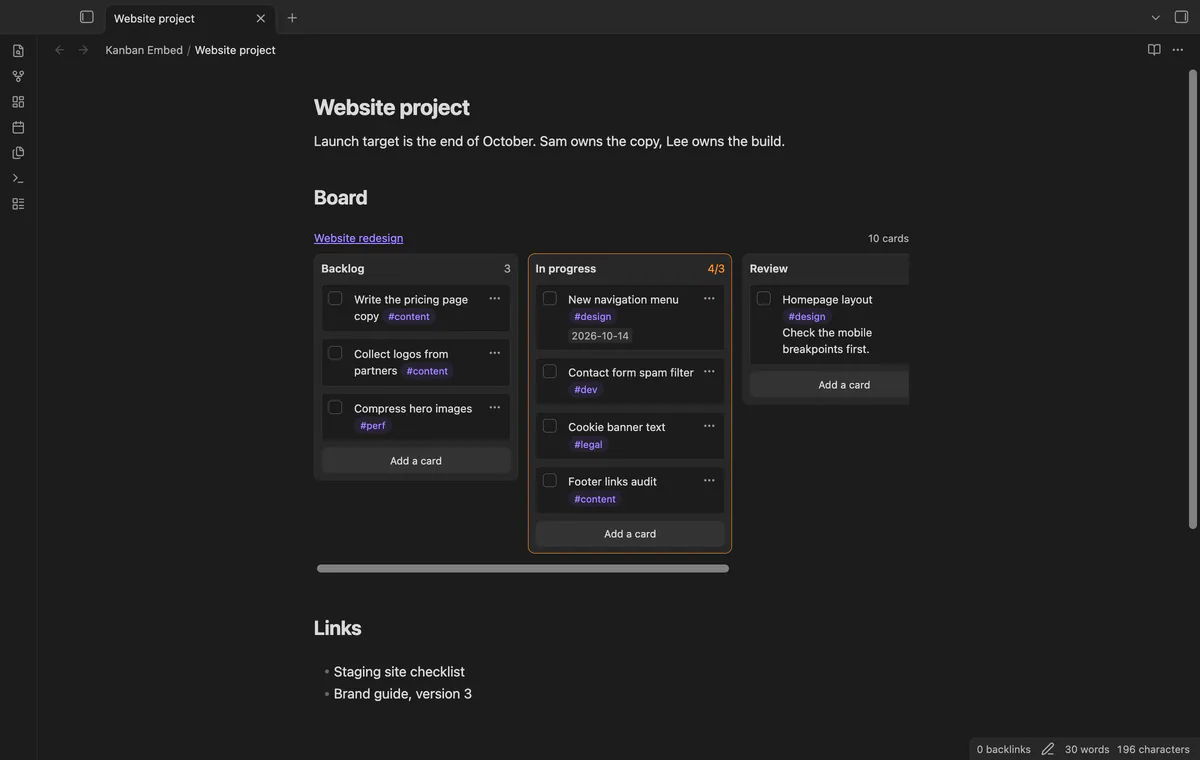
Put a Kanban board in a project page or a daily note and check off cards right there.
MIT · no telemetry · core features free
Directory facts fetched from community.obsidian.md/users/theluckystrike.
You keep tasks on a board of the Kanban plugin and want that board on a project page or a daily note.
Add a small code block to a note and the board shows there, lanes side by side, next to your other text. The board stays one Markdown file. It works in Reading view and in Live Preview.
Kanban Embed reads the board file itself, so the Kanban plugin doesn't have to be installed. Tick a card in the embed and the plugin changes that one line of the board file. It's a separate plugin by a different author than the Kanban plugin.
 Play demo

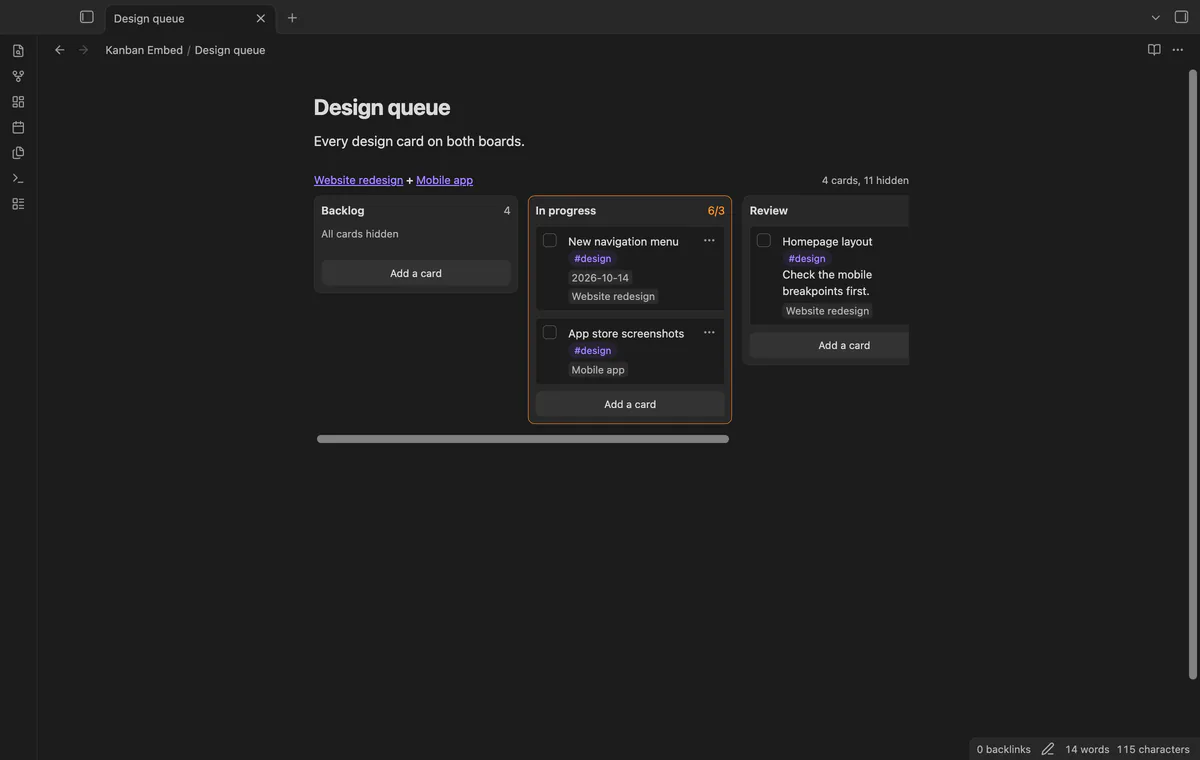
Add a kanban-embed code block with the name of the board, and the lanes show side by side. Cards show their text with links, tags and formatting, and a date shows as a chip under the card. A lane over its card limit shows a count such as 4/3 and a warning border.
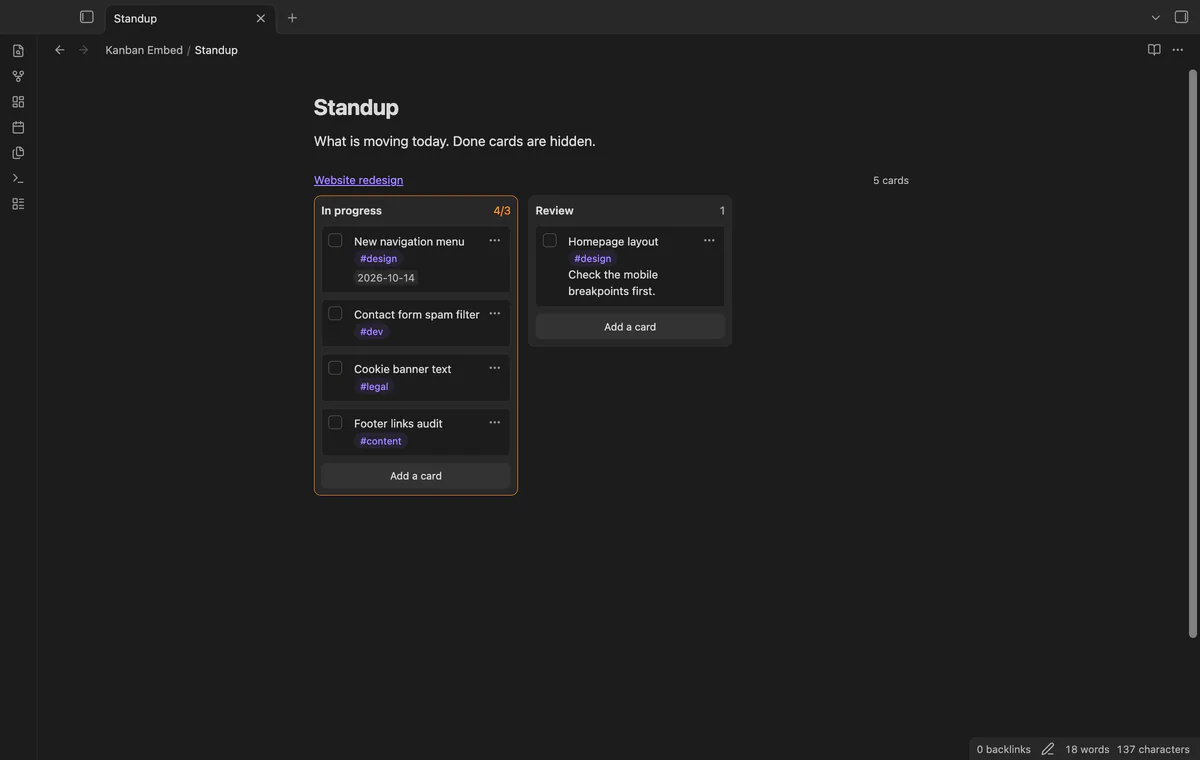
Add a lanes line to show only the lanes you name, in that order. Add hide-done: true to hide checked cards, and the header says how many are hidden. A lane name the board doesn't have shows a warning, so a typo is easy to find.
Each card has a checkbox, and a tick changes only that one line of the board file. When the board file changes, in the Kanban plugin or after a sync, every embed of it draws again. Before each write, the plugin checks that the card line still matches the screen, and it doesn't write if not.
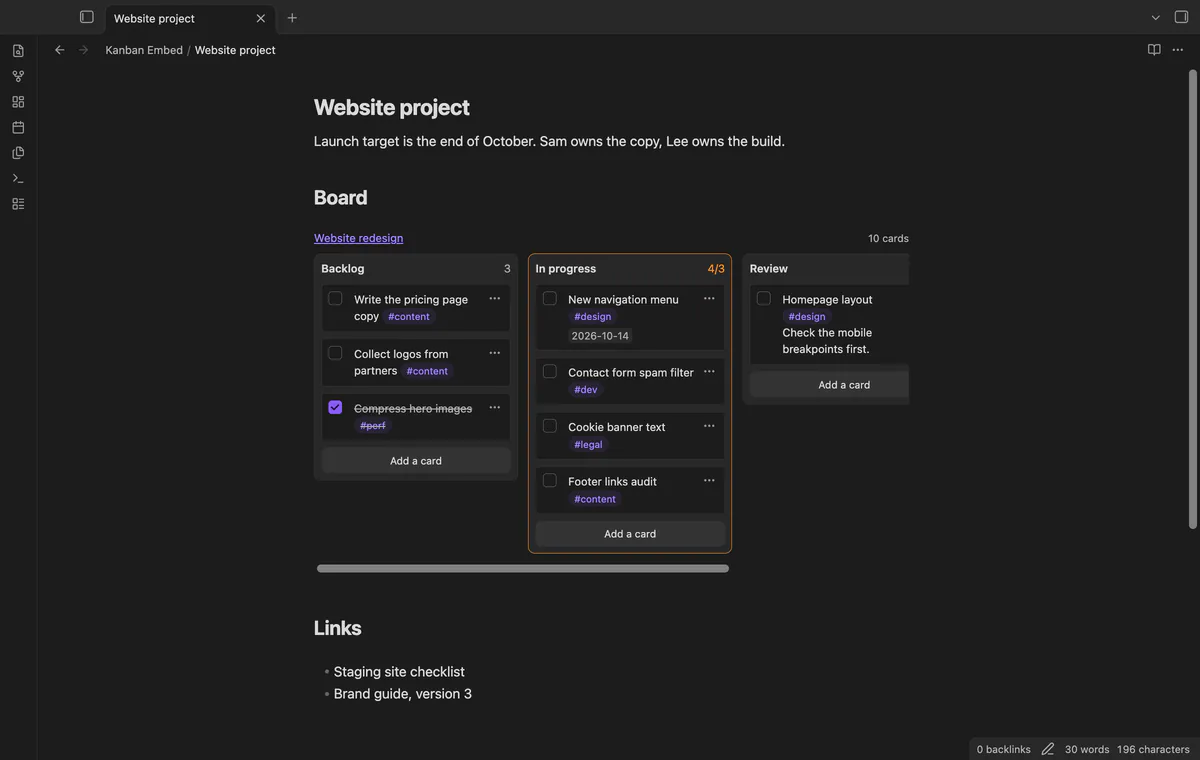
The free version shows one board per embed, with no time limit and no card limit.
Pro costs $5 a month or $15 one time through GitHub Sponsors. One sponsorship turns on Pro in all 13 plugins.
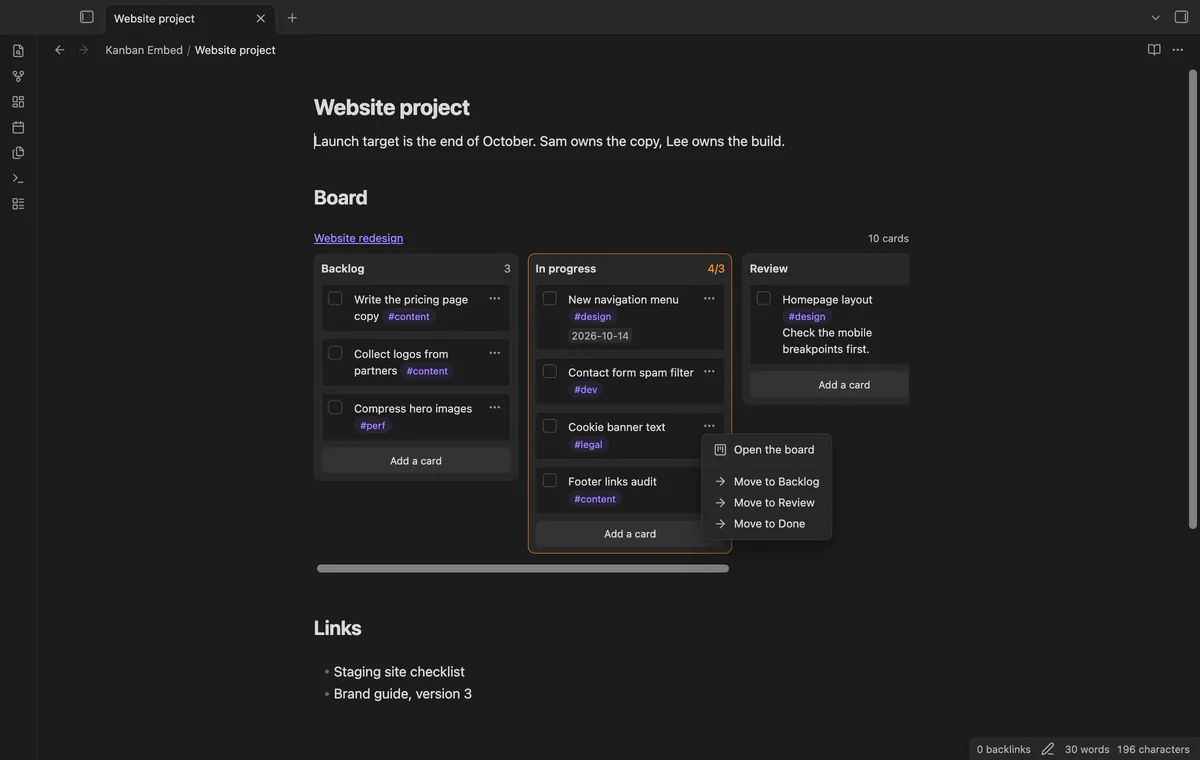
Drag a card to another lane, or to another place in the same lane. On a touch screen, open the card menu and choose "Move to" and a lane. A card that moves into a lane with the Complete marker becomes checked, and the card keeps its tags, dates and block ID.
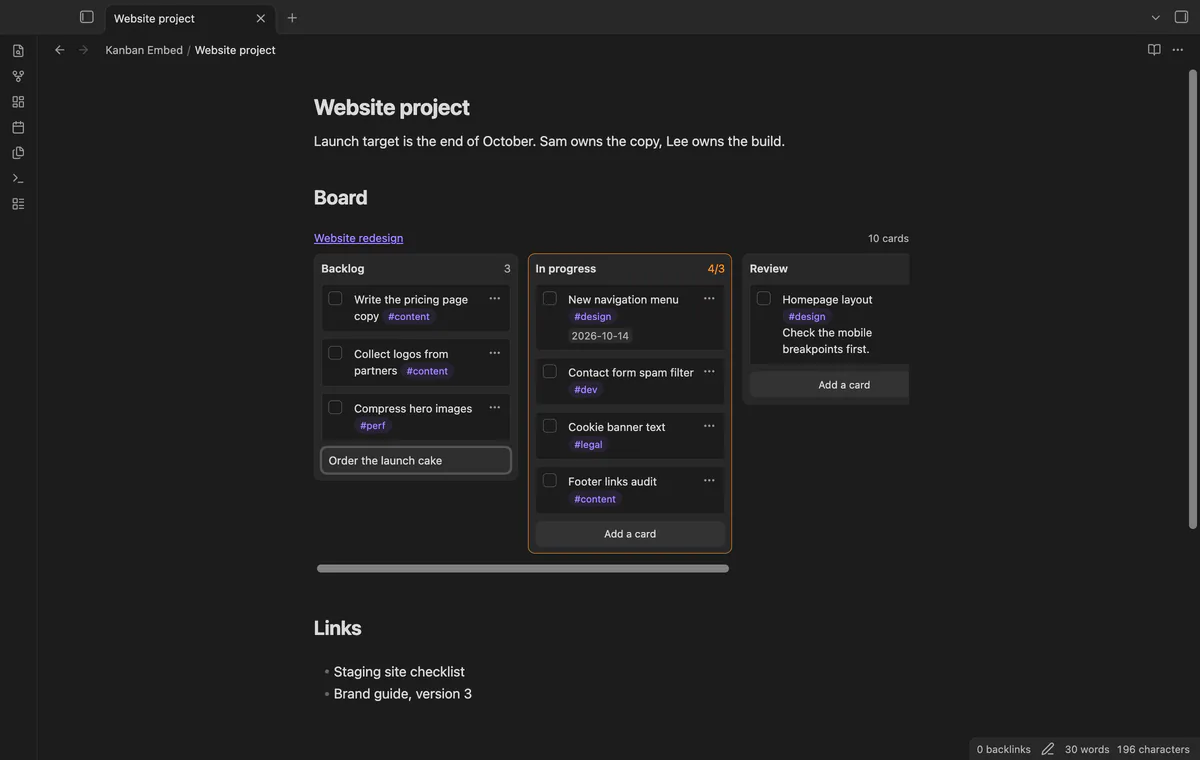
Select "Add a card" at the bottom of a lane, type the text and press Enter. The card goes to the end of that lane in the board file.
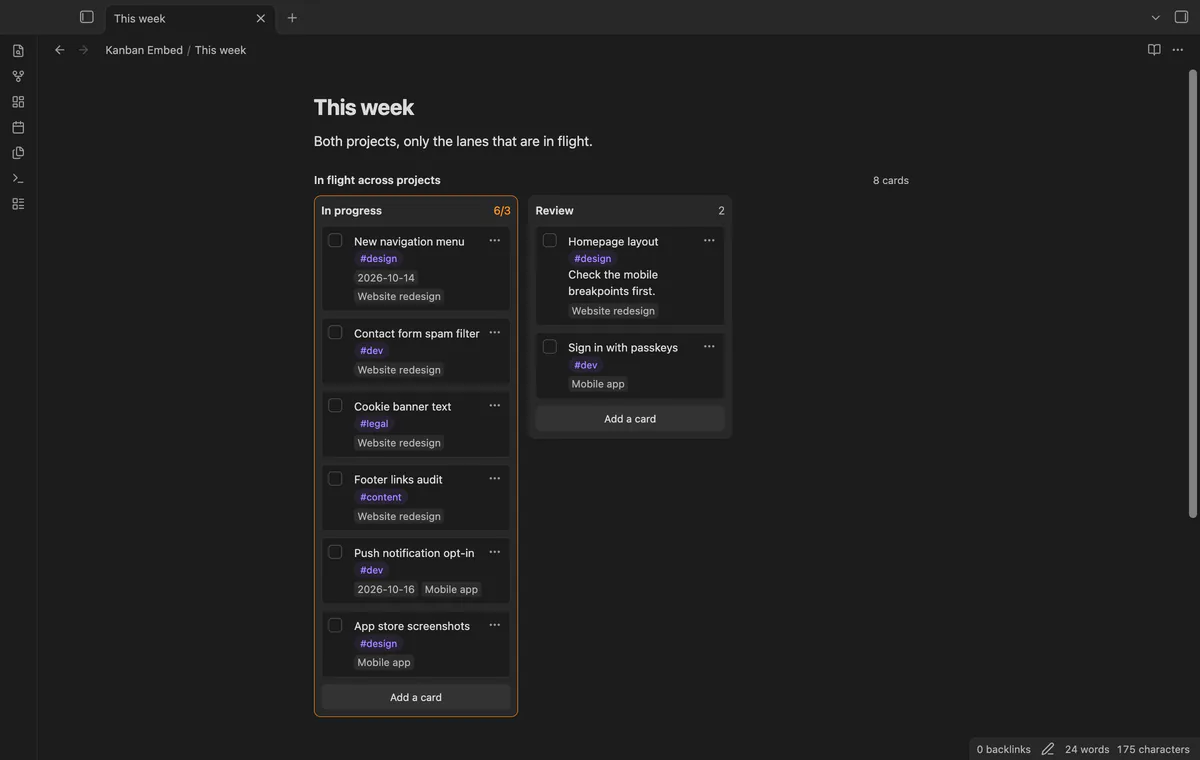
List more than one board in the block. Lanes with the same name become one column, so the In progress cards of all your projects sit side by side. Each card shows the name of its board, and a move stays inside that board.
Add a line such as filter: #design, and a card shows only when it has every word of the filter. A word that starts with # must be a tag of the card. The tag #design also matches #design/web.
needs
steps
Put the cursor where the board should go and run the command "Insert a board embed".
Pick a board from the list, which shows every note with kanban-plugin in its frontmatter.
Add a lanes line or hide-done: true to the block if you want fewer lanes or no done cards. A title line sets your own header text.
The request to embed a board in a page is issue 4 of the Kanban plugin. It has been open since April 2021 and has 258 reactions.
No. Kanban Embed reads the board file itself. You need the Kanban plugin only for the full board view and its other features.
Only when you check, move or add a card. Each change edits only the lines of that card. The board settings and the archive stay as they are.
Yes. Everything works on mobile except drag and drop, which needs a mouse or trackpad. On a touch screen, use the Move to menu.
A normal embed shows the board as Markdown, one heading under the other. Kanban Embed shows the lanes side by side and lets you check off cards. With Pro it can also move and add cards.
Kanban Embed makes no network requests until you select "Sign in with GitHub" in the settings. After that, it asks GitHub whether your account sponsors theluckystrike, at most once every 7 days or when you select Refresh. It sends no note content, file names or other vault data, and it has no telemetry.
Kanban Embed 1.0.0, MIT license
MIT · no telemetry · core features free
Every checklist task in the notes a base selects, one row each, with a done box you can tick.
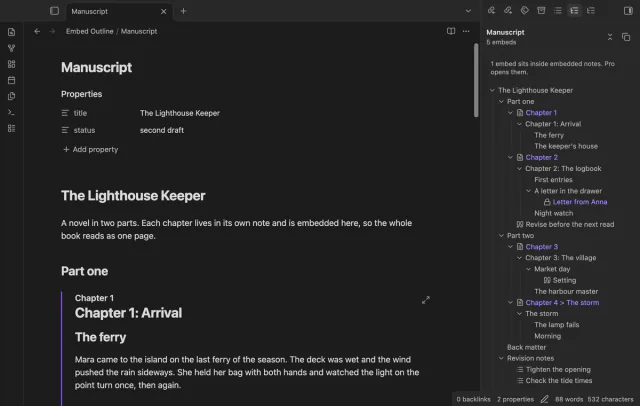
One outline for a note built from embeds, with each chapter's headings under its embed.