How to turn filters on and off in Obsidian Bases
The Views help page, read in October 2026, describes how to add filters, but no way to switch one off.
Bases has no setting that freezes a column, as of October 2026. Forum users report that a base file keeps its header row in view, and a CSS snippet does that for embedded bases. Nobody in the threads got the first column to stay with CSS alone.
Bases Freeze Panes has Pro, and $15 one time turns it on in all 134 plugins.
Three forum requests ask for this. "Bases: Ability to pin / freeze columns", from June 2025, has 52 likes and 10 posts. The request for frozen table headers, from July 2025, has 41 likes. A third topic, from November 2025, compares the idea to freeze panes in Excel.
The use case is the same in all three. Scroll right in a wide base and the file name is gone, so you can't tell which row you're editing. Two posters write that they tried a CSS workaround for the column and couldn't make one.
A forum reply from May 2026 says base files already have a sticky header by default. The header scrolls away only when a base is embedded in a note, because the note scrolls and not the table.
For columns, the Table view help page lists two keys. Home goes to the first column and End goes to the last, so you can jump back to the file name.
The same reply gives the fix. Set a max-height, 600 pixels in the example, on the .bases-view element inside .bases-embed. The table then scrolls inside its own box and the header stays on top.
A second rule gives div.bases-thead a background color, so rows don't show through the header. Save both rules as a CSS snippet and turn it on in Settings, under Appearance.
Bases Paginator is a community plugin that adds a Paginated table view to Bases. Its README lists a sticky header option that keeps the column names visible while you scroll. The view also works in an embedded base.
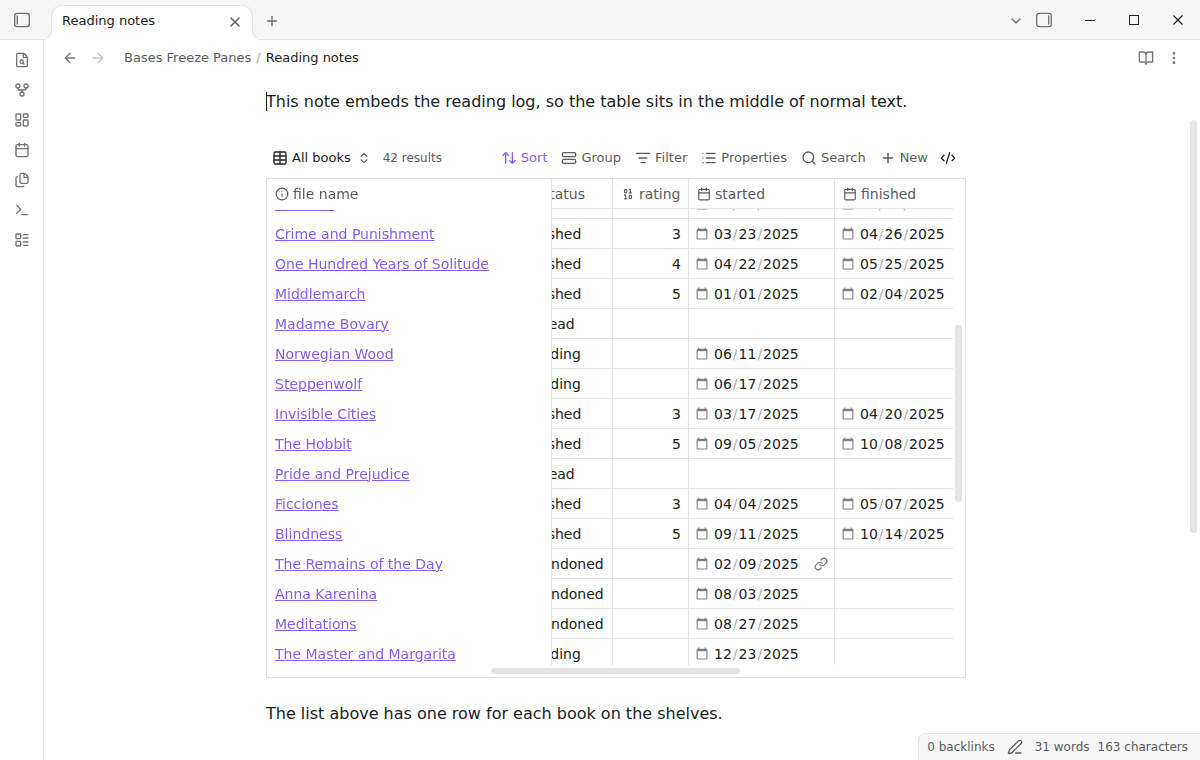
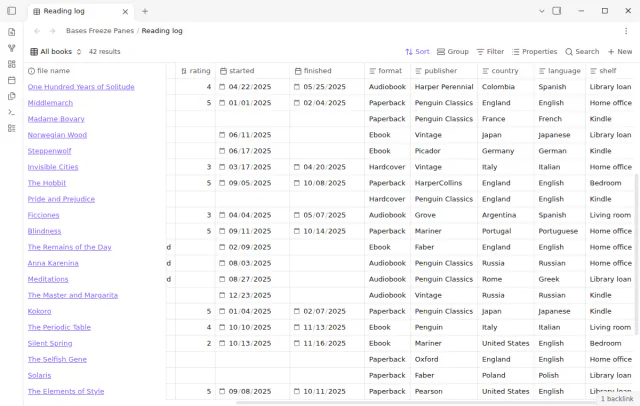
Bases Freeze Panes keeps the header row and the first column of a Bases table in view while you scroll. It works in base files, embedded bases and base code blocks, in Reading view and in Live Preview. It changes how the table looks on screen and leaves your notes and base files alone.
Its README explains why CSS alone fails for columns. The core table draws only the cells in view, so the cells of the first column leave the page when you scroll right. The plugin keeps those cells on the page and pins them.
MIT · no telemetry · core features free
Install Bases Freeze Panes from Community plugins and enable it. It needs Obsidian 1.13.4 or later and the Bases core plugin.
Open a wide base and scroll down and to the right. The header row and the first column stay in place.
To choose which column stays, change the column order in the base. The first column is the frozen one.
For a base embedded in a note, set Embedded table height in the plugin settings. The default is 500 pixels, and a taller table scrolls inside that box.
To freeze 2 or 3 columns, or the last column, change Frozen columns or Freeze the last column in the settings. Both need Pro.
To compare with the normal table, run the command Turn frozen panes on or off.
Not in the three forum threads, as of October 2026. Two posters say they tried and couldn't. The Bases Freeze Panes README gives a reason. The core table draws only the cells in view, so a column you scrolled past has no cells left to pin.
Not by default, but you have two fixes. The CSS snippet from the forum sets a max height on the embedded base. Bases Freeze Panes does it with a setting, 500 pixels by default, and short tables keep their normal height.
Yes. The command Turn frozen panes on or off for the current file is free. The command that sets a column count for one file needs Pro.
 That's every step, start to finish.
This guide uses Bases Freeze Panes. Pro adds "Two or three frozen columns" and "Pinned last column". One payment of $15 turns on Pro in 134 plugins.
This guide uses Bases Freeze Panes. Pro adds "Two or three frozen columns" and "Pinned last column". One payment of $15 turns on Pro in 134 plugins.
$15 once. Pro tools in 134 NoteMods plugins with one GitHub sponsorship. Nothing renews.
Pro turns on right after payment. Select Sign in with GitHub in the settings of each plugin you use. Free features stay free.
Secure checkout by GitHub Sponsors - needs a GitHub login.
Keep column and note names visible as you scroll a base.
One sponsorship turns on the Pro features in 134 NoteMods plugins. Free features stay free.
$15 one time: Pro stays on, nothing renews. $5 a month: Pro is on while you sponsor, and stays on after you have paid $15 in total. You pay on GitHub (a GitHub login is needed), then select Sign in with GitHub in the plugin settings. All sponsor tiers