Task Date Links
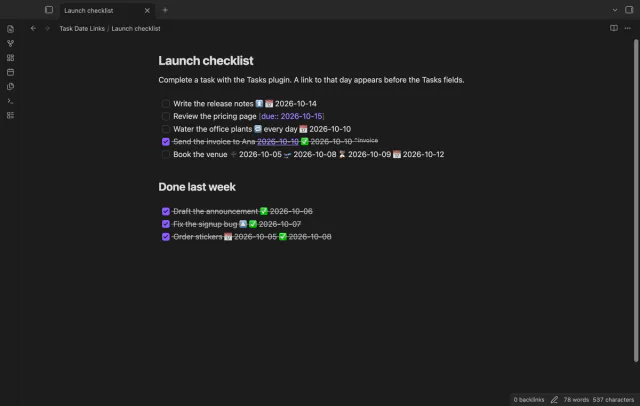
Link completed tasks to their daily notes for backlinks.
Control your Toggl Track timer and see the daily total from a note.
MIT · no telemetry · core features free
Pro adds "Project and tag pickers" and "Reports by project or day". Pro for all 134 plugins, $15 one time
The directory lists the plugin for desktop and mobile, and its tests run in the desktop app only, with a stand-in for Toggl. No test in the repository ran on a phone or tablet, and none calls the real Toggl service.
Directory facts fetched from community.obsidian.md/users/theluckystrike.
You track time in Toggl Track and want to start and stop the timer from the note you write in, without opening another app.
Mobile Timer for Toggl Track starts, stops and switches your Toggl Track timer from a note, and shows the running timer and today's total. It uses the request function that Obsidian gives to plugins and no Node module. The directory lists it for desktop and mobile, and it is tested on desktop only.
The plugin contacts Toggl Track with your API token. Toggl and Toggl Track are trademarks of their owner, and Toggl does not make or endorse this plugin. Timers, the panel, daily totals, note logs and one default project are free. Pro adds pickers, reports, edits and an offline queue.
 Play demo
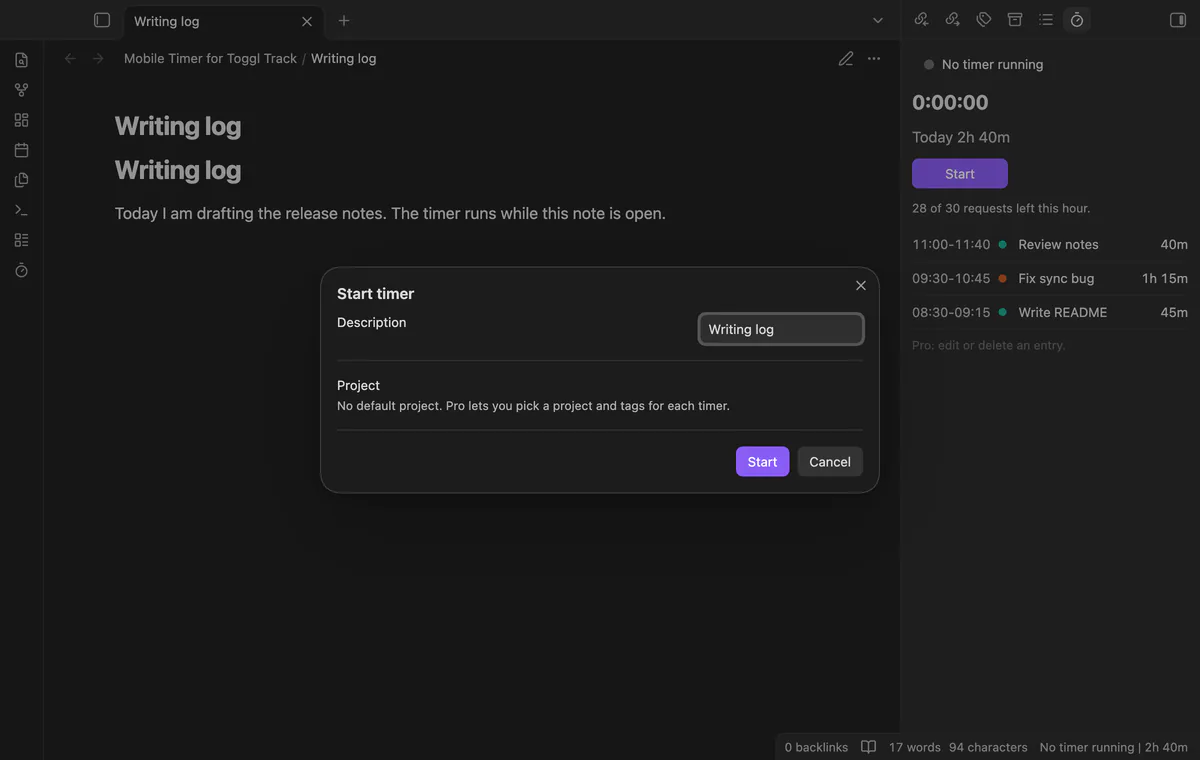
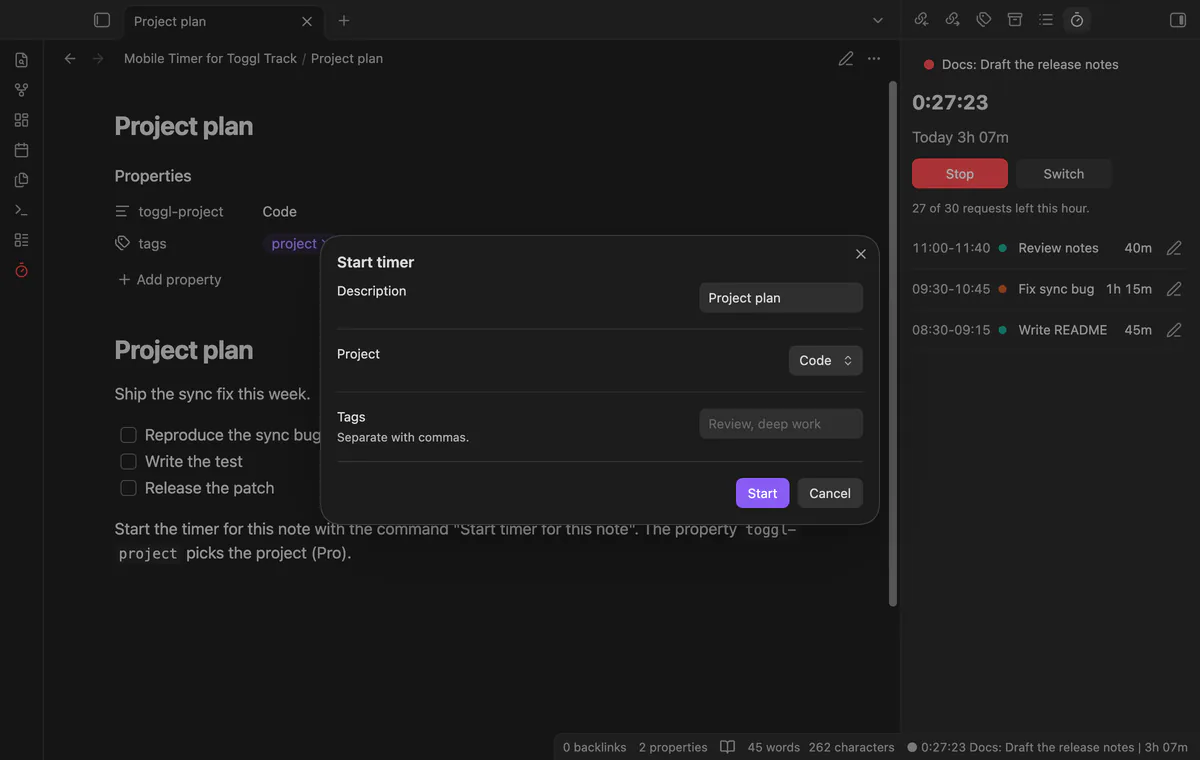
Run Start timer, and a window asks for a description and offers the name of the open note. Stop timer stops it, and Switch timer stops the running timer and starts a new one. Start timer for this note starts at once with no window, with the one default project from the settings.
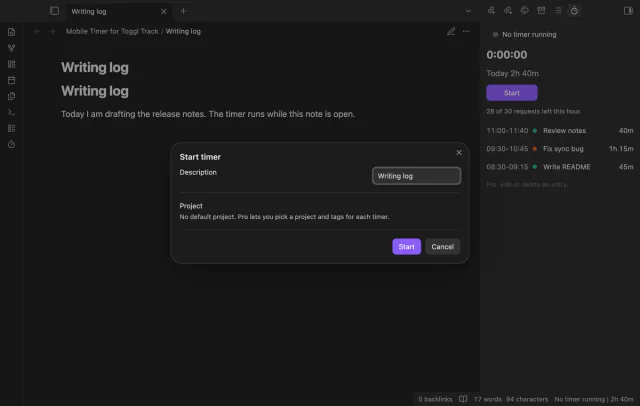
The setting Use the note title as the description is on by default. With it on, the title of the open note becomes the description of a new time entry, and Toggl receives it. With it off, no note title is sent unless you type one.
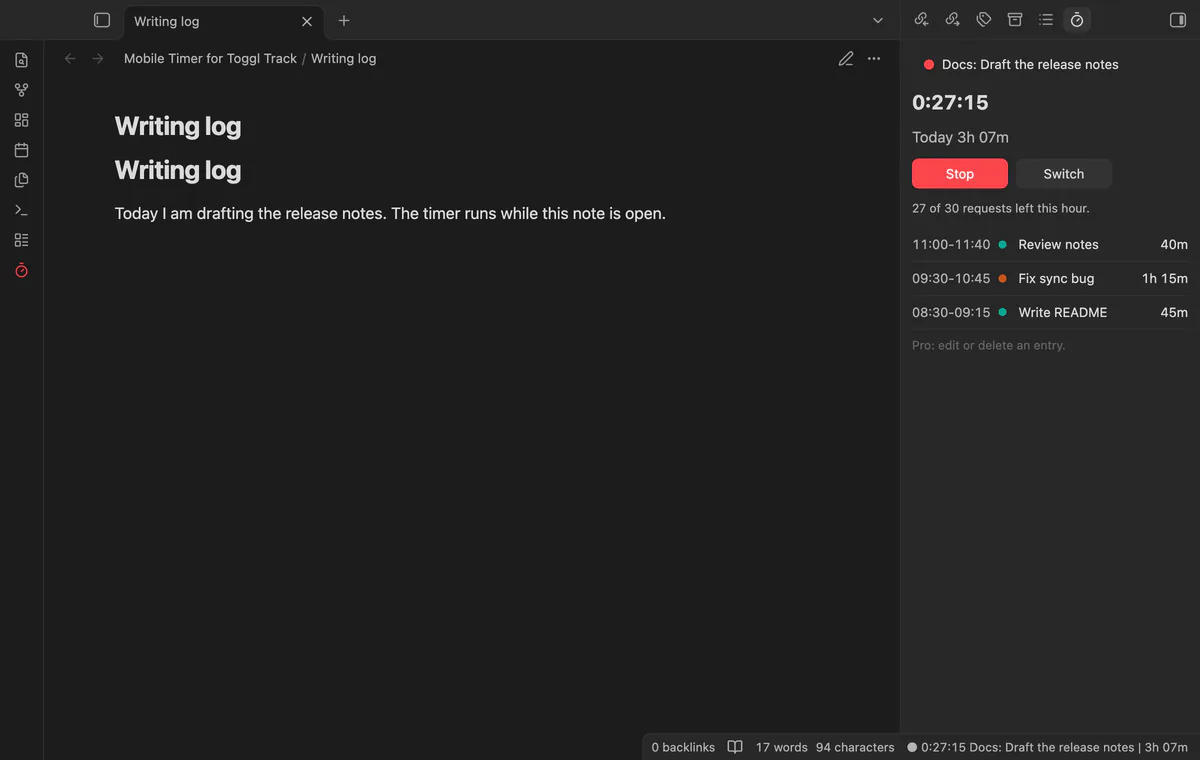
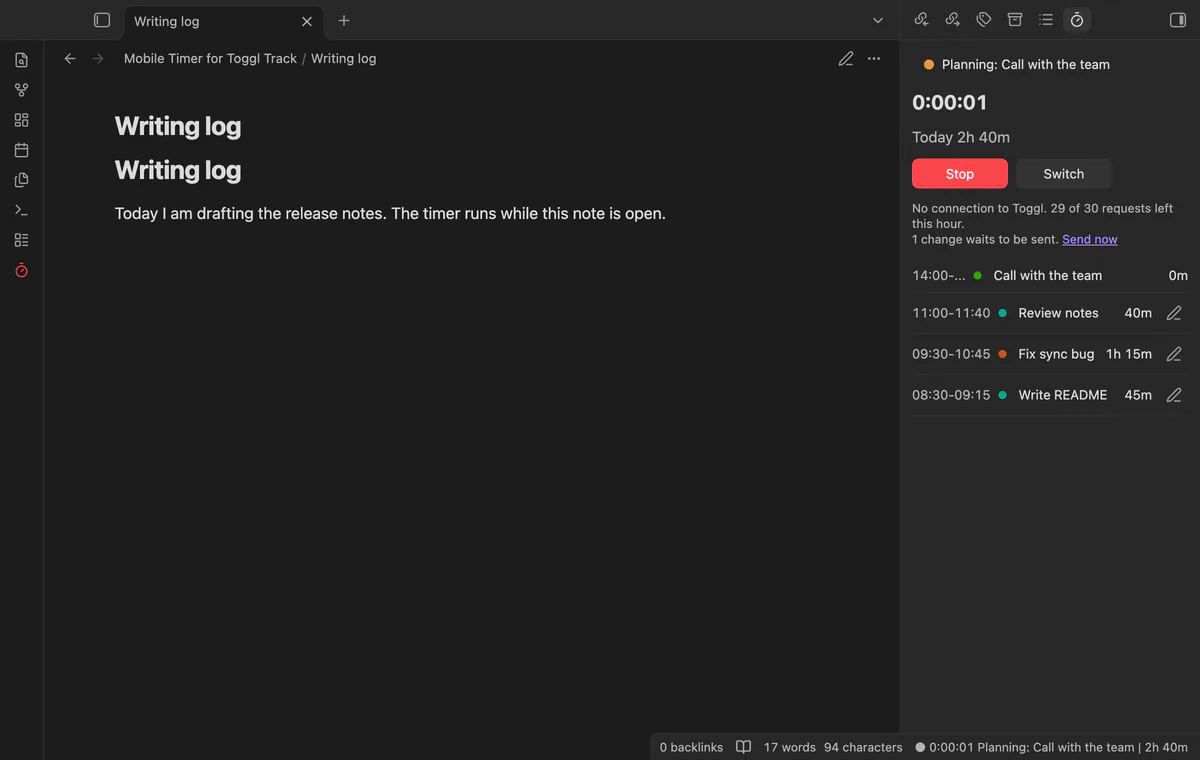
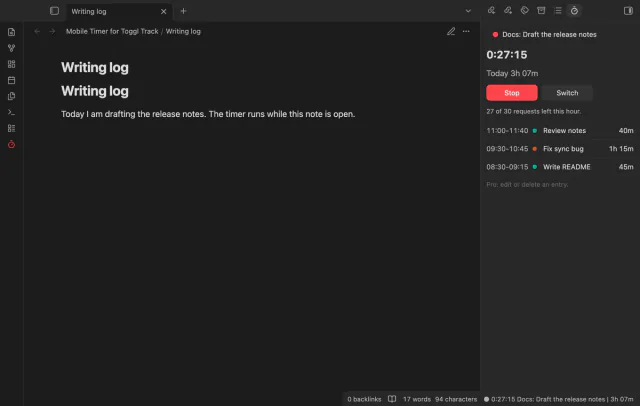
The command Open timer panel shows the running timer, its clock, today's total, the buttons and up to 25 finished entries of today. The ribbon button starts or stops the timer and turns red while a timer runs. The clock counts from the start time that Toggl holds, so it needs no request each second.
On desktop the status bar shows the clock, the project and description, and today's total. Select it to open the panel, or turn it off in the settings. The plugin adds no status bar item on mobile, where Obsidian does not support one.
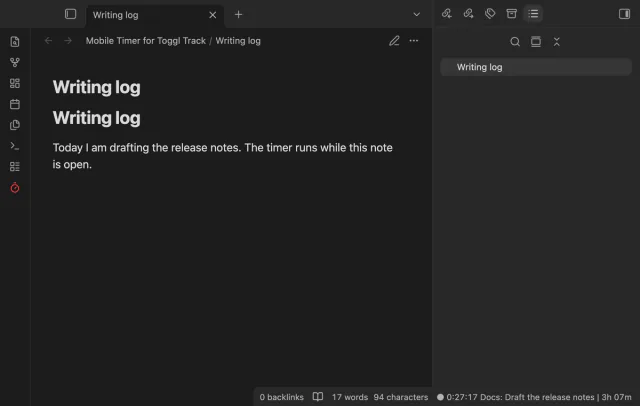
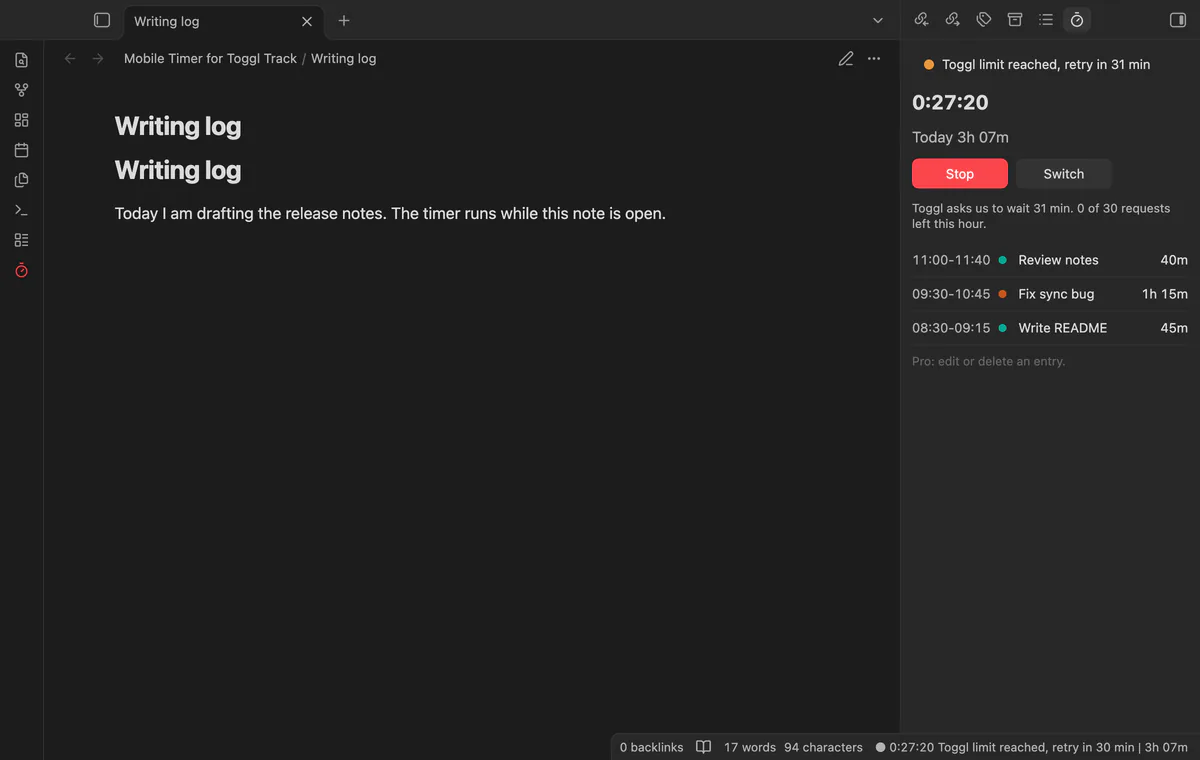
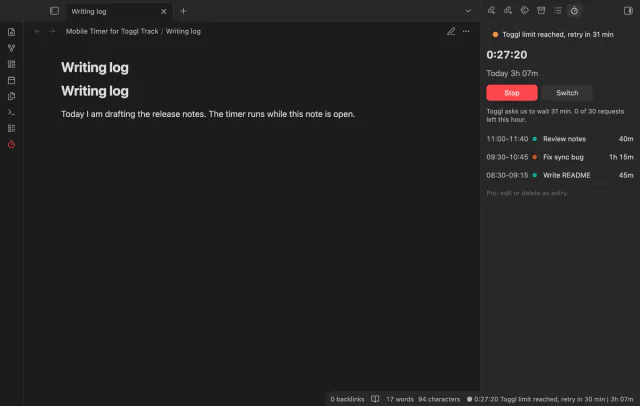
The Toggl free plan allows 30 requests an hour, and the plugin counts each one. A background refresh costs one request, Start and Stop cost one each after the first start, and Switch costs two. Background refreshes stop when 8 requests are left, and after HTTP 402 or 429 the plugin waits and shows how long.
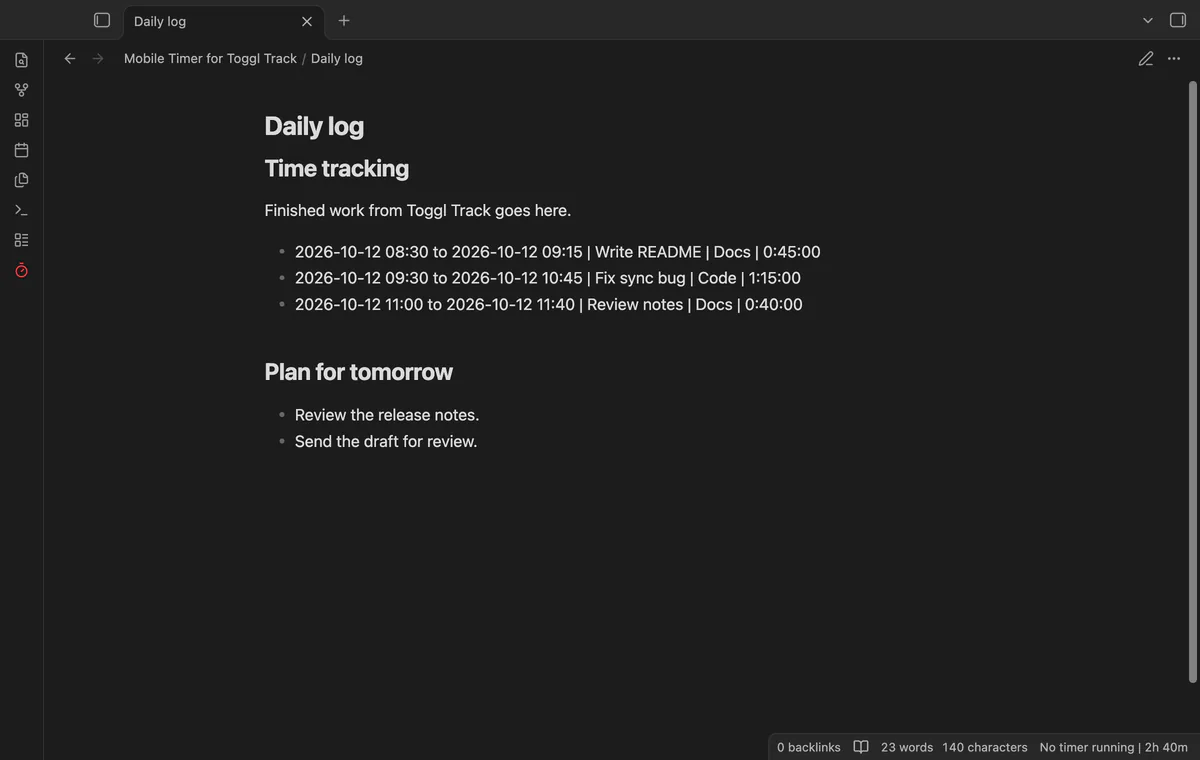
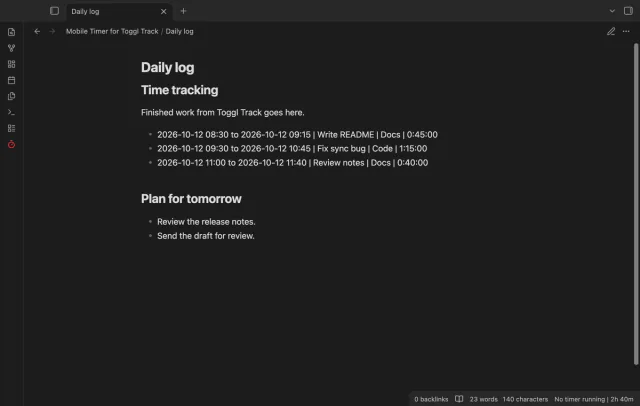
Open a daily note in edit mode and run Log today to this note to add cached finished entries beneath a configurable heading. The command sends no request and skips running or unsent entries; midnight-crossing entries contribute only today's part. Hidden markers prevent duplicate copies, and later Toggl edits don't update inserted lines.
The free version has no time limit, and each timer gets the one default project that you choose in the settings.
Pro costs $5 a month or $15 one time through GitHub Sponsors.
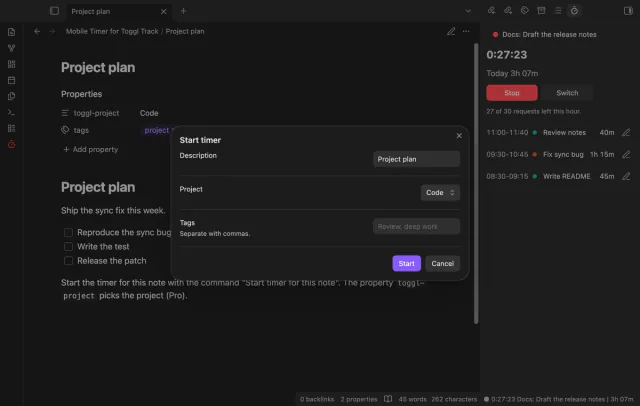
With Pro the Start window has a project list and a tags field, with up to 10 tags for a timer. A note can set its own project with a property named toggl-project, which holds the name of an active project. The property works after the plugin has loaded your project list, for example with Load projects in the settings.
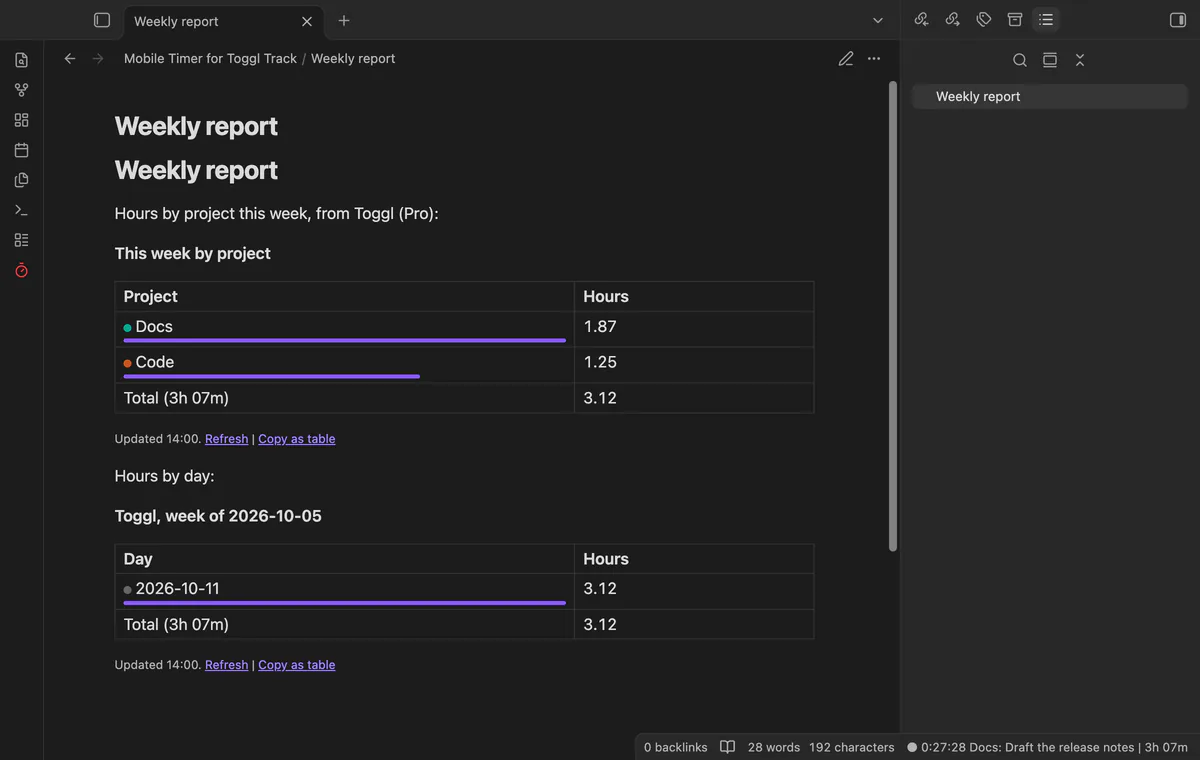
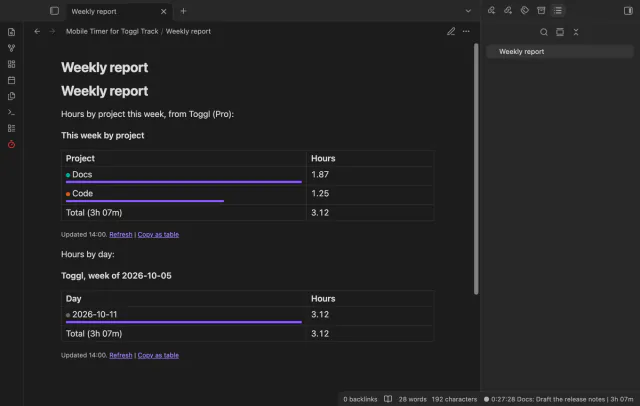
A toggl-report code block draws a table of hours by project, day or description. The range line takes today, yesterday, last7, week, month, or two dates up to 366 days apart. One request fills the table for a range, and the plugin keeps the answer for 15 minutes.
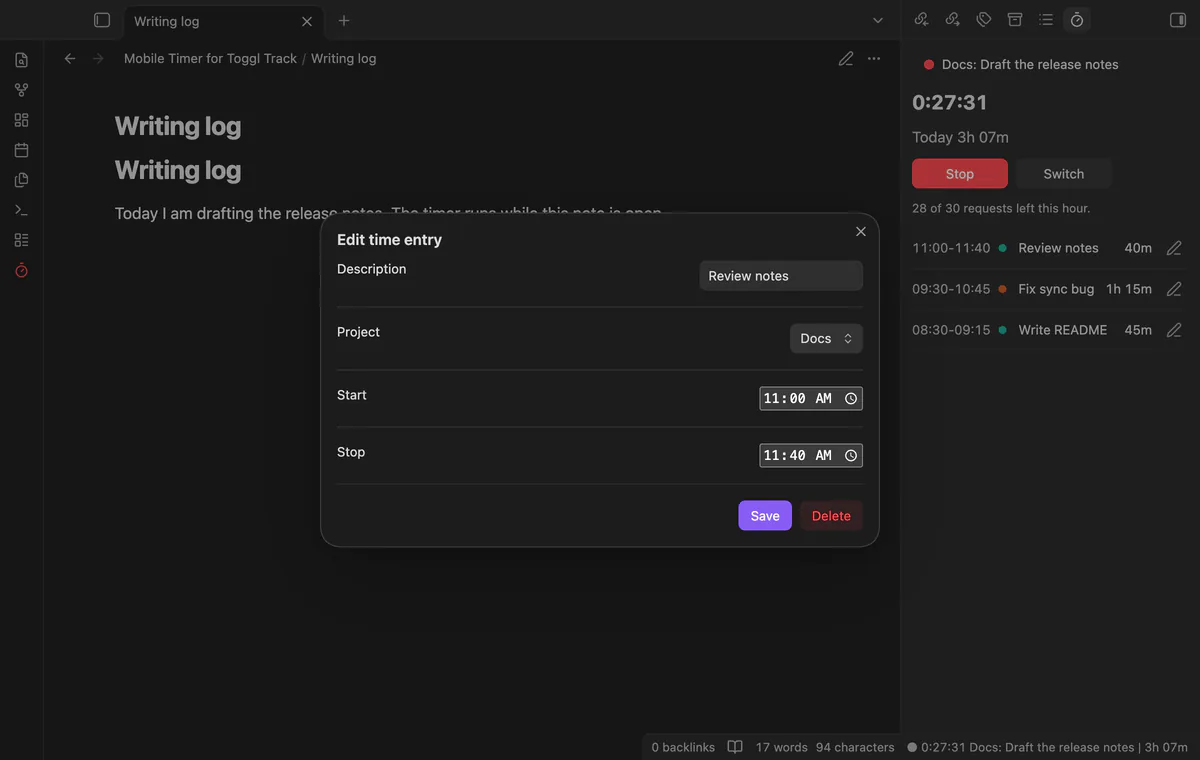
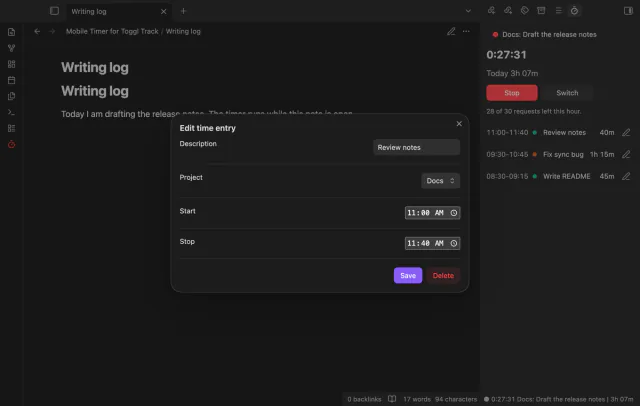
Each finished entry of today in the panel gets an edit button. The window changes the description, the project, and the start and stop time, and it keeps the tags. Delete removes the entry from Toggl after a second selection.
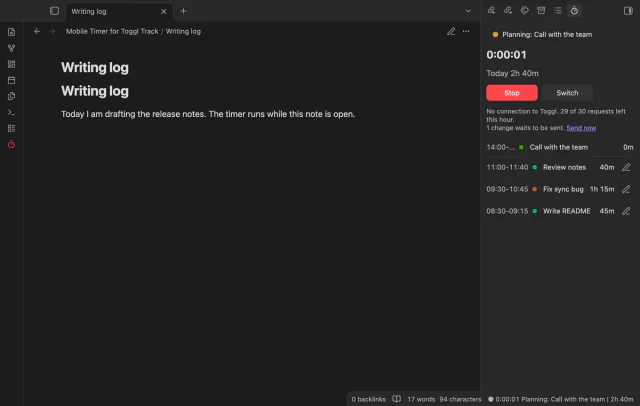
With no connection, or while Toggl limits requests, a start or stop waits in a queue of up to 40 changes. The panel shows the change at once, and a start followed by a stop later goes out as one finished entry. Without Pro, such an action changes nothing, and a notice says so.
$15 once. Pro tools in 134 NoteMods plugins with one GitHub sponsorship. Nothing renews.
Pro turns on right after payment. Select Sign in with GitHub in the settings of each plugin you use. Free features stay free.
Secure checkout by GitHub Sponsors - needs a GitHub login.
17 of 50 founding licenses sold.
The price is set on the 1st of each month. It goes up only after a tier is full. Until then it stays $15. The next price review is on 1 December 2026.
A price change does not change a license that you paid for. The $5 a month option stays.
One sponsorship turns on the Pro features in 134 NoteMods plugins. Free features stay free.
$15 one time: Pro stays on, nothing renews. $5 a month: Pro is on while you sponsor, and stays on after you have paid $15 in total. You pay on GitHub (a GitHub login is needed), then select Sign in with GitHub in the plugin settings. All sponsor tiers
needs
steps
Install Mobile Timer for Toggl Track from Community plugins and enable it.
Copy your API token from your Toggl Track profile settings.
In the plugin settings, select the token field, create a secret and paste the token.
Select Check connection. Select Load projects if you want a default project.
Open a note and run Start timer.
If the app can't find a new plugin yet, try again later. Obsidian says a plugin that passes the review shows in the app within 24 hours.
The free Toggl Track plugin is desktop only, and its request for mobile support has been open since February 2022. The request has 4 reactions and 12 comments, and in January 2023 the maintainer wrote that mobile support was not planned soon.
toggl-report block counts at most 1,000 time entries for its range and shows no notice when the range holds more.Need a change for your team? I build custom Obsidian plugins and features.
The directory lists it for desktop and mobile, and it is tested on desktop only. The code uses the request function of Obsidian and no Node module. No test in the repository ran on a phone or tablet, so treat mobile as untested.
It sends your API token with each request to api.track.toggl.com, and a time entry when you start, stop, edit or delete a timer. An entry holds the description, project, tags, times and workspace number. The description is the title of the open note, unless you turn off Use the note title as the description in the settings. Requests go out when Obsidian loads, when it returns to the front, and when you act, with no note text and no telemetry.
The token stays in the secret storage of Obsidian on the device, and not in a note or in data.json. Obsidian lets any plugin in the vault reference a secret by its name. The token does not sync, so paste it on each device. The file data.json does hold a cache of your recent time entries, projects and tags.
Toggl answers HTTP 402 when the hourly quota is used up, and the plugin then waits until the window that Toggl reports is over. After HTTP 429 it waits 2 minutes, then longer, up to 20 minutes. The panel shows the wait, and the settings show the requests that are left.
Sponsor on GitHub Sponsors for $5 a month or $15 one time, then select Sign in with GitHub in the settings. A total payment of $15 meets the payment rule, and one sponsorship turns on Pro in each of these plugins with Pro. Sign in and the check still apply. After a successful check the plugin waits 7 days, and after a failed check it tries again every 6 hours.
With a saved Toggl API token, the plugin sends it to api.track.toggl.com when Obsidian loads or returns to the front and when you act. A change carries the time entry, whose description is the note title unless you turn off Use the note title as the description. After you select Sign in with GitHub, it also asks github.com and api.github.com about your sponsorship, 7 days after each successful check.
Tell me what is broken in Mobile Timer for Toggl Track, or what it should do next.
Mobile Timer for Toggl Track 1.2.3, MIT license
MIT · no telemetry · core features free
Link completed tasks to their daily notes for backlinks.
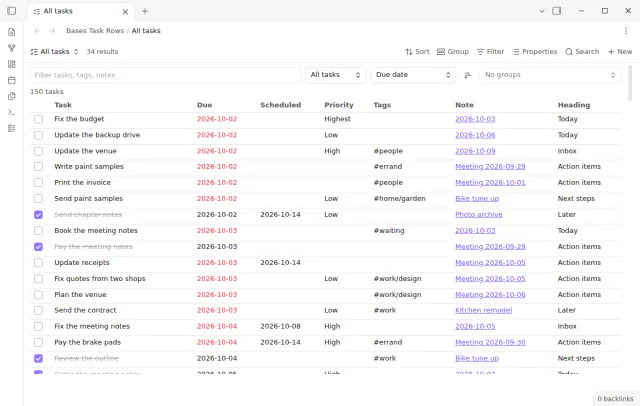
See each task from the notes in a base as a separate row.
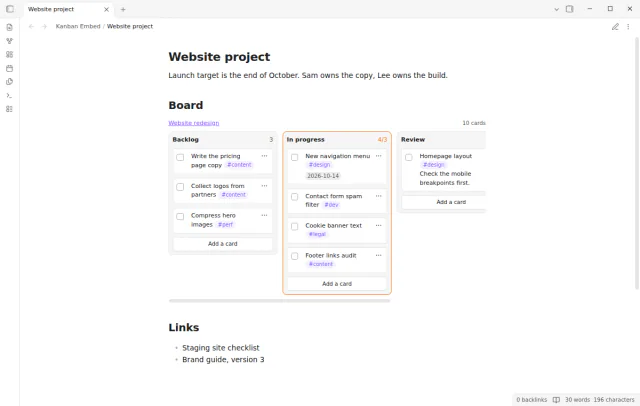
Use a Kanban board inside a project or daily note.
Pro adds "Project and tag pickers"Pro for all 134 plugins, $15 one time
Get Pro