How to link completed tasks to the daily note in Obsidian
The Tasks plugin writes the done date as plain text, and its docs say a date can't be a link, as of October 2026.
The free Toggl Track phone app already starts and stops your timer on a phone, with a widget and offline tracking. Obsidian has no Toggl feature of its own, and the free Toggl Track plugin is desktop only, as of October 2026. Mobile Timer for Toggl Track is listed for mobile in the directory, and it is tested on desktop only.
Mobile Timer for Toggl Track has Pro, and $15 one time turns it on in all 134 plugins.
The free plugin for this job is Toggl Track by mcndt, with the id obsidian-toggl-integration. The directory shows 32k downloads, version 0.11.0, a last update 3 years ago and the platform Desktop only. Its README says it relies on a Toggl client library, and that a later version might use mobile friendly APIs.
A GitHub issue from 19 February 2022 asks for mobile support. It is still open, with 4 thumbs-up reactions and 12 comments, so the demand on record is small. On 15 January 2023 the maintainer wrote that mobile was not planned in the near future without financial support. A second request, for iOS, was closed as not planned in July 2022.
Toggl makes its own app for iPhone, iPad and Android, and the App Store lists it as free. Its store pages name a widget that starts and stops tracking from the Home Screen, Siri on iPhone, and offline tracking that syncs later.
If you only need to track time on a phone, this app does the whole job and you need no plugin. The App Store page says a timer started in a browser can be stopped later on the phone.
Toggl Track by mcndt shows the current timer in the status bar and a summary of your day in the side panel. Commands create, start and stop a timer, and code blocks draw time reports in a note. By its README it covers this whole job on desktop at no cost, reports included.
The directory marks it Desktop only. Its manifest sets isDesktopOnly to true, and the latest release, 0.11.0, is from 23 July 2023.
If you don't need Toggl, a local tracker keeps the times in the note. Super Simple Time Tracker stores each tracker as a code block with JSON data. The directory lists it for desktop and mobile, with 43k downloads and the MIT license.
Timekeep stores its data in a similar way and exports a Markdown table, CSV, JSON or PDF. The directory lists it for desktop and mobile, with 15k downloads.
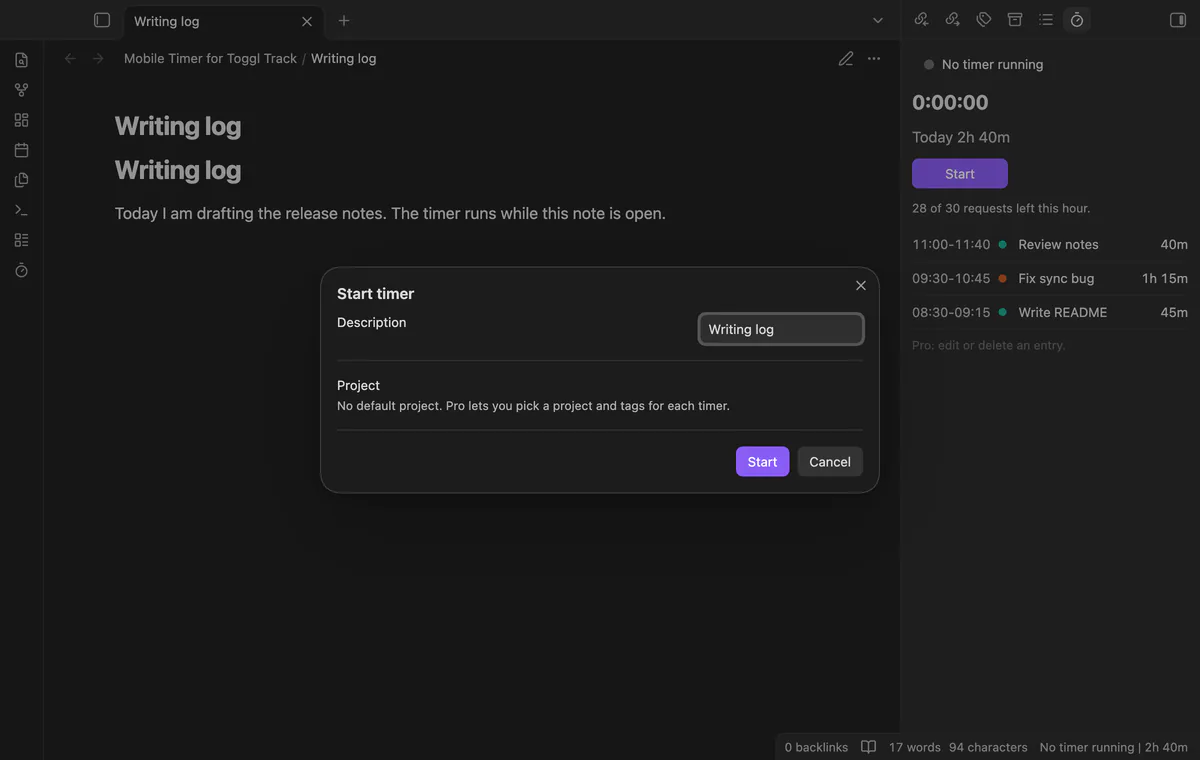
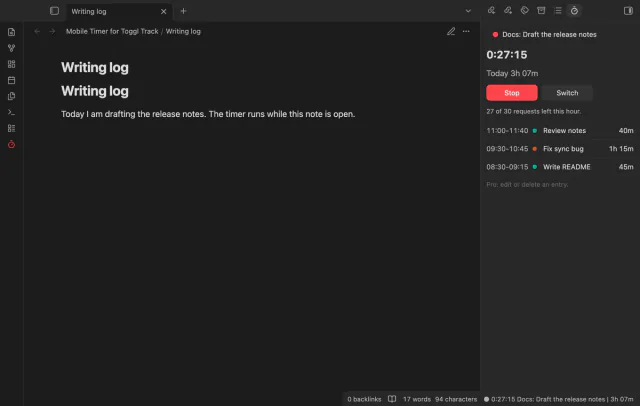
Mobile Timer for Toggl Track starts, stops and switches the Toggl timer from a note. It offers the note name as the description, and a setting turns that off. A panel shows the running timer, today's total and today's finished entries. The plugin calls Toggl with the request function of Obsidian and no Node module.
Start, stop, switch, the panel and one default project are free. Project and tag pickers, report blocks, edits and the offline queue need Pro. Toggl and Toggl Track are trademarks of their owner, and Toggl does not make or endorse this plugin.
MIT · no telemetry · core features free
Install Mobile Timer for Toggl Track from Community plugins and enable it. It needs Obsidian 1.13.4 or later.
Copy your API token from your Toggl Track profile settings.
In the plugin settings, select the token field, create a secret and paste the token. Then select Check connection.
Open a note and run Start timer. The window offers the note name as the description, and Toggl receives it when you start. The setting Use the note title as the description turns this off.
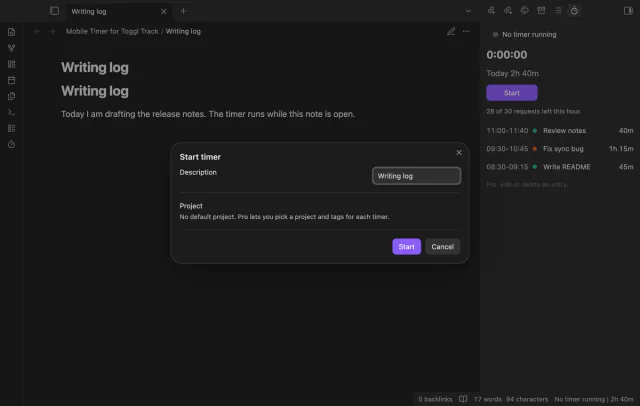
Run Open timer panel to see the clock, today's total and today's finished entries.
Run Stop timer, or select Stop in the panel.
The directory lists four plugins that name Toggl, as of October 2026. Toggl Track and Toggl Import are free and desktop only. Codeless Heatmap Calendar is free and listed for mobile, and its README names a heatmap of Toggl data and no timer control. The fourth is Mobile Timer for Toggl Track, whose timer is free and whose mobile use is untested.
Yes, because the timer runs on Toggl and not in Obsidian. Mobile Timer for Toggl Track counts its clock from the start time that Toggl holds. It does not run in the background and sends no reminders.
The Toggl API docs give the Free plan 30 requests an hour for each user in an organization. Requests about your own user data have a separate limit of 30 an hour on every plan. Starter gets 240 and Premium gets 600 for workspace requests. At the limit, Toggl answers HTTP 402.
The Toggl docs show that an API token signs requests in place of your email and password. So read what a plugin does with it. Mobile Timer for Toggl Track keeps it in Obsidian secret storage and sends it only to api.track.toggl.com. The Obsidian docs say that any plugin can reference a secret by its name.
 That's every step, start to finish.
This guide uses Mobile Timer for Toggl Track. Pro adds "Project and tag pickers" and "Reports by project or day". One payment of $15 turns on Pro in 134 plugins.
This guide uses Mobile Timer for Toggl Track. Pro adds "Project and tag pickers" and "Reports by project or day". One payment of $15 turns on Pro in 134 plugins.
$15 once. Pro tools in 134 NoteMods plugins with one GitHub sponsorship. Nothing renews.
Pro turns on right after payment. Select Sign in with GitHub in the settings of each plugin you use. Free features stay free.
Secure checkout by GitHub Sponsors - needs a GitHub login.
Control your Toggl Track timer and see the daily total from a note.
One sponsorship turns on the Pro features in 134 NoteMods plugins. Free features stay free.
$15 one time: Pro stays on, nothing renews. $5 a month: Pro is on while you sponsor, and stays on after you have paid $15 in total. You pay on GitHub (a GitHub login is needed), then select Sign in with GitHub in the plugin settings. All sponsor tiers