Search Operators
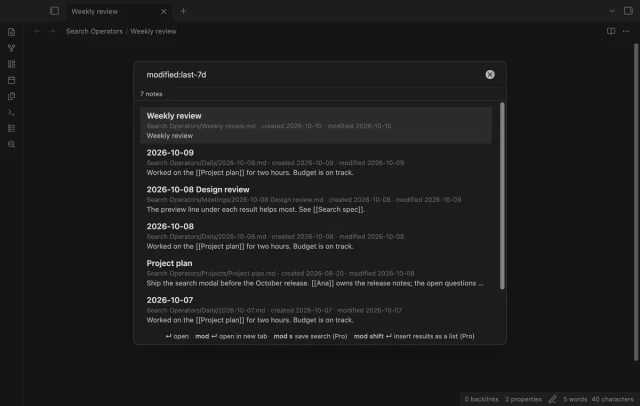
Find notes by date and links, with a preview for each result.
Show parent headings and lists in search results.
MIT · no telemetry · core features free
Pro adds "Regular expressions and saved queries" and "View state for each note". Pro for all 134 plugins, $15 one time
Tested on desktop only.
Directory facts fetched from community.obsidian.md/users/theluckystrike.
You write notes as outlines or long documents, and a matching line alone doesn't tell you what it belongs to.
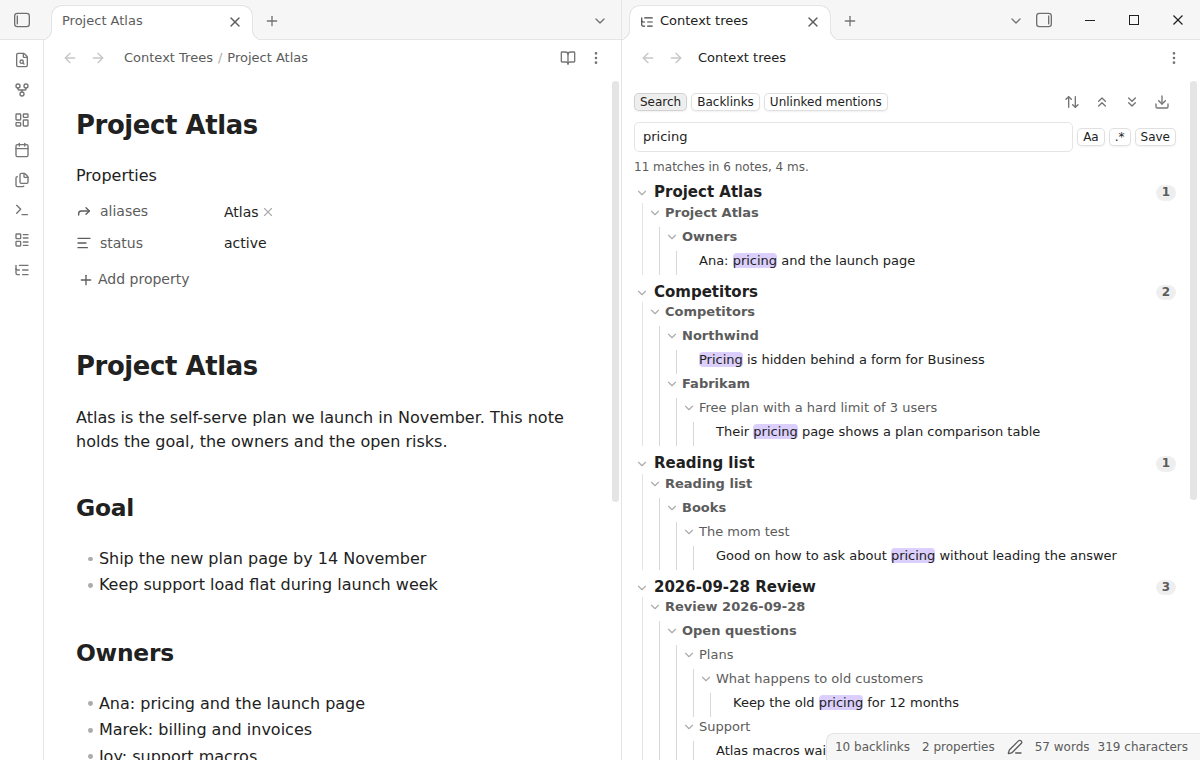
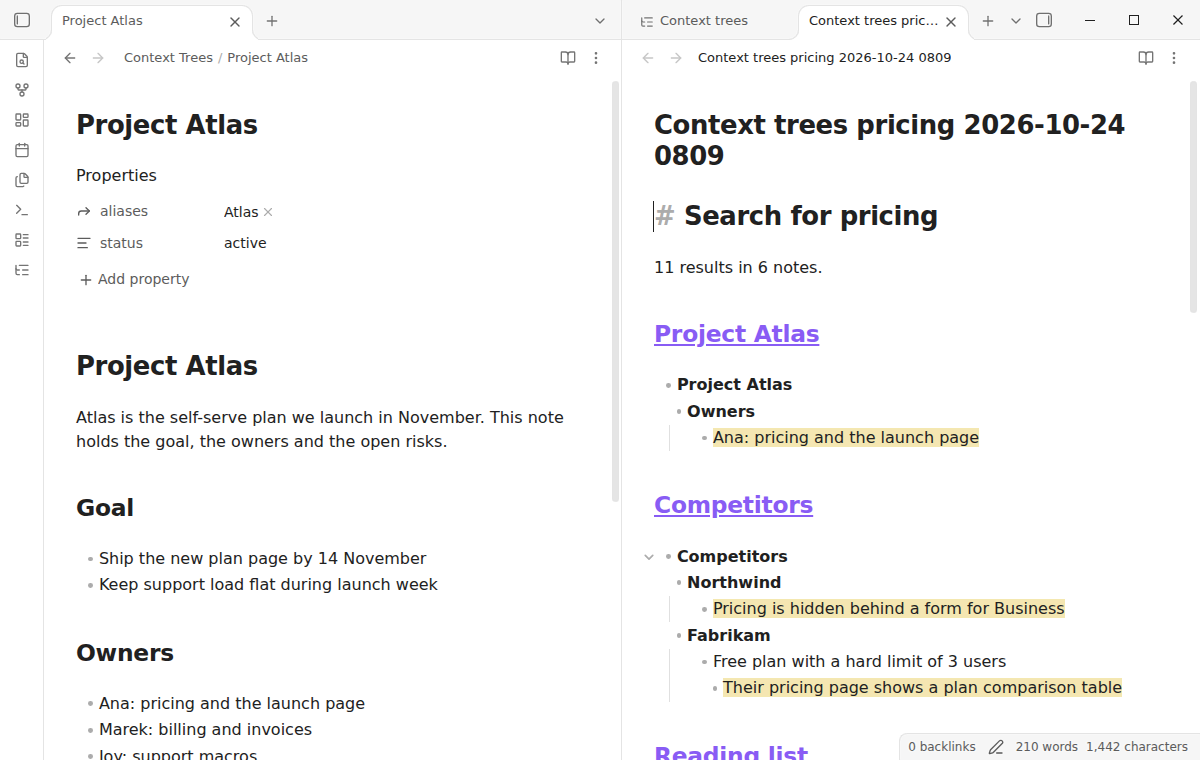
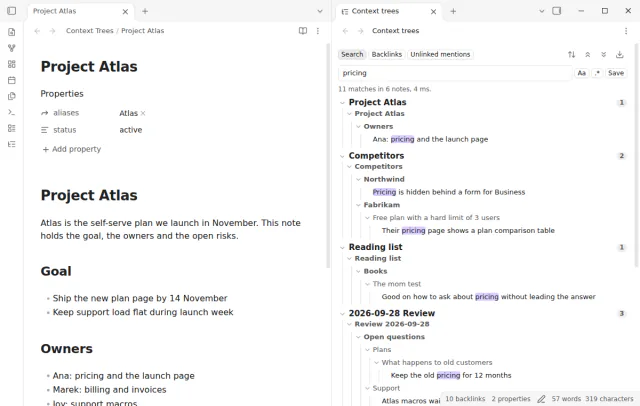
The core Search and Backlinks panes show the matching text and, with Show more context, more text around it. In a nested list, that line often means little without the items above it. Context Trees is a side view that puts each hit under its headings and parent list items.
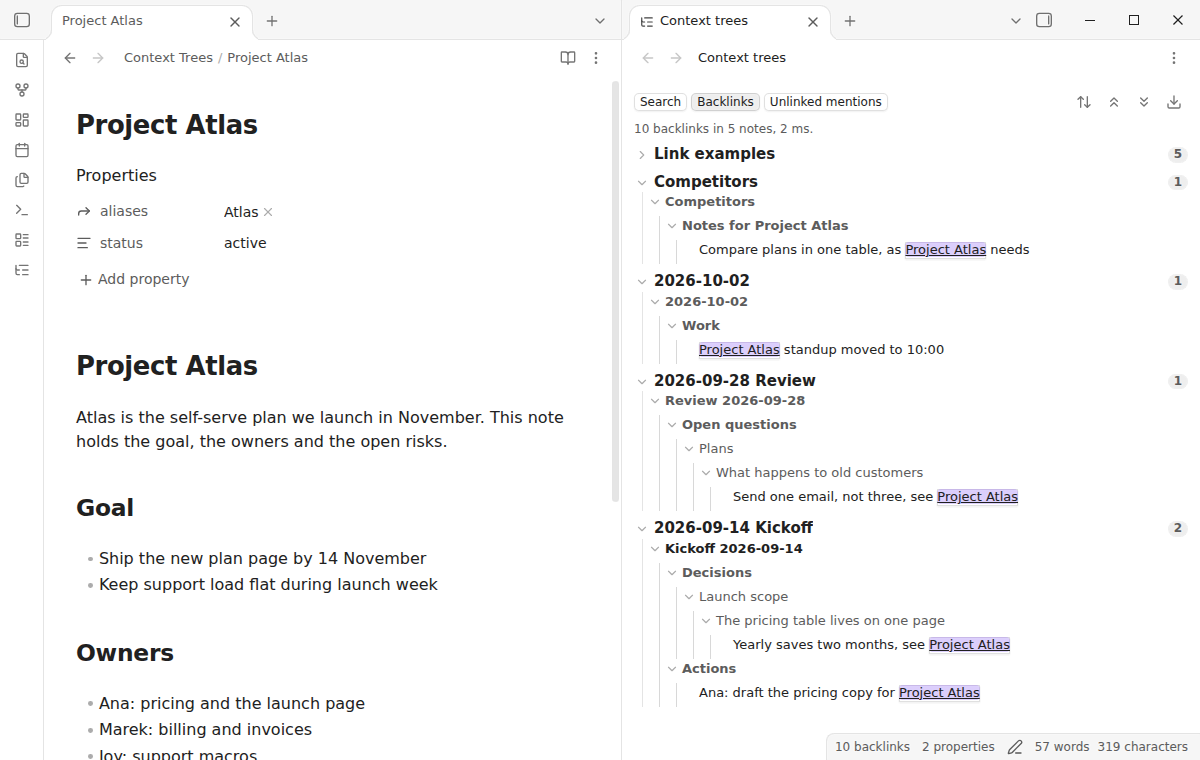
Hits that share a parent show that parent once, so a note with five matches reads as one small outline. The view opens in the right sidebar and doesn't change the core panes. Search, backlinks, unlinked mentions, sorting, folding and open at the line are free.
 Play demo
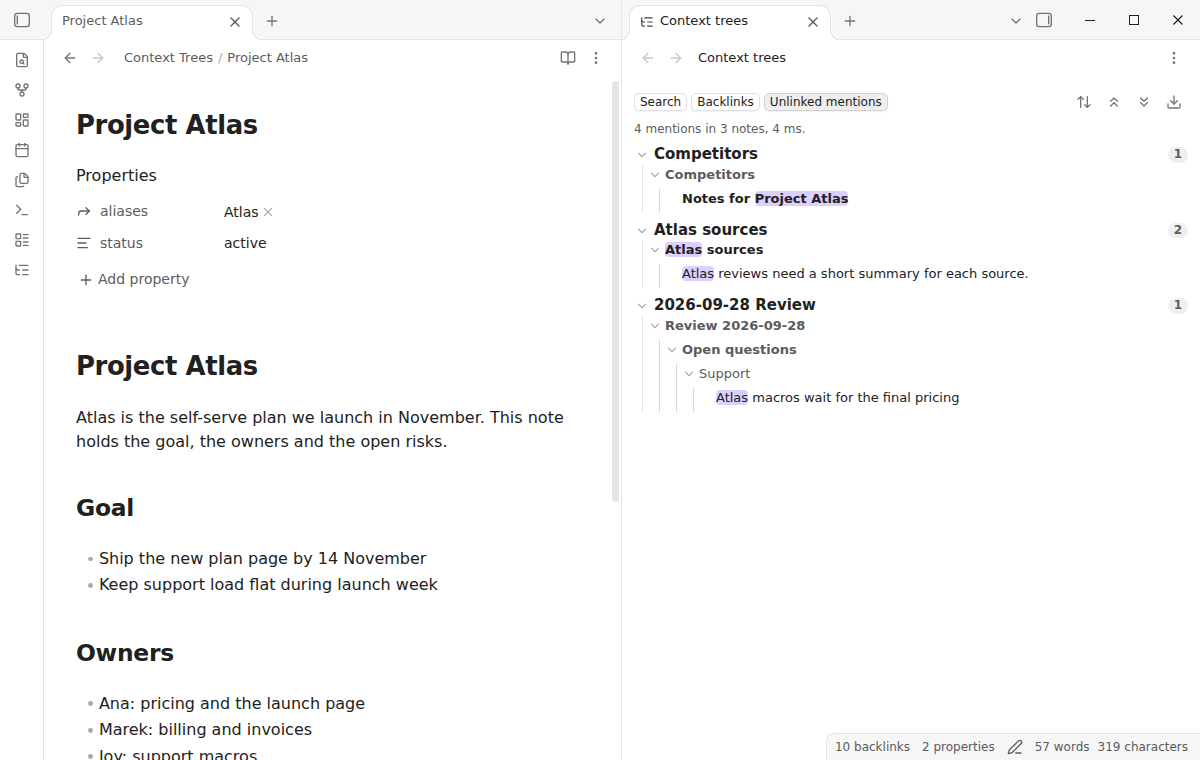
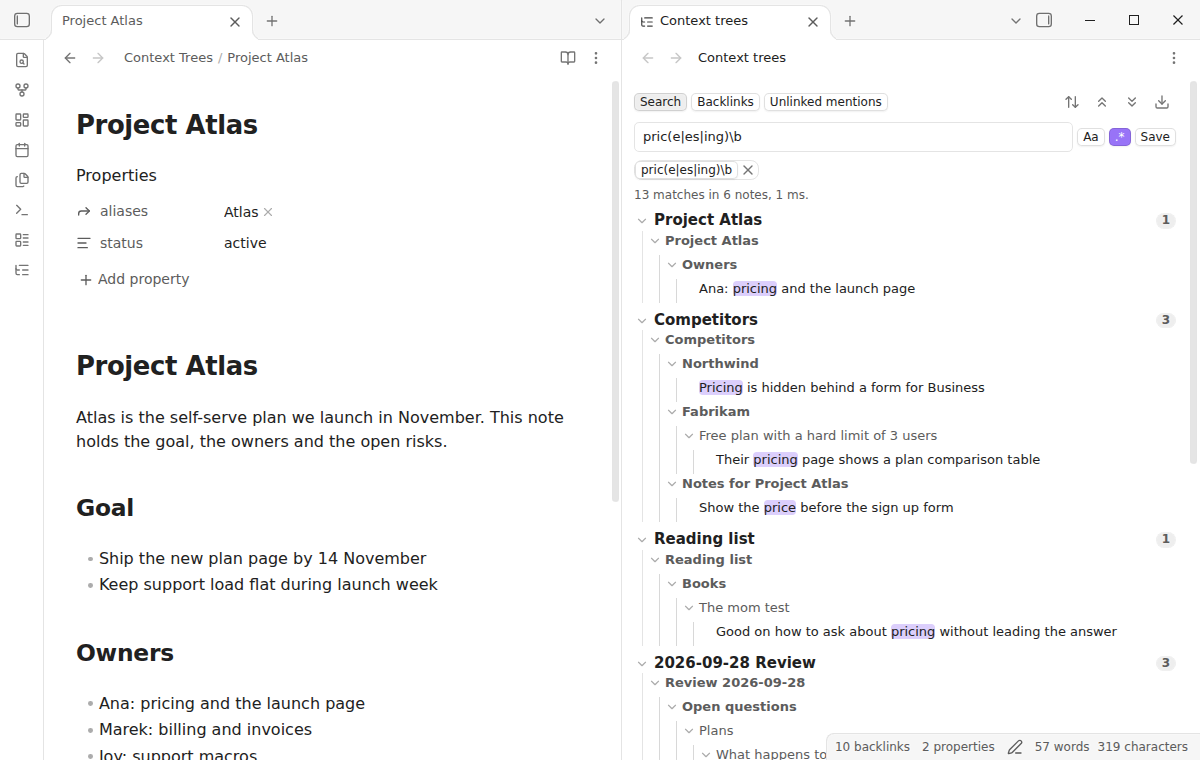
Type a word or a quoted phrase, and the view lists each note that has each word on one line. Each note shows a tree with the headings above the match, then the parent list items, then the line with the hit marked. Two matches in the same list share the parents above them.
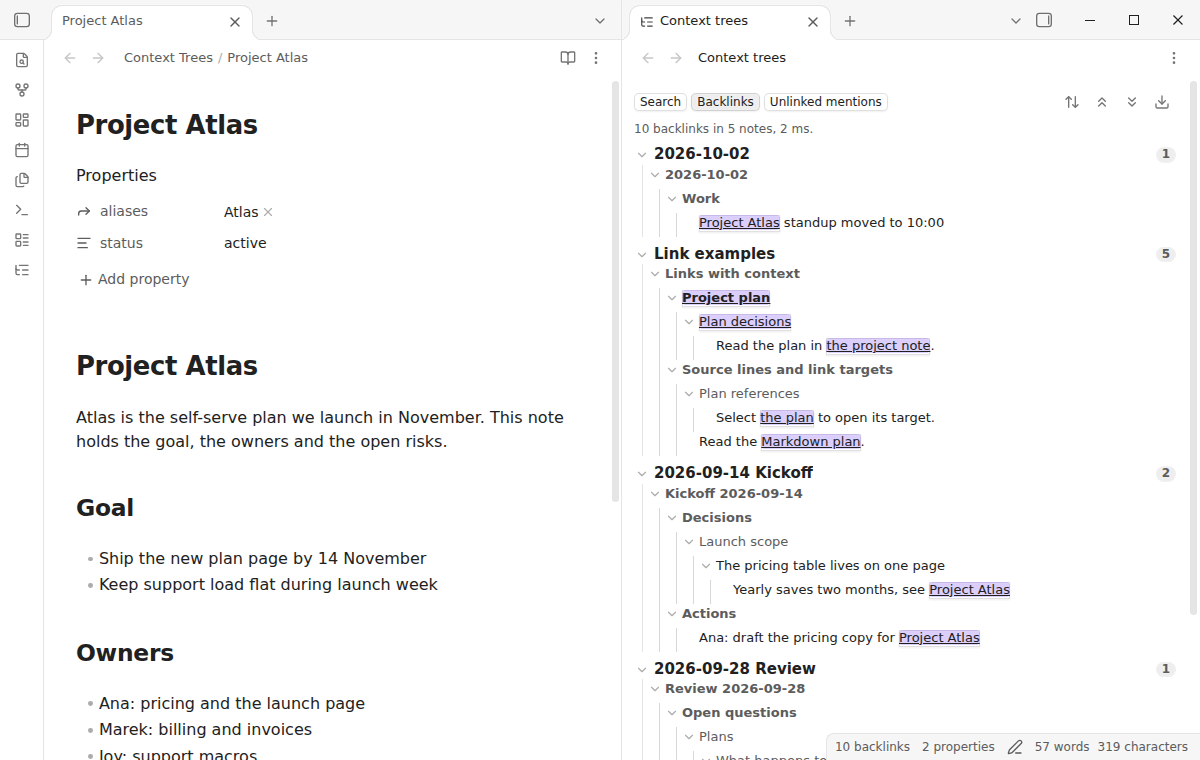
Open the Backlinks tab to see the notes that link to the open note. Each linking line comes with its heading path and its parent items, so you see why a note links here. The view follows the open note, and embeds count as links.
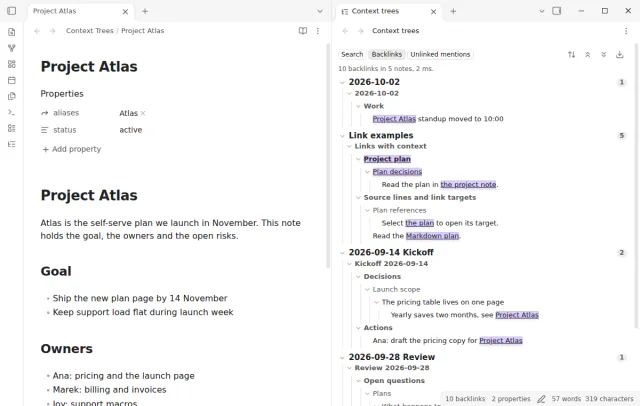
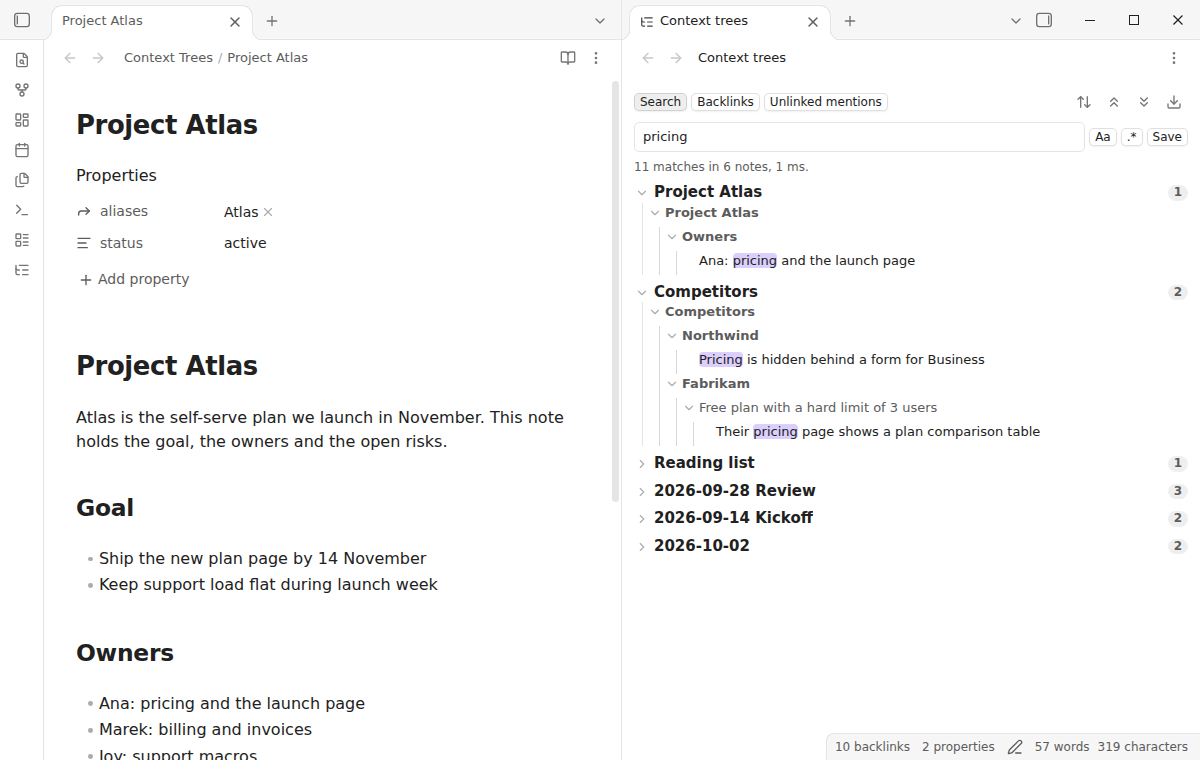
Select the arrow of a note or of a branch to fold it, or use the two buttons above the results for everything. Select a line to open its note with the cursor on that line. Hold Ctrl, or Cmd on macOS, to open it in a new tab.
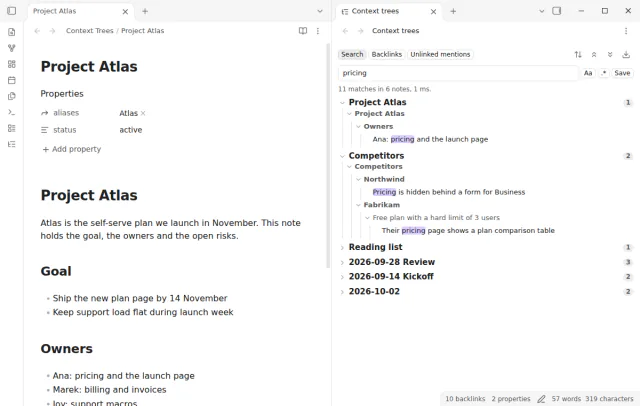
The Aa switch makes the search match case. Three commands open the view, put the cursor in the search box, and show the backlinks of the current note. The settings set the search delay, the notes per page, and whether notes start folded.
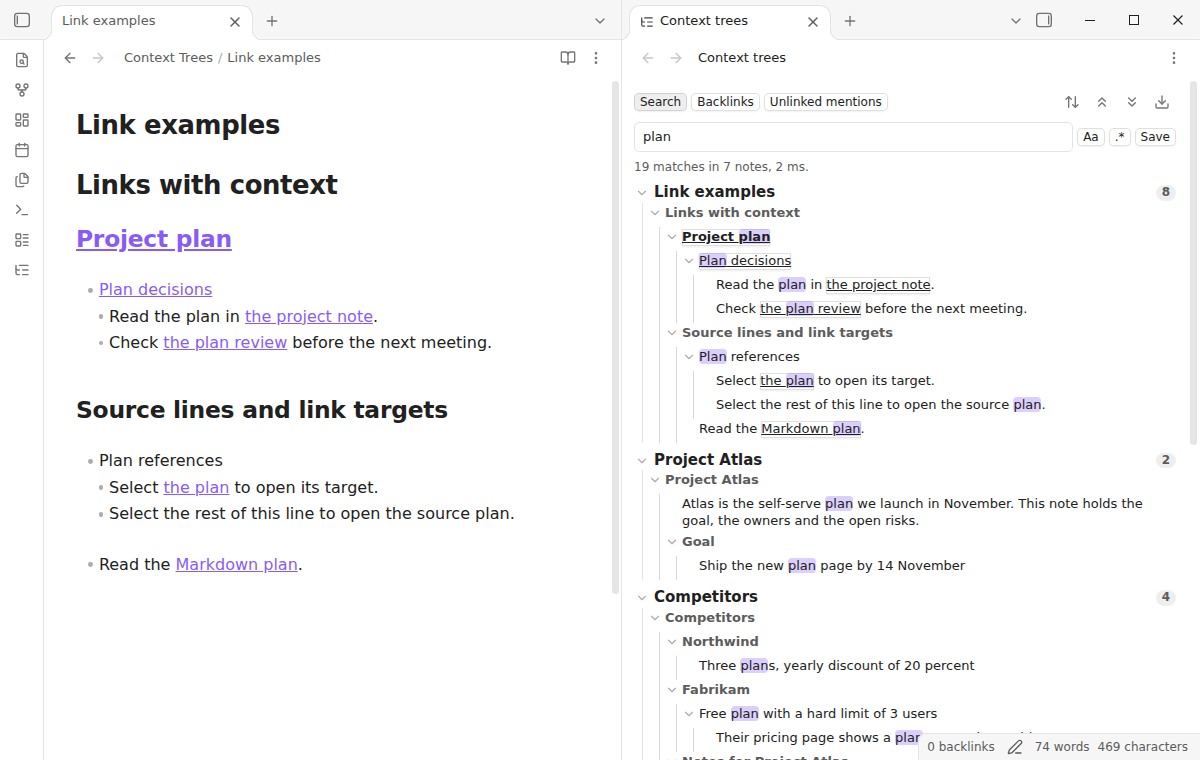
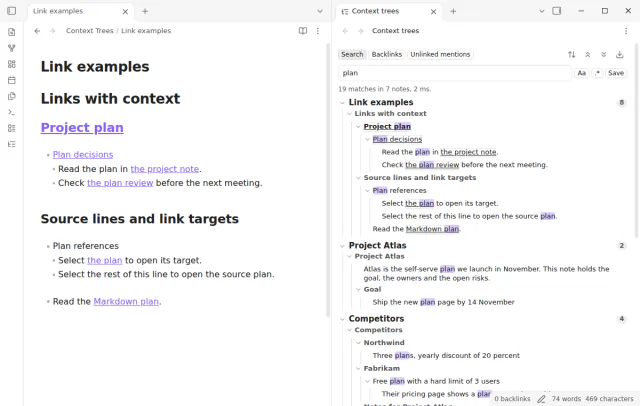
Wikilinks and supported local inline Markdown links show readable labels in results. Select a link to open its target; Ctrl or Cmd opens another tab. External URLs, embeds, code and unsupported link forms stay as text.
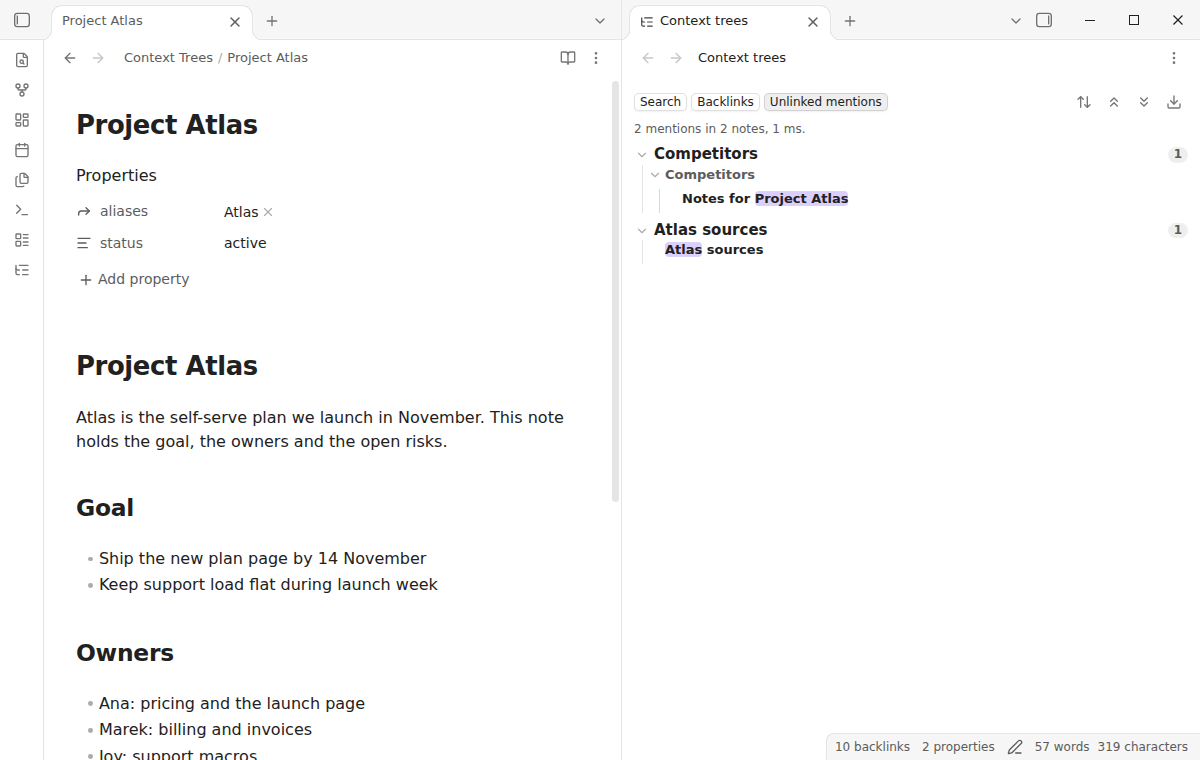
The Unlinked mentions tab lists notes that name the open note, or an alias, as a whole word with no link. A name does not count inside a link, an embed, a URL or a tag. It also does not count in code, a comment, inline math or a footnote reference, and each mention shows its context tree.
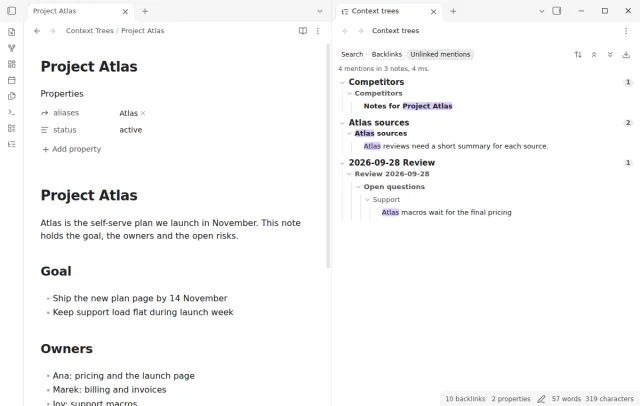
Put a word or phrase on each line of Ignored terms, and a mention inside it does not count. Notes in Ignored folders are not searched. A note can opt out with the property context-trees-mentions, set to false, source or target.
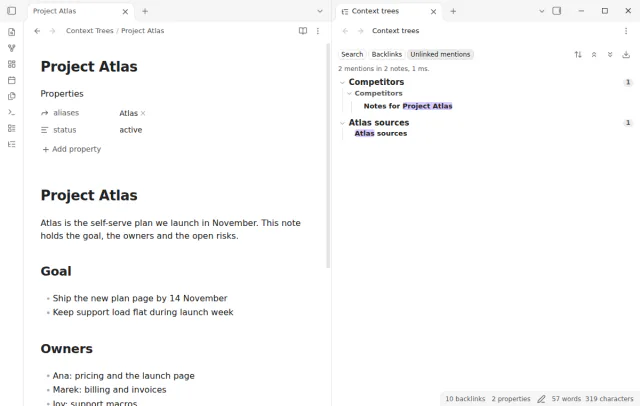
The sort button orders notes by name or by modified time, in either direction. Set Remember the view state to For all notes to keep the tab, query, sort and folds across notes and restarts. The default, Off, works as in version 1.3.0.
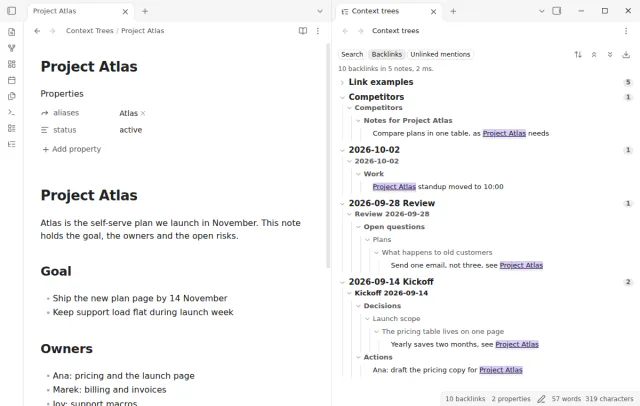
Search, backlinks, unlinked mentions, readable links, sorting, folding and a remembered view state for all notes are free.
Pro costs $5 a month or $15 one time through GitHub Sponsors.
Switch on the regular expression button to test each line against a pattern, and a bad pattern shows an error. Select Save to keep a query and its switches as a chip above the results, up to 50 chips. Select a chip to run it again, or its cross to delete it.
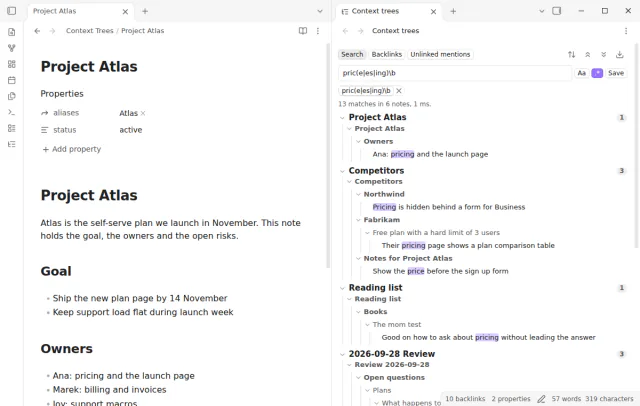
With Pro, set Remember the view state to For each note to keep a separate state for each note. The plugin keeps up to 300 notes, and the oldest ones go first.
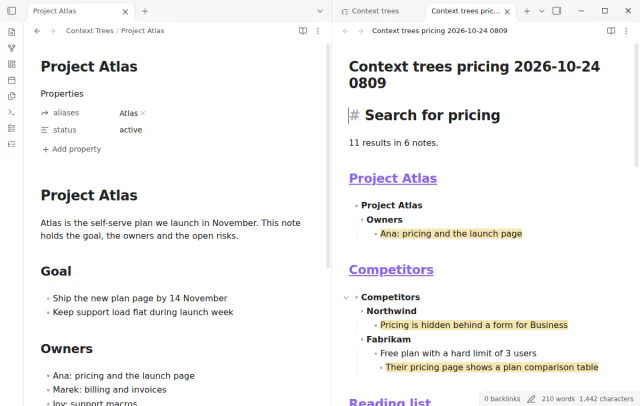
The download button, or the command Export the results as a note, writes the current results to a new Markdown note. Each result note is a heading with a link, and its tree follows as a nested list. The matching lines are highlighted with ==.
$15 once. Pro tools in 134 NoteMods plugins with one GitHub sponsorship. Nothing renews.
Pro turns on right after payment. Select Sign in with GitHub in the settings of each plugin you use. Free features stay free.
Secure checkout by GitHub Sponsors - needs a GitHub login.
17 of 50 founding licenses sold.
The price is set on the 1st of each month. It goes up only after a tier is full. Until then it stays $15. The next price review is on 1 December 2026.
A price change does not change a license that you paid for. The $5 a month option stays.
One sponsorship turns on the Pro features in 134 NoteMods plugins. Free features stay free.
$15 one time: Pro stays on, nothing renews. $5 a month: Pro is on while you sponsor, and stays on after you have paid $15 in total. You pay on GitHub (a GitHub login is needed), then select Sign in with GitHub in the plugin settings. All sponsor tiers
needs
steps
Install Context Trees from Community plugins and enable it.
Select the tree icon in the ribbon, or run the command Open the side view. The view opens in the right sidebar.
Type in the search box and wait a moment, or press Enter.
Select Backlinks to see the links to the open note, or Unlinked mentions to see the plain text mentions of it.
Run the command Search the vault to open the view with the cursor in the search box.
If the app can't find a new plugin yet, try again later. Obsidian says a plugin that passes the review shows in the app within 24 hours.
A forum request from October 2022 asks Backlinks and Search to show parent list items and heading breadcrumbs, and it has 78 likes. Better Search Views does this inside the core panes, has about 50,000 downloads, and had its last release in December 2024.
How to show the headings and parent list items of search results and backlinks in Obsidian
path: and tag:, is not available in Context Trees. Context Trees searches the text of each line.price finds prices and repricing.path: and tag: don't work here.Need a change for your team? I build custom Obsidian plugins and features.
The core Search pane shows the matching text and, with Show more context, more text around it. Context Trees adds a side view where each match sits under its headings and parent list items. Select a line there to open the note at that line.
No. It only reads notes, and Export creates a new note. The core Search and Backlinks panes work as before, because Context Trees is a separate view.
Add the property context-trees-mentions to the note. The value false opts it out both ways, source means its text is not searched, and target means mentions of it are hidden. You can also add Ignored folders and Ignored terms in the settings.
The end-to-end test builds a vault of 2,000 short notes and fails if the first results take 1 second or more. The view reads notes in batches of 48 and draws the matching notes after each batch, until the first page is full. The unlinked mention scan of those notes must stop for the editor within 50 ms, and the test fails at 100 ms. Times on your vault depend on its size and on your device.
The directory lists it for desktop and mobile, and the plugin isn't marked desktop only. The end-to-end tests run on the desktop app only. Report a phone problem in the GitHub issues of the plugin.
Context Trees makes no network requests until you select Sign in with GitHub in the settings. After sign in, it reuses a successful sponsorship check for 7 days and retries a failed check after 6 hours. It sends no note content, file names or other vault data, and it has no telemetry.
Tell me what is broken in Context Trees, or what it should do next.
Context Trees 1.4.4, MIT license
MIT · no telemetry · core features free
Find notes by date and links, with a preview for each result.
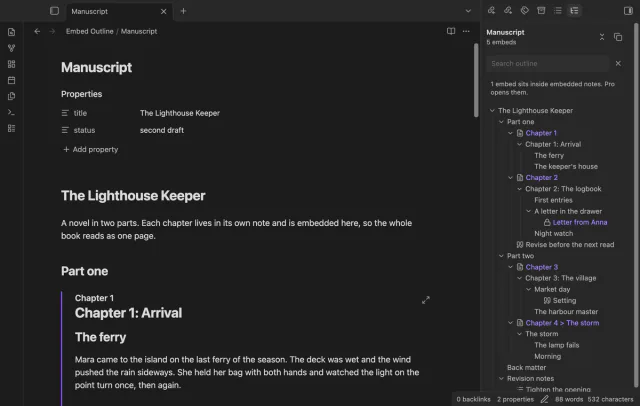
See headings from embedded notes in one outline.
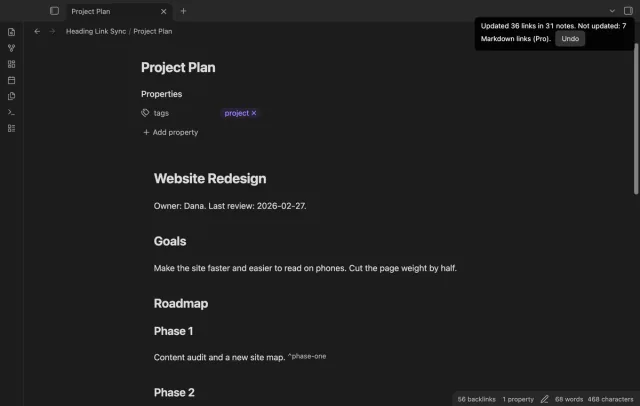
Update heading links and embeds when you edit a heading.
Pro adds "View state for each note"Pro for all 134 plugins, $15 one time
Get Pro