Agent Context Diff · Obsidian plugin documentation
Agent Context Diff documentation
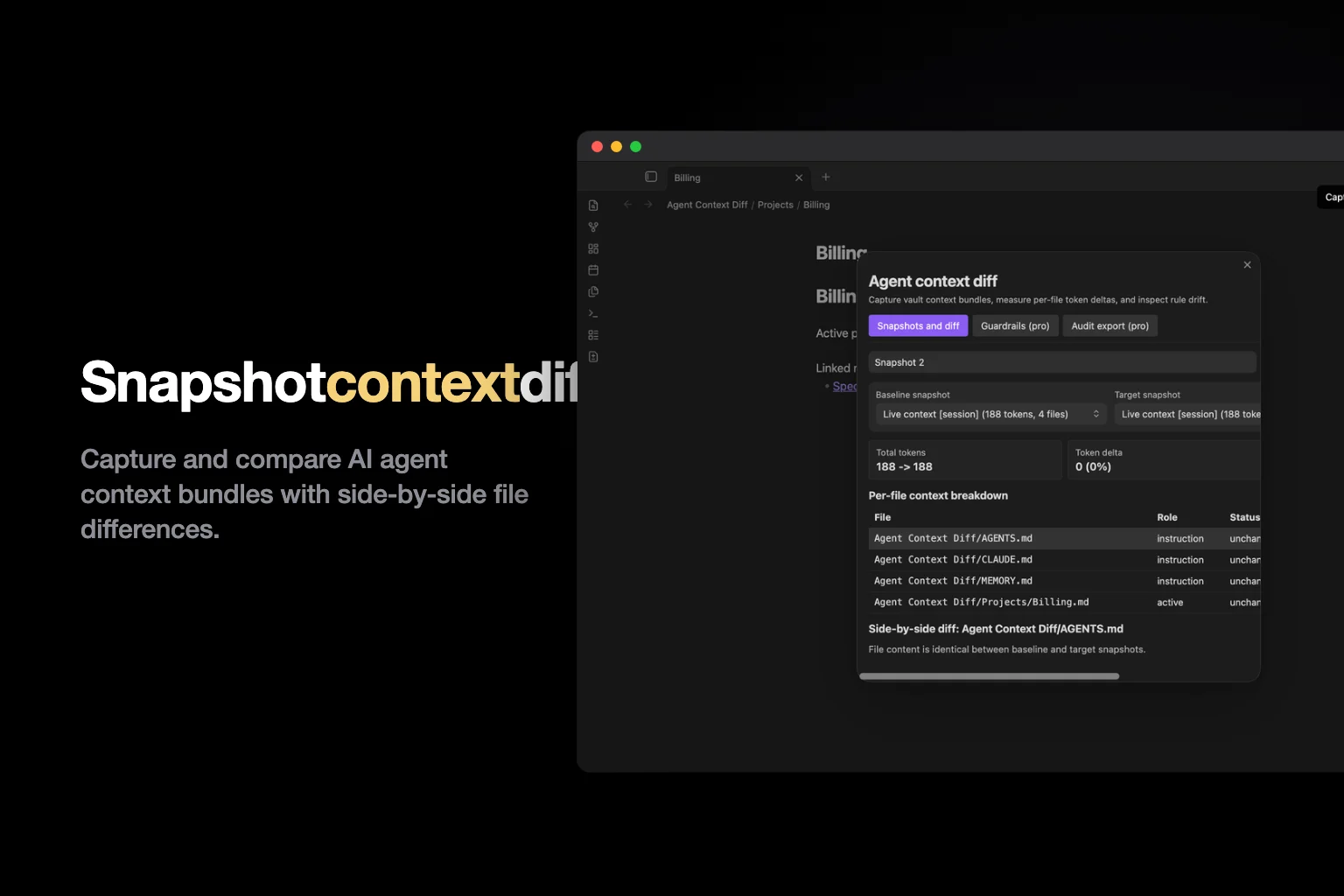
Agent Context Diff is a local context snapshot and diff workbench for Obsidian. It assembles the effective vault context bundle of an AI agent (CLAUDE.md, AGENTS.md, MEMORY.md, the active note, and 1-hop linked notes), computes deterministic per-file token counts, compares any two snapshots side-by-side to spot added or removed files, token bloat deltas, and line-level rule drift, and copies a Markdown diff summary in one click.
Version 1.0.0. Requires Obsidian 1.13.4 or later. Works on desktop and mobile.
1 Installation
- Open Settings, then Community plugins in Obsidian.
- Search for Agent Context Diff.
- Select Install, then Enable.
2 Getting started
- Open a project note in your vault (for example
Projects/Billing.md). - Run Agent Context Diff: Open context diff modal from the command palette, or select the diff ribbon icon.
- Enter a snapshot name and select Capture snapshot before editing your instruction files or linked notes.
- Make your edits, then select Capture snapshot again to compare Baseline and Target side-by-side.
- Select any file row to inspect its line-by-line diff, or select Copy diff summary to paste the delta table into a pull request or agent log.
3 Features
Context bundle snapshot and side-by-side diff (Free)
Open any project note and run the Open context diff modal command (or select the diff ribbon icon). Agent Context Diff collects three groups of files:
- Instruction files:
CLAUDE.md,AGENTS.md, andMEMORY.mdat the vault root and along the active note's ancestor folders (configurable in Settings). - Active note: the currently open Markdown file.
- 1-hop linked context files: Markdown notes referenced from the active note via
[[wikilinks]]or standard Markdown links, excluding code blocks and external URLs.
Capture named session snapshots before and after edits, then pick any Baseline and Target snapshot to inspect:
- Total token delta and percentage change across the bundle.
- Per-file status (
added,removed,modified,unchanged) and per-file token deltas. - Side-by-side line-level LCS diff with 1-based line numbers for any selected file.
- Copy diff summary: copies a Markdown table and drift summary to your clipboard in one click.
Multi-profile history, guardrails, and audit exports (Pro)
Upgrade to Pro to keep persistent, automated guardrails inside your vault:
- Multi-profile vault snapshot history: save named snapshots as clean, round-trippable Markdown notes under
<snapshotsFolder>/<profile>/(for exampleclaude-code,cursor,codex) with CRLF and LF line-ending preservation. - Automated token-budget regression alerts: flag any target bundle that crosses your configured token ceiling or grows by more than your configured percentage threshold.
- Dropped
#agent-ruledetector: scan baseline and target snapshots for critical#agent-ruleheadings (inline or on the line under a heading) and alert whenever a rule heading is deleted or its file is removed from the bundle. - Markdown and JSON audit export: write complete audit reports (per-file token deltas, budget alerts, dropped rules, and line hunks) directly into your vault.
4 Commands
Open the command palette and type the plugin name to see these commands. You can give each one a hotkey in Settings, Hotkeys.
| Command | Command id |
|---|---|
| Open context diff modal | agent-context-diff:open-context-diff |
| Capture context snapshot for current note | agent-context-diff:capture-context-snapshot |
| Save context snapshot to vault history | agent-context-diff:save-vault-snapshot |
| Inspect token budget and dropped rule guardrails | agent-context-diff:open-context-guardrails |
| Export context diff audit report | agent-context-diff:open-audit-export |
| See what pro adds | agent-context-diff:open-what-pro |
5 Settings
| Setting | Tier | Default | Purpose |
|---|---|---|---|
| Instruction files | Free | CLAUDE.md, AGENTS.md, MEMORY.md |
Comma-separated instruction file names included from vault root and ancestor folders. |
| Include 1-hop linked notes | Free | On | Resolve [[wikilinks]] and Markdown links from the active note. |
| Maximum linked files | Free | 25 |
Cap on 1-hop linked files per snapshot (0 to 200). |
| Default snapshot profile | Pro | default |
Profile subfolder used when saving snapshots to your vault. |
| Snapshots folder | Pro | Agent-Context-Snapshots |
Vault folder for multi-profile snapshot history. |
| Audit export folder | Pro | Agent-Context-Audits |
Vault folder for Markdown and JSON audit reports. |
| Token budget ceiling | Pro | 16000 |
Alert when target bundle tokens exceed this ceiling (0 disables). |
| Maximum token growth percent | Pro | 15 |
Alert when target bundle grows more than this percent (0 disables). |
| Critical rule heading tag | Pro | #agent-rule |
Tag tracked by the dropped-rule detector. |
6 Privacy, payment and network
The core features are free. Pro features need a GitHub Sponsors sponsorship of theluckystrike: $5 a month or more, or $15 once. A total payment of $15 meets the payment requirement for Pro without further payment. Sign-in and the checks below still apply. Your notes stay readable and editable with or without Pro.
GitHub handles the payment. Sponsor at https://github.com/sponsors/theluckystrike. You need no account for the free features. Pro needs the GitHub account that sponsors.
Until you select "Sign in with GitHub" in the settings, Agent Context Diff makes no network requests. Sign in uses the GitHub device flow. Agent Context Diff sends its public client ID and the scope read:user to https://github.com/login/device/code and shows you a code. While you enter the code at https://github.com/login/device, it asks https://github.com/login/oauth/access_token every few seconds to check the sign-in status. The scope permits profile reads only. GitHub needs this access to show the sponsorship tier. It grants no repository scope and no write access.
After sign in, Agent Context Diff sends one query to https://api.github.com/graphql. It checks if the signed-in account sponsors theluckystrike. It asks for the tier and the total payment to theluckystrike. The plugin reuses a successful check for 7 days. Failed checks can retry after 6 hours. Select Refresh to request an earlier check. It sends no note content, file names or other vault data, and it has no telemetry.
After a successful check, Pro can work offline for up to 14 days. Sign out or a negative sponsorship answer turns Pro off. The plugin stores the GitHub token through the secret storage API of Obsidian. It does not put the token in its saved settings or its local sponsorship data. The local storage of this device keeps your GitHub login, the tier and the time of the last check. Sign out clears the token. You can also revoke the access in your GitHub settings, under Applications.
7 Questions and answers
Does Agent Context Diff send my notes to an AI API?
No. All bundle assembly, token estimation, LCS line diffs, guardrail checks, and audit exports run locally in pure TypeScript with zero network requests.
How does the dropped-rule detector find critical rules?
Add #agent-rule (or your configured tag) to any Markdown heading line (for example ## Never expose secrets #agent-rule) or on the line directly below the heading. Code fences are ignored.
Does it work on Obsidian mobile?
Yes. isDesktopOnly is false and the plugin uses standard Obsidian modals and vault APIs.
8 Support
Report bugs or request features in the GitHub repository issue tracker. Include your Obsidian version, plugin version, and a minimal sample Markdown file with any secrets removed.