Agent Memory Graph · Obsidian plugin documentation
Agent Memory Graph documentation
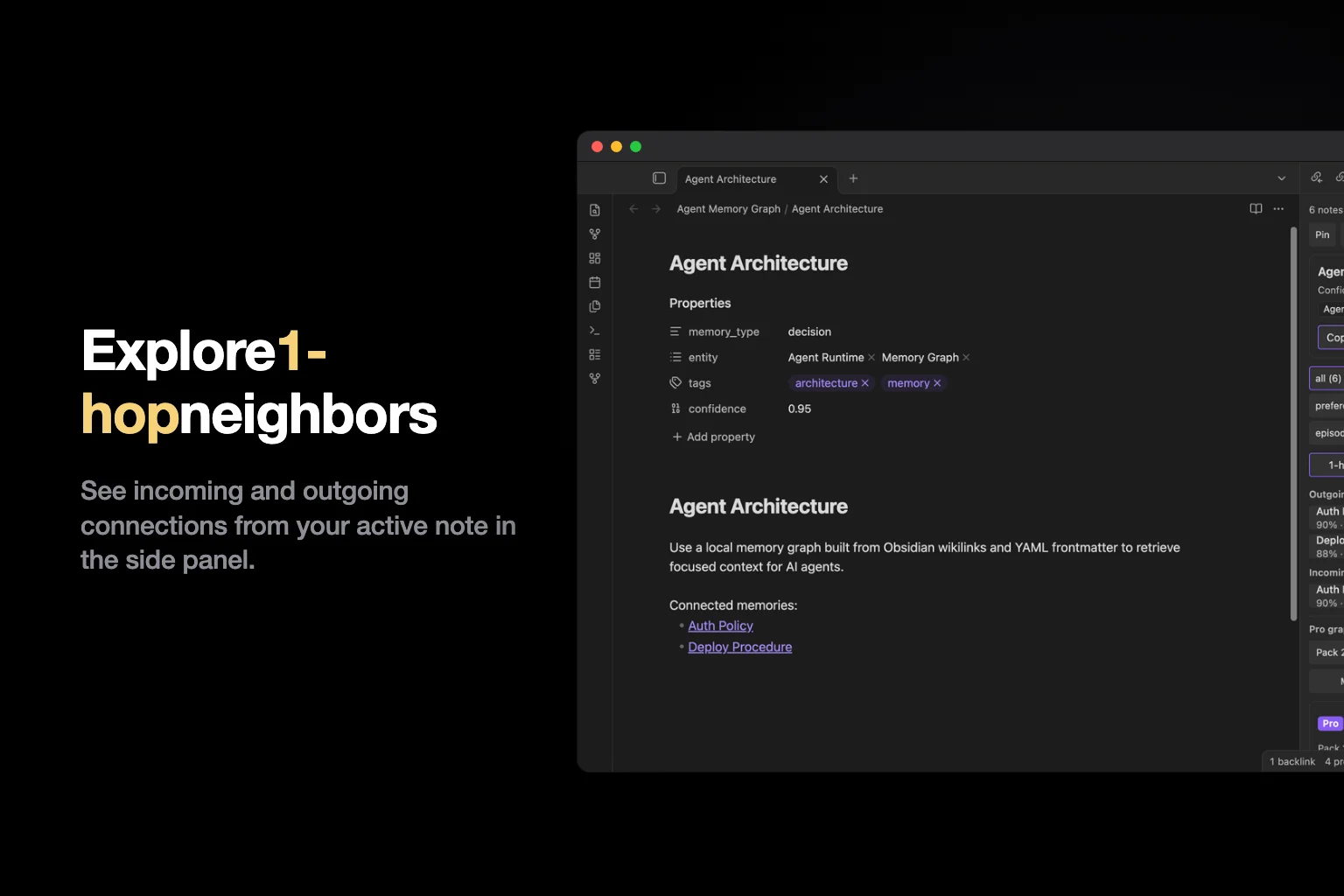
Agent Memory Graph builds a local entity and memory knowledge graph from your Obsidian wikilinks and YAML frontmatter (memory_type, entity, tags, and confidence). It opens a side panel where you can inspect any note's 1-hop neighborhood, filter by memory type, find orphan memories and dense hub entities, and copy 1-hop entity context for AI agents in one click.
Version 1.0.0. Requires Obsidian 1.13.4 or later. Works on desktop and mobile.
1 Installation
- Open Obsidian Settings, then open Community plugins and select Browse.
- Search for Agent Memory Graph and select Install.
- Select Enable to turn on the plugin.
- For manual installation, copy
main.js,manifest.json, andstyles.cssfrom the latest GitHub release into<vault>/.obsidian/plugins/agent-memory-graph/, then reload Obsidian and enable the plugin.
2 Getting started
Add optional YAML frontmatter to memory notes:
---
memory_type: decision
entity: [Agent Runtime, Memory Graph]
tags: [architecture]
confidence: 0.95
---
- Select the git-fork icon in the left ribbon or run
Open memory graph side panelfrom the command palette. - Inspect the active note's incoming and outgoing 1-hop neighbors, or select a
memory_typefilter pill. - Switch to
Hubsto view dense hub entities orOrphansto view isolated memories. - Select
Copy 1-hop entity context(or runCopy 1-hop entity context for active note) to copy clean Markdown for an AI agent. - With Pro active, run
Pack 2-to-3-hop token-budgeted subgraph (Pro),Analyze memory clusters and bridge notes (Pro),Generate missing-link suggestion report (Pro), orExport active subgraph to Obsidian Canvas (Pro).
3 Features
1-hop entity and memory side panel
Open the Agent Memory Graph side panel from the ribbon or command palette. The panel follows the active Markdown note (or stays pinned to a chosen note) and lists incoming and outgoing 1-hop neighbors with their memory_type, confidence score, and entity pills. Select any neighbor to open it, or select Copy 1-hop entity context to copy a clean Markdown summary for Claude, Codex, Cursor, or another AI agent.
Memory type filters, dense hubs, and orphan memories
Filter your neighborhood, hub ranking, and orphan list by memory_type (fact, decision, preference, procedure, or episodic). Switch to the Hubs tab to see your highest-degree and highest-PageRank memory notes, or switch to the Orphans tab to find isolated notes with zero links that need to be connected.
Multi-hop token-budgeted packing, clusters, missing links, and Canvas export (Pro)
Pro adds four offline graph tools for larger AI memory vaults: a 2-to-3-hop token-budgeted subgraph packer that ranks nodes by PageRank, degree, recency, and confidence and exports Markdown or JSON for MCP/LLM injection; a connected-component cluster and bridge-note analyzer; a missing-link suggestion report; and Obsidian .canvas subgraph export laid out by hop distance and colored by memory_type.
4 Commands
Open the command palette and type the plugin name to see these commands. You can give each one a hotkey in Settings, Hotkeys.
| Command | Command id |
|---|---|
| Open memory graph side panel | agent-memory-graph:open-memory-graph-panel |
| Copy 1-hop entity context for active note | agent-memory-graph:copy-one-hop-context |
| Refresh memory graph index | agent-memory-graph:refresh-memory-graph |
| Pack 2-to-3-hop token-budgeted subgraph (Pro) | agent-memory-graph:pack-subgraph |
| Analyze memory clusters and bridge notes (Pro) | agent-memory-graph:analyze-clusters-bridges |
| Generate missing-link suggestion report (Pro) | agent-memory-graph:missing-link-report |
| Export active subgraph to Obsidian Canvas (Pro) | agent-memory-graph:export-subgraph-canvas |
5 Settings
| Setting | Description | Default |
|---|---|---|
| Excluded folders | Comma-separated vault folders skipped when indexing the memory graph. | Templates, Archive |
| Hub list limit | Maximum number of dense hub entities shown in the side panel. | 12 |
| Default subgraph pack hops | Hop radius (2 or 3) used when packing token-budgeted subgraphs (Pro). | 2 |
| Default token budget | Maximum token budget for exported Markdown or JSON subgraph packs (Pro). | 2000 |
| Default subgraph pack format | Default output format in the subgraph packer modal (Pro). | markdown |
| Canvas export folder | Vault folder where exported Obsidian Canvas subgraph files are saved (Pro). | Memory Canvases |
After an update, Agent Memory Graph opens a What's new tab once to show the release highlights. You can turn this off in Settings.
6 Pro
- Pack 2-to-3-hop subgraphs within a token budget ranked by PageRank, degree, recency, and confidence as Markdown or JSON.
- Analyze connected-component memory clusters and bridge notes that link separate knowledge areas.
- Generate a missing-link suggestion report from shared entities, unlinked note mentions, and common neighbors.
- Export the active note subgraph to an Obsidian Canvas file laid out by hop distance and colored by memory type.
Sponsor $5 a month, or $15 once. When you have paid $15 in total, Pro stays on.
7 Privacy, payment and network
The core features are free. Pro features need a GitHub Sponsors sponsorship of theluckystrike: $5 a month or more, or $15 once. A total payment of $15 meets the payment requirement for Pro without further payment. Sign-in and the checks below still apply. Your notes stay readable and editable with or without Pro.
One payment turns on Pro in every NoteMods plugin.
GitHub handles the payment. Sponsor at https://github.com/sponsors/theluckystrike/sponsorships?tier_id=666162&frequency=one-time&metadata_source=agent-memory-graph. You need no account for the free features. Pro needs the GitHub account that sponsors.
Until you select "Sign in with GitHub" in the settings, Agent Memory Graph makes no network requests. Sign in uses the GitHub device flow. Agent Memory Graph sends its public client ID and the scope read:user to https://github.com/login/device/code and shows you a code. While you enter the code at https://github.com/login/device, it asks https://github.com/login/oauth/access_token every few seconds to check the sign-in status. The scope permits profile reads only. GitHub needs this access to show the sponsorship tier. It grants no repository scope and no write access.
After sign in, Agent Memory Graph sends one query to https://api.github.com/graphql. It checks if the signed-in account sponsors theluckystrike. It asks for the tier and the total payment to theluckystrike. The plugin reuses a successful check for 7 days. Failed checks can retry after 6 hours. Select Refresh to request an earlier check. It sends no note content, file names or other vault data, and it has no telemetry.
After a successful check, Pro can work offline for up to 14 days. Sign out or a negative sponsorship answer turns Pro off. The plugin stores the GitHub token through the secret storage API of Obsidian. It does not put the token in its saved settings or its local sponsorship data. The local storage of this device keeps your GitHub login, the tier and the time of the last check. Sign out clears the token. You can also revoke the access in your GitHub settings, under Applications.
8 Questions and answers
Does Agent Memory Graph send my notes to an AI service?
No. All graph indexing, hub and orphan detection, 1-hop context copying, multi-hop subgraph packing, cluster analysis, missing-link reports, and Canvas exports run locally inside Obsidian with zero network requests. Network calls occur only if you choose "Sign in with GitHub" in Settings to check a Pro sponsorship.
Do I have to add YAML frontmatter to every note?
No. Standard Obsidian wikilinks ([[Note]], [[Note|Alias]], [[Note#Heading]], and ![[Embed]]) work without frontmatter. Adding memory_type, entity, tags, and confidence enables memory-type filtering, entity grouping, and confidence-weighted subgraph packing.
Does the plugin modify my Markdown notes?
No. Agent Memory Graph only reads your Markdown files to build its in-memory graph. The only file write is the optional Pro Canvas export, which writes a new .canvas file into your configured export folder.
9 Support
Report bugs or request improvements on GitHub Issues.