Context Secret Scrubber · Obsidian plugin documentation
Context Secret Scrubber documentation
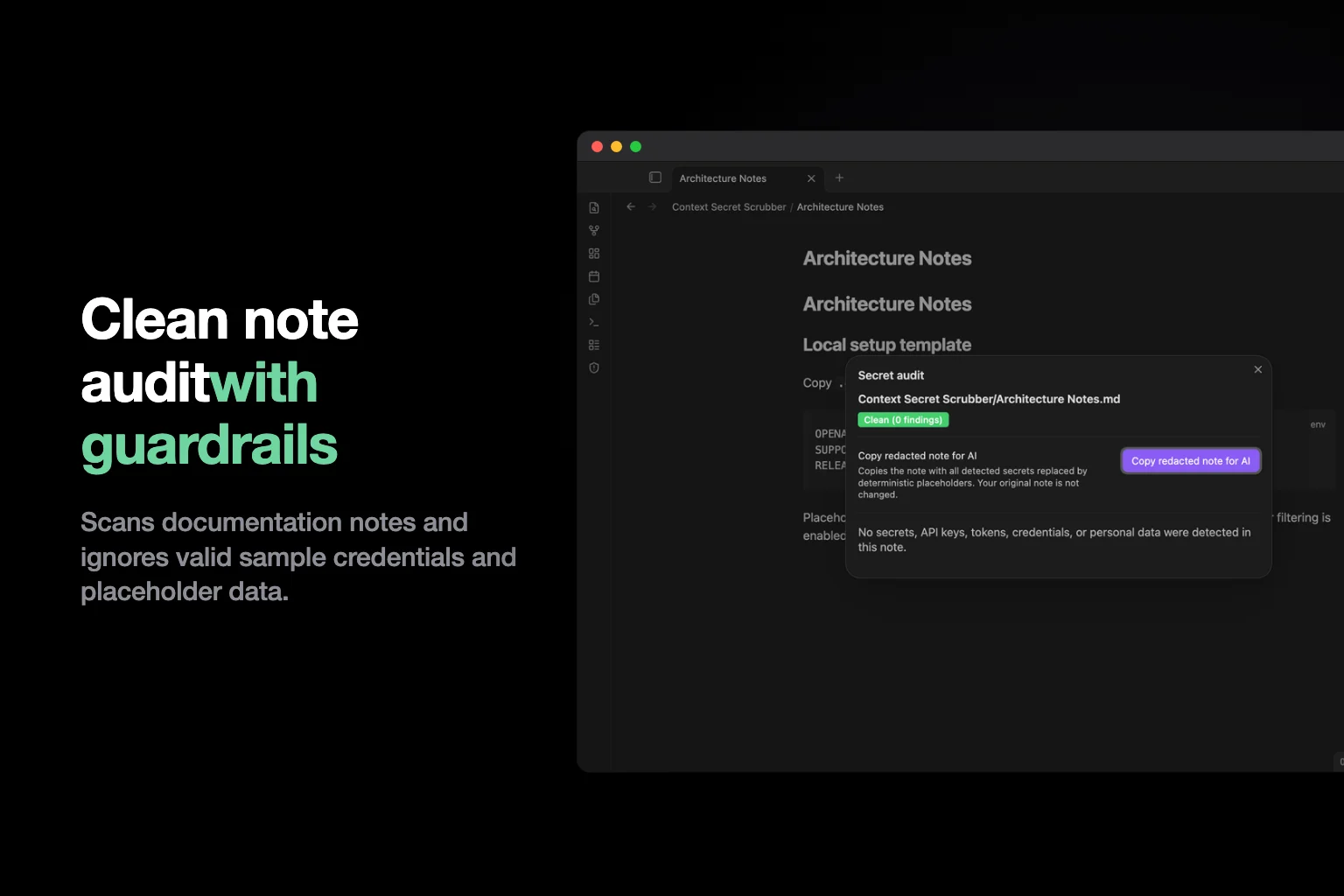
Context Secret Scrubber scans your Obsidian notes for leaked API keys, access tokens, private keys, database connection strings, and personal data before you share context with AI assistants or connect local coding agents to your vault. Scanning runs locally in pure TypeScript with zero external API calls.
Version 1.0.0. Requires Obsidian 1.13.4 or later. Works on desktop and mobile.
1 Installation
- Open Settings in Obsidian and go to Community plugins.
- Turn off Restricted mode if enabled.
- Select Browse, search for Context Secret Scrubber, and select Install.
- Select Enable to turn on the plugin.
2 Getting started
- Open any Markdown note containing configuration snippets, logs, or contact details.
- Run "Context Secret Scrubber: Scan active note for secrets" or select the shield icon in the ribbon.
- Review findings, severity levels, contexts, and masked previews in the Secret audit modal, or select a line badge to jump to that line.
- Select "Copy redacted note for AI" to copy scrubbed text to your clipboard while leaving the original note untouched.
- With Pro active, run "Audit entire vault for secrets (pro)" or "Sync sanitized mirror folder (pro)" to generate a safe read-only folder for local MCP and CLI agents.
3 Features
Active note secret audit and one-click redacted copy
Run "Scan active note for secrets" from the command palette or select the shield icon in the left ribbon. The scanner checks your active note against 45 built-in patterns covering OpenAI, Anthropic, Google Gemini, Hugging Face, Replicate, Groq, Perplexity, xAI, AWS, Azure Storage, DigitalOcean, Supabase, Fly.io, PlanetScale, GitHub, GitLab, npm, PyPI, Docker Hub, Linear, Figma, Postman, Sentry, Stripe, Slack, Discord, Telegram, SendGrid, Resend, Shopify, Twilio, JSON Web Tokens, Bearer headers, PEM and OpenSSH private keys, PostgreSQL, MongoDB, MySQL, Redis, AMQP URLs, email addresses, formatted phone numbers, Luhn-validated credit cards, and US Social Security numbers.
The Secret audit modal displays severity summary badges (high, medium, and low), lists findings in line order, and tags whether each match sits in YAML frontmatter, a fenced code block, or prose. Each row shows a masked preview such as sk-pr••••5c4d instead of the full credential. Select any line number badge to jump to that line in the editor.
Select "Copy redacted note for AI" inside the modal or run the "Copy redacted note for AI" command directly. Context Secret Scrubber replaces every detected secret in memory with a deterministic template token such as [REDACTED:OPENAI_KEY] or [REDACTED:AWS_KEY] and writes the scrubbed text to your clipboard without modifying the original note. In numbered mode, repeated values share one index (such as [REDACTED:OPENAI_KEY_1]).
False-positive protection for documentation notes
Technical notes often include sample configs, dates, and template token credentials. Built-in guards keep clean documentation quiet. Credit cards require a valid Luhn checksum and reject repeated digits. US Social Security numbers enforce valid area, group, and serial ranges. Phone matching ignores ISO dates like 2026-11-27. When template token filtering is on, values such as YOUR_API_KEY, REPLACE_ME, repeated zeros, and example.com emails are skipped.
Vault-wide exposure audit and sanitized mirror folder (Pro)
Pro adds "Audit entire vault for secrets (pro)" to scan Markdown, JSON, YAML, and plain text files across your vault while skipping excluded folders and the mirror folder. The modal ranks exposed files by finding count, opens any file at its first finding, and exports a Markdown audit report containing masked previews only.
For local coding agents such as Claude Code, Cursor, Codex, or MCP servers, Pro maintains a sanitized mirror folder (.agent-safe/ by default) with redacted copies of chosen source folders while leaving original notes untouched. Run "Sync sanitized mirror folder (pro)" manually or enable automatic sync on file create, modify, rename, and delete events.
Custom regex rules, allowlists, and interactive demos (Pro)
Pro adds custom regex redaction rules (TOKEN=REGEX format, one per line) with safety checks that skip invalid syntax, empty-matching patterns, and nested-quantifier patterns. Pro also adds an allowlist supporting exact values and trailing wildcard prefixes (such as support [at] company.io or AKIA1234*), plus a live status-bar counter showing the secret count of the active note. Open "What pro adds" in Settings to preview these features on sample data before sponsoring.
4 Commands
Open the command palette and type the plugin name to see these commands. You can give each one a hotkey in Settings, Hotkeys.
| Command | Command id |
|---|---|
| Scan active note for secrets | context-secret-scrubber:scan-active-note |
| Copy redacted note for AI | context-secret-scrubber:copy-redacted-note |
| Audit entire vault for secrets (pro) | context-secret-scrubber:audit-vault |
| Sync sanitized mirror folder (pro) | context-secret-scrubber:sync-agent-safe-mirror |
| See what pro adds | context-secret-scrubber:open-what-pro |
5 Settings
Open Settings and select Context Secret Scrubber to configure rules, redaction style, and Pro features.
| Setting | Tier | Default | Description |
|---|---|---|---|
| Scan API keys and tokens | Free | On | Detect 35+ AI, cloud, VCS, payment, messaging, and auth token formats. |
| Scan credentials and private keys | Free | On | Detect PEM and SSH private keys, database URLs, and env secret assignments. |
| Scan email addresses | Free | On | Detect email addresses while ignoring example domains when template token filtering is on. |
| Scan phone numbers | Free | On | Detect formatted North American and international phone numbers. |
| Scan credit cards and US SSNs | Free | On | Detect Luhn-valid payment cards and valid US Social Security numbers. |
| Ignore template token values | Free | On | Skip common documentation template tokens and example addresses. |
| Redaction template token style | Free | [REDACTED:TYPE] |
Switch between fixed type tags and indexed tags ([REDACTED:TYPE_1]). |
| Show live status-bar warning badge | Pro | On | Display the secret count for the active note in the status bar. |
| Sanitized mirror folder | Pro | .agent-safe |
Destination folder for redacted copies used by external agents. |
| Mirror source folders | Pro | Empty | Comma-separated folders to mirror; empty mirrors all scannable files. |
| Excluded folders | Pro | Empty | Comma-separated folders skipped during vault audits and mirror sync. |
| Auto-sync mirror on file changes | Pro | Off | Keep the sanitized mirror up to date as notes change. |
| Custom regex redaction rules | Pro | Empty | One TOKEN=REGEX rule per line for internal IDs or domain secrets. |
| Allowlist | Pro | Empty | Exact strings or prefix* entries to ignore during scans. |
6 Privacy, payment and network
The core features are free. Pro features need a GitHub Sponsors sponsorship of theluckystrike: $5 a month or more, or $15 once. A total payment of $15 meets the payment requirement for Pro without further payment. Sign-in and the checks below still apply. Your notes stay readable and editable with or without Pro.
GitHub handles the payment. Sponsor at https://github.com/sponsors/theluckystrike. You need no account for the free features. Pro needs the GitHub account that sponsors.
Until you select "Sign in with GitHub" in the settings, Context Secret Scrubber makes no network requests. Sign in uses the GitHub device flow. Context Secret Scrubber sends its public client ID and the scope read:user to https://github.com/login/device/code and shows you a code. While you enter the code at https://github.com/login/device, it asks https://github.com/login/oauth/access_token every few seconds to check the sign-in status. The scope permits profile reads only. GitHub needs this access to show the sponsorship tier. It grants no repository scope and no write access.
After sign in, Context Secret Scrubber sends one query to https://api.github.com/graphql. It checks if the signed-in account sponsors theluckystrike. It asks for the tier and the total payment to theluckystrike. The plugin reuses a successful check for 7 days. Failed checks can retry after 6 hours. Select Refresh to request an earlier check. It sends no note content, file names or other vault data, and it has no telemetry.
After a successful check, Pro can work offline for up to 14 days. Sign out or a negative sponsorship answer turns Pro off. The plugin stores the GitHub token through the secret storage API of Obsidian. It does not put the token in its saved settings or its local sponsorship data. The local storage of this device keeps your GitHub login, the tier and the time of the last check. Sign out clears the token. You can also revoke the access in your GitHub settings, under Applications.
7 Questions and answers
Does Context Secret Scrubber edit my original notes?
No. Scanning and copying redacted notes run only in memory. The Pro mirror writes redacted copies into .agent-safe/ and never modifies original files.
Does the scanner send my notes over the network?
No. Every pattern, validator, custom rule, vault audit, and mirror sync runs locally in TypeScript inside Obsidian.
Why did a fake key in my note not trigger a warning?
When template token filtering is on, the scanner skips markers like YOUR_API_KEY, REPLACE_ME, repeated zeros, invalid Luhn cards, and example.com emails. Turn this setting off in Settings for raw matching.
Can I mount .agent-safe/ in Claude Code or an MCP server?
Yes. Point your read-only MCP server or CLI agent at .agent-safe/ so agents read scrubbed Markdown, JSON, and YAML files instead of raw credentials.
8 Support
Report bugs, false positives, or missing secret patterns on the GitHub issue tracker for this repository. Include a synthetic sample string (never a real credential) so the pattern can be reproduced and tested.