Obsidian has no Clockify feature of its own, and the Clockify apps for phone, desktop and browser track your time without a plugin. The community directory lists one plugin that names Clockify, as of October 2026. It is Mobile Timer for Clockify, which puts the timer inside Obsidian and is tested on desktop only.
Updated · 4 ways compared · 20 sources
Background
A search of the Obsidian forum for Clockify found no post on 11 October 2026. A search of the community directory found one plugin, Mobile Timer for Clockify. So no request numbers exist for this job, and the Clockify apps already cover it outside Obsidian.
Clockify is a time tracker with a free plan, and the App Store names CAKE.com Inc. as the seller of its app. The Clockify API takes a personal API key in the X-Api-Key header. A plugin with that key can start and stop your timer.
4 ways to do it
The Clockify apps for phone, desktop and browser
Clockify lists its own apps for iOS and Android, for Mac, Windows and Linux, and extensions for Chrome, Firefox and Edge. The App Store shows the phone app as free. Its text says you track time with a timer or add hours by hand.
The Clockify page for mobile time tracking says the app tracks time offline and syncs when you are connected again. If you only need to start and stop a Clockify timer, these apps do that and you need no plugin.
limits
You leave Obsidian to use them, and the timer does not show in your notes.
A Clockify plugin from GitHub that the directory does not list
Two plugins for Clockify are on GitHub and not in the community directory. The plugin obsidian-clockify by davojc puts a timer in a clockify-timer code block with a Start and an End button. Its settings take an API token, a workspace name and one optional project name.
Clockify Reports by KrisDowns draws summary and list reports from a clockify code block, and its README names no timer control. Both manifests set isDesktopOnly to false.
limits
You install them by hand, because the directory does not list them. The one release of obsidian-clockify is from January 2023, and Clockify Reports has no release on GitHub.
A local time tracker that keeps the times in the note
If you do not need the times in Clockify, a local tracker keeps them in the note. Super Simple Time Tracker stores each tracker as a code block with JSON data. The directory lists it for desktop and mobile, with 43k downloads and the MIT license.
Timekeep stores its data in a similar way and exports a Markdown table, CSV, JSON or PDF. The directory lists it for desktop and mobile, with 15k downloads.
limits
Neither README names Clockify, so these times stay in your notes and do not reach your Clockify account.
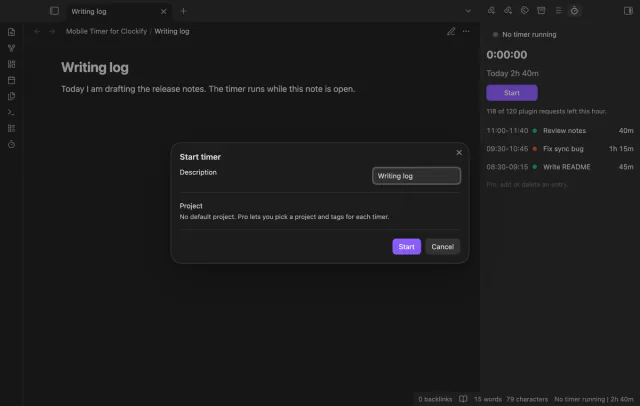
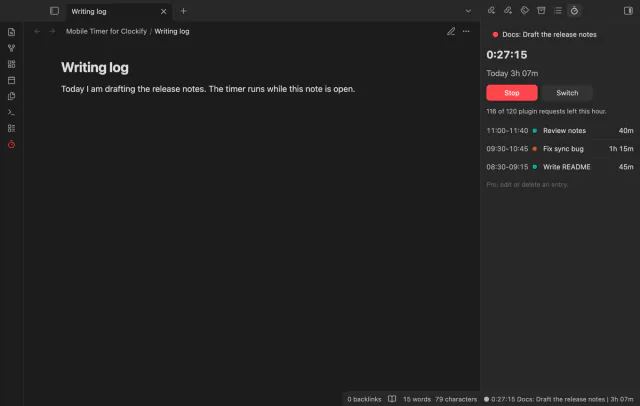
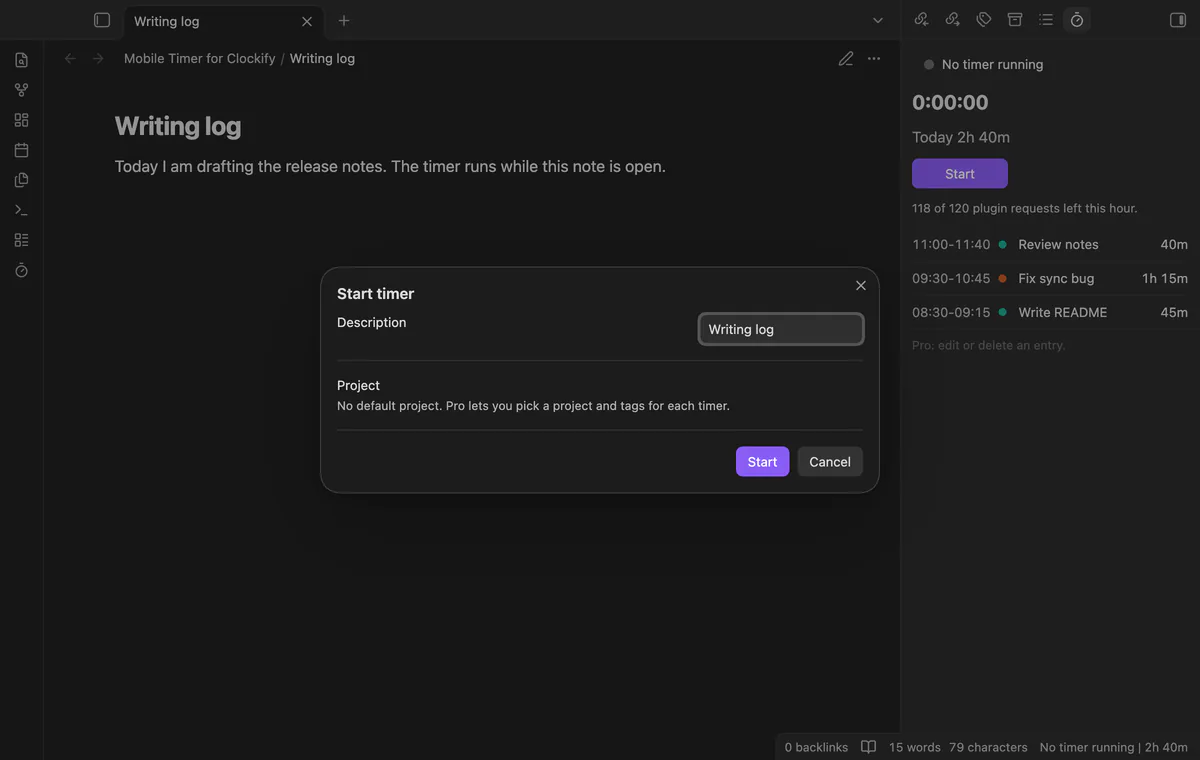
Mobile Timer for Clockify starts, stops and switches the Clockify timer from a note. It offers the note name as the description, and a setting turns that off. A panel shows the running timer, today's total and today's finished entries. On desktop the status bar shows the timer too.
Start, stop, switch, the panel and one default project are free. Project and tag pickers, report blocks, edits and the offline queue need Pro. The plugin is unofficial, and Clockify and CAKE.com do not make or approve it.
limits
It is listed for mobile in the directory and tested on desktop only, with a stand-in for Clockify. It sends your API key and your time entries to Clockify, with the note name as the description unless you turn that setting off.
Install Mobile Timer for Clockify from Community plugins and enable it. It needs Obsidian 1.13.4 or later.
In Clockify, open your profile settings and generate an API key.
In the plugin settings, select the Clockify API key field, create a secret and paste the key. Then select Check connection.
Open a note and run Start timer. The window offers the note name as the description, and Clockify receives it when you start.
Run Open timer panel to see the clock, today's total and today's finished entries.
Run Stop timer, or select Stop in the panel.
Common questions
Is there a free Clockify plugin for Obsidian?
The directory search finds one plugin for the word Clockify as of October 2026, Mobile Timer for Clockify. Its timer, panel, day total and one default project are free. Two more plugins are on GitHub only, and you install those by hand.
Does a Clockify timer keep running when Obsidian is closed?
Mobile Timer for Clockify starts a timer as a time entry on Clockify with no end time. The Clockify API docs name a separate request that stops a currently running timer. The plugin counts its clock from the start time that Clockify holds, and it has no reminders.
Does the Clockify API have a request limit?
The Clockify API docs give 50 requests a second for an add-on token. They name no figure for a personal API key. Mobile Timer for Clockify keeps its own cap of 120 requests in a rolling hour.
Is it safe to give an Obsidian plugin my Clockify API key?
The Clockify docs say that a key in the X-Api-Key header authenticates a request, so read what a plugin does with it. Mobile Timer for Clockify keeps the key in Obsidian secret storage and sends it only to api.clockify.me. The Obsidian docs say that any plugin can reference a secret by its name.
The free Toggl Track phone app already starts and stops your timer on a phone, with a widget and offline tracking. Obsidian has no Toggl feature of its own, and the free Toggl Track plugin is desktop only, as of October 2026. Mobile Timer for Toggl Track is listed for mobile in the directory, and it is tested on desktop only.
The Tasks plugin writes the done date as plain text, and its docs say a date can't be a link, as of October 2026. A Tasks or Dataview query in the daily note lists what you finished, with no link and no plugin to buy. For a real link, use the free Checkbox Time Tracker in notes you mark, or Task Date Links with Tasks done dates.