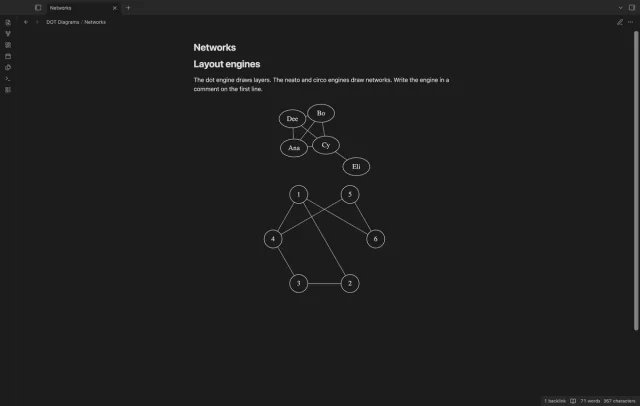
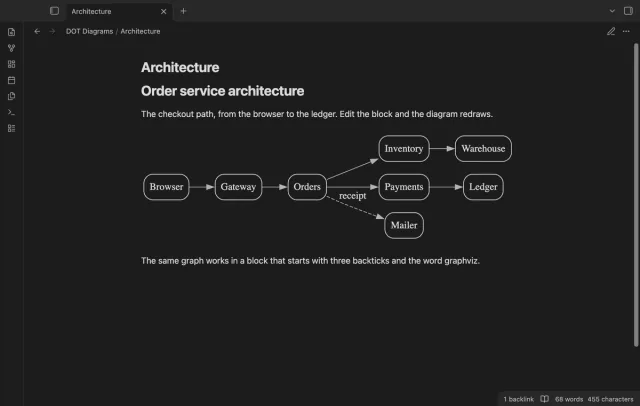
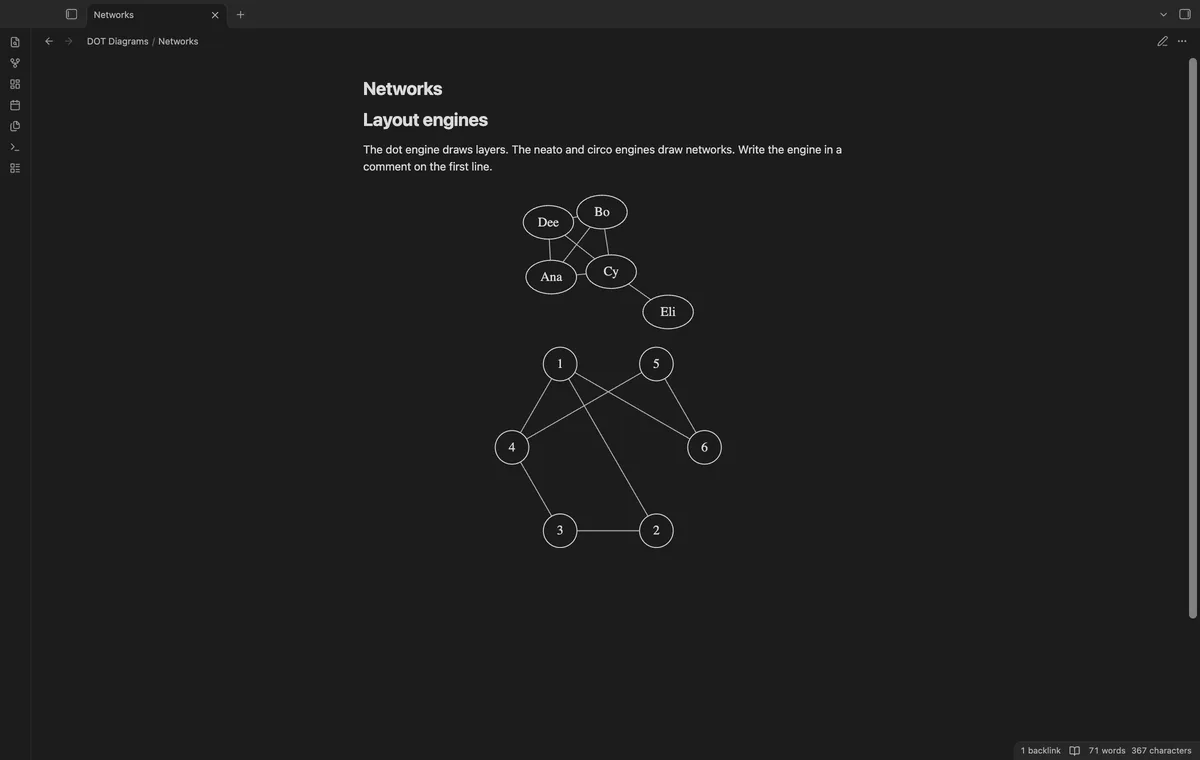
The Obsidian help page names Mermaid as the way to add diagrams, and it names no Graphviz support, as of October 2026. To see a DOT graph in a note, embed an SVG or PNG that the dot command line tool makes, or install a plugin. Kroki draws the block on a server, and DOT Diagrams draws it on your device.
Updated · 4 ways compared · 16 sources
Background
The forum request Diagramming support dates from 28 May 2020. Its author wants diagrams that render in notes and names the DOT language of Graphviz. The topic has 4 posts and 8 likes, and the first reply points to the request for Mermaid.
A community plugin named Obsidian Graphviz then did the job and reached 16k downloads. Its last release, 1.0.5, is from December 2022. The directory now shows its Add to Obsidian button as disabled.
4 ways to do it
Mermaid, built into Obsidian
Obsidian draws a code block with the language mermaid as a diagram, with no plugin. The help page names flow charts, sequence diagrams and timelines. A node links to a note when you give it the class internal-link.
Mermaid has its own syntax. For a flow chart that you write from the start, it needs no install.
limits
The Mermaid intro page names no DOT or Graphviz input, so a graph in DOT needs a rewrite in Mermaid syntax. The help page says that links from diagrams don't show in the graph view.
Graphviz has packages for Linux, Windows and Mac on its download page. Its command line page gives the form dot -Tsvg input.dot, and the flag -o names the output file. The flag -K picks another layout engine, for example dot -Kneato.
Save the SVG or PNG file in your vault and embed it in the note. Obsidian lists both formats among the image files that it accepts. The Graphviz program itself draws the picture, so engines and attributes work as its docs describe.
limits
The picture is a file, so you run the command again after each change to the DOT text. The download page names no package for a phone or tablet.
Kroki is a community plugin with 12k downloads, listed for desktop and mobile. Its README says it uses the Kroki server for rendering by default, and that you can set another server or host your own. It draws a code block with the language graphviz, and other types such as PlantUML and D2.
Two more plugins draw with a Graphviz program on your computer, and the directory lists both for desktop only. Obsidian Graphviz has 16k downloads, a last update 4 years ago and a disabled Add to Obsidian button. Graphviz View has 216 downloads, and the directory says it was created last month.
limits
With Kroki, a server draws each block, so you need a connection to it or a server that you run. The two local plugins need a Graphviz install, and the directory lists neither for mobile.
DOT Diagrams draws a code block with the language dot or graphviz as an SVG, in reading view and in Live Preview. A WebAssembly build of Graphviz is inside the plugin file, so drawing sends no request. The diagram takes the colors of your theme, and a syntax error shows its line number.
The dot, neato and circo engines and the Copy button are free. Pro adds fdp, sfdp, twopi and osage, export to SVG and PNG files, wikilink nodes that open notes, and five style presets.
limits
The image attribute draws nothing, and a block over 300 edge operators is not drawn until you raise the limit. The plugin is listed for mobile and tested in the desktop app only.
Install DOT Diagrams from Community plugins and enable it. It needs Obsidian 1.13.4 or later.
In a note, write a code block and give it the language dot or graphviz.
Write the graph in the block, for example digraph { a -> b -> c; a -> d }.
Switch to reading view, or move the cursor out of the block in Live Preview.
For a network layout, add the line // engine: neato or // engine: circo to the block.
If a box with a red border shows, fix the line that it names.
Common questions
Can I still use the older Obsidian Graphviz plugin?
Its directory page still loads, and the Add to Obsidian button on it is disabled. The plugin is not in the community plugin list on GitHub, as read on 11 October 2026. The files of release 1.0.5 from December 2022 are still on GitHub, and this guide did not test an install by hand.
Can DOT Diagrams and Kroki run together?
Both plugins use the block language graphviz, and this guide did not test the two together. The Kroki README says you can turn a diagram type off or rename its block language in the settings. DOT Diagrams also reads the language dot.
Which layout engines does Graphviz have?
The Graphviz docs list dot, neato, fdp, sfdp, circo, twopi, osage and patchwork, and the two engines nop and nop2. The command line tool picks one with the flag -K. The engine comment of DOT Diagrams takes seven of them, three free and four in Pro, and not patchwork.
Can a node in a diagram link to a note?
In Mermaid, yes. The Obsidian help page says to give the nodes the class internal-link. In DOT Diagrams, a node written as a wikilink opens its note with Pro, and it shows the note name as text without Pro.
Obsidian doesn't open .adoc files on its own. AsciiDoc isn't in the list of accepted file formats, and a moderator wrote in July 2025 that core support isn't on the roadmap. As of October 2026 you either convert the files to Markdown or install a community plugin that opens them.
As of October 2026, Bases has no graph layout of its own, and its help page lists table, list, cards, Kanban and map. At least three community plugins add a graph of a base. Two of them, Base Graph and Graph Explorer Base View, are free.
As of October 2026, a normal embed of a Kanban plugin board shows plain Markdown, one heading under the other. Obsidian itself can put a Kanban view of a base inside a note since version 1.14, but each card there is a note. To see a Kanban plugin board as side-by-side lanes in a note, you need a plugin that reads the board file.