Memory Consolidation Queue · Obsidian plugin documentation
Memory Consolidation Queue documentation
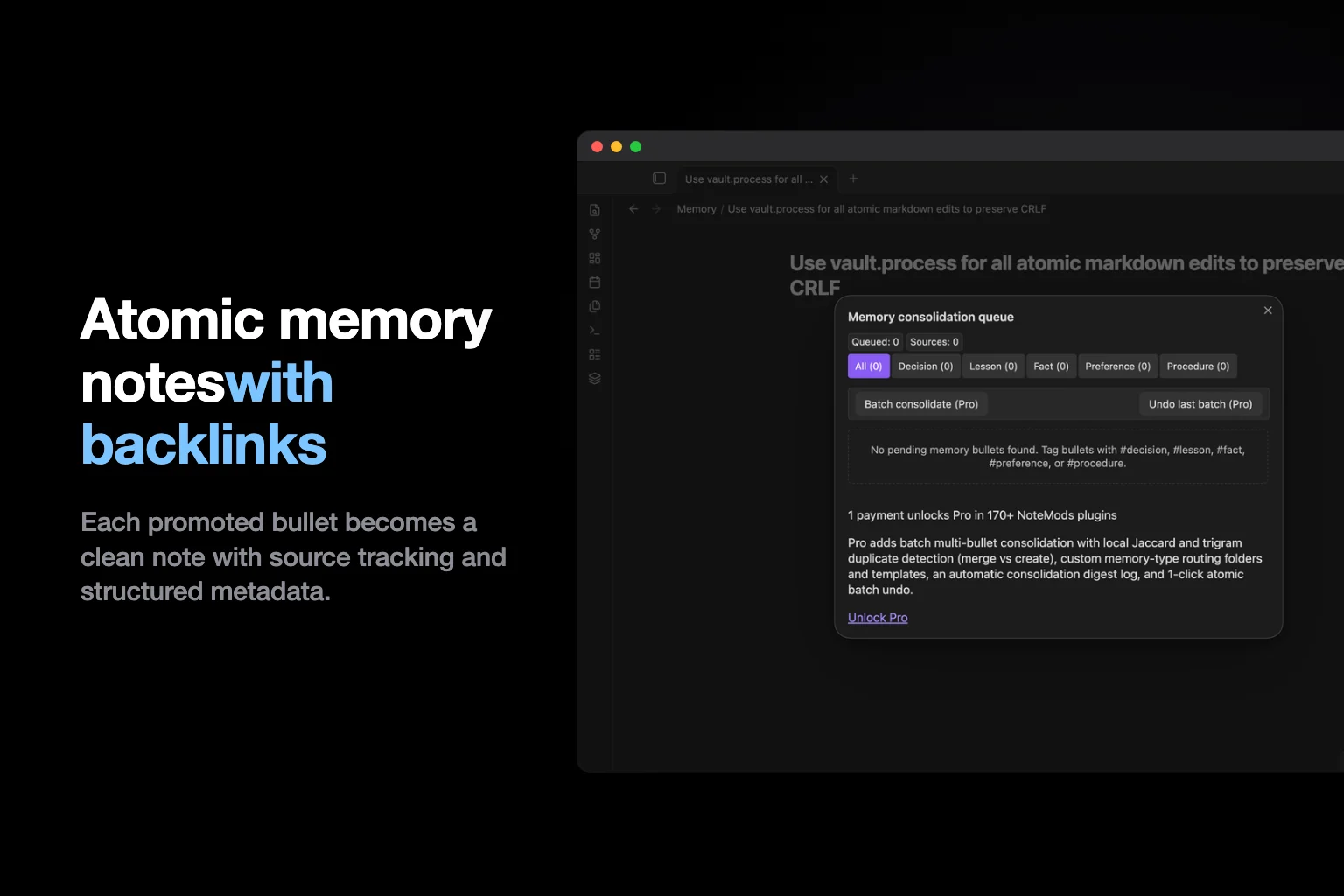
Memory Consolidation Queue turns tagged bullets from your daily notes, session logs, and inbox folders into clean atomic memory notes without calling an external AI API. Tag bullets with #decision, #lesson, #fact, #preference, or #procedure, review them in one local triage modal, and promote them in one click with structured YAML frontmatter and atomic source backlinks.
Version 1.0.0. Requires Obsidian 1.13.4 or later. Works on desktop and mobile.
1 Installation
Community Plugins
- Open Obsidian Settings and go to Community plugins.
- Select Browse and search for Memory Consolidation Queue.
- Select Install, then select Enable.
Manual installation
- Download
main.js,manifest.json, andstyles.cssfrom the latest GitHub release. - Copy the three files into
<vault>/.obsidian/plugins/memory-consolidation-queue/. - Reload Obsidian and enable Memory Consolidation Queue in Community plugins.
2 Getting started
Tag bullets in daily notes or session logs
Add any of the five memory tags to standard Markdown bullets or task checkboxes:
- Use vault.process for atomic markdown edits #decision
- Always skip fenced code blocks during tag scans #lesson
- SQLite WAL mode supports concurrent readers #fact
- Prefer sentence case in Obsidian settings #preference
- [ ] Run unit tests before every release #procedure/release
Triage and promote bullets (Free)
- Run
Open triage queuefrom the command palette or select the ribbon icon. - Use the filter pills (
All,Decision,Lesson,Fact,Preference,Procedure) to focus on one category. - Review or edit the suggested note title and confidence level, then select
Promote. - Memory Consolidation Queue writes the canonical atomic memory note and appends a
→ [[...]]backlink to the source bullet atomically.
Batch consolidate, merge duplicates, and undo (Pro)
- Check multiple bullets in the queue modal (or select
Select all), review any local Jaccard and trigram duplicate match badges, and pickMerge into ...orCreate new note. - Select
Promote selected(or runBatch consolidate all queued memory bullets (Pro)) to process the batch and append a summary to your consolidation digest log. - Select
Undo last batch(or runUndo last consolidation batch (Pro)) to restore original source lines and roll back created or merged notes atomically.
3 Features
Zero-API local inbox triage queue
Run Open triage queue from the command palette or ribbon to scan your chosen inbox folders (or the whole vault outside your memory folder) for #decision, #lesson, #fact, #preference, and #procedure bullets. Extraction skips YAML frontmatter, backtick and tilde fenced code blocks, inline code spans, URLs, and already-promoted bullets. Filter the queue by memory type or run Scan active note for memory bullets to triage a single note.
Canonical atomic memory notes and atomic source backlinks
Edit the suggested note title, pick a confidence level (high, medium, or low), and select Promote. Memory Consolidation Queue creates a canonical atomic memory note with structured YAML frontmatter (memory_type, source, created, confidence, and last_verified). It then updates the source note atomically through Obsidian vault.process to append a clickable → [[Memory/...|Title]] backlink while preserving Windows CRLF or Unix LF line endings.
Queue defaults and Pro routing rules
Configure inbox folders, memory root folder, default confidence, and confirmation notices in Settings. Pro users can adjust the local duplicate similarity threshold, turn on the automatic consolidation digest log, and customize destination folders and Markdown templates for each memory type (#decision, #lesson, #fact, #preference, and #procedure).
Pro features and interactive previews
Pro adds four workflow upgrades on top of the free triage queue:
- Batch multi-bullet consolidation with local duplicate detection: select multiple bullets at once and compare them offline against existing canonical memory notes using combined token Jaccard and character trigram similarity. Choose
Merge into existing noteorCreate new noteper bullet. - Custom memory-type routing folders and templates: route each memory type to its own folder with a custom Markdown template supporting
{{title}},{{text}},{{source}},{{date}},{{type}}, and{{confidence}}. - Automatic consolidation digest log: append a dated Markdown summary of every created and merged memory note with source backlinks after each batch promotion.
- 1-click atomic batch undo: roll back an entire consolidation batch safely, restoring exact original bullet lines in source notes and removing created notes or appended merge blocks without clobbering later edits.
Run What Pro adds at any time to test all four Pro features on in-memory sample notes without changing your vault.
4 Settings
| Setting | Tier | Description |
|---|---|---|
| Inbox folders | Free | Optional comma-separated folders to scan for tagged bullets (for example Daily, Sessions, 00-Inbox). Blank by default to scan all notes outside the memory folder. |
| Memory root folder | Free | Destination folder for canonical atomic memory notes created in free mode (default Memory). |
| Default confidence | Free | Initial confidence frontmatter value (high, medium, or low) for promoted notes. |
| Show confirmation notices | Free | Show a brief Obsidian notice after promoting, merging, or undoing bullets. |
| Duplicate similarity threshold | Pro | Combined Jaccard and trigram threshold from 0.20 to 0.90 for flagging duplicate or near-duplicate memory notes (default 0.35). |
| Automatic consolidation digest log | Pro | Append a dated summary of every created and merged note after each batch promotion. |
| Digest log path | Pro | Vault path for the consolidation digest Markdown note (default Memory/Consolidation Digest.md). |
| Custom memory routing and templates | Pro | Per-type destination folder and Markdown template for #decision, #lesson, #fact, #preference, and #procedure. |
5 Privacy, payment and network
The core features are free. Pro features need a GitHub Sponsors sponsorship of theluckystrike: $5 a month or more, or $15 once. A total payment of $15 meets the payment requirement for Pro without further payment. Sign-in and the checks below still apply. Your notes stay readable and editable with or without Pro.
One payment turns on Pro in every NoteMods plugin.
GitHub handles the payment. Sponsor at https://notemods.com/pro/go?p=memory-consolidation-queue&s=readme. You need no account for the free features. Pro needs the GitHub account that sponsors.
Until you select "Sign in with GitHub" in the settings, Memory Consolidation Queue makes no network requests. Sign in uses the GitHub device flow. Memory Consolidation Queue sends its public client ID and the scope read:user to https://github.com/login/device/code and shows you a code. While you enter the code at https://github.com/login/device, it asks https://github.com/login/oauth/access_token every few seconds to check the sign-in status. The scope permits profile reads only. GitHub needs this access to show the sponsorship tier. It grants no repository scope and no write access.
After sign in, Memory Consolidation Queue sends one query to https://api.github.com/graphql. It checks if the signed-in account sponsors theluckystrike. It asks for the tier and the total payment to theluckystrike. The plugin reuses a successful check for 7 days. Failed checks can retry after 6 hours. Select Refresh to request an earlier check. It sends no note content, file names or other vault data, and it has no telemetry.
After a successful check, Pro can work offline for up to 14 days. Sign out or a negative sponsorship answer turns Pro off. The plugin stores the GitHub token through the secret storage API of Obsidian. It does not put the token in its saved settings or its local sponsorship data. The local storage of this device keeps your GitHub login, the tier and the time of the last check. Sign out clears the token. You can also revoke the access in your GitHub settings, under Applications.
6 Questions and answers
Does Memory Consolidation Queue send my notes to an LLM or cloud API?
No. All bullet extraction, YAML generation, and Pro Jaccard/trigram duplicate detection run 100% locally inside Obsidian with zero AI API keys or external requests.
Will tags inside code blocks or URLs show up in the queue?
No. Extraction skips YAML frontmatter, backtick (```) and tilde (~~~) fenced code blocks, inline code spans, URLs, and bullets that already have a promoted backlink.
Does this plugin work on mobile?
Yes. isDesktopOnly is false. The triage modal, type filters, duplicate matcher, and Settings tab work on both desktop and mobile Obsidian.
Does Memory Consolidation Queue open a What's new tab after updates?
Yes. After an update, the plugin opens a brief What's new tab summarizing user-facing changes. You can turn this off in Settings.
7 Support
If you find a bug or have a feature request, open an issue on the GitHub repository with your Obsidian version and steps to reproduce. You can also explore Pro and the full NoteMods plugin catalog at notemods.com/pro/go.