How to link to an Obsidian table row
As of October 2026, Obsidian supports block references to a whole table but does not support references to specific table parts.
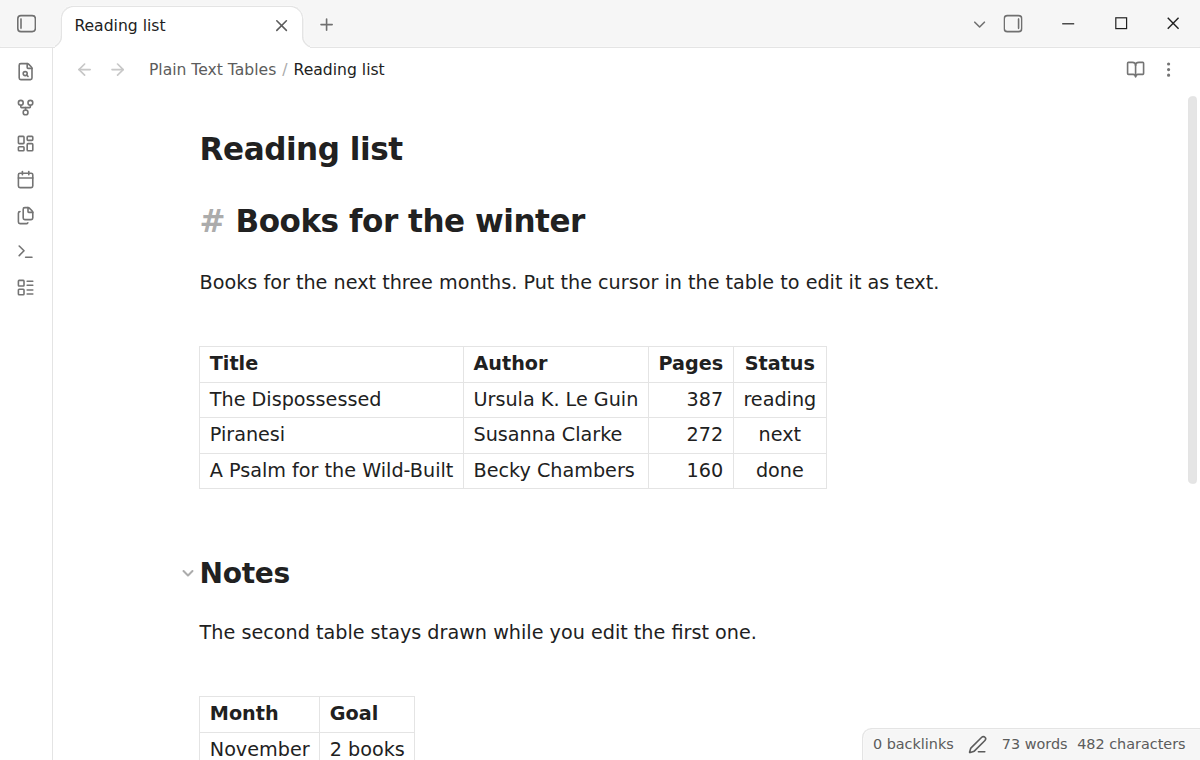
As of October 2026, Live Preview always draws a Markdown table as a table editor. To see the pipes you switch the whole note to Source mode. A plugin can show only the table under the cursor as text.
Plain Text Tables has Pro, and $15 one time turns it on in all 129 plugins.
The forum request "Add toggle for plaintext table editing (source mode) in Live Preview" asks for the older behavior. Its first post asks for a settings toggle that shows the plain text while the cursor is in a table. The Plain Text Tables README says Live Preview has drawn tables this way since Obsidian 1.5.3.
Source mode shows all Markdown syntax as written, so every table shows its pipes and the delimiter row. Select Source mode from the editing mode icon in the status bar, or set it as the default under Settings, Editor, Default editing mode.
Switch back to Live Preview when you finish the table.
Plain Text Tables shows the table that holds the cursor as its Markdown lines in Live Preview. Other tables and the rest of the note stay drawn. When the cursor leaves, Obsidian draws the table again.
The rows are normal editor lines, so editor commands act on the text. The command Toggle table text turns the feature off and on.
Align the current table need Pro.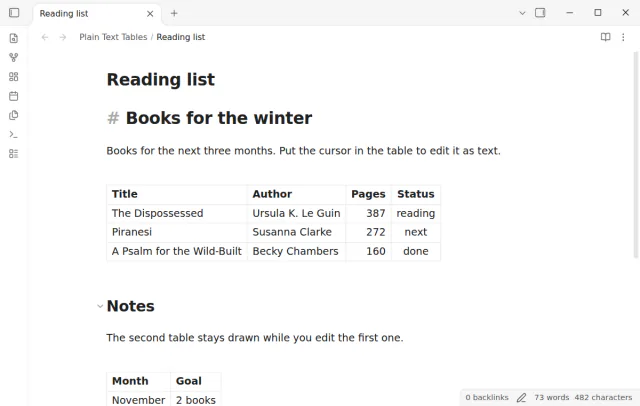
MIT · no telemetry · core features free
Open Settings, then Community plugins, and install and enable Plain Text Tables. It needs Obsidian 1.13.4 or later.
Open a note with a table in Live Preview.
Move into the table with the Up or Down key, or click a cell. The table shows its pipes and delimiter row.
Edit the Markdown text. Start a new line with a pipe to add a row.
Move the cursor out of the table, and Obsidian draws it again.
Not while the feature is on, because the cursor in a table shows the text. Run Toggle table text from the command palette to turn it off. Each table is then drawn again at once.
A table as text is taller or shorter than the drawn table. The cursor and the row that you clicked stay in view.
The free version does not. With the Pro alignment setting on, it changes the spaces in a table that you edited. It does not change the cell text.
 That's every step, start to finish.
This guide uses Plain Text Tables. Pro adds "Column alignment". One payment of $15 turns on Pro in 129 plugins.
This guide uses Plain Text Tables. Pro adds "Column alignment". One payment of $15 turns on Pro in 129 plugins.
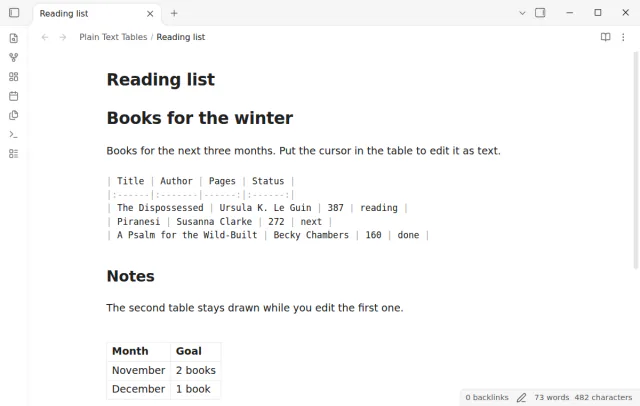
Edit a table as Markdown text in Live Preview without a switch to Source mode.