Inline Block Embeds
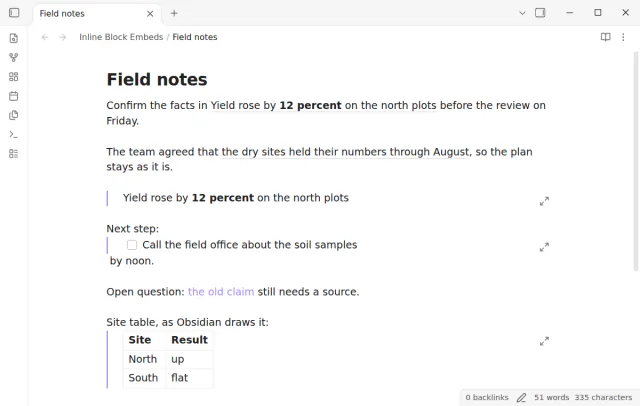
Read an embedded block as text in your sentence, with a hover preview and a jump to the source.
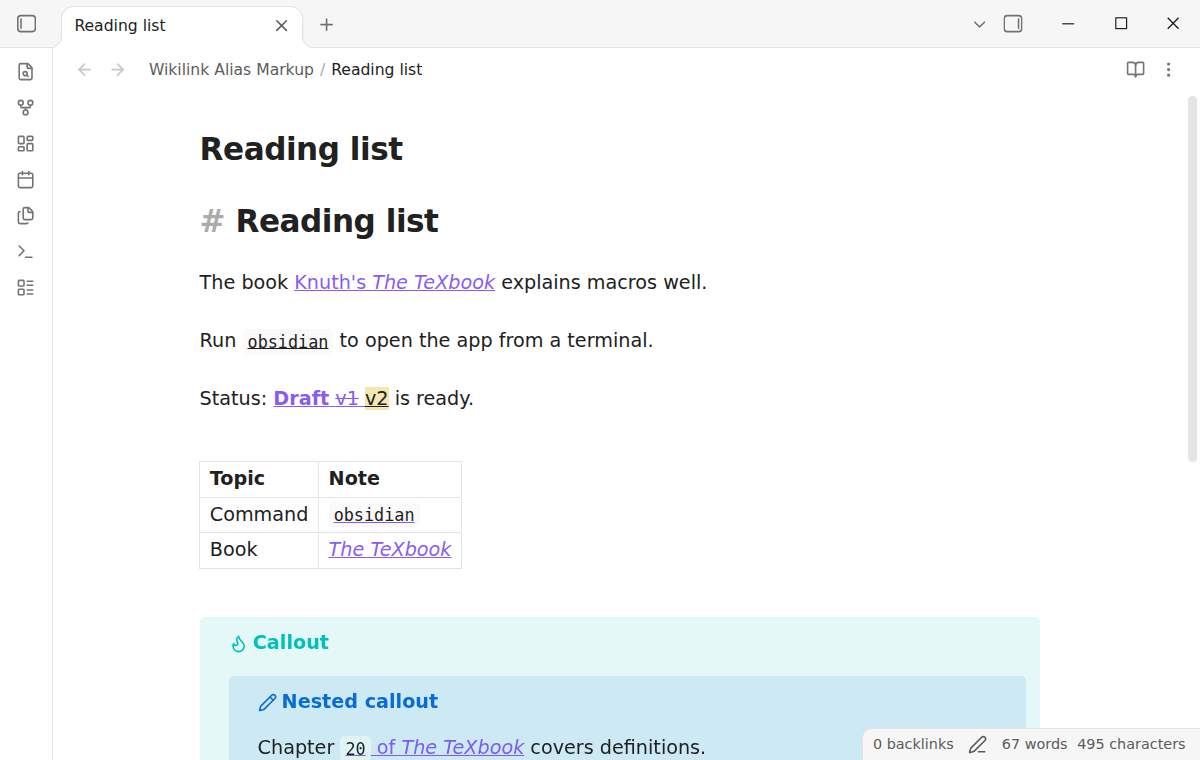
Markup in a wikilink alias shows as inline code, bold or italic, as it does in a Markdown link.
MIT · no telemetry · core features free
Pro adds "Math in aliases". Pro for all 129 plugins, $15 one time
The directory takes these platforms from the plugin manifest. The automated tests run in the desktop app only.
Directory facts fetched from community.obsidian.md/users/theluckystrike.
You put backticks or stars in the alias of a wikilink and want to see the markup that a Markdown link shows.
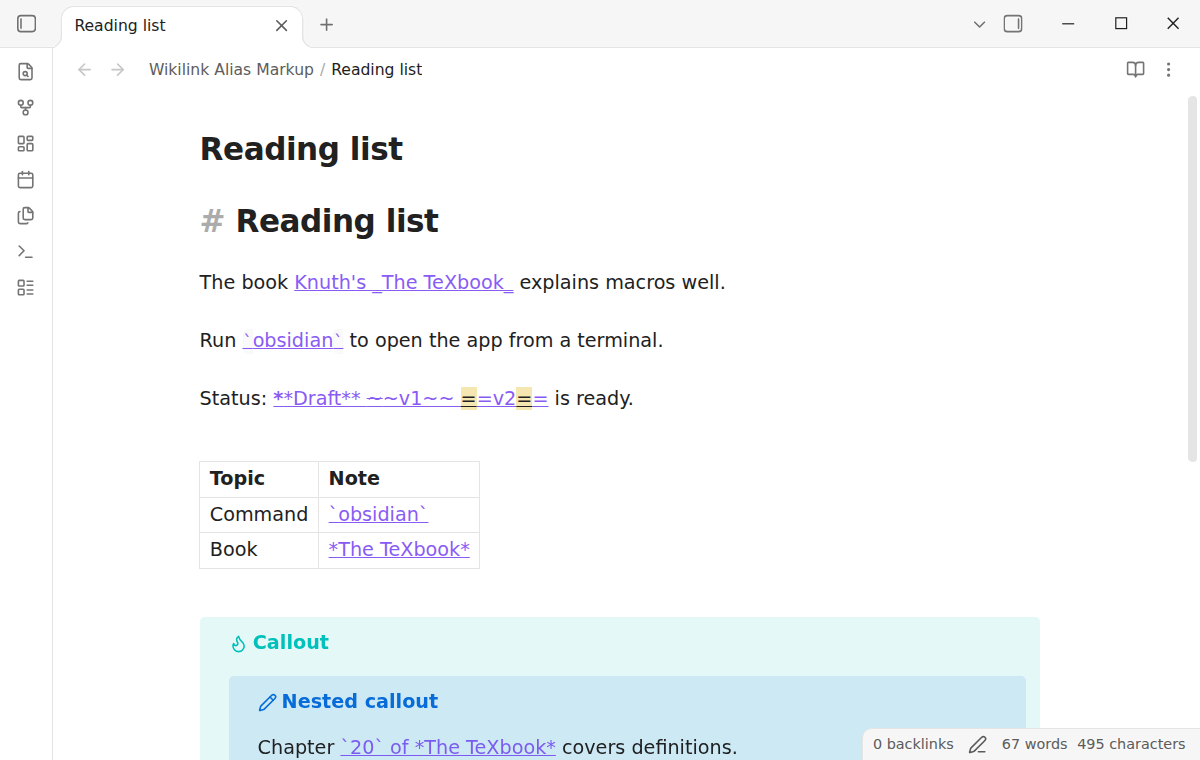
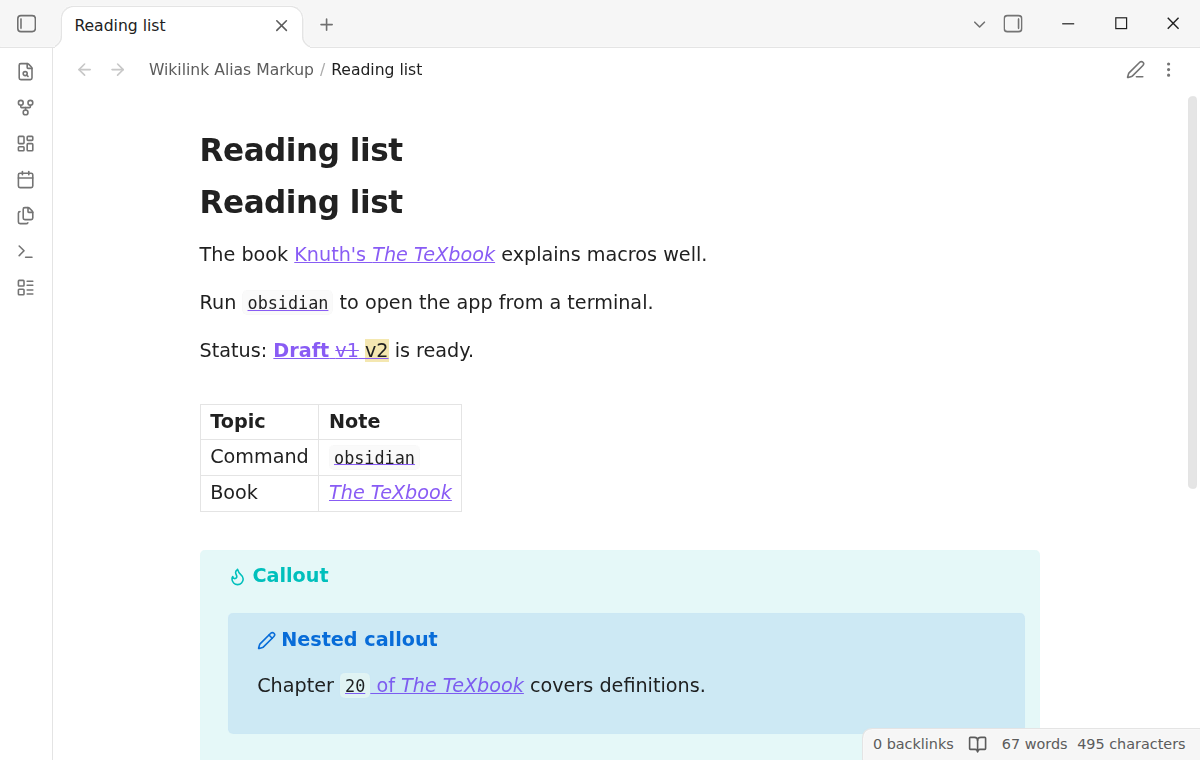
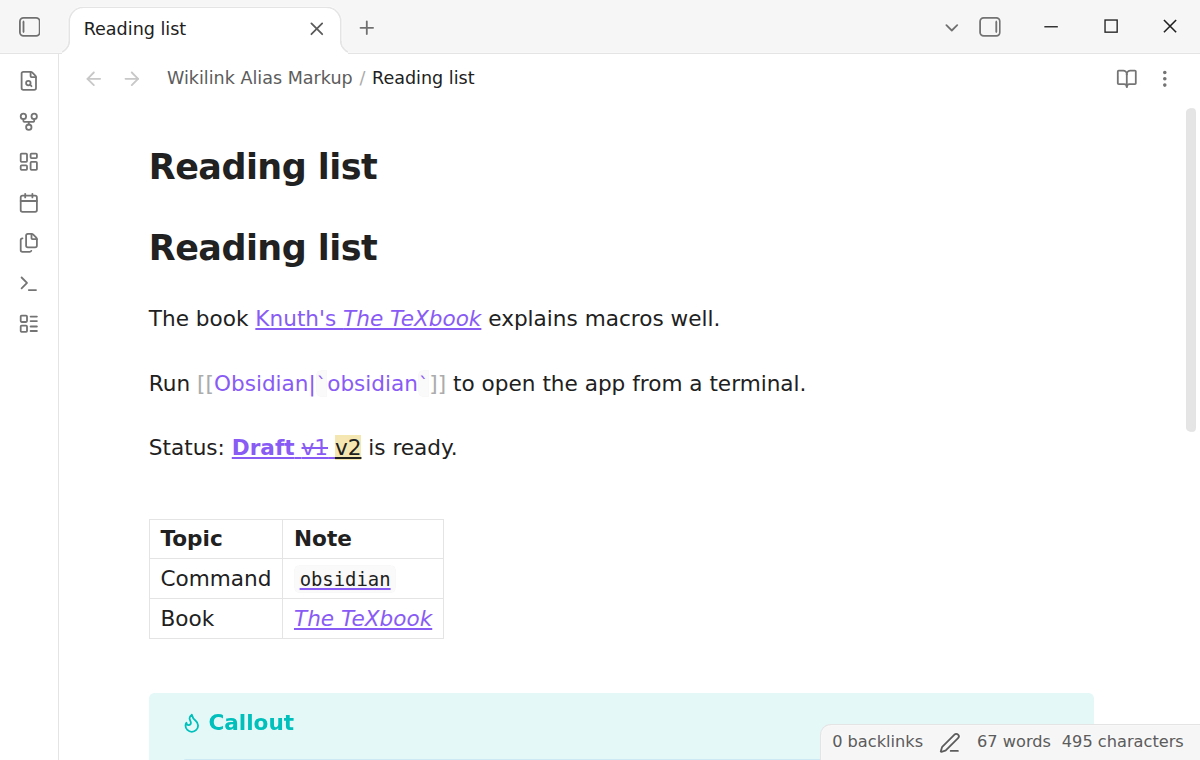
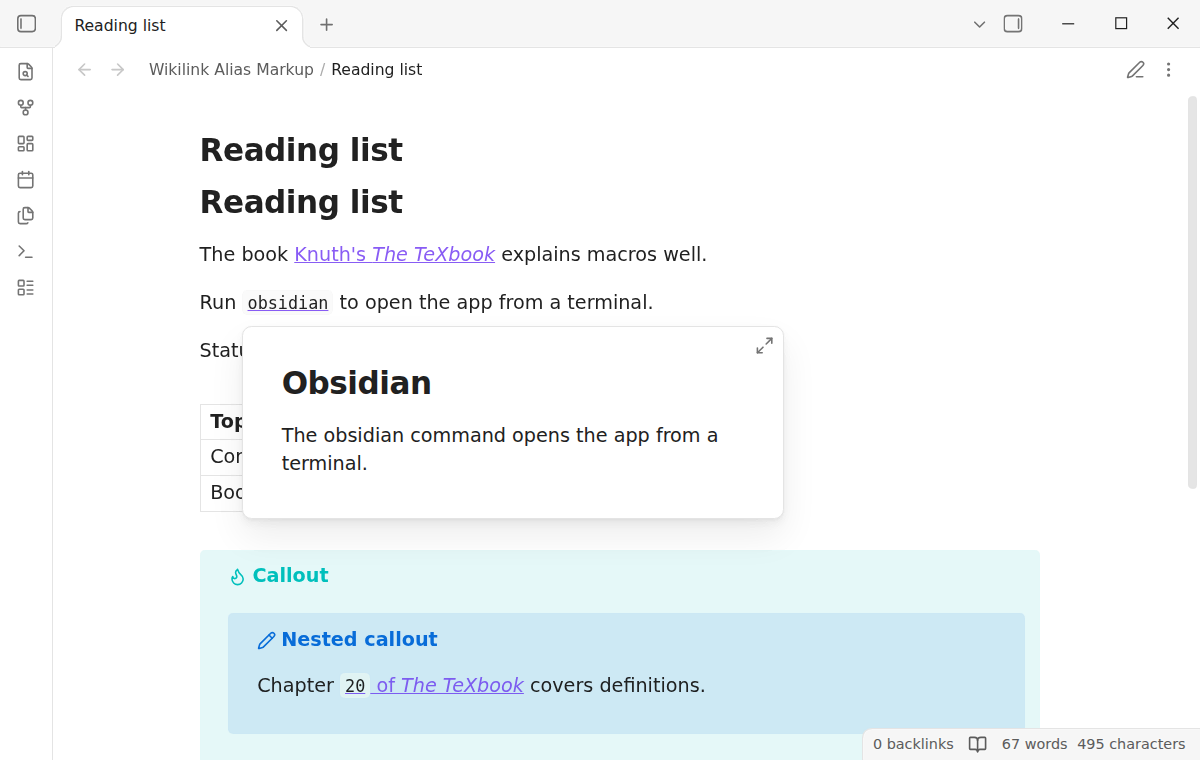
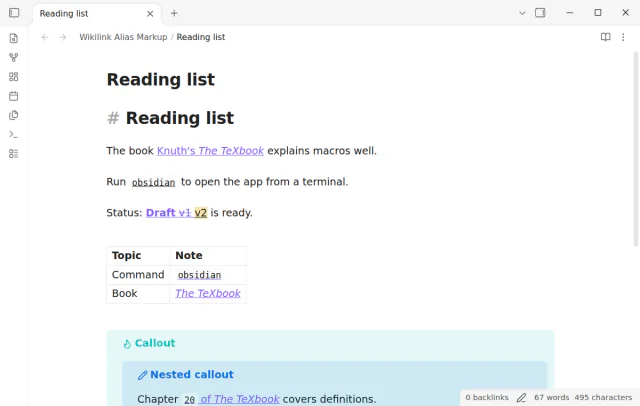
When the alias of a wikilink has backticks, Obsidian shows the backticks as plain text. A Markdown link with the same text shows inline code, and with Wikilink Alias Markup the wikilink does too. Bold, italic, strikethrough and highlight work the same way, in Reading view and in Live Preview.
The link still opens on click, shows the page preview and is easy to edit. The plugin never writes to your notes.
 Play demo
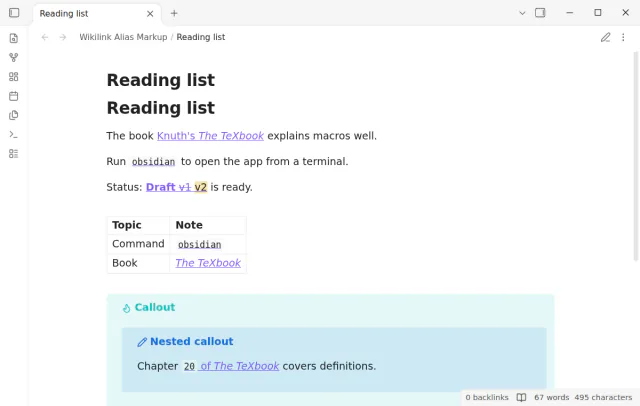
Write the alias the way you write any Markdown text. The plugin shows inline code, bold, italic, strikethrough and highlight inside the link, also in tables and callouts.
Without the plugin, the backticks, stars, tildes and equal signs of an alias show as text. Only a Markdown link shows them as markup.
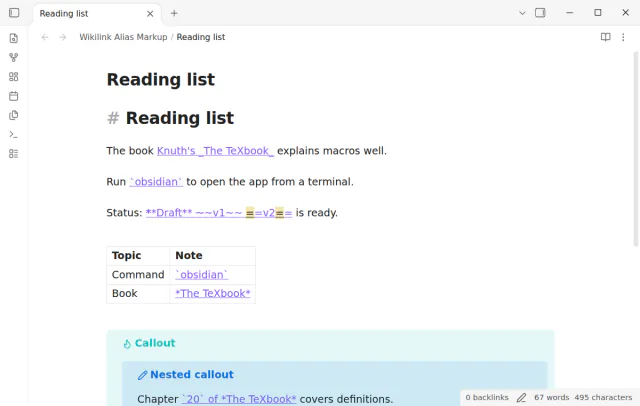
The plugin hides only the markup characters and gives the text between them the look of inline code, bold or italic. The link is still the core link, so it keeps its look, its click and its page preview. On a note of 5,000 lines with two links on each line, the plugin added less than 4 ms to each keystroke.
Reading view puts code, strong, em, del and mark elements inside the core link, the same elements that Obsidian makes for a Markdown link. Links in table cells and in callouts, also in a callout inside a callout, show the markup in both views. A link in a code block or in inline code stays as it is.
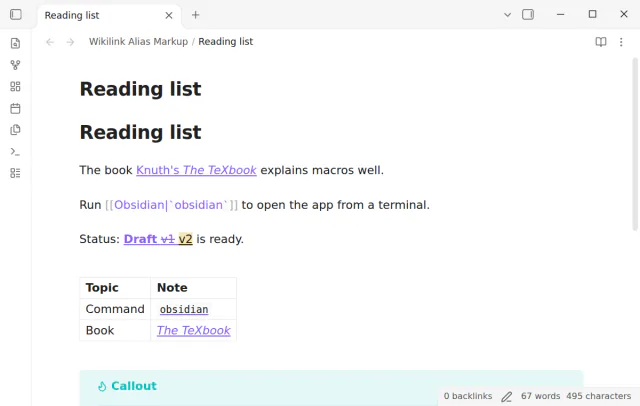
Put the cursor in a link, or select text that touches it, and the plugin shows the source, as Obsidian does for any link. The arrow keys move one character at a time, and a selection has the source text.
A click on the formatted alias opens the target note, as on any link. In Reading view, the core page preview shows when you rest the pointer on the alias. In Live Preview, hold Ctrl (Cmd on macOS) to see it.
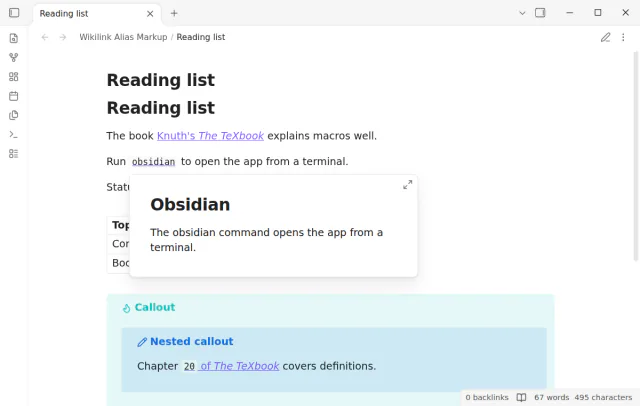
The free version shows inline code, bold, italic, strikethrough and highlight in aliases, and it shows the dollar signs of math as text.
Pro costs $5 a month or $15 one time through GitHub Sponsors.
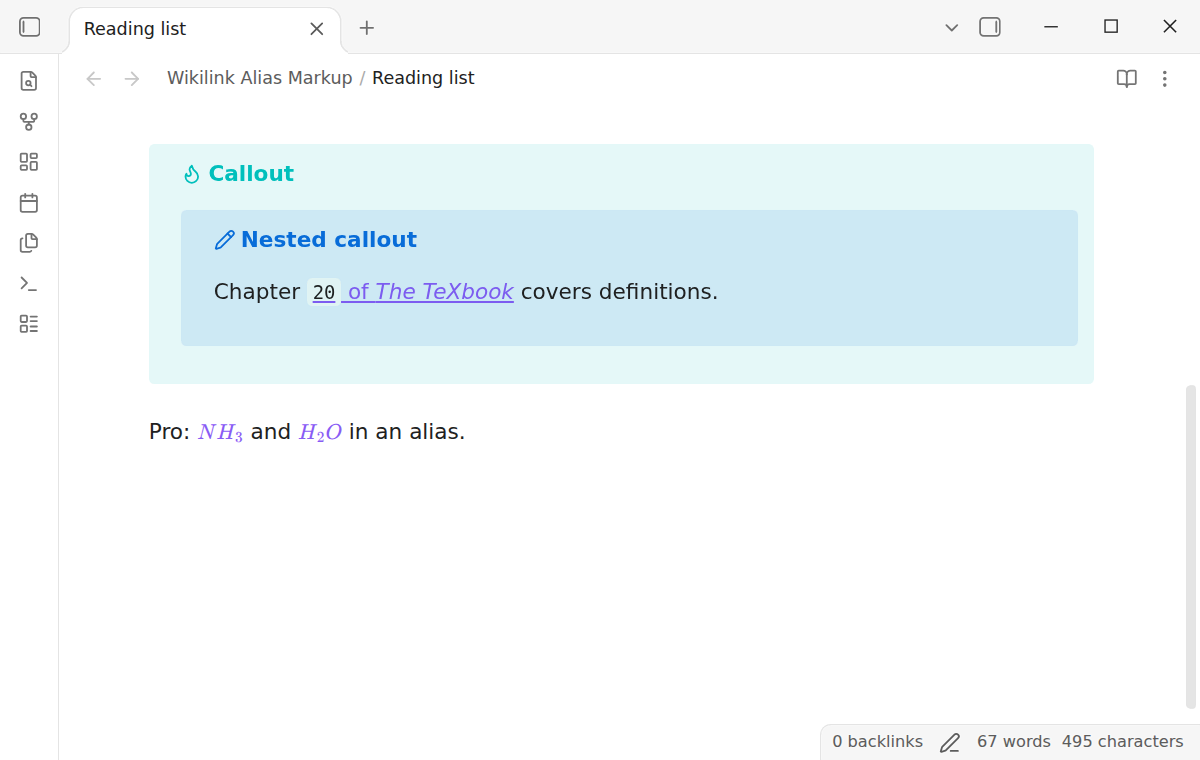
With Pro, $...$ in an alias shows as math, for example [[Ammonia|$NH_3$]]. Reading view uses the MathJax of Obsidian. A dollar amount such as $5 stays text.
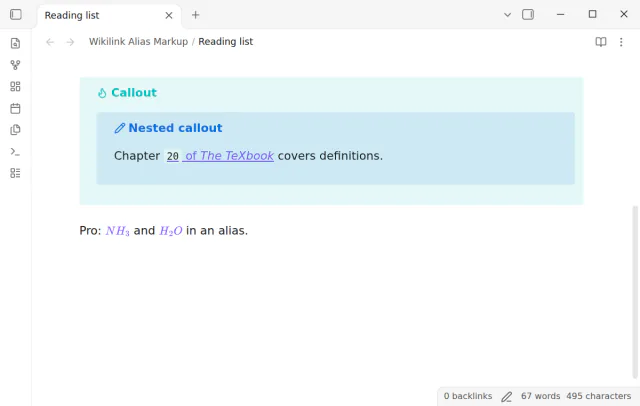
10 of 50 founding licenses sold.
The price is set on the 1st of each month. It goes up only after a tier is full. Until then it stays $15. The next price review is on 1 December 2026.
A price change does not change a license that you paid for. The $5 a month option stays.
needs
steps
Turn on Wikilink Alias Markup. There is nothing else to set up.
Write a wikilink with an alias, such as [[Note|*italic*]], and put markup in the alias.
In a table cell, write the pipe of the link as \|, as Obsidian asks.
Put the cursor in the link to see and edit its source.
If the app can't find a new plugin yet, try again later. Obsidian says a plugin that passes the review shows in the app within 24 hours.
The forum request Support Markdown markup in wikilink alias, including math, had 74 likes on 1 November 2026. Its first post expects a wikilink alias in backticks to show as code, as a Markdown link does.
How to show code and bold text in a wikilink alias in Obsidian
Need a change for your team? I build custom Obsidian plugins and features.
No. The link stays [[target|alias]] in the file. The plugin only changes how the link looks.
The cursor is in the link or touches it, so you see the source. Move the cursor away. In Source mode, Obsidian always shows the source.
No. Only the alias after the pipe changes. Add an alias to show markup, for example [[Note#Some heading|Some *heading*]].
No. It works in the note views, Reading view and Live Preview.
The snippet styles the text between backticks in Live Preview only. This plugin parses the alias and shows real markup in both views, with bold, italic and the rest.
Until you select Sign in with GitHub, Wikilink Alias Markup makes no network requests. Sign in and the sponsorship check contact github.com and api.github.com with the scope read:user, and a successful check is reused for 7 days. The plugin sends no note content, file names or other vault data.
Tell me what is broken in Wikilink Alias Markup, or what it should do next.
Wikilink Alias Markup 1.0.1, MIT license
MIT · no telemetry · core features free
Read an embedded block as text in your sentence, with a hover preview and a jump to the source.
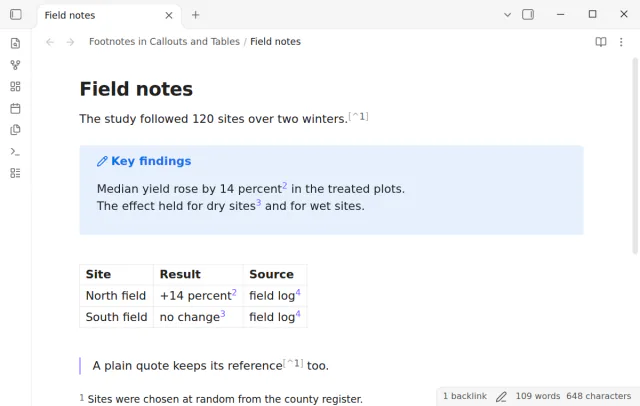
Open numbered footnotes in callouts, table cells and paragraphs.
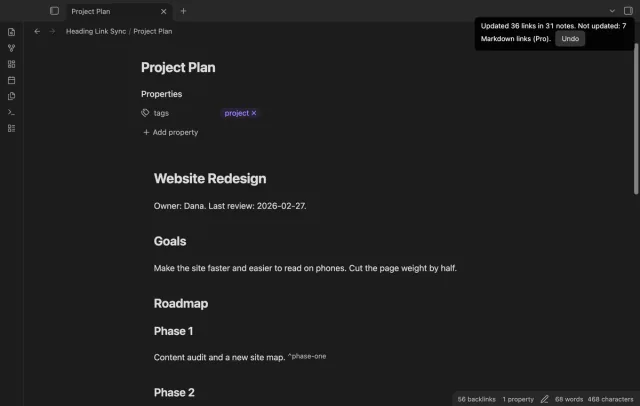
Update heading links and embeds when you edit a heading.
Pro adds "Math in aliases"Pro for all 129 plugins, $15 one time
Get Pro