How to rename a heading in Obsidian without breaking links
Right-click the heading and choose Rename this heading.
As of October 2026, Obsidian shows the backticks, stars and tildes in a wikilink alias as plain text. A Markdown link shows the same markup as inline code or bold. You can switch to Markdown links, or add a plugin that formats the alias.
Wikilink Alias Markup has Pro, and $15 one time turns it on in all 129 plugins.
The forum request "Support Markdown markup in wikilink alias, Including math" asks that an alias in backticks show as inline code. The product brief counted 74 likes on 1 November 2026.
A Markdown link shows the markup in its link text. To make Obsidian write Markdown links, open Settings, then Files and links, and turn off Use [[Wikilinks]].
Typing two square brackets still suggests notes, and Obsidian then inserts a Markdown link.
A CSS snippet in the forum topic styles the text between backticks in a wikilink alias.
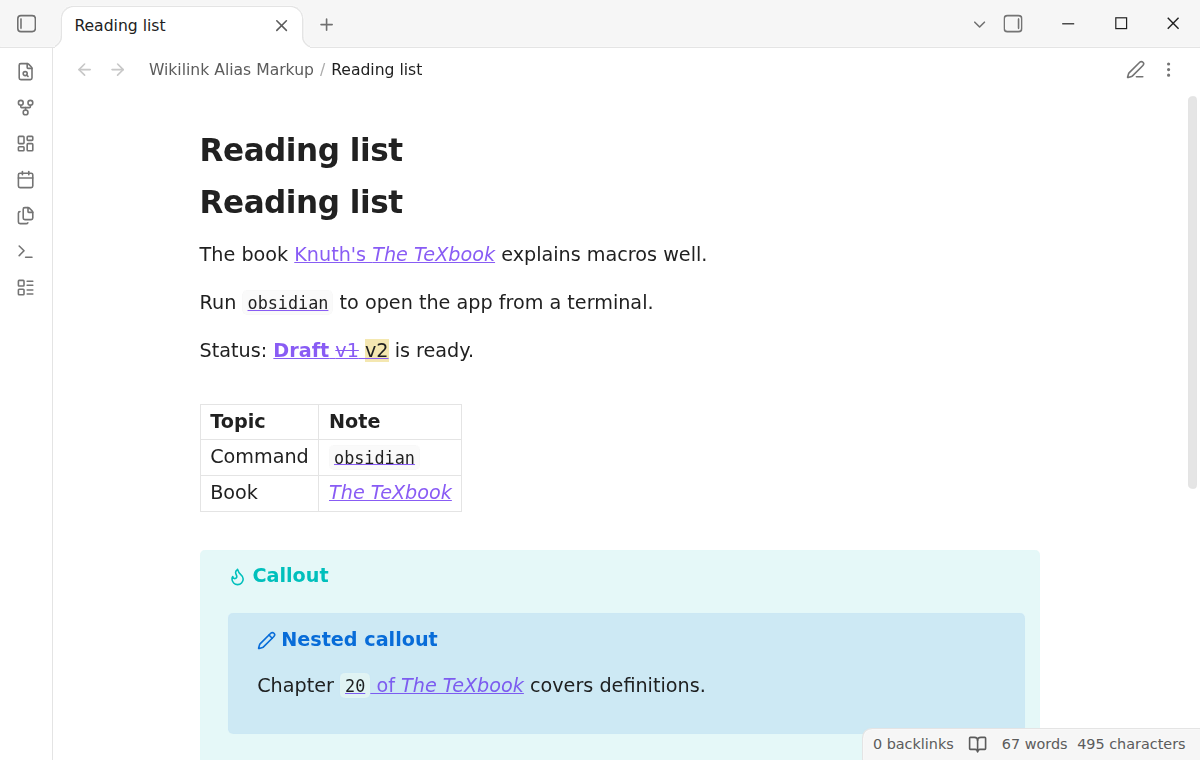
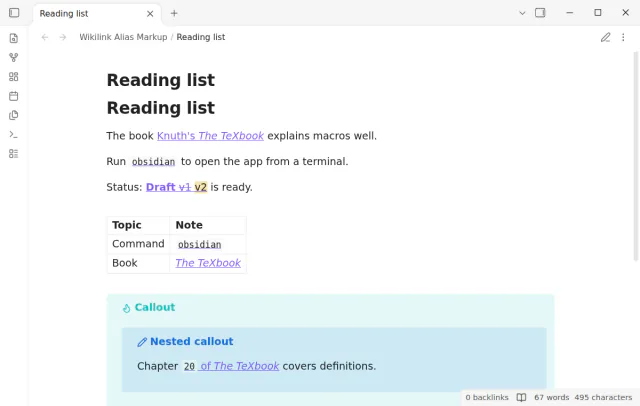
Wikilink Alias Markup shows inline code, bold, italic, strikethrough and highlight inside a wikilink alias. It works in Reading view and Live Preview, also in tables and callouts.
The link still opens on click and shows the page preview. When the cursor is in the link, you see its source and can edit it.
MIT · no telemetry · core features free
Open Settings, then Community plugins, and turn off restricted mode.
Select Browse, search for Wikilink Alias Markup, then select Install and Enable. It needs Obsidian 1.13.4 or later.
Write a wikilink with an alias and put markup in the alias, for example [[Note|_italic_]] or [[Note|~~old~~]].
In a table cell, write the pipe of the link as \|, as Obsidian asks.
Move the cursor out of the link. Live Preview and Reading view now show the markup.
Obsidian shows the markup in a wikilink alias as plain text. Only a Markdown link shows it as markup. Wikilink Alias Markup formats the alias in Reading view and Live Preview.
No. The file keeps [[target|alias]] as you wrote it. The plugin only changes how the link looks.
Not in core Obsidian. Wikilink Alias Markup Pro shows $...$ in an alias as math, for example [[Ammonia|$NH_3$]]. A dollar sign with a space after it stays text.
 That's every step, start to finish.
This guide uses Wikilink Alias Markup. Pro adds "Math in aliases". One payment of $15 turns on Pro in 129 plugins.
This guide uses Wikilink Alias Markup. Pro adds "Math in aliases". One payment of $15 turns on Pro in 129 plugins.
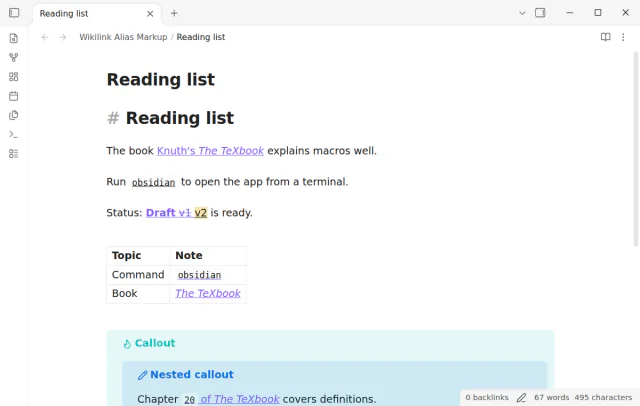
Markup in a wikilink alias shows as inline code, bold or italic, as it does in a Markdown link.