Footnotes in Callouts and Tables
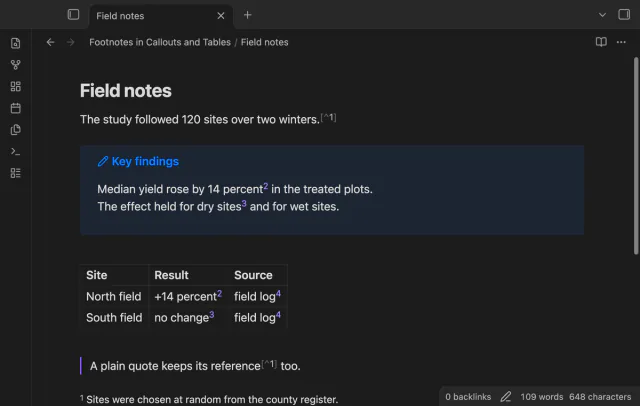
Open numbered footnotes in callouts, table cells and paragraphs.
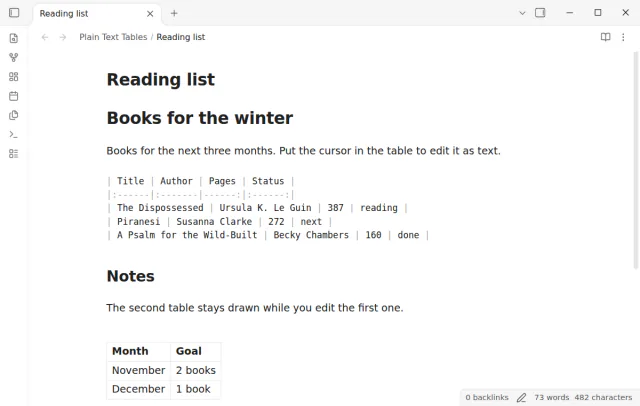
Shows a Markdown table as plain text in Live Preview while the cursor is in it, and renders it again when the cursor leaves.
MIT · no telemetry · core features free
The directory takes these platforms from the plugin manifest. The automated tests run in the desktop app only.
Directory facts fetched from community.obsidian.md/users/theluckystrike.
Plain Text Tables brings back plain text table editing in Live Preview. Since Obsidian 1.5.3, Live Preview always draws a Markdown table as a table editor, and you must switch the whole note to Source mode to see the pipes. With this plugin, the table that holds the cursor shows as Markdown text lines. The rest of the note stays in Live Preview. When the cursor leaves the table, Obsidian draws it again.
This answers the forum request Add toggle for plaintext table editing (source mode) in Live Preview.
 Play demo
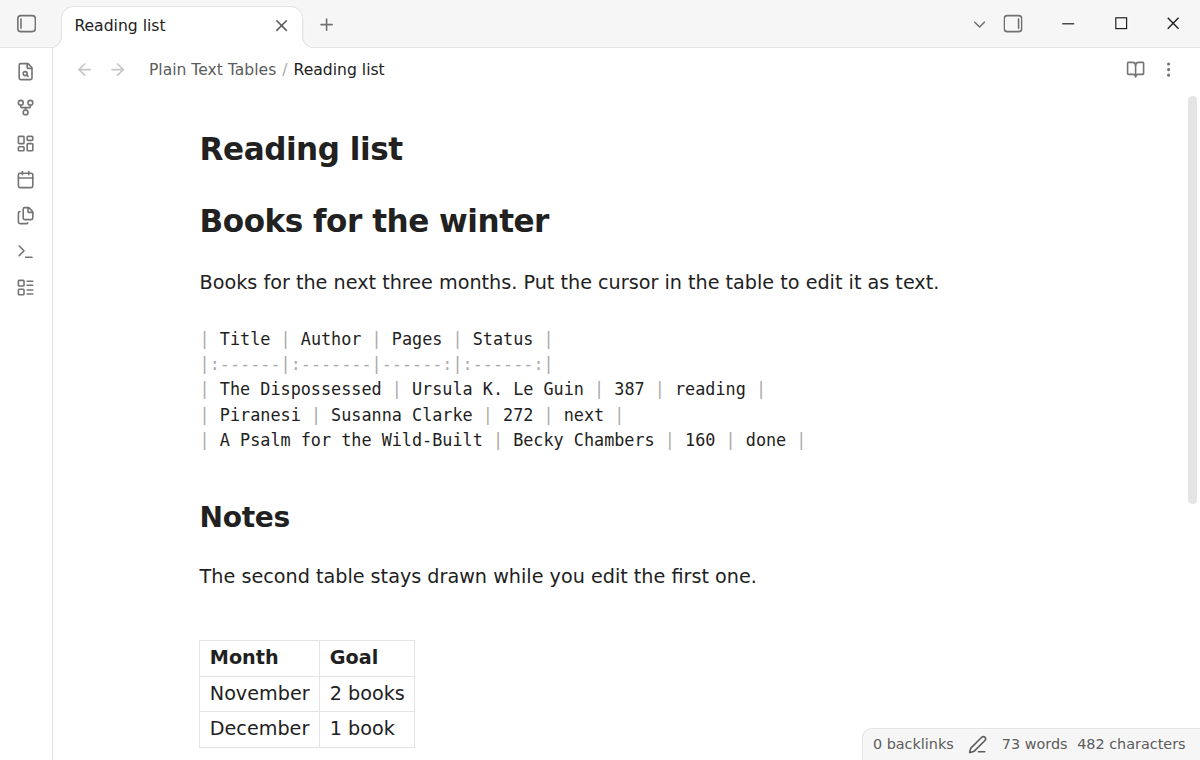

Move the cursor into a table with the arrow keys, or click a cell. The table shows as its Markdown lines, with pipes and the delimiter row. The rows are normal editor lines, as in Source mode, so the editor commands act on the text. Other tables in the note stay drawn. Free: table text in Live Preview for every table, the click on a cell, the command and the setting. Pro: column alignment when you leave a table, and a command that aligns the current table. $15 one time or $5 a month: Sponsor.
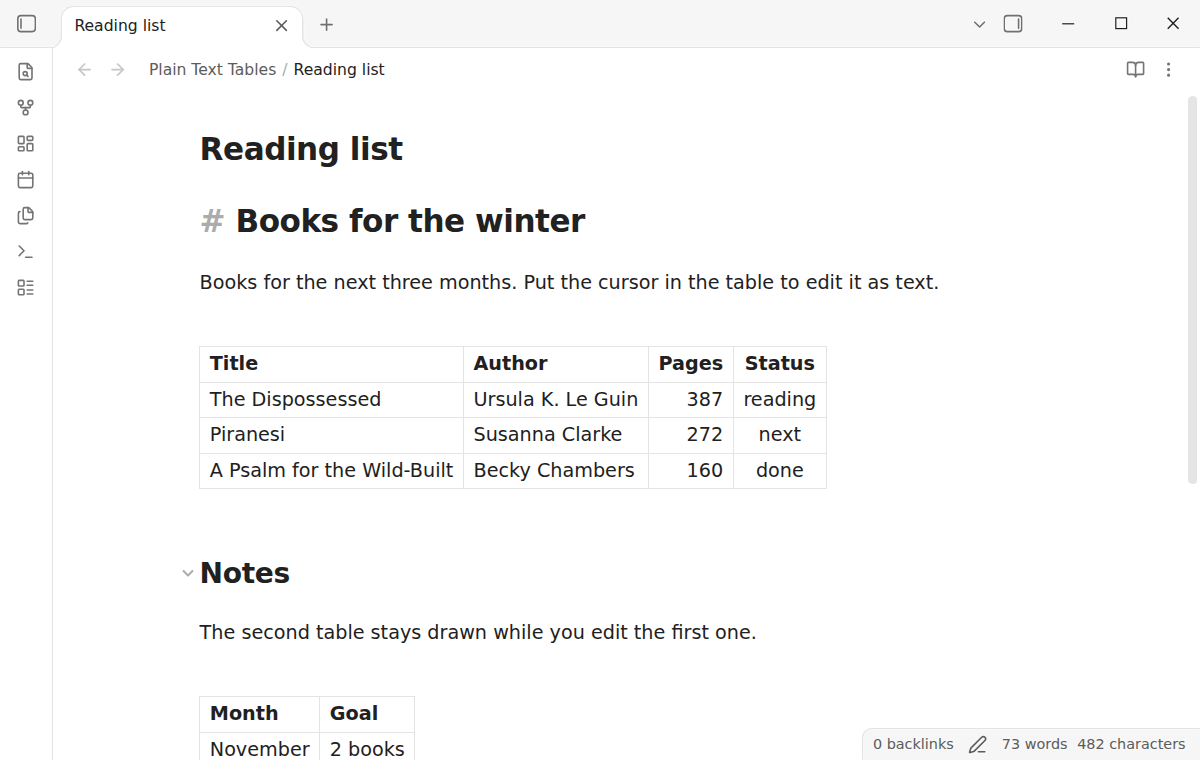
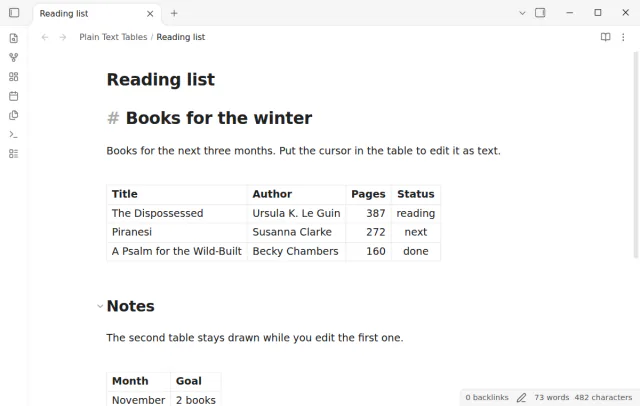
The first table shows as text while the cursor is in it. The second table under the heading stays as Obsidian draws it.
When the cursor is not in a table, the note looks the same as without the plugin. The plugin does not change how Obsidian draws a table, and it does not change Reading view or Source mode.
Pro costs $5 a month or $15 one time through GitHub Sponsors. One sponsorship turns on Pro in every plugin that has it.
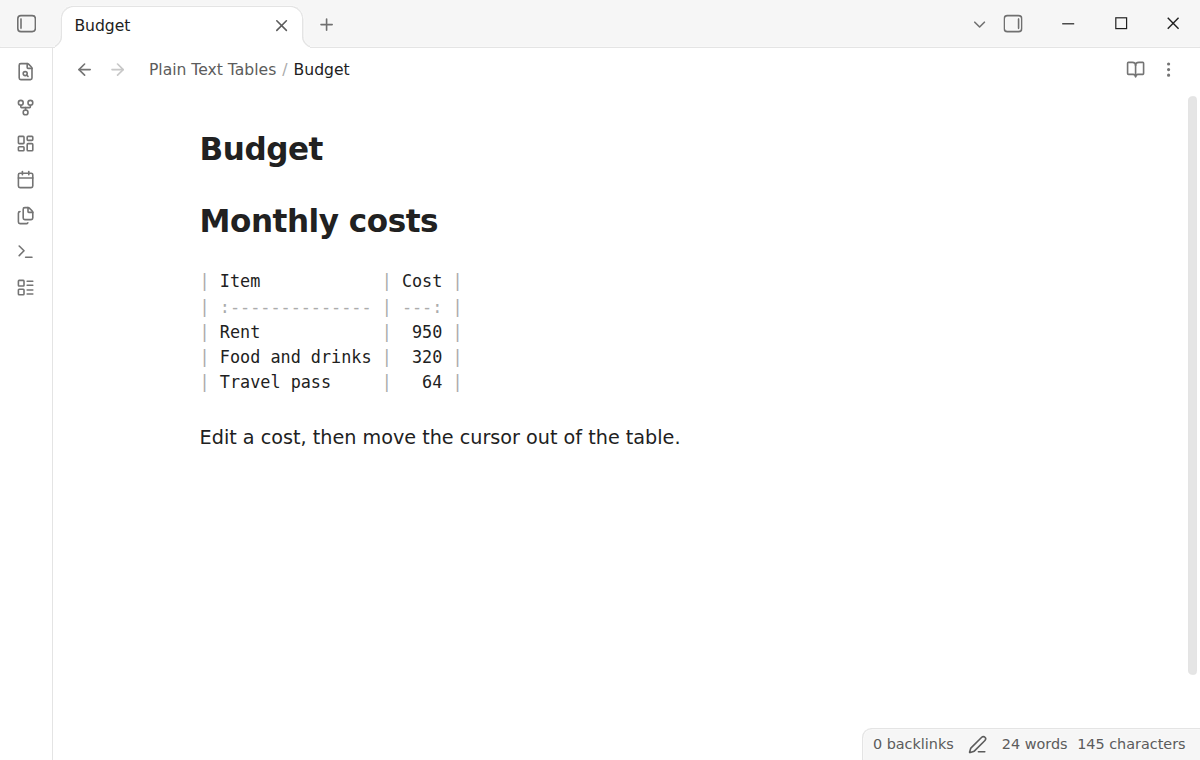
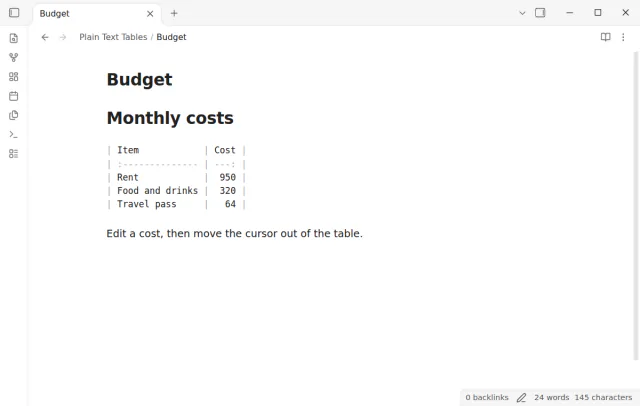
With the Pro setting "Align columns when you leave a table", the plugin pads the cells of a table that you changed, so that the pipes line up in the file. It also writes the delimiter row again with the alignment colons. It runs when the cursor leaves the table, and only when the table text changed while the cursor was in it. One undo removes the padding and keeps your edit. The Pro command "Align the current table" does the same at any time, for the table that holds the cursor.
needs
steps
Put the cursor in the table. Use the Up or Down key from the line above or below, or click a cell.
Edit the Markdown text of the table. Add a row with a new line that starts with a pipe.
Move the cursor out of the table. Obsidian draws it again.
If the app can't find a new plugin yet, try again later. Obsidian says a plugin that passes the review shows in the app within 24 hours.
Need a change for your team? I build custom Obsidian plugins and features.
Source mode already shows every table as text, so the plugin does nothing there. Reading view always draws tables. The plugin changes Live Preview only.
Obsidian already shows a table as text in one case: when a search match from "Find" is in the table. The plugin uses the same mark for the table that holds the cursor. It puts the mark on the line break after the header row, so you do not see a highlight. The mark goes away when the cursor leaves. When Find removes its marks, the plugin adds its mark again in the same step. These parts of Obsidian are not in its public API. The plugin checks for them when it starts. On desktop, it also checks after each change that the table with the cursor is not drawn. If a part is missing, or Obsidian still draws that table, the plugin shows one notice, gives the tables back to the Obsidian table editor and stops until Obsidian restarts.
A table as text takes more or less height than the drawn table, so the lines under it move. The cursor and the row that you clicked stay in view.
The free version does not. With the Pro alignment setting on, the plugin changes the spaces in a table that you edited, when you leave it. It does not change the cell text.
Tap a cell to show the table text. The tests run in the mobile emulation of Obsidian, which is not a real phone. The check that Obsidian does not draw the table with the cursor runs on desktop only. On mobile, if a table stays drawn while the cursor is in it, run the command "Toggle table text".
The text of this page comes from the README of the plugin, and nobody has reviewed its network use for this site yet. Read the README in the repository for the hosts that the plugin contacts.
Tell me what is broken in Plain Text Tables, or what it should do next.
Plain Text Tables 1.0.0, MIT license
MIT · no telemetry · core features free
Open numbered footnotes in callouts, table cells and paragraphs.
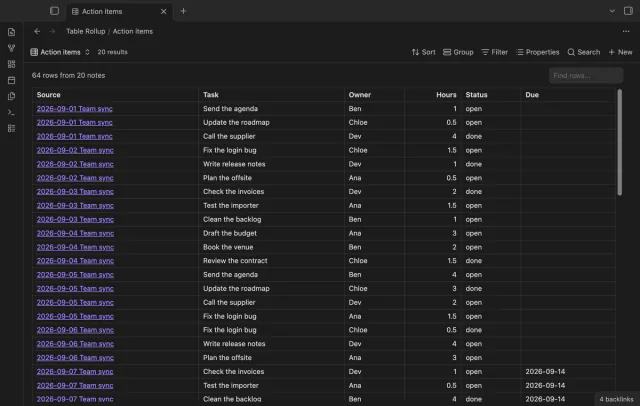
Combine note tables in one table with links to the source notes.
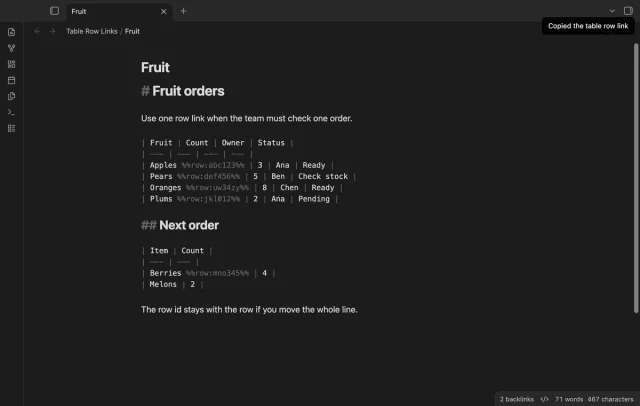
Copy a link to a marked table row in your note.