Word Comment Export
Export a DOCX with comments attached to the preceding word.
As of October 2026, Obsidian hides %% comments in Reading view; its help does not describe native Word comment export. For a small draft, copy the prose and add comments manually in your document editor. Word Comment Export builds a DOCX from supported note text and inline comments.
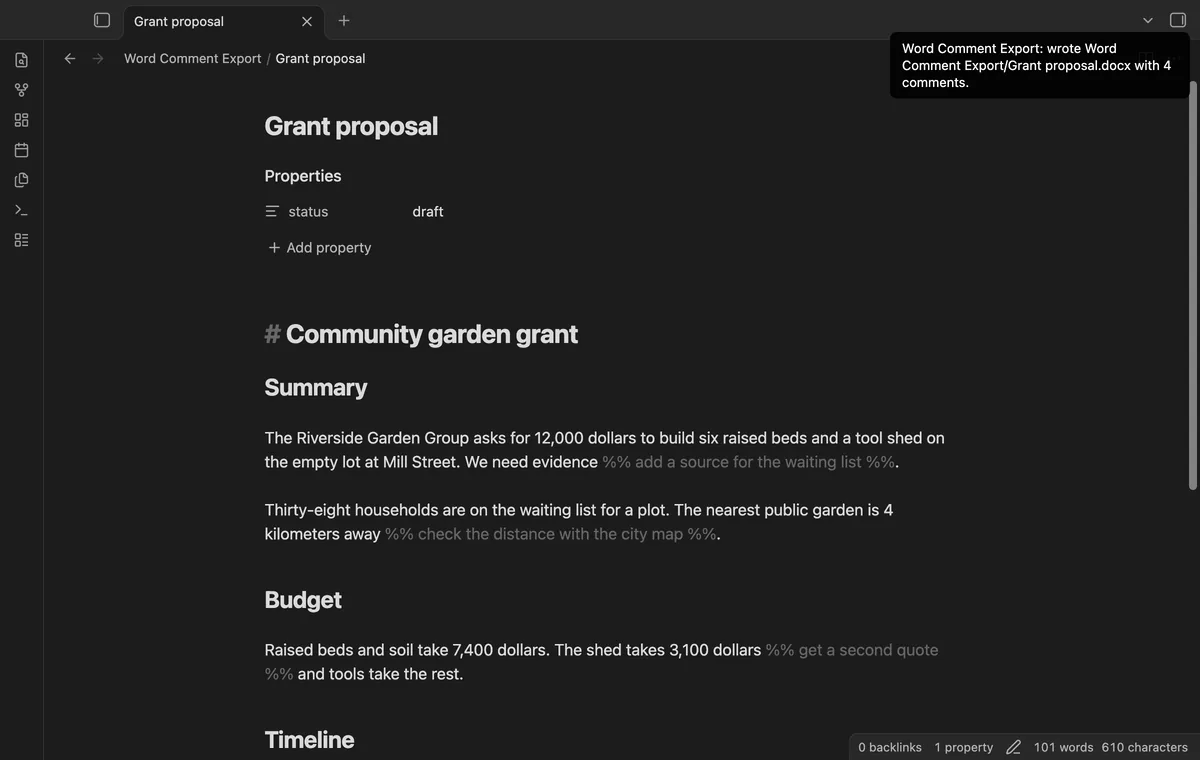
You review a prose draft in Obsidian and need to share its inline comments through a DOCX file. Write a review comment immediately after the word it concerns. Word Comment Export turns supported %% comments into native comments in a new DOCX file.
Obsidian supports inline comments wrapped in %%. They remain visible in Editing view and disappear in Reading view, so you can review the annotated note there.
Copy your prose into Word, then select an anchor and use Review, then New Comment. Enter the review comment there.
Write a review comment immediately after the word it concerns. Word Comment Export turns supported %% comments into native comments in a new DOCX file.
MIT · no telemetry · core features free
Open a note in the editor with an inline comment after its anchor word.
Run Export the active note to a docx file.
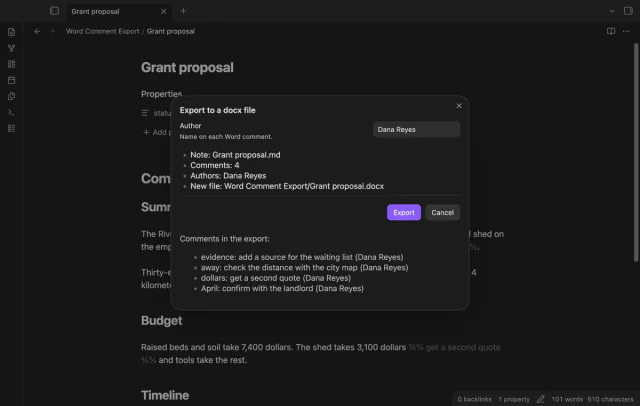
Read the preview and correct any unsupported text it lists.
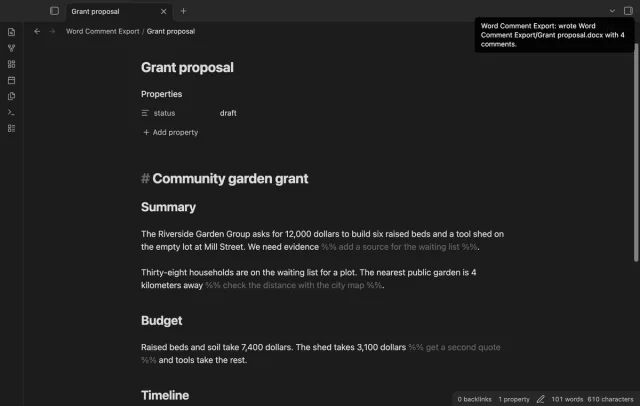
Check the author, select Export, and find the new DOCX beside your note.
A native comment needs an anchor word in this export. Put the comment immediately after the word it concerns.
Lists are unsupported and stop the preview. Prepare a separate supported prose draft if you need this export.
 That's every step, start to finish.
You're officially a regular.
Obsidian rewards people who share. NoteMods is just me and a lot of coffee. If this guide saved you a fight with the syntax, buy me a cup.
That's visit . Regulars are the reason I keep NoteMods running. If it's part of your routine now, a coffee says thanks better than anything.
Export a DOCX with comments attached to the preceding word.