
AsciiDoc Files
Edit AsciiDoc source and see its preview side by side.
Preview a local ColorNote backup and import notes and checklists.
MIT · no telemetry · core features free
The README reports checks with three version 7.1 backups and synthetic data. Physical mobile use and timestamp persistence after sync remain untested.
Directory facts fetched from community.obsidian.md/users/theluckystrike.
You have a ColorNote version 7.1 backup and want its readable notes in your vault.
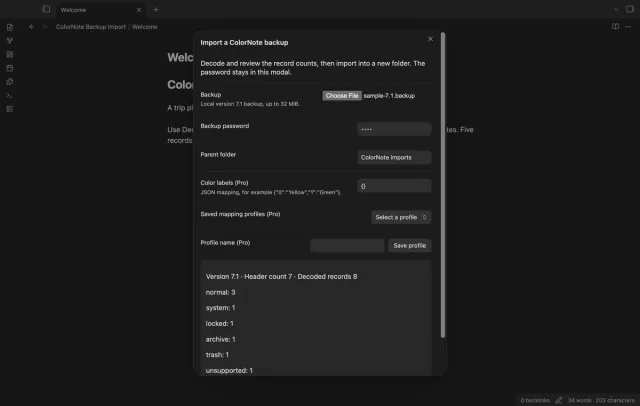
Select your backup, enter its password and review the record counts before writing notes. ColorNote Backup Import creates a timestamped folder with Markdown notes and an import report. Keep the backup to check your results.
 Play demo
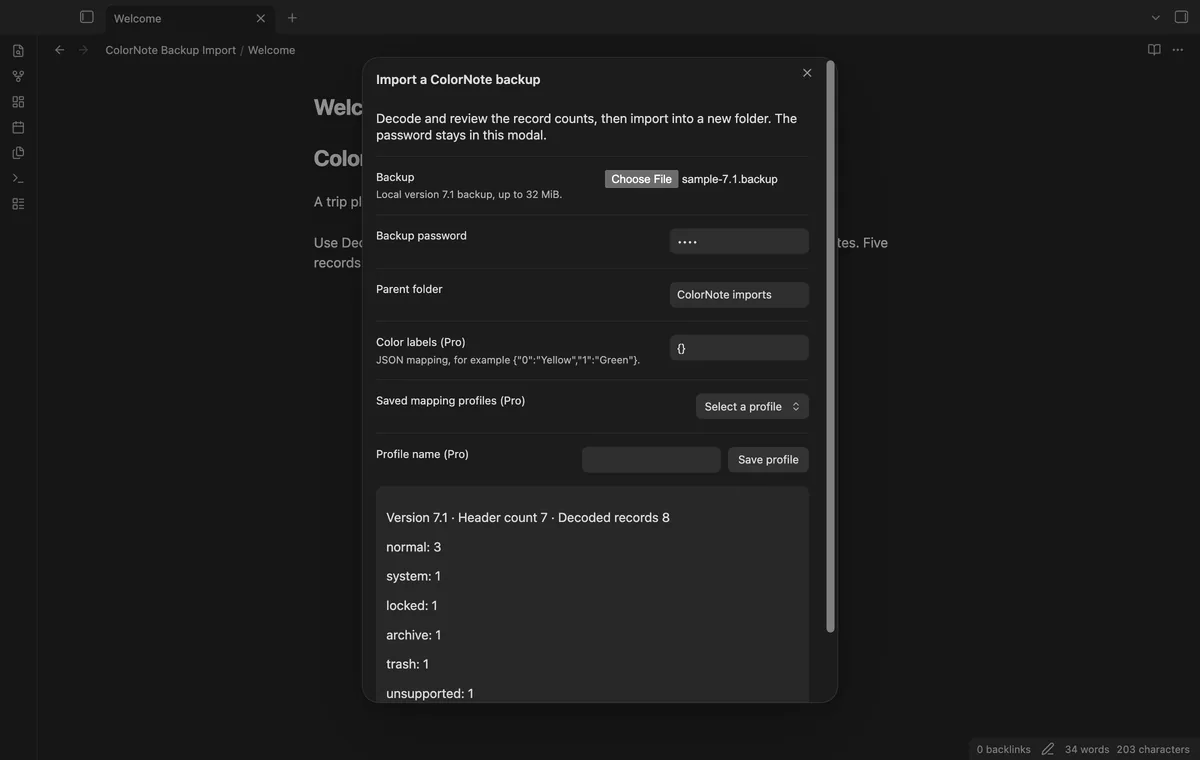
Select one local backup, including a file outside your vault. The decoder checks the version 7.1 header, cipher data and framed JSON before import.
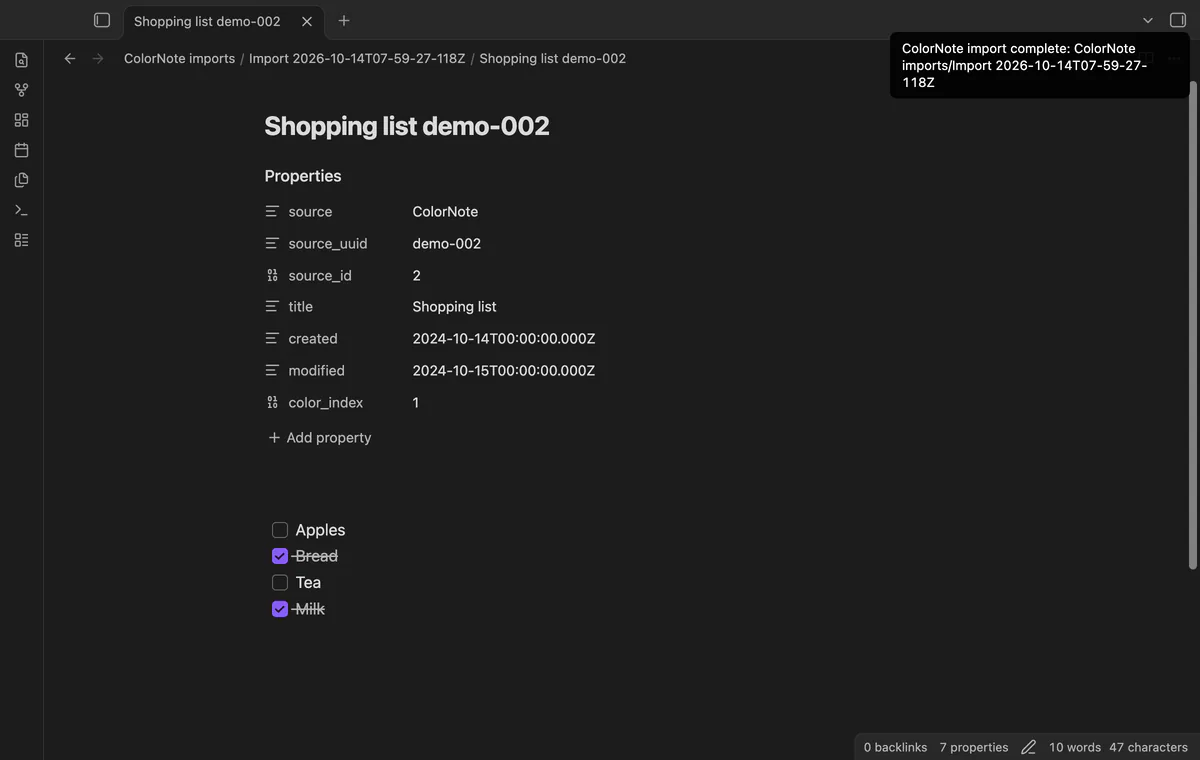
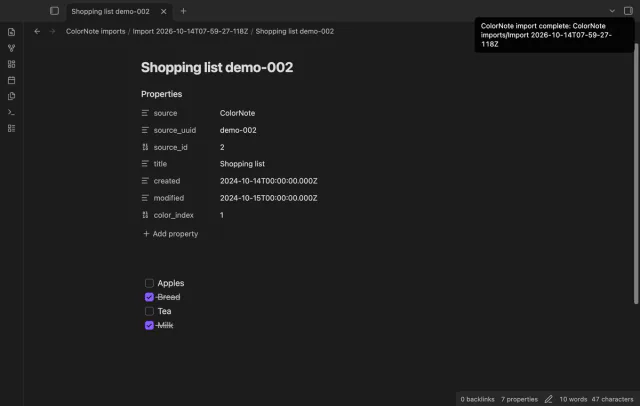
Notes keep source IDs, titles, UTC dates and color indices in frontmatter. Checklist markers at line starts become Markdown tasks when followed by a space or the line ending. Filenames combine a cleaned title and UUID, with numeric suffixes for further collisions.
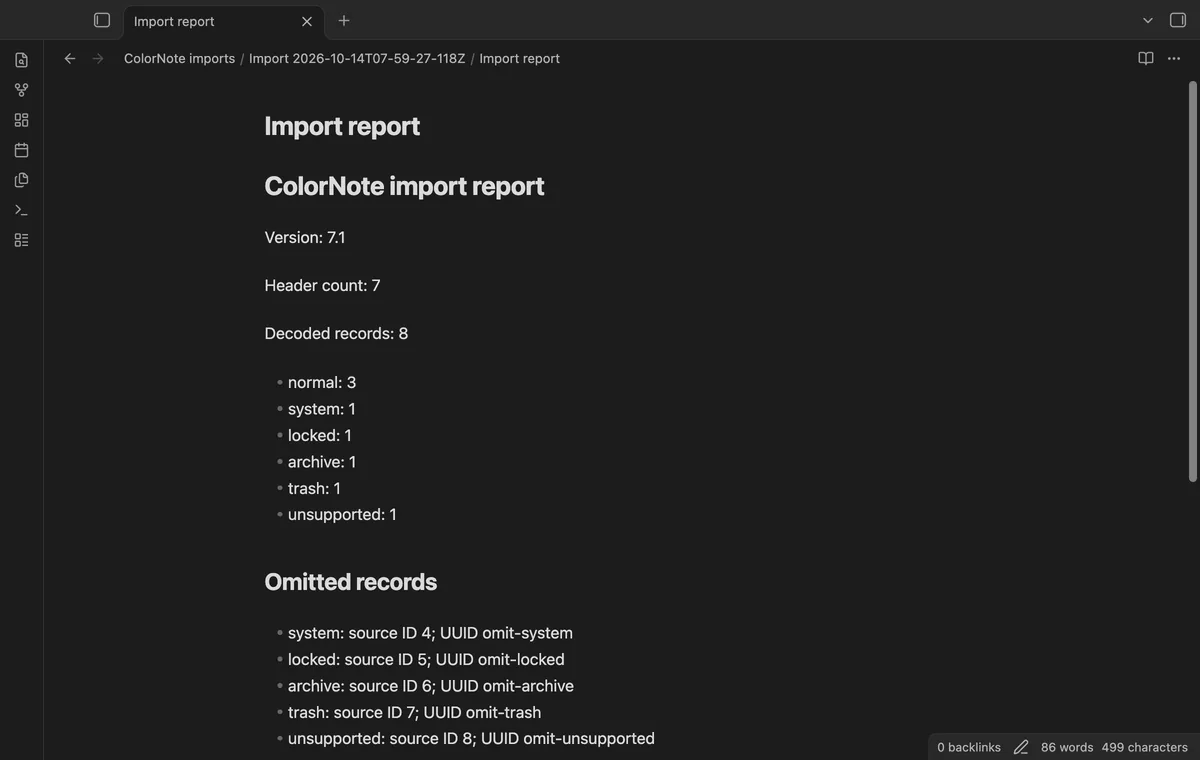

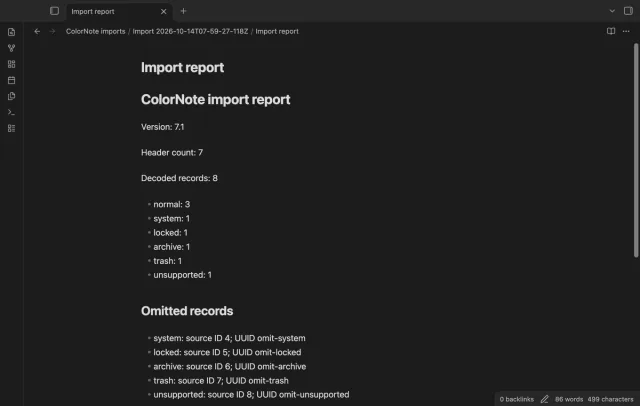
Each import creates a separate timestamped folder. The report counts decoded records and omitted classes without including omitted note bodies. It reads past the header count to the end of the record stream.
Pro costs $5 a month or $15 one time through GitHub Sponsors. One sponsorship turns on Pro in every plugin that has it.
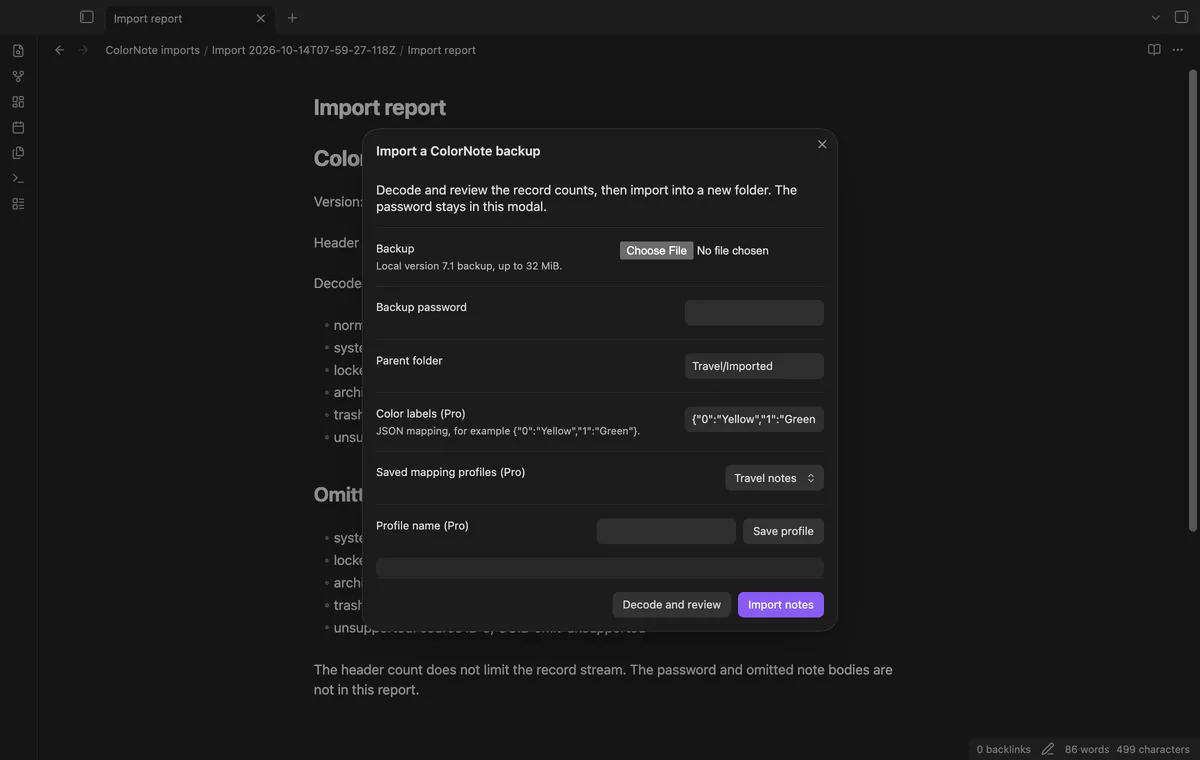
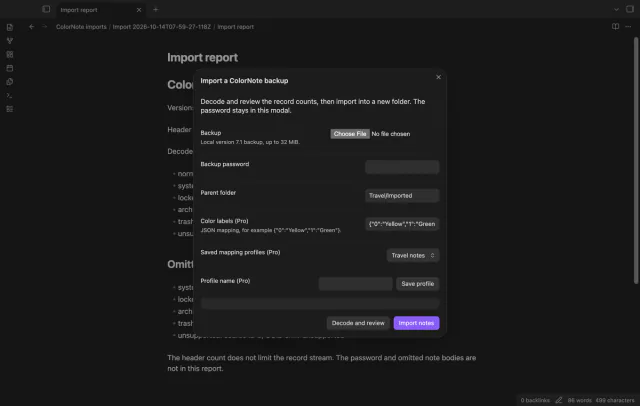
Save up to twenty named profiles with a parent folder and color labels. A mapped label becomes color_label, while color_index stays in the frontmatter. Saving an existing profile name replaces that profile.
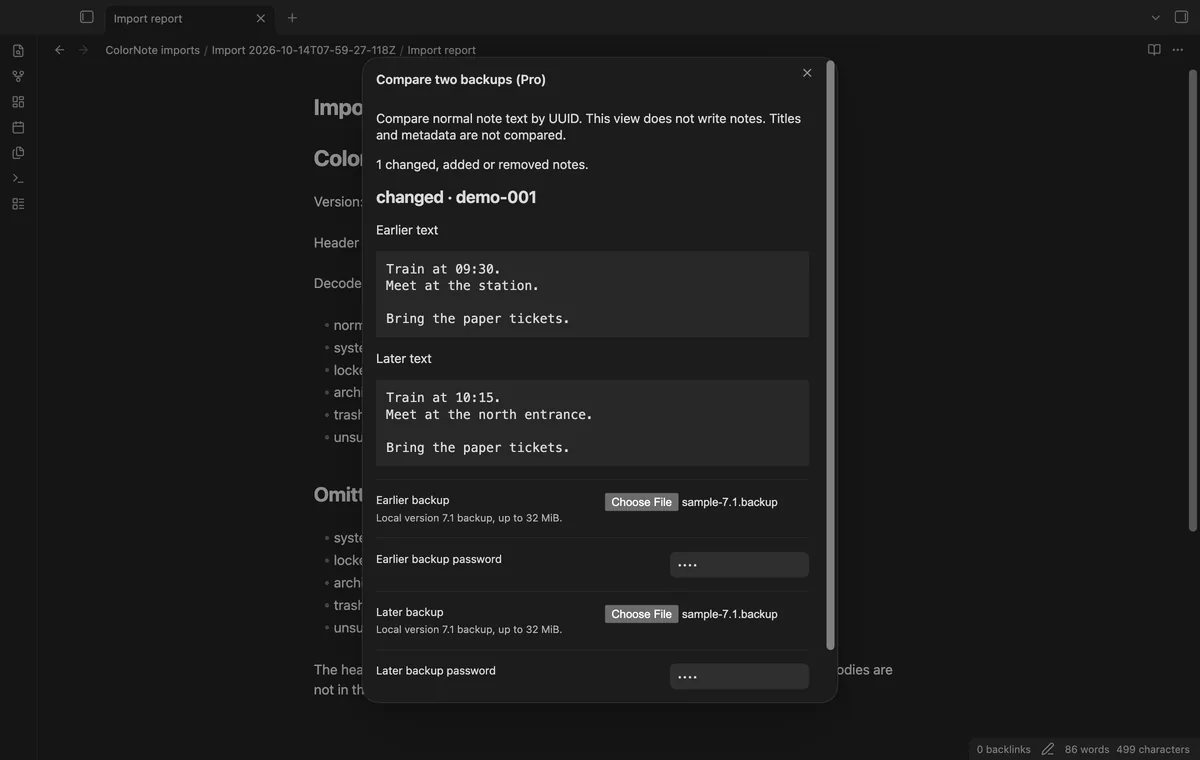
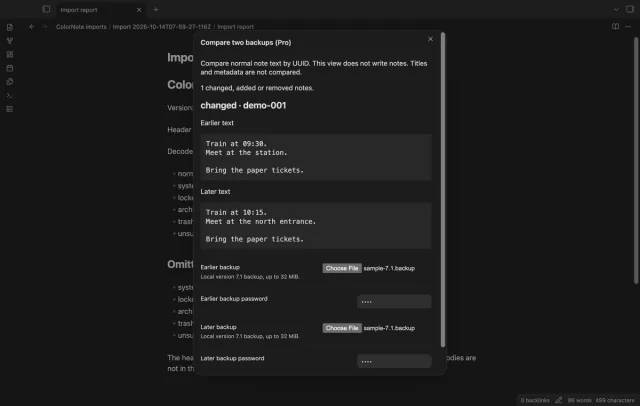
Compare normal records by UUID to see added, removed and changed note text. Earlier and later text appear separately, without updating imported notes. Title-only changes don't count, and duplicate normal-record UUIDs stop comparison.
needs
steps
Run Import a ColorNote backup from the command palette.
Select your backup and enter its password, then enter a parent folder.
Select Decode and review, and check decoded and omitted record counts.
Select Import notes, then open Import report.md in the completed folder.
Compare sample note bodies, checklist marks and dates against ColorNote.
If the app can't find a new plugin yet, try again later. Obsidian says a plugin that passes the review shows in the app within 24 hours.
[ ] or [V] marker.Need a change for your team? I build custom Obsidian plugins and features.
The decoder accepts a version 7.1 header only. Other versions stop before import, and the input limit is 32 MiB.
System, locked, archive, trash and unsupported records appear in the report instead of becoming normal notes. Reminders and internal link repair are outside this version.
Closing it before import discards the preview. Once vault writes start, closing it doesn't cancel them. A write failure can leave a partial folder; inspect it before retrying.
The password stays in the modal and clears when it closes or import succeeds. The plugin doesn't save it in settings or the report.
After you select Sign in with GitHub, device-flow requests send the public client ID, read:user scope and authorization codes to github.com. Authenticated sponsorship queries to api.github.com request your tier and total payment, without note content, file names or other vault data. No requests precede sign-in; successful checks last seven days, failed checks can retry after six hours, and Refresh checks sooner.
Tell me what is broken in ColorNote Backup Import, or what it should do next.
ColorNote Backup Import 1.1.0, MIT license
MIT · no telemetry · core features free
Edit AsciiDoc source and see its preview side by side.
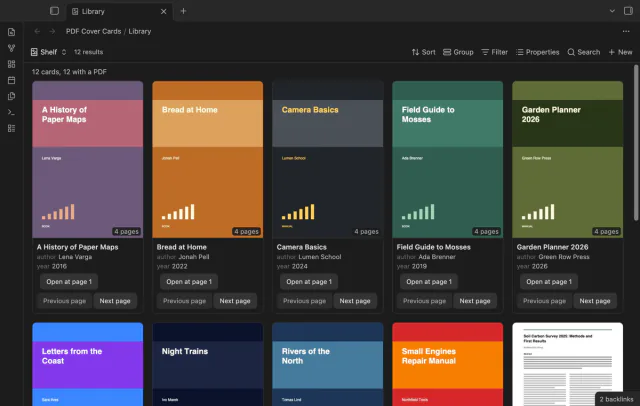
Show the first PDF page as a cover in your base.