How to import Zoho Notebook into Obsidian
As of October 2026, you can paste readable text into Obsidian notes or use Zoho Znote Import for a native export.
As of October 2026, you can create Obsidian notes and paste readable text into them. An encrypted ColorNote backup needs decoding first; ColorNote Backup Import accepts version 7.1 and writes dated Markdown notes.
Keep your original backup while you check the result. The importer separates normal notes from locked, archive, trash, system and unsupported records.
For a small selection, create notes and paste text you can already read. Obsidian documents note creation and its copy and paste shortcuts.
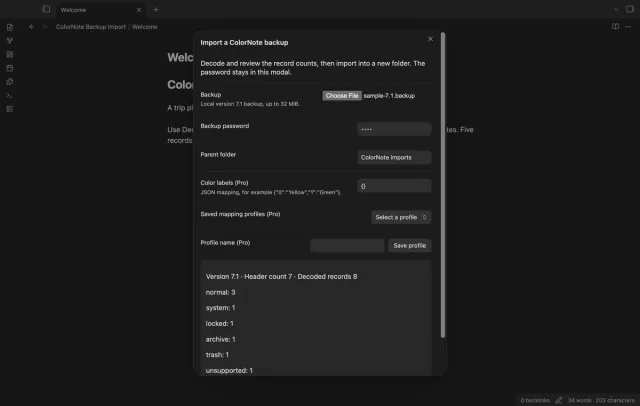
Select a local version 7.1 backup and enter its password. Review decoded and omitted counts before creating a timestamped folder.
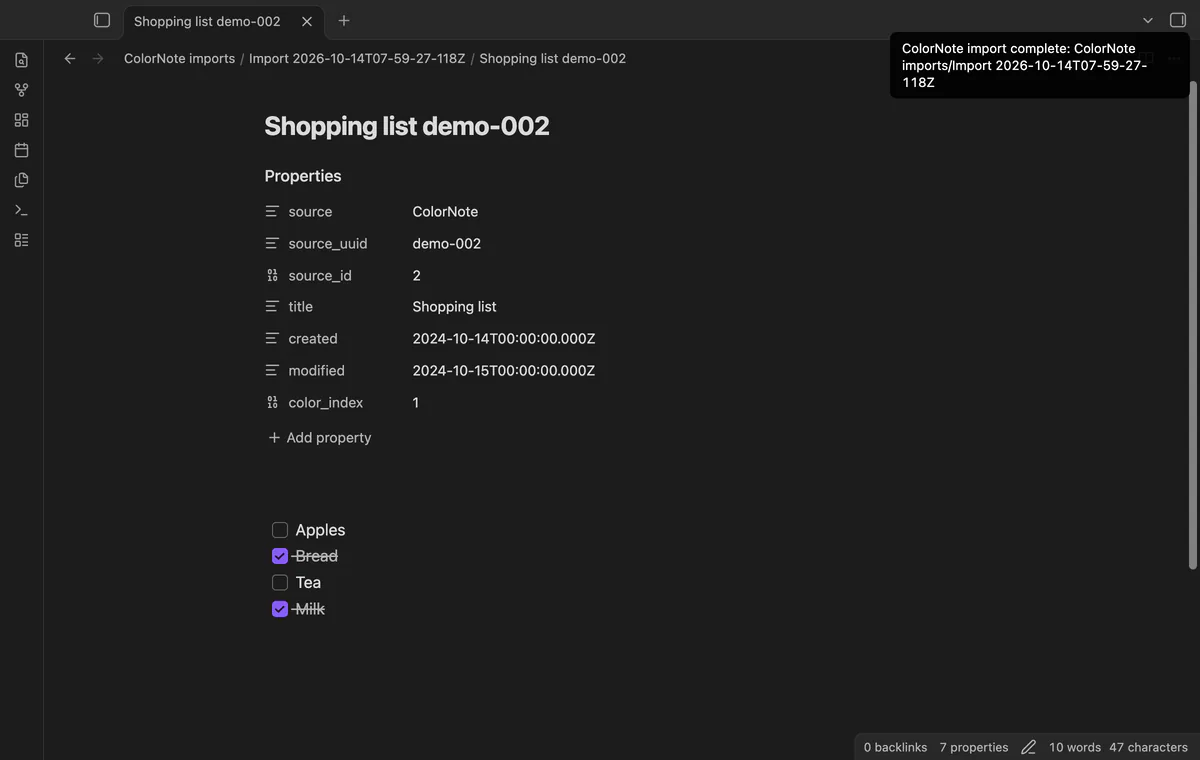
The report separates record classes, and imported notes retain source identifiers, dates and color indices. The free import needs no account.
MIT · no telemetry · core features free
Run Import a ColorNote backup from the command palette.
Select your backup and enter its password, then enter a parent folder.
Select Decode and review, and check decoded and omitted record counts.
Select Import notes, then open Import report.md in the completed folder.
Compare sample note bodies, checklist marks and dates against ColorNote.
Keep the original backup until you finish checking the imported notes.
The decoder reads the framed record stream to its end. The report keeps the header count and decoded count separate.
Pro comparison pairs normal records by UUID and compares note text. A title-only change doesn't appear as a text change.
 You can now import ColorNote backups into Obsidian.
You're officially a regular.
Obsidian rewards people who share. NoteMods is just me and a lot of coffee. If this guide saved you a fight with the syntax, buy me a cup.
That's visit . Regulars are the reason I keep NoteMods running. If it's part of your routine now, a coffee says thanks better than anything.
Preview a local ColorNote backup and import notes and checklists.