
AsciiDoc Files
Edit AsciiDoc source and see its preview side by side.
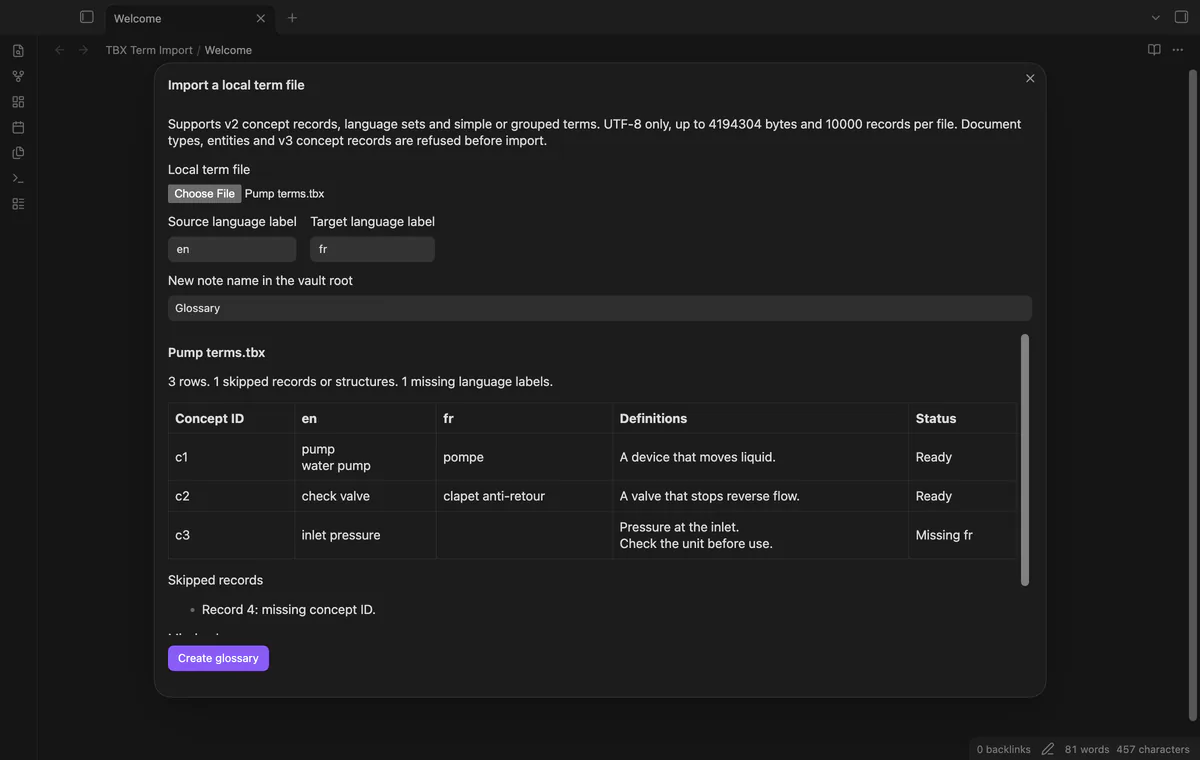
Preview a local term file and create a glossary with two language columns.
MIT · no telemetry · core features free
Physical mobile devices and term bases from commercial terminology tools were not tested.
Directory facts fetched from community.obsidian.md/users/theluckystrike.
You keep bilingual terminology and want to inspect a small term base before adding it to your vault.
Choose a local UTF-8 term file, select two language labels, and review the rows before creating a glossary. The single-file workflow is free and needs no account.
This release reads supported TBX v2 structures. It refuses TBX v3 concept records, DTD declarations and ENTITY declarations.
 Play demo
Select a file from your device, including outside the vault. The importer reads it in memory and leaves the source unchanged. Each file must contain valid UTF-8 XML within 4 MiB and 10,000 termEntry records.
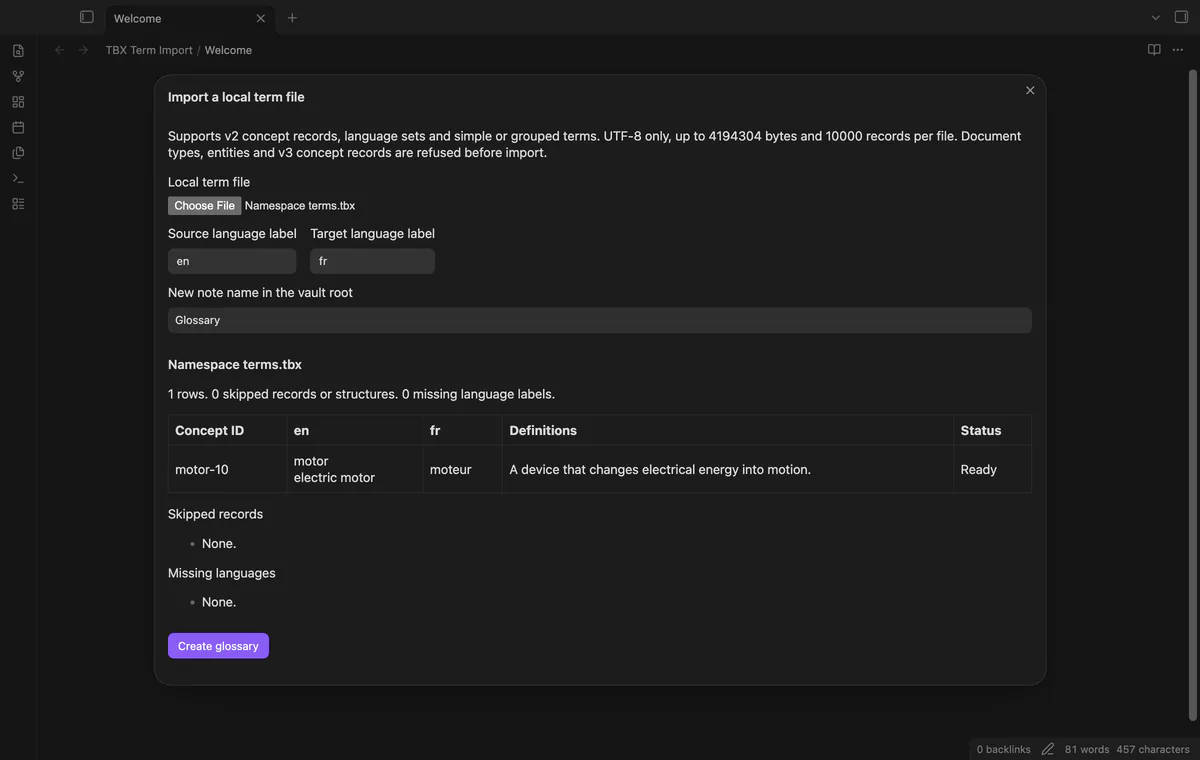
Read termEntry and langSet records with tig or ntig and termGrp terms. Alternate terms keep their source order, and namespace prefixes are accepted. Missing or duplicate concept IDs appear in the skipped list.
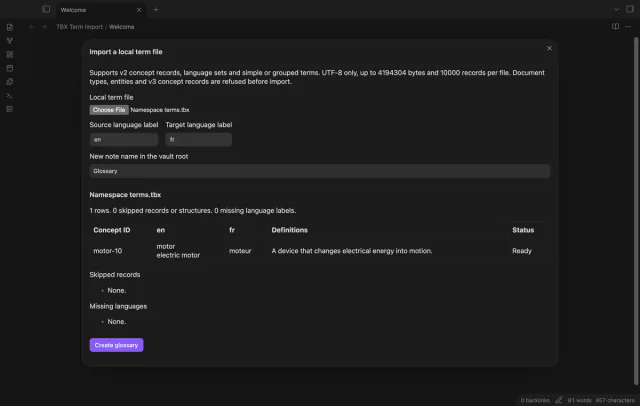
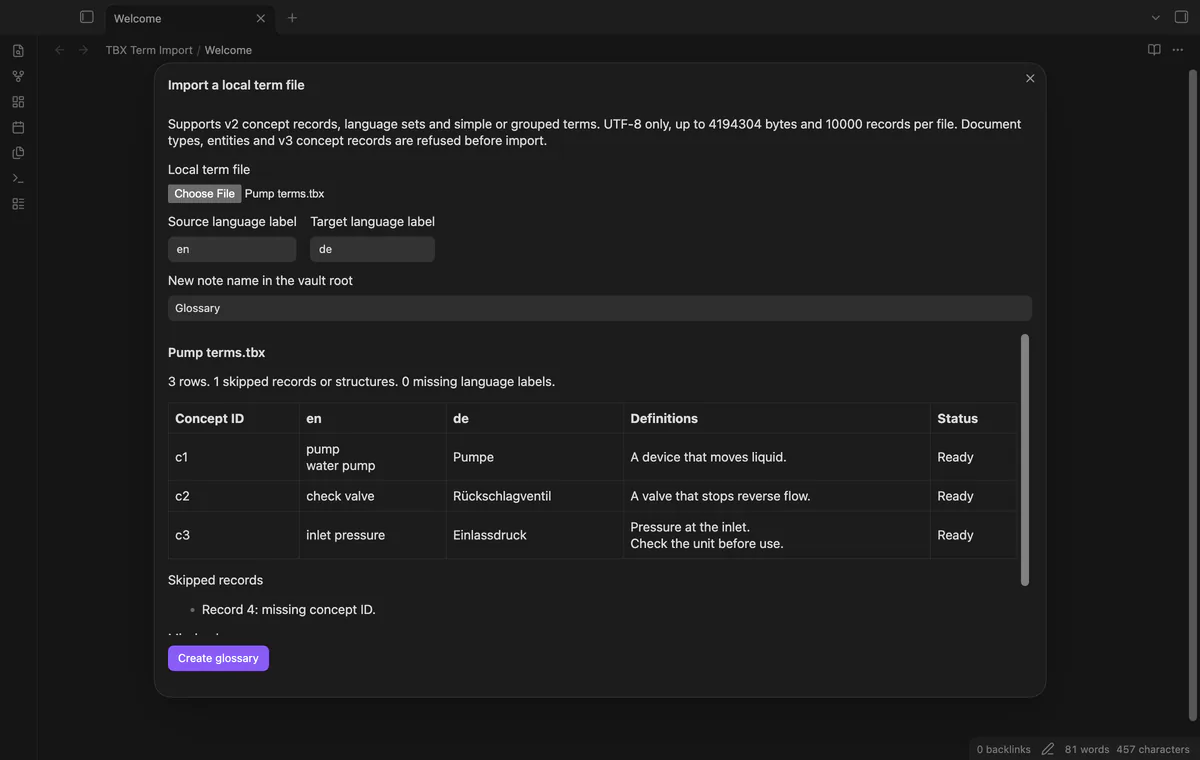
Choose two different xml:lang labels from your file. Labels such as en, en-US and en-GB stay distinct. The column headings show your selection.
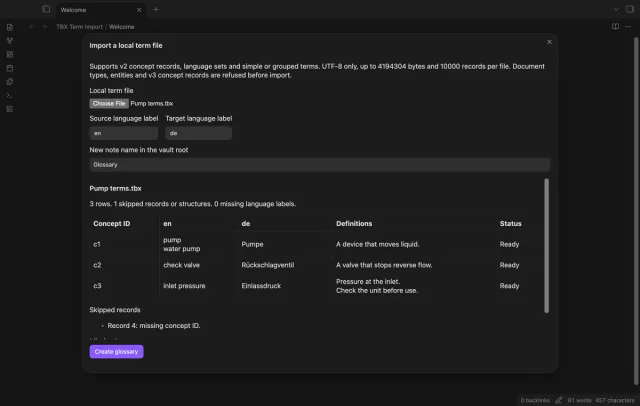
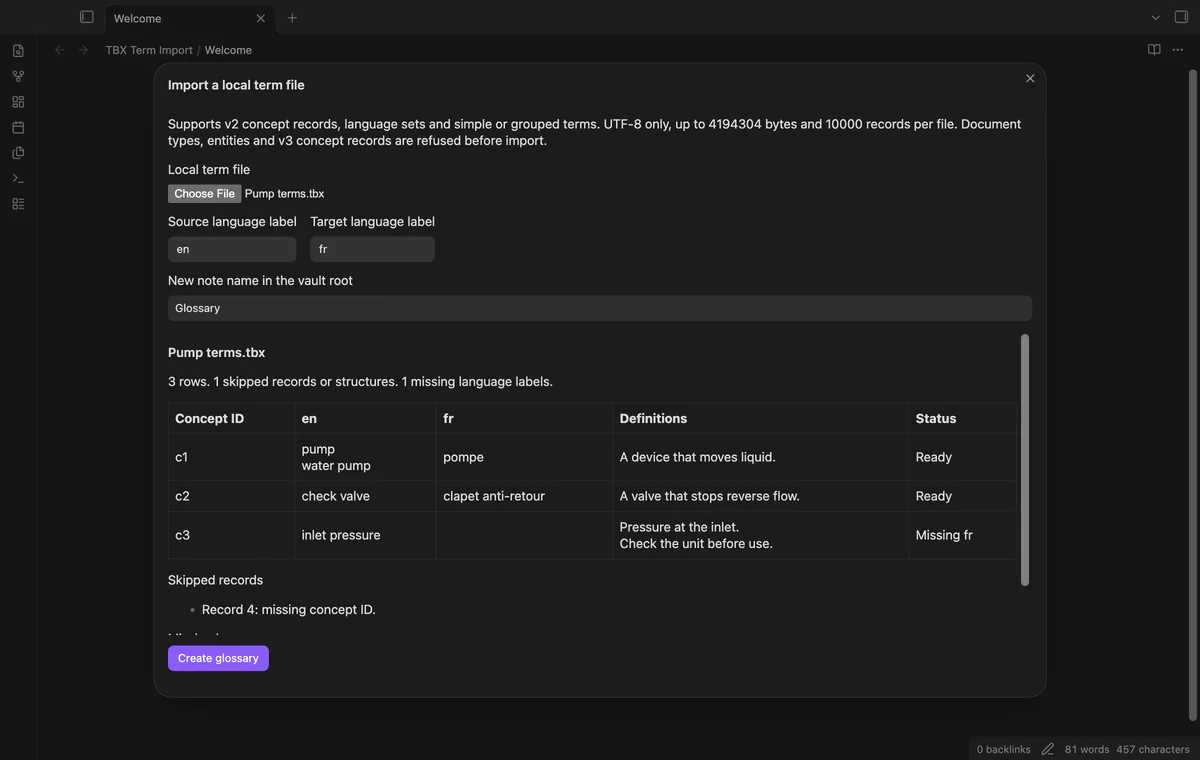
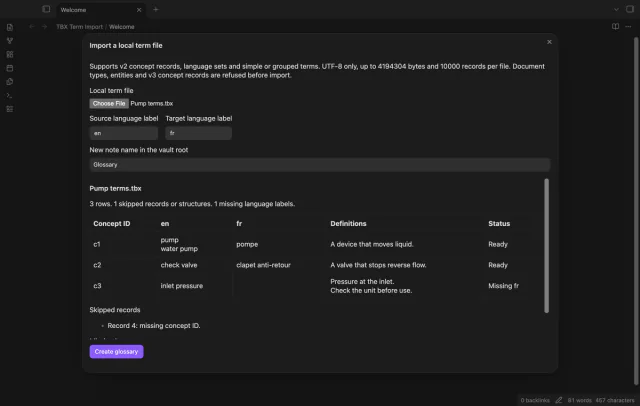
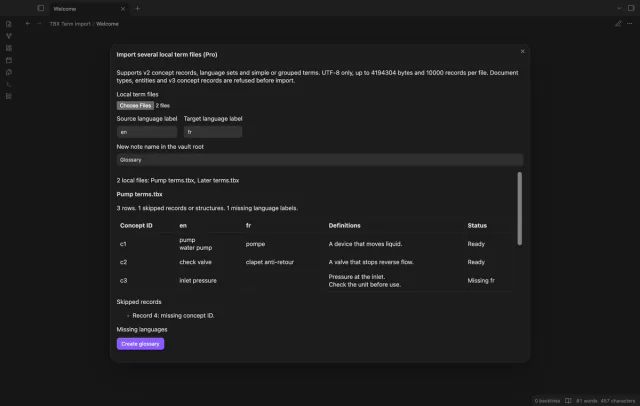
Inspect concept IDs, alternate terms, definitions and missing-language status before creation. The preview shows the first 100 rows. Output includes supported selected rows beyond that preview limit.
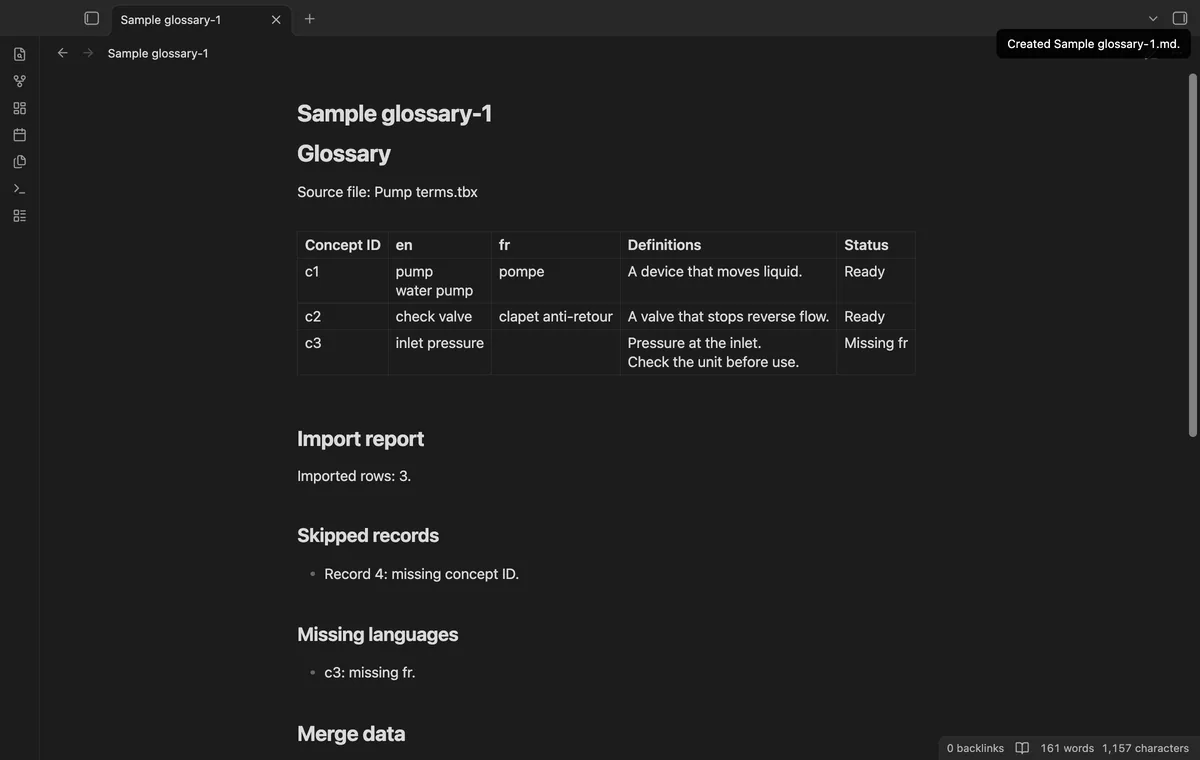
Create a new note in the vault root with a glossary table and import report. Imported formatting becomes text, and occupied names receive a numbered suffix. The report lists skipped records and missing language labels.
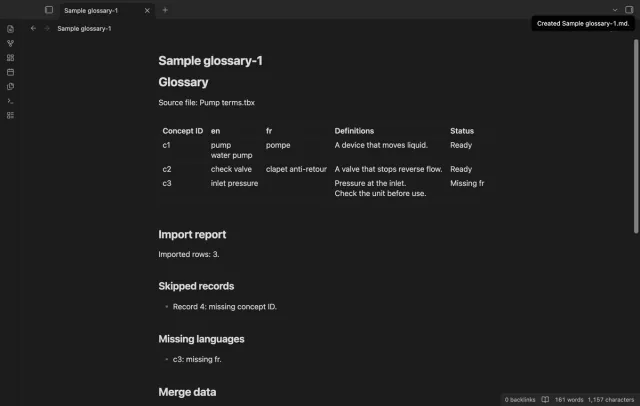
Single-file import is free; batch import and reviewed concept ID merges need Pro.
Pro costs $5 a month or $15 one time through GitHub Sponsors. One sponsorship turns on Pro in every plugin that has it.
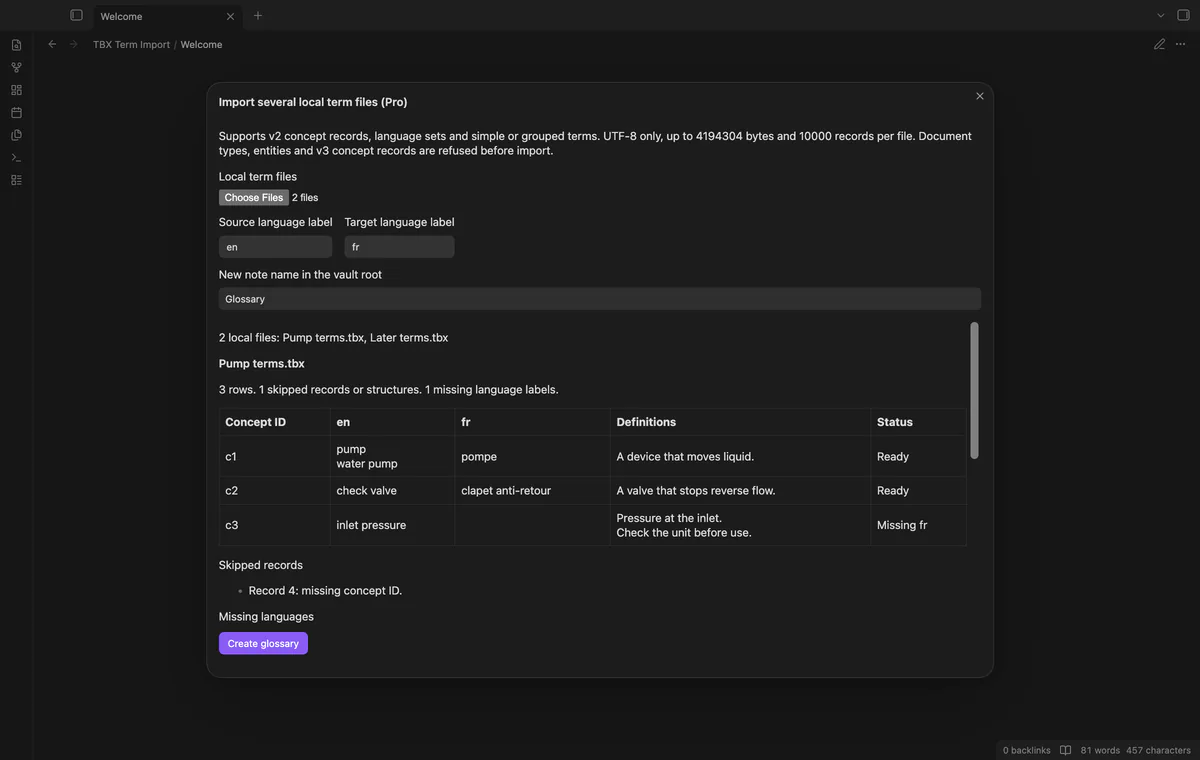
Select up to 20 local files and inspect a separate preview or refusal for each. Your selected labels apply to the batch. Supported files create separate notes and reports.
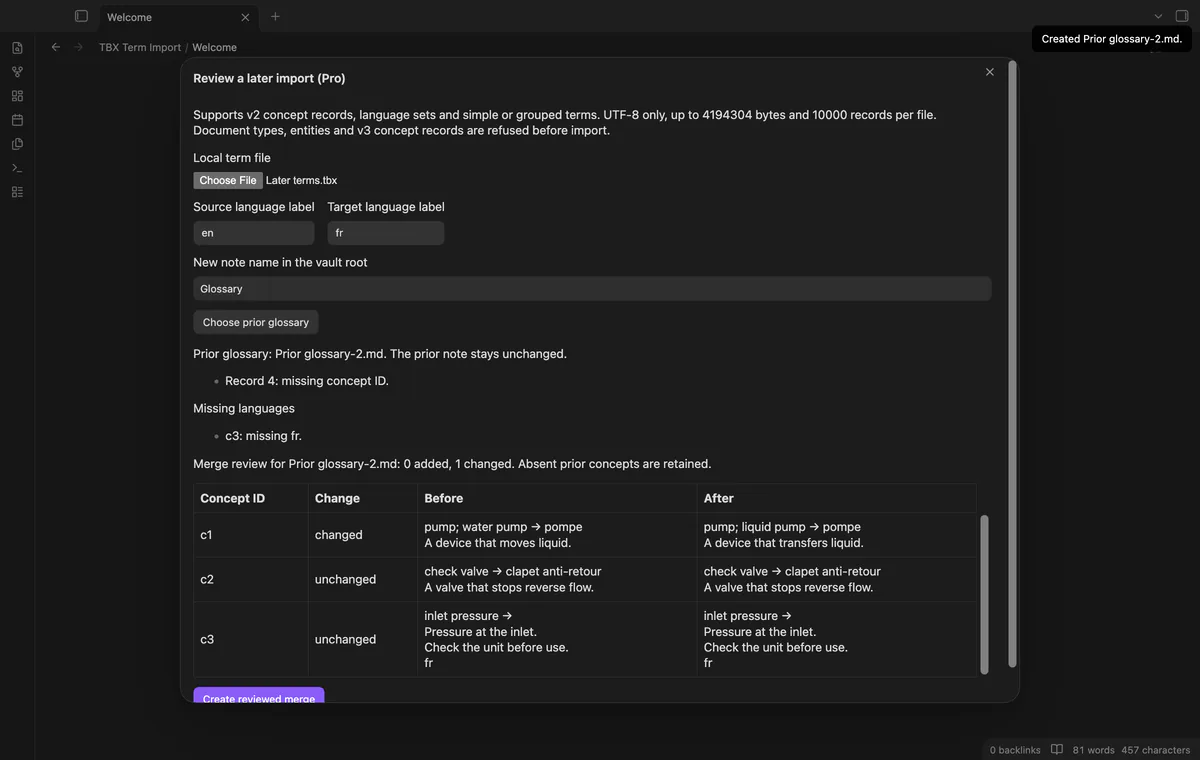
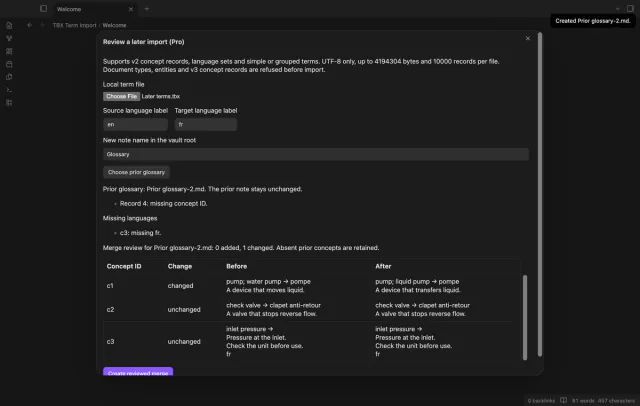
Compare a later import with a prior glossary by concept ID. Review added, changed, unchanged and retained records before creating a new note. Matching language labels are required, and the review stops at 100 result rows.
needs
steps
Run Import a local term file from the command palette.
Select a local .tbx or .xml file and read the displayed limits.
Choose two different source and target language labels, then inspect the rows and report lists.
Enter a plain note name and select Create glossary.
Open the created note in Reading view to inspect the table and report.
If the app can't find a new plugin yet, try again later. Obsidian says a plugin that passes the review shows in the app within 24 hours.
Need a change for your team? I build custom Obsidian plugins and features.
No. The reader refuses conceptEntry records. It also refuses DTD and ENTITY declarations and doesn't validate a TBX schema.
The merge reads the fenced local merge data in a glossary created by this plugin. Manual table edits don't update that data. Keep the block if you need later merges.
A concept with one selected language missing remains visible with a warning. A concept with neither selected language is skipped. Inspect the report before using the glossary.
Batch import and reviewed merges need a sponsoring GitHub account. GitHub Sponsors costs $5 a month or $15 once; sign-in and sponsorship checks still apply after $15 total payment.
Before you select Sign in with GitHub, the plugin makes no network requests. Sign-in sends a client ID, read:user scope and device-flow codes to github.com; authenticated requests to api.github.com check sponsorship. Checks reuse success for seven days, retry failures after six hours, or run on Refresh; they send no vault data.
Tell me what is broken in TBX Term Import, or what it should do next.
TBX Term Import 1.1.0, MIT license
MIT · no telemetry · core features free
Edit AsciiDoc source and see its preview side by side.
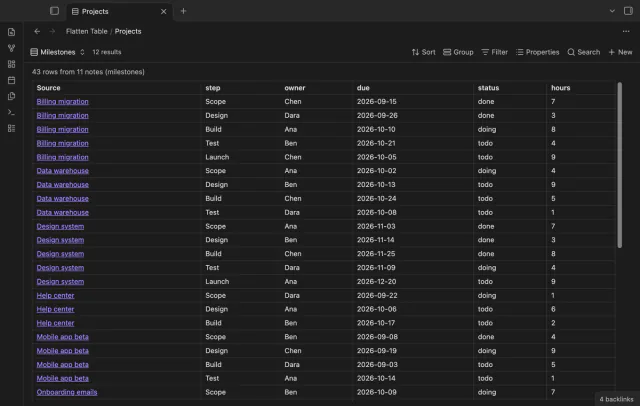
Show each item of a Bases list property as a separate row.