Data Format Converter
Check and preview selected configuration data before conversion.
As of October 2026, Obsidian documents code blocks for displaying examples, rather than converting their data formats. Use Data Format Converter to preview selected YAML, JSON or TOML and confirm replacement.
Keep a configuration example separate from the rest of your Markdown note. The converter reads selected data without its surrounding code fences.
Obsidian supports fenced code blocks with a language label. Keep a copy of your example and edit its contents when you already know the target syntax.
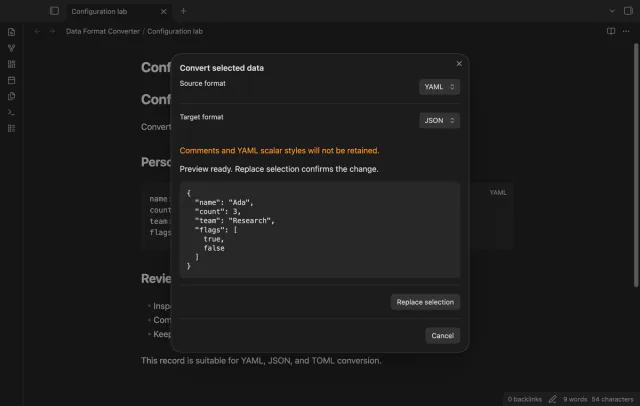
For a simple string, YAML name: Ada becomes JSON {"name":"Ada"} or TOML name = "Ada". Compare the values yourself before replacing the source.
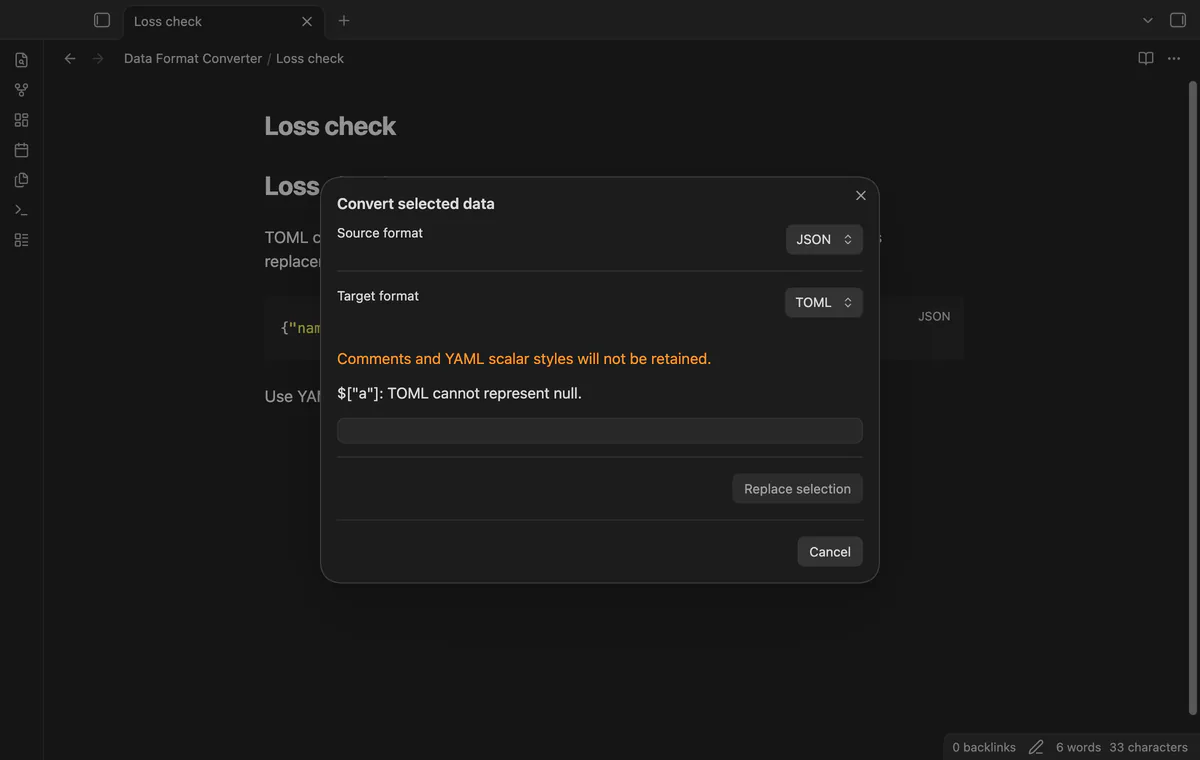
Select the data inside the block and choose its source and target formats. Read the output before confirming replacement.
MIT · no telemetry · core features free
Open a note and select the data without the code block fences.
Run Convert selected data from the command palette.
Choose the source and target formats.
Read the preview and warning, then select Replace selection or Cancel.
No. Select only the data between the opening and closing fences.
Use a quoted string if that representation fits your data. The converter won't choose a date representation for you.
 You can now convert YAML, JSON and TOML.
You're officially a regular.
Obsidian rewards people who share. NoteMods is just me and a lot of coffee. If this guide saved you a fight with the syntax, buy me a cup.
That's visit . Regulars are the reason I keep NoteMods running. If it's part of your routine now, a coffee says thanks better than anything.
Check and preview selected configuration data before conversion.