How to check CSV column rules in Obsidian
Check parsed CSV fields against rules you choose, then record errors by row and column.
As of October 2026, Obsidian has no core tool that checks CSV cells for formula prefixes. A plugin can list those cells by row and column and write an escaped copy next to the source.
CSV Formula Shield has Pro, and $15 one time turns it on in all 129 plugins.
A spreadsheet can treat a cell that starts with a formula prefix such as an equals sign as executable input. OWASP calls this CSV injection. A common defence adds an apostrophe before such a cell before you share the file.
The OWASP page on CSV injection describes the risk and the limits of escaping. You can open the file in a text editor and add an apostrophe before each cell that starts with a formula prefix.
The Obsidian list of accepted file formats has no CSV type, so the edit happens outside the vault view.
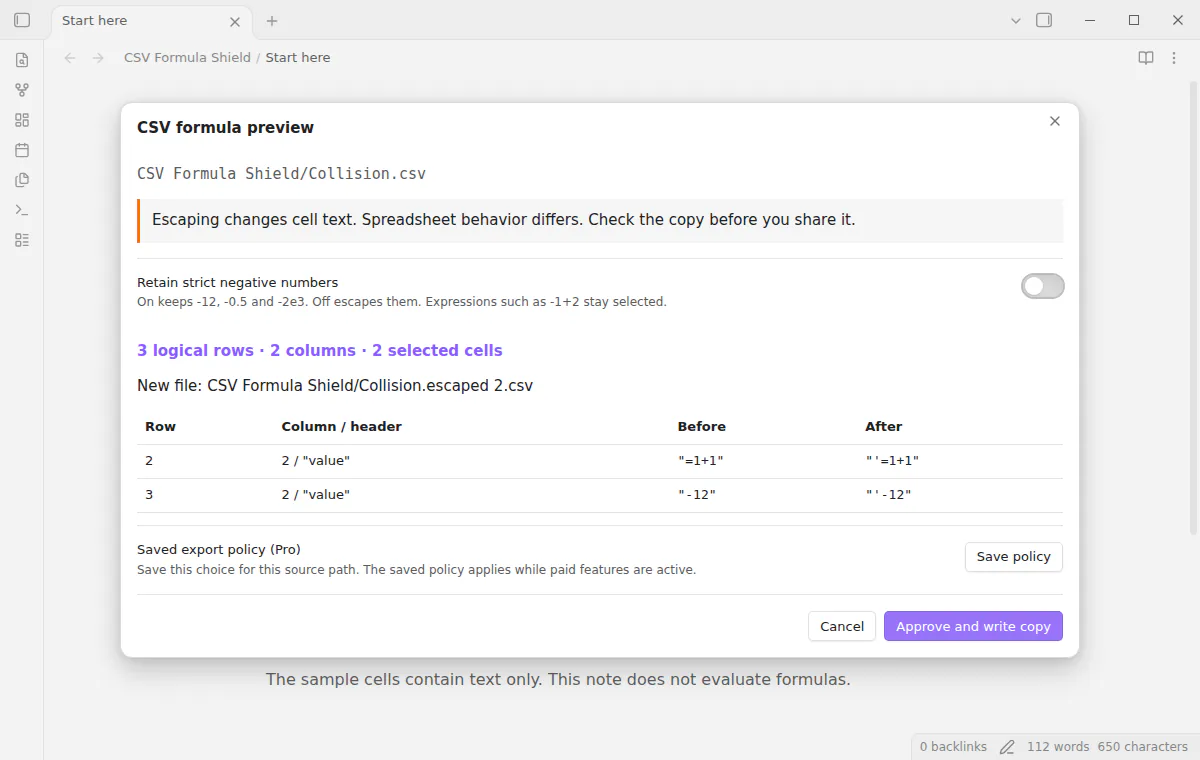
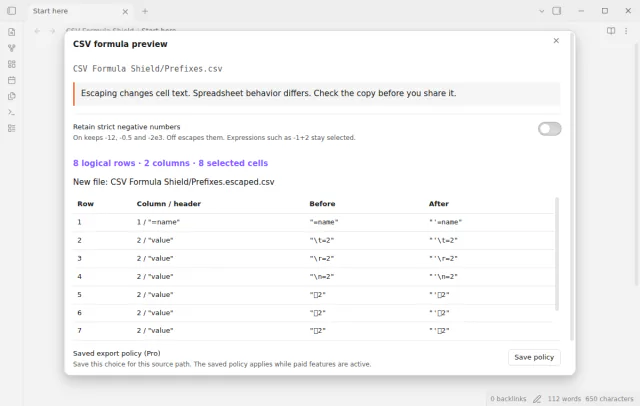
CSV Formula Shield checks a comma-separated UTF-8 CSV of up to 1 MiB for formula prefixes. The preview shows row and column numbers, the header text and each value before and after.
Approve and write copy adds one leading apostrophe to each selected value. It writes a new file that ends in .escaped.csv and leaves the source in place.
MIT · no telemetry · core features free
Open Settings, then Community plugins, and turn off restricted mode.
Select Browse, search for CSV Formula Shield, then select Install and Enable. It needs Obsidian 1.13.4 or later.
Add the source CSV to your vault. Run CSV Formula Shield: Check a CSV and preview an escaped copy from the command palette.
Choose the file and read the table of affected cells. Turn on Retain strict negative numbers if values such as -12 must stay as they are.
Check the proposed output path, then select Approve and write copy.
The fixed set is equals, plus, minus, at, tab, carriage return and line feed. Full-width equals, plus, minus and at count too. The check uses the original first character and does not trim leading spaces.
By default, yes, because minus is a formula prefix. Turn on Retain strict negative numbers to keep values such as -12, -0.5 and -2e3. Expressions such as -1+2 stay selected.
No. CSV Formula Shield supports comma-separated UTF-8 files only. Semicolon and tab delimiters are outside the supported format, so convert the file first.
 That's every step, start to finish.
This guide uses CSV Formula Shield. Pro adds "Saved export policies" and "Combined audit report". One payment of $15 turns on Pro in 129 plugins.
This guide uses CSV Formula Shield. Pro adds "Saved export policies" and "Combined audit report". One payment of $15 turns on Pro in 129 plugins.
Find cells that start with a formula prefix and write an escaped copy of the CSV.