How to export Markdown tables as UTF-8 CSV
As of October 2026, Obsidian Bases can export a view as CSV.
As of October 2026, the core Export to PDF dialog has no option that prints the properties of a note. The PDF shows the body of the note, and the dialog can add the file name as a title. To print author, status or tags, copy them into the body or add a header with a plugin.
Properties in PDF Export has Pro, and $15 one time turns it on in all 129 plugins.
The forum request "Properties: option to export to PDF" opened on 27 July 2023. On 8 November 2026 it had 25 posts and 118 likes, and 75 of them are on the first post. One early reply asks to choose which properties go into the PDF.
Open the note and select Export to PDF... in the command palette or in the More options menu. The dialog sets the page size, the page direction, the margin and a downscale percent.
The only extra text it adds is the file name, with Include file name as title. It has no setting for properties.
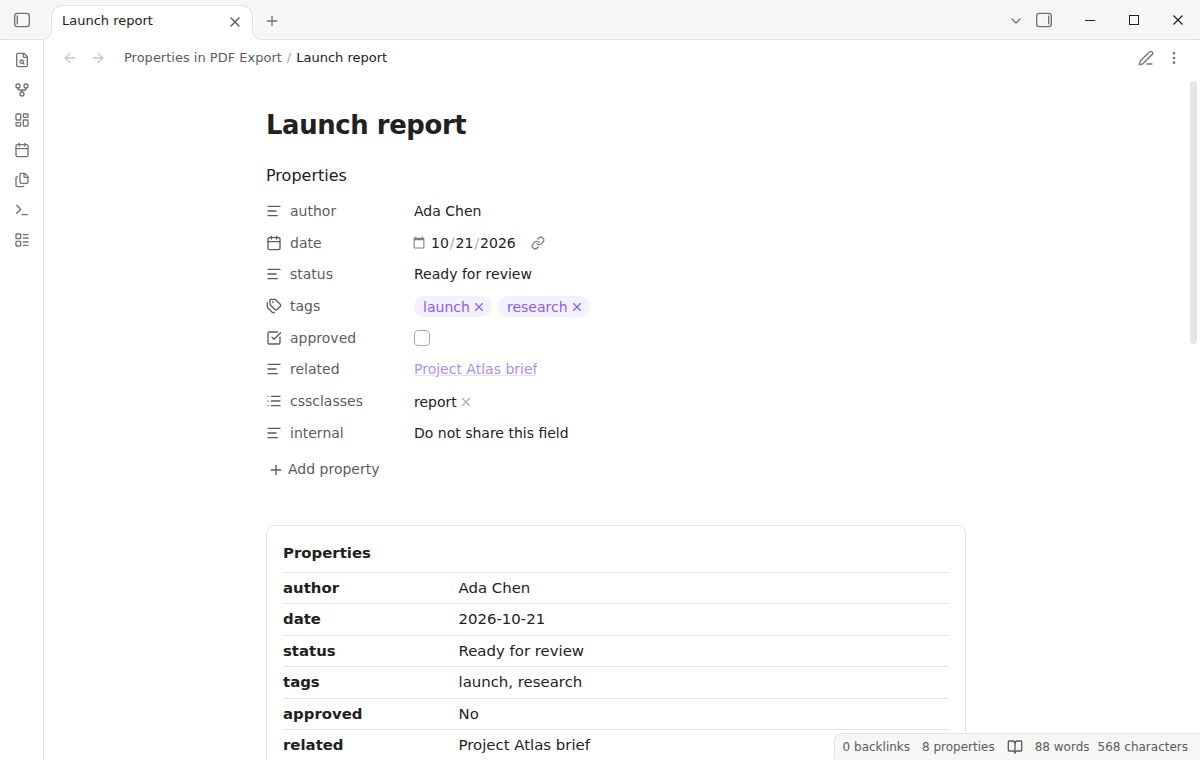
Write the values that readers need as a Markdown table or a list under the first heading. The core export prints them like any other text.
A forum reply from October 2024 opens the note in the default app of the system, such as a plain text editor. The poster then prints it to PDF from that app.
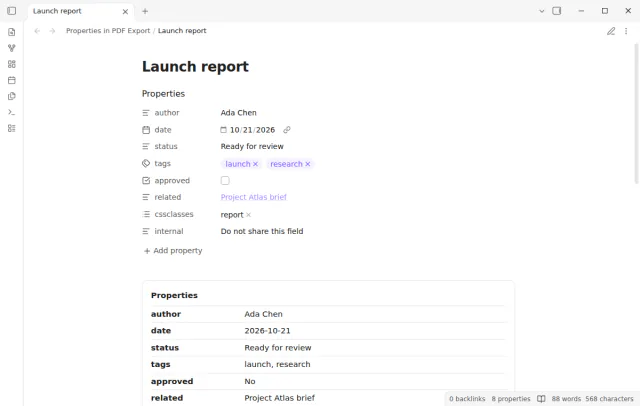
Properties in PDF Export adds a header of labels and values while the core exporter renders the note. You keep the usual Export to PDF dialog, and the note file stays as it is.
A hide list, a preferred order and two layouts, Table and Compact, are free. Lists print as comma separated text, and checkboxes print as Yes or No.
MIT · no telemetry · core features free
Install Properties in PDF Export and turn it on. It needs desktop Obsidian 1.13.4 or later.
In the plugin settings, add the names of internal fields to Hidden properties. The default list is cssclasses, aliases.
Enter the names that must come first in Property order, and choose Table or Compact in Header layout.
Open the note in Reading view and run Toggle printable header preview to check the header.
Select Export to PDF... from the More options menu, choose the page settings and save the file.
The core exporter prints the body of the note only. The Export to PDF dialog has page settings and a file name title, but no properties setting. A plugin or a copy of the values in the body is needed.
Not in core Obsidian. In Properties in PDF Export, Property order takes the names that come first. All other names follow in the order of the note, and missing names are skipped.
No. The Obsidian help says the mobile app cannot export a note to PDF. Properties in PDF Export is a desktop-only plugin for the same reason.
 You can now export note properties to PDF.
This guide uses Properties in PDF Export. Pro adds "Folder layouts". One payment of $15 turns on Pro in 129 plugins.
This guide uses Properties in PDF Export. Pro adds "Folder layouts". One payment of $15 turns on Pro in 129 plugins.
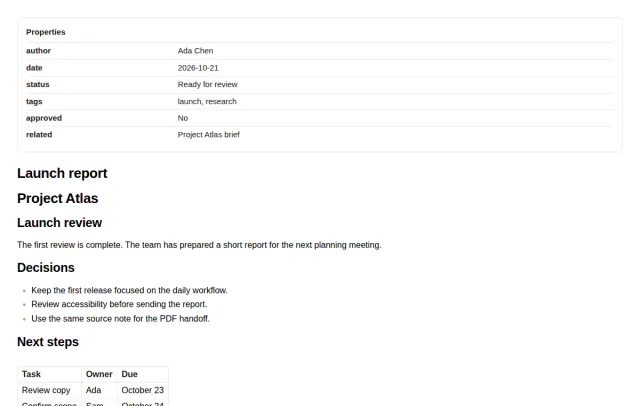
Author, date, status and tags print as a readable header when you export a note to PDF.