PDF Cover Cards
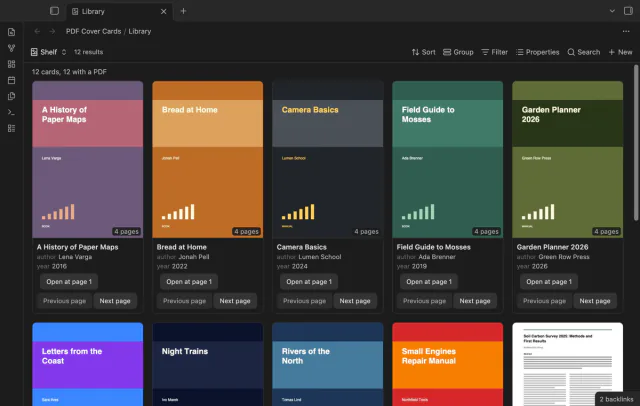
Show the first PDF page as a cover in your base.
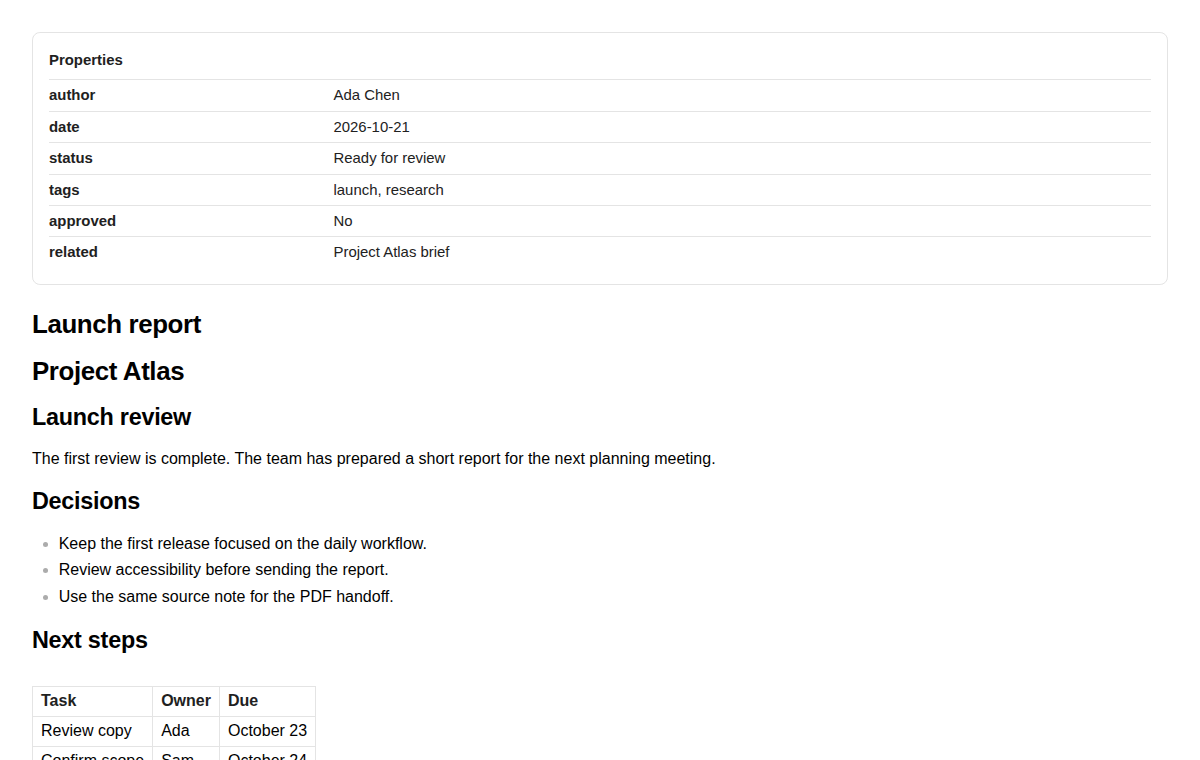
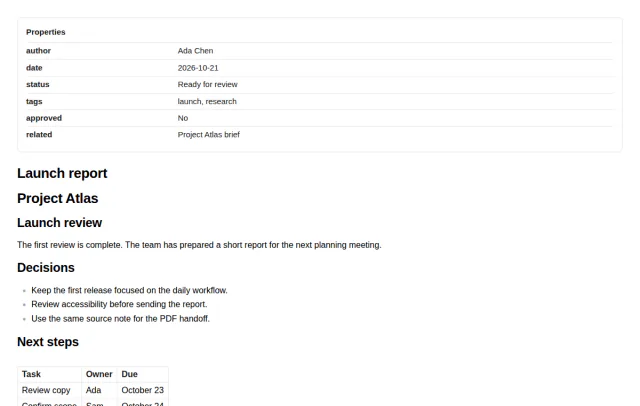
Author, date, status and tags print as a readable header when you export a note to PDF.
MIT · no telemetry · core features free
The directory takes these platforms from the plugin manifest. The automated tests run in the desktop app only.
Directory facts fetched from community.obsidian.md/users/theluckystrike.
You share notes as PDF files and want the author, date and status to travel with the document.
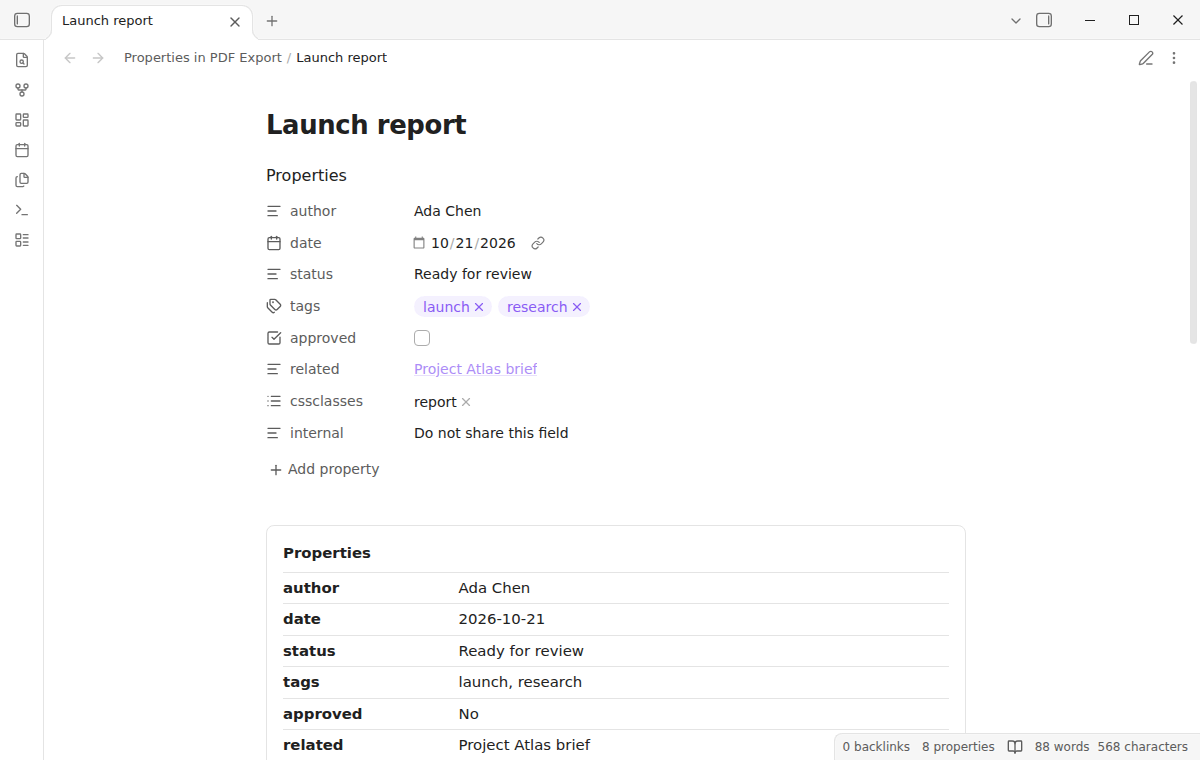

Use the usual Export to PDF action from the note menu. Properties in PDF Export adds a properties header while Obsidian renders the document. Your source note does not change, and there is no second export dialog.
 Play demo
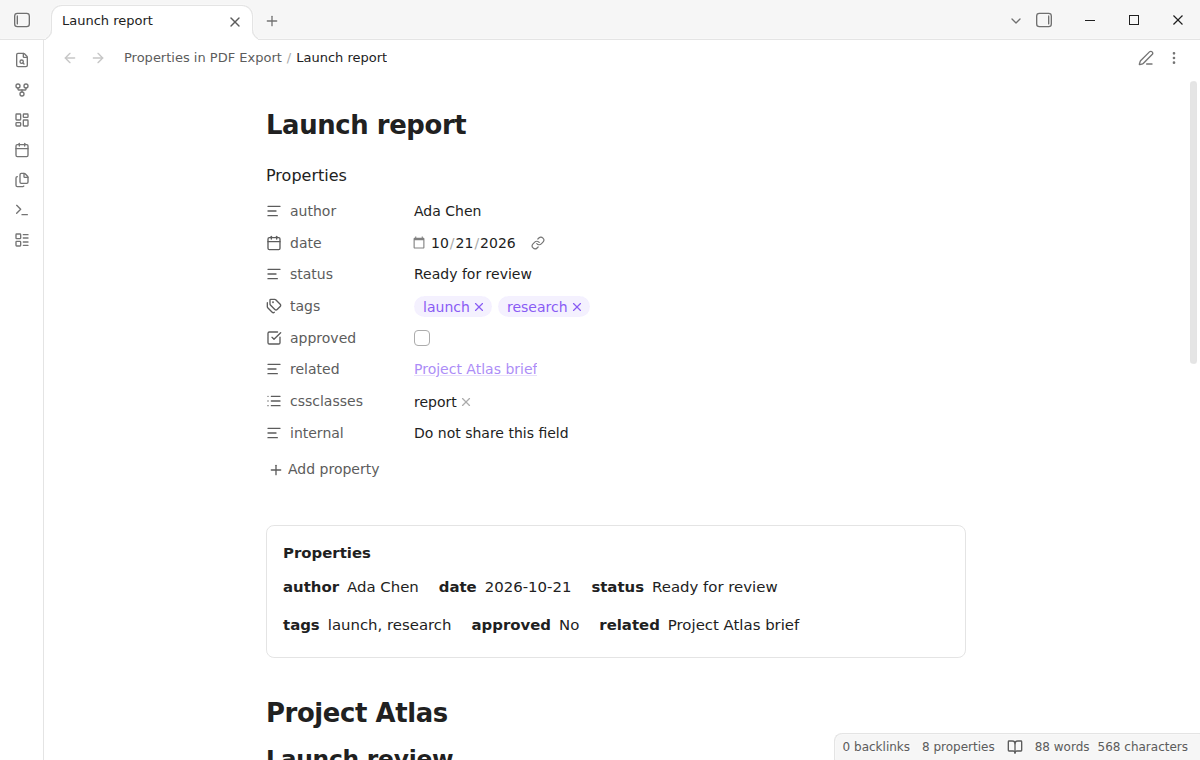
The plugin adds a header to the core PDF export, and the rest of the note uses your usual page settings. The header stays hidden in reading view unless you turn on its preview. Turning the plugin off leaves no generated Markdown to remove.
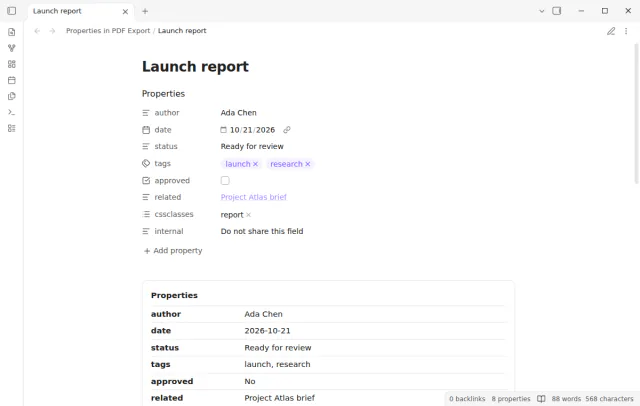
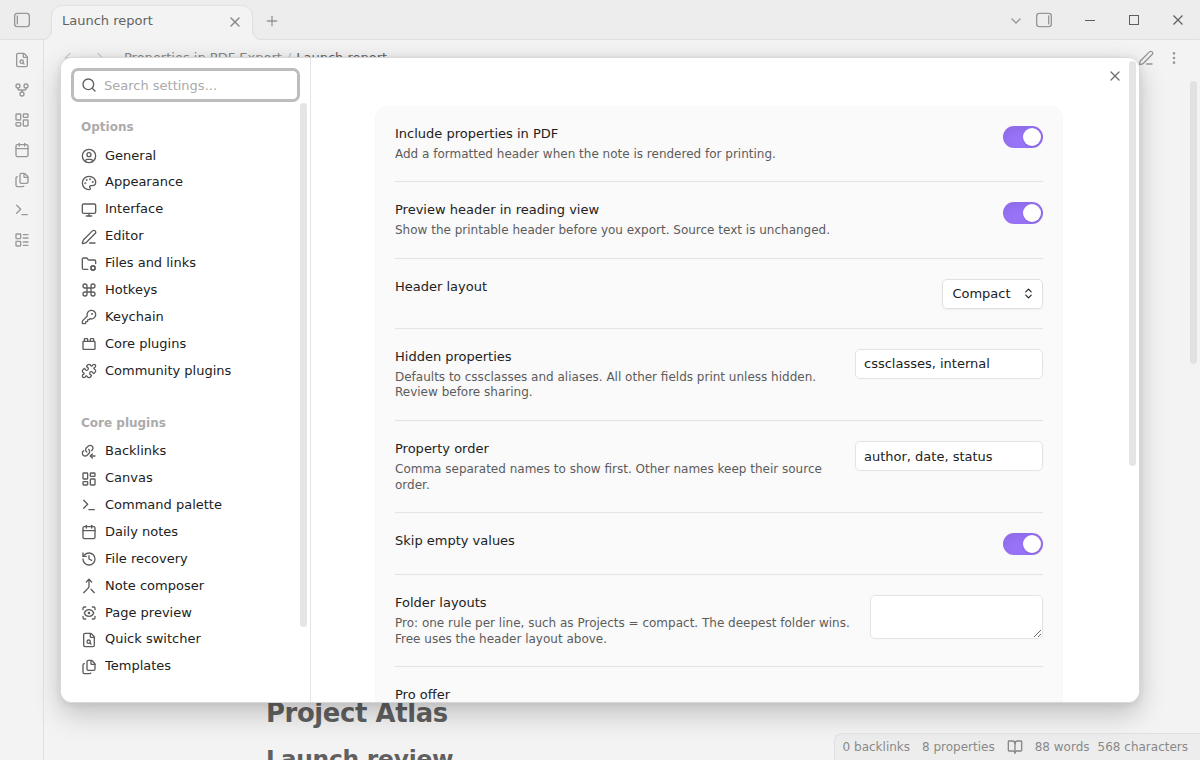
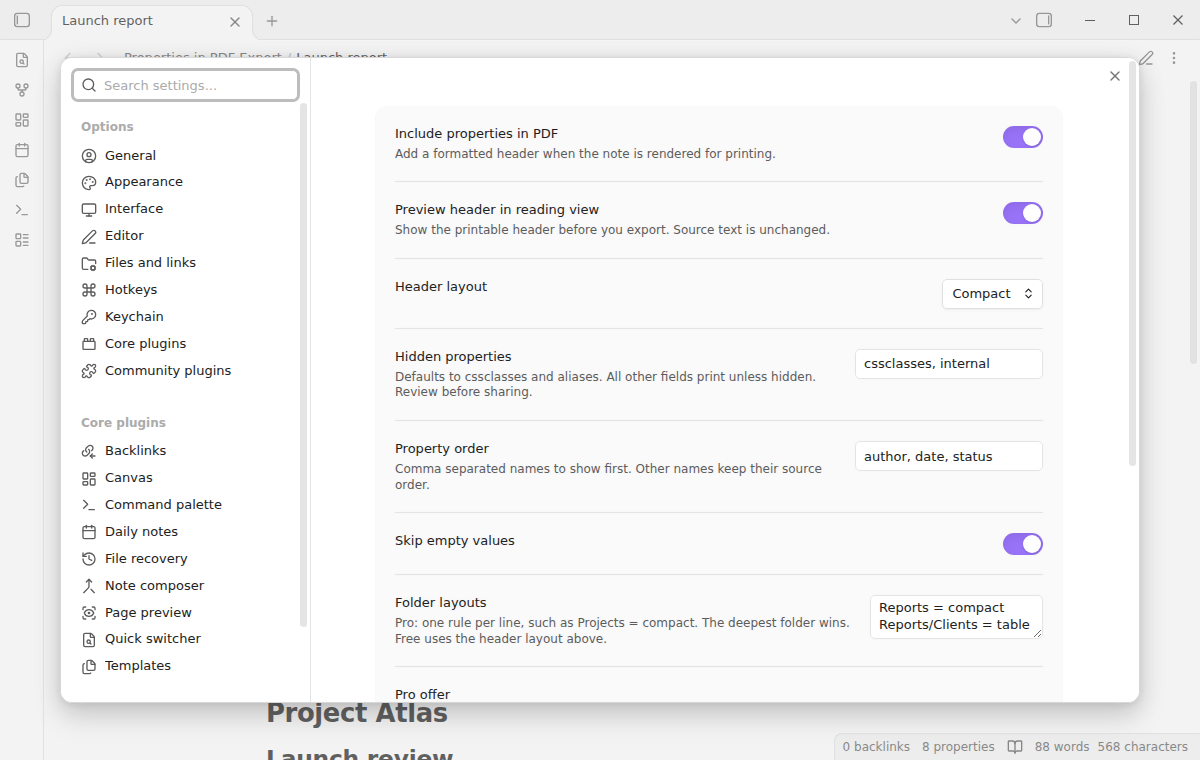
The free hide list excludes exact property names, and the default list is cssclasses, aliases. Set a preferred order such as author, date, status, and the other fields follow in their original order. Empty values are skipped by default.
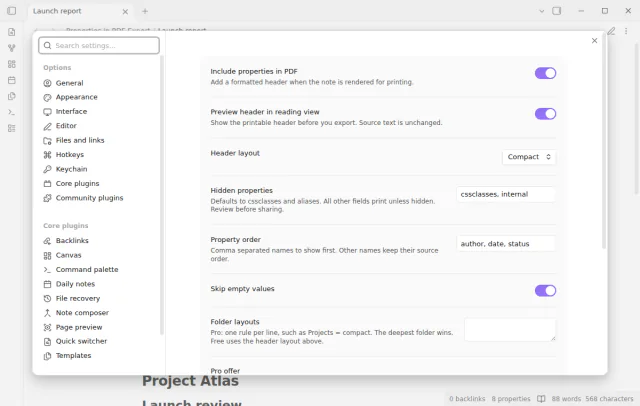
Table gives each property a label column and a value column. Compact puts short pairs side by side and wraps them on a narrow page. Lists print as comma separated text, and checkboxes print as Yes or No.
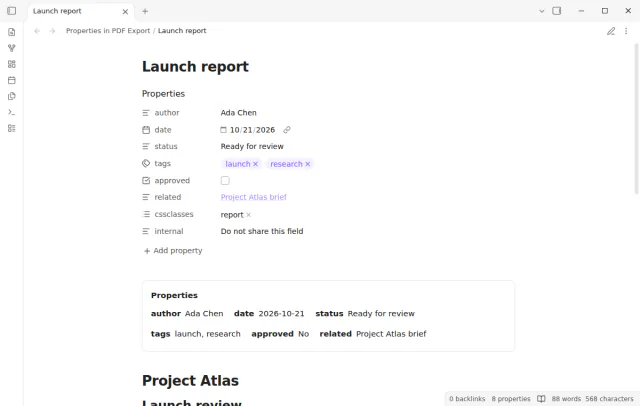
Headers, both layouts, the hide list and the field order are free; automatic layouts per folder need Pro.
Pro costs $5 a month or $15 one time through GitHub Sponsors. One sponsorship turns on Pro in every plugin that has it.
Pro adds automatic header layouts per folder, with one rule on each line, such as Reports = compact. A deeper folder can override its parent. Without Pro, the saved rules stay in settings and the global layout applies.
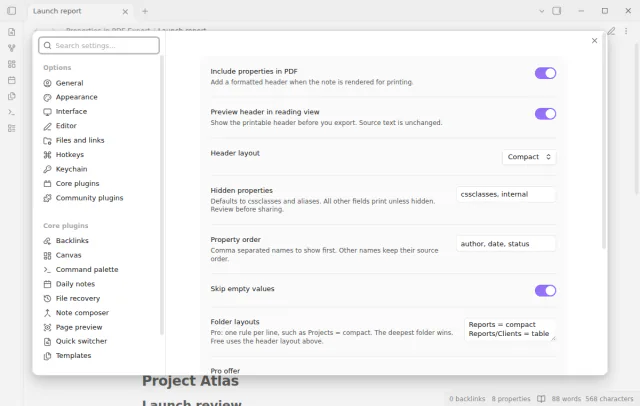
needs
steps
Open a Markdown note with properties at its beginning.
Set the hidden properties and the property order in the plugin settings.
In reading view, run Toggle printable header preview to check the labels and values.
Use Export to PDF from the note menu, then open the saved file and check the first page.
If the app can't find a new plugin yet, try again later. Obsidian says a plugin that passes the review shows in the app within 24 hours.
A forum request asks for an option to export properties to PDF. The built-in export leaves the properties out of the document.
Need a change for your team? I build custom Obsidian plugins and features.
No. The plugin reads the frontmatter that Obsidian supplies while it renders the note. It does not write a header into the note or change property values.
Yes. Add their names to the hide list before you share, because every other nonempty property prints. Names are case sensitive. Check the saved PDF when the document holds sensitive information.
No. Property values print as plain text. A wiki link shows its alias or its target. Markdown, images and HTML in a value also stay as text.
No. The PDF export action belongs to desktop Obsidian. Mobile PDF export is outside this version.
Until you select Sign in with GitHub, the plugin makes no network requests, and an export sends nothing. Sign in and the sponsorship check contact github.com and api.github.com, and a successful check is reused for 7 days. It sends no note content, file names or other vault data, and it has no telemetry.
Tell me what is broken in Properties in PDF Export, or what it should do next.
Properties in PDF Export 1.2.0, MIT license
MIT · no telemetry · core features free
Show the first PDF page as a cover in your base.
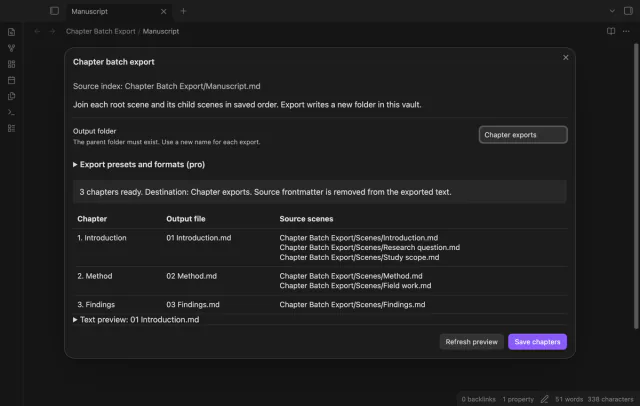
Export Longform scene groups as chapters.
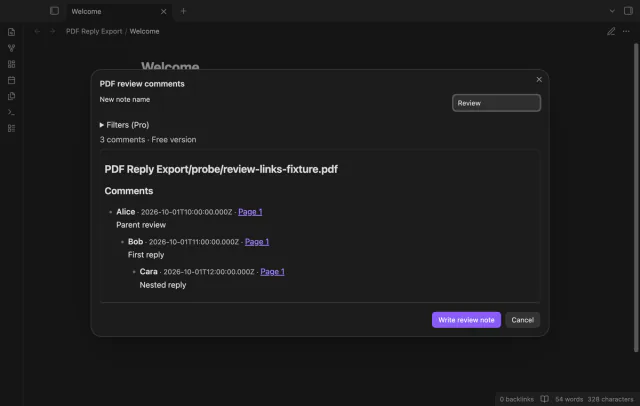
Save PDF comments and replies in notes.