
AsciiDoc Files
Edit AsciiDoc source and see its preview side by side.
Export Longform scene groups as chapters.
MIT · no telemetry · core features free
The README reports desktop app tests. Physical phones and tablets were not tested.
Directory facts fetched from community.obsidian.md/users/theluckystrike.
You want to save Longform roots as separate chapter files in your vault.
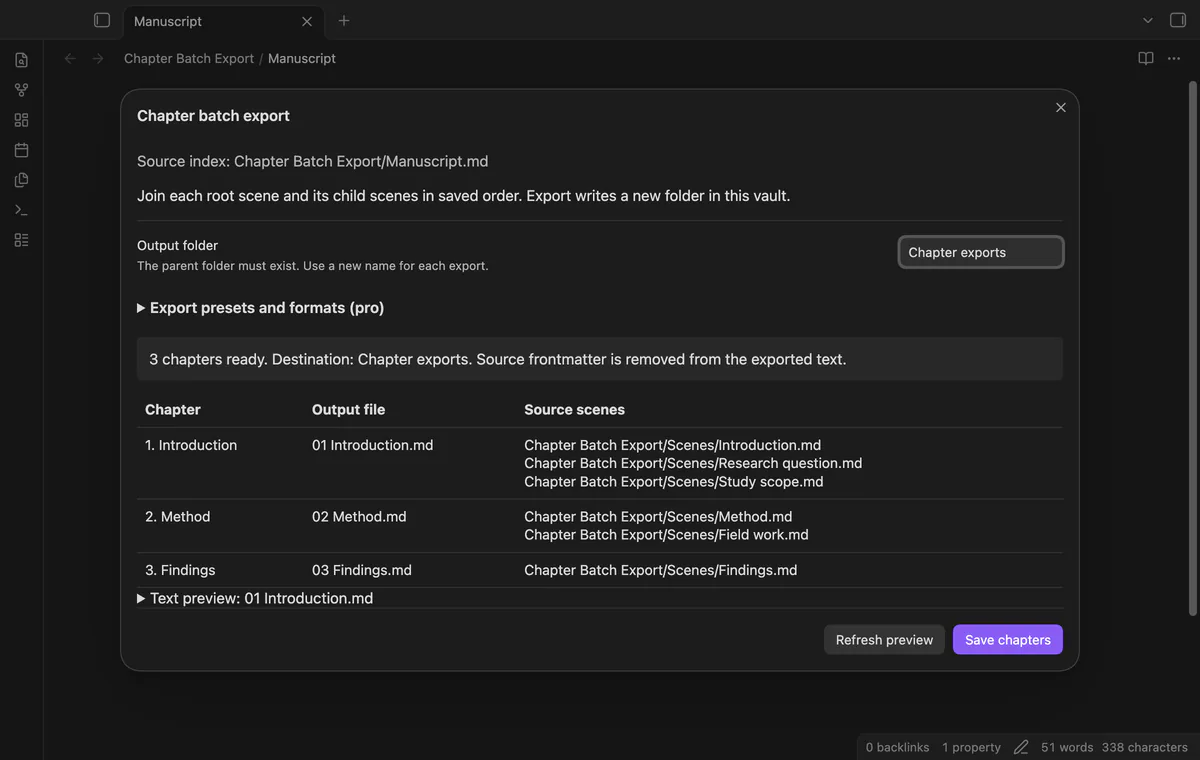

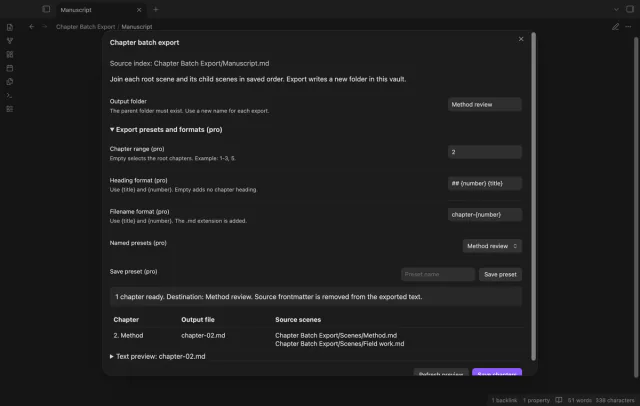
Open your Longform manuscript index to preview one Markdown file per root chapter. Chapter Batch Export joins each parent scene before its children in saved order. It also writes an index linking the outputs to their sources.
 Play demo
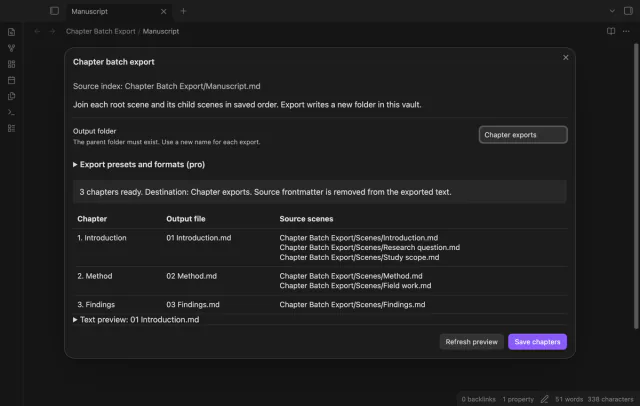
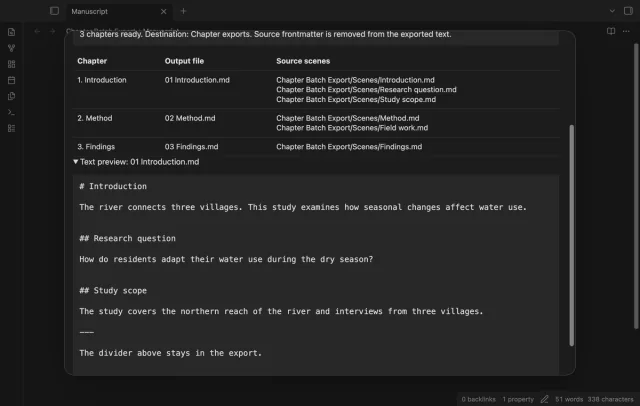
Review output filenames and source scene paths in manuscript order. Each root becomes a chapter with its child scenes.
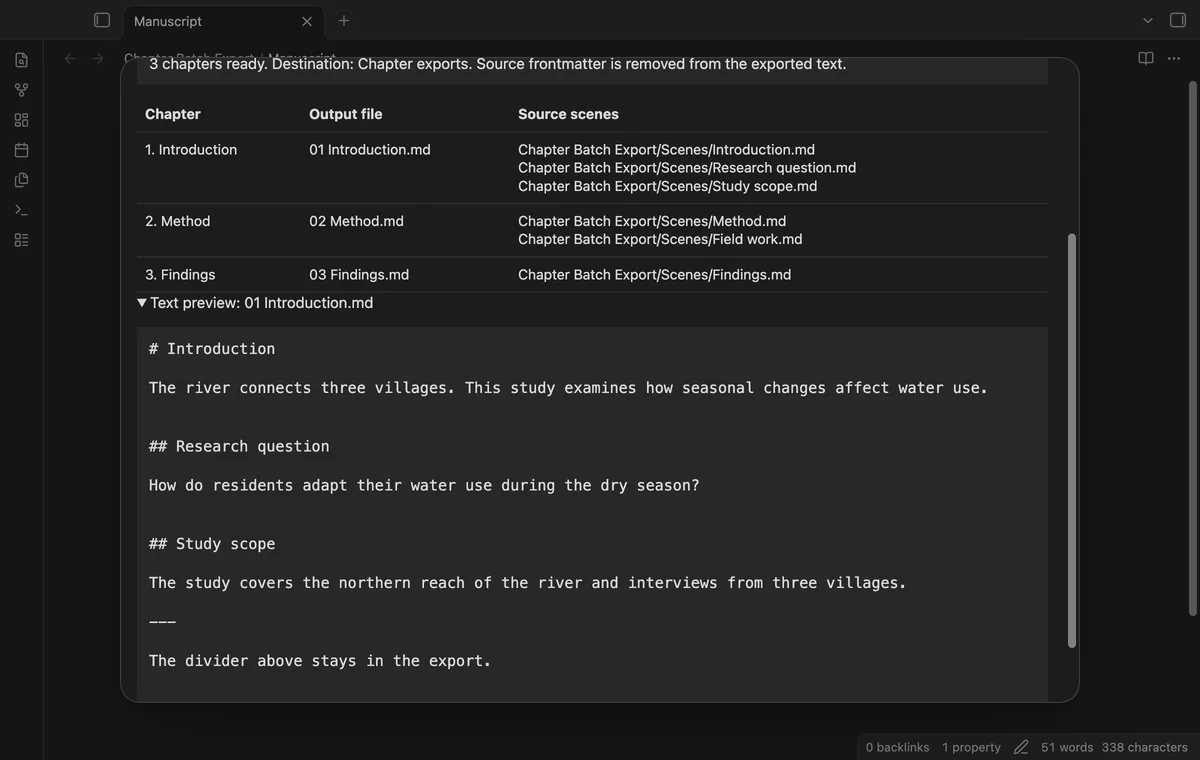
The exporter removes initial scene frontmatter and joins bodies with blank lines. The free export adds a chapter heading above that text.
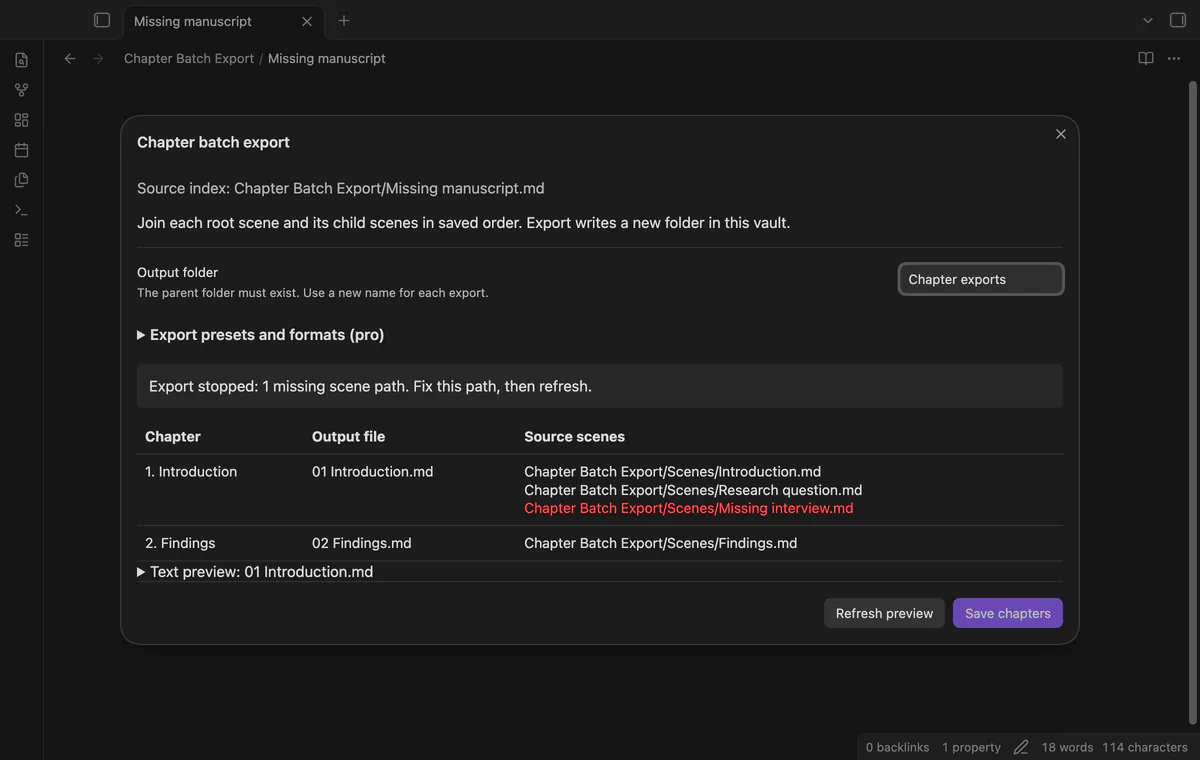
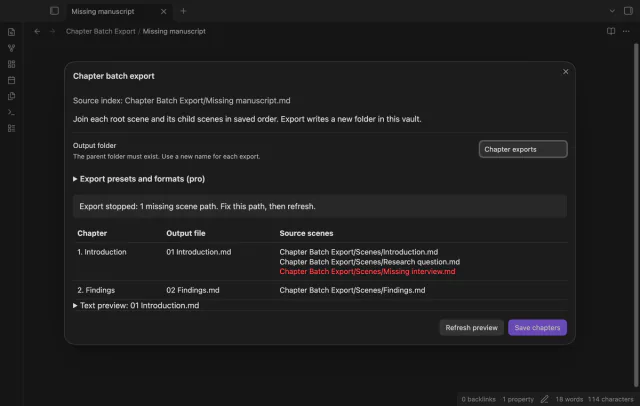
A missing selected scene disables Save chapters and shows its expected path. Fix the source path, then refresh the preview.
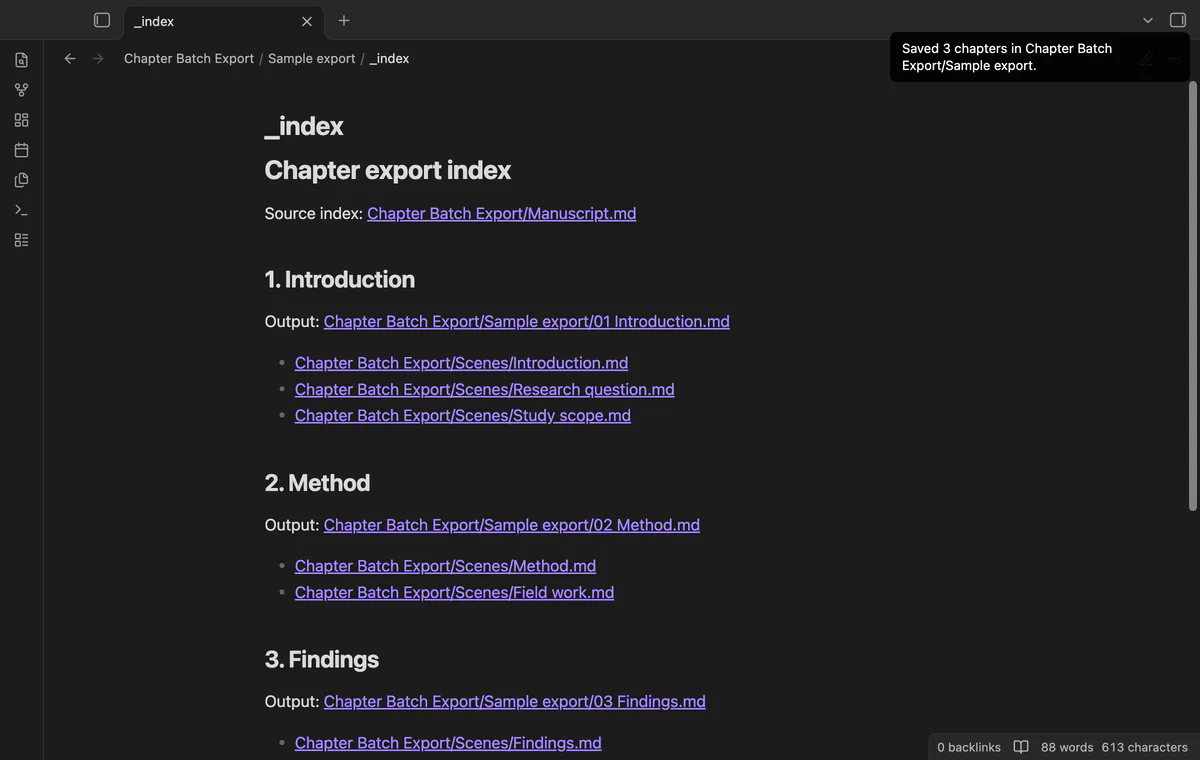
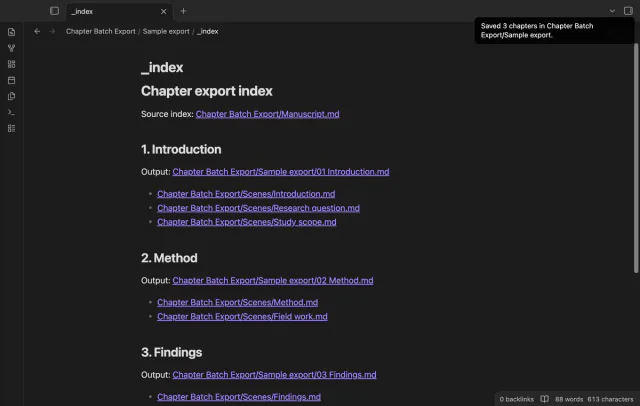
The new output folder receives chapter notes and an index linking outputs to source scenes. An existing output folder blocks export.
Pro costs $5 a month or $15 one time through GitHub Sponsors. One sponsorship turns on Pro in every plugin that has it.
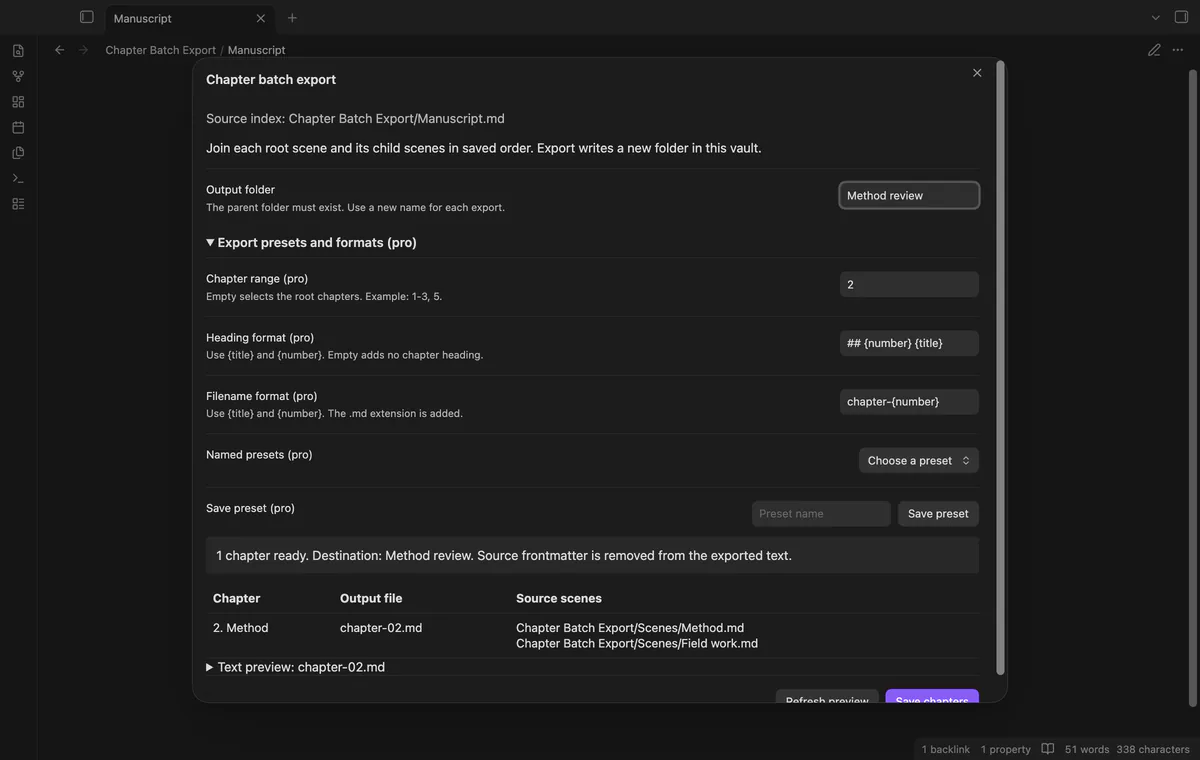
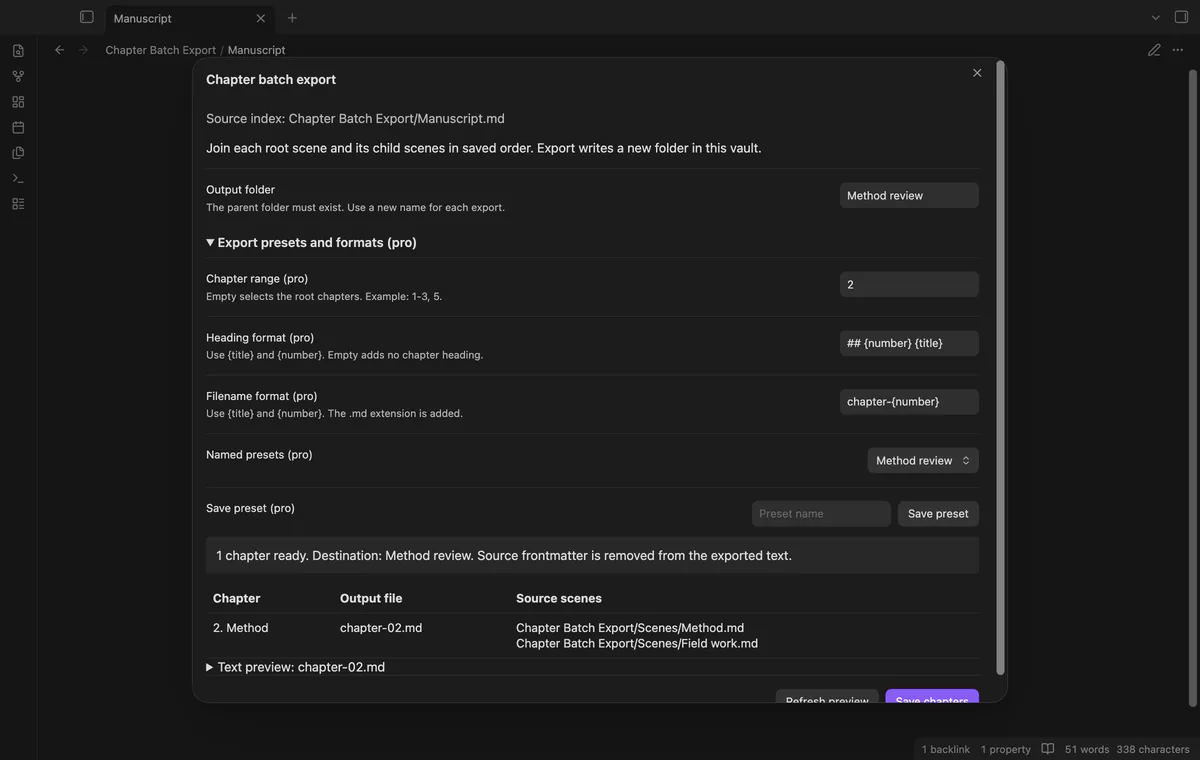
Pro selects root chapter ranges while keeping manuscript order. Separate heading and filename formats accept the title and padded chapter number.
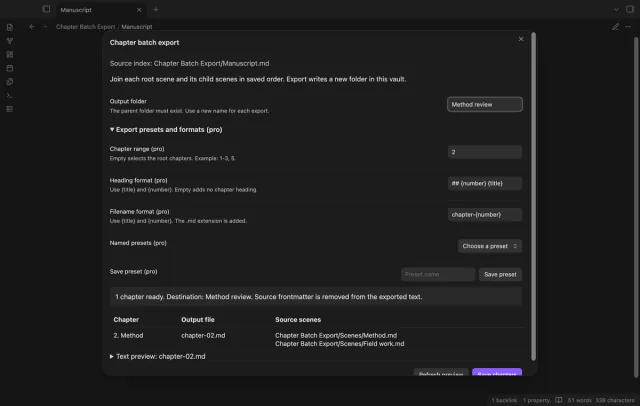
Pro saves up to 50 named sets of export options in local settings. Reusing a preset name replaces that entry.
needs
steps
Save scene edits and open the manuscript index note.
Run Preview chapter export from the command palette.
Check filenames, source paths and the text preview.
Choose a new output folder whose parent exists.
Select Save chapters and review the output index.
If the app can't find a new plugin yet, try again later. Obsidian says a plugin that passes the review shows in the app within 24 hours.
Need a change for your team? I build custom Obsidian plugins and features.
The exporter writes Markdown chapters in your vault. It doesn't run PDF, DOCX, LaTeX or Pandoc conversion.
The exporter can read its supported index format without Longform enabled. The index needs scenes format, a sceneFolder string and a nonempty scenes array.
Use a new output folder for another draft. Existing output folders block the export.
Created chapter files can remain in the incomplete folder. The exporter writes the index last, so inspect the folder before retrying.
After you select Sign in with GitHub, the plugin sends its client ID, read:user scope and device-flow requests to github.com. Due checks and Refresh send your token to api.github.com to read your sponsorship tier and total payment. No note text, filenames or other vault data goes to either host.
Tell me what is broken in Chapter Batch Export, or what it should do next.
Chapter Batch Export 1.1.0, MIT license
MIT · no telemetry · core features free
Edit AsciiDoc source and see its preview side by side.

See headings from embedded notes in one outline.
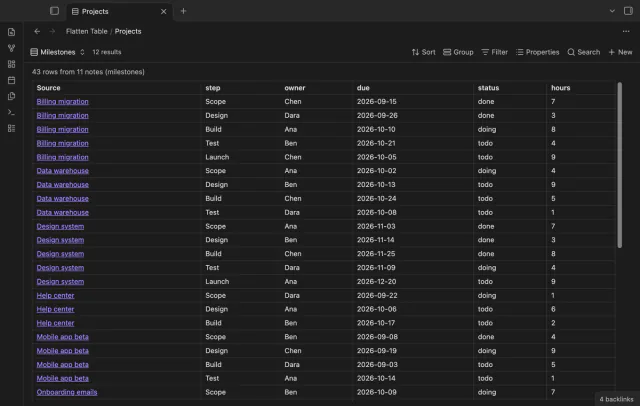
Show each item of a Bases list property as a separate row.
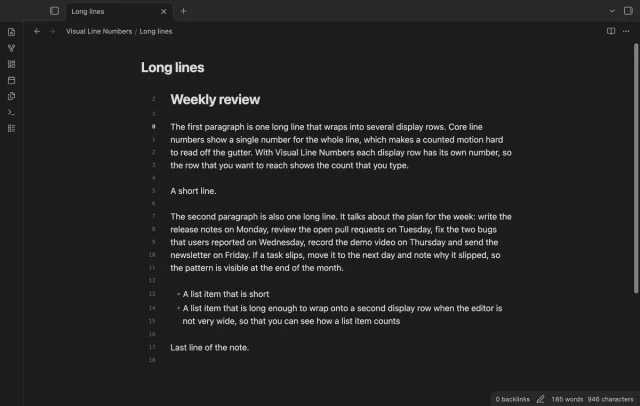
Show a line number for each wrapped row in the editor.