How to import OPML outlines into Obsidian
Convert each outline root into a Markdown note, with its children as nested lists.
Join each root scene with its children when you need one file per chapter. As of October 2026, Obsidian stores notes as Markdown files, while Longform supplies manuscript compilation workflows. Chapter Batch Export reads a supported Longform index and writes separate chapter notes.
A single compiled manuscript and separate chapter files serve different downstream jobs. The batch exporter writes Markdown inputs for a later document conversion step.
Longform can strip scene frontmatter, concatenate scene text and write the manuscript to a note. Its workflow steps also support user scripts.
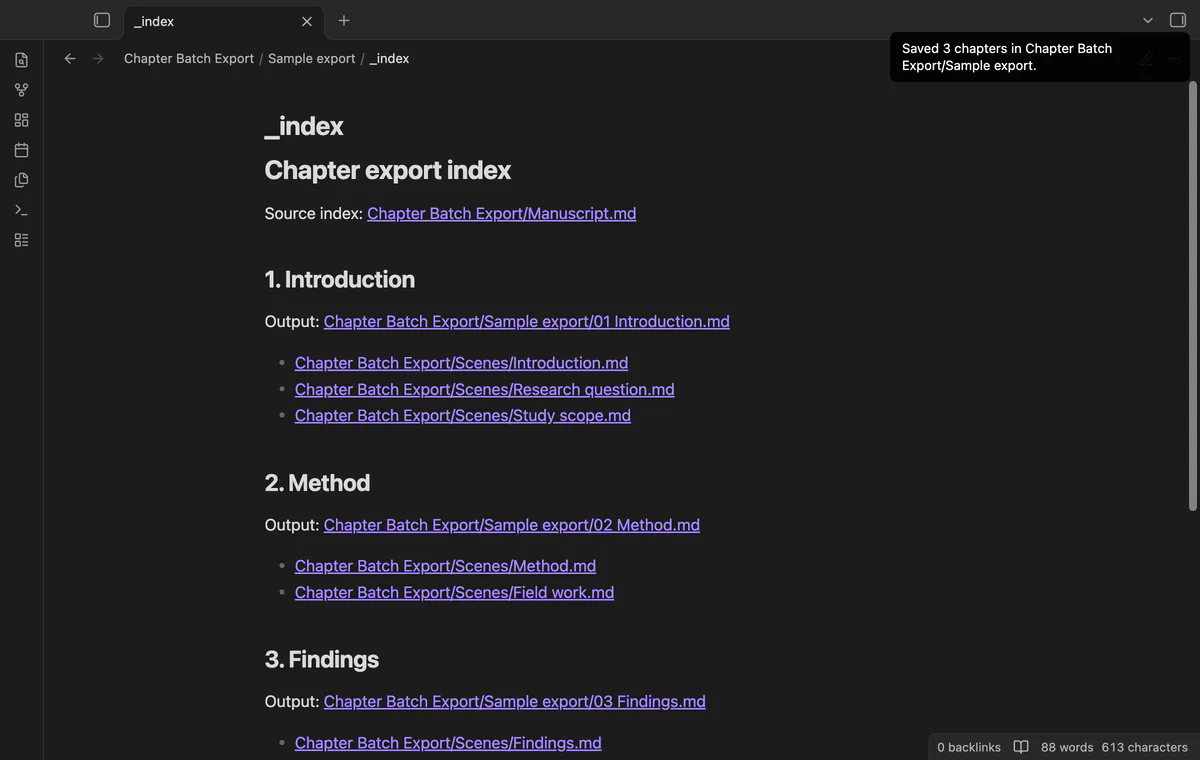
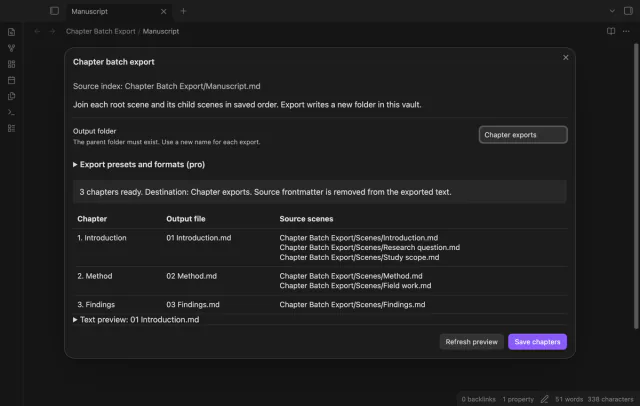
Preview root chapters and exact scene paths from the index. The exporter joins each parent before its children, then saves chapter files and a linked index.
MIT · no telemetry · core features free
Save scene edits and open the manuscript index note.
Run Preview chapter export from the command palette.
Check filenames, source paths and the text preview.
Choose a new output folder whose parent exists.
Select Save chapters and review the output index.
Correct its name or folder in the project index. Refresh the preview because the exporter uses exact paths rather than guessing.
The exporter refuses existing output folders. A fresh folder keeps the previous chapter set available for comparison.
 You can now export Longform chapters as Markdown.
You're officially a regular.
Obsidian rewards people who share. NoteMods is just me and a lot of coffee. If this guide saved you a fight with the syntax, buy me a cup.
That's visit . Regulars are the reason I keep NoteMods running. If it's part of your routine now, a coffee says thanks better than anything.
Export Longform scene groups as chapters.