How to import Zim notebooks into Obsidian
Convert your Zim pages to Markdown, then put the resulting files in your vault.
Convert each outline root into a Markdown note, with its children as nested lists. As of October 2026, Obsidian supports nested Markdown lists, but its import guide lists no dedicated OPML route. OPML Note Import creates those notes from a local outline and lets you preview names and text first.
An outline export can carry root items, child items, item notes and URL attributes. OPML Note Import creates one file per root, or per item at a level you choose. It keeps the supported nested text and doesn't download content from the URLs.
Create a note for a root item and put its children in a Markdown list. Indent child lines to preserve the hierarchy, following Obsidian's nesting syntax.
Copy the item notes beneath the relevant list items and check their order against the source outline. You can choose which roots deserve separate notes.
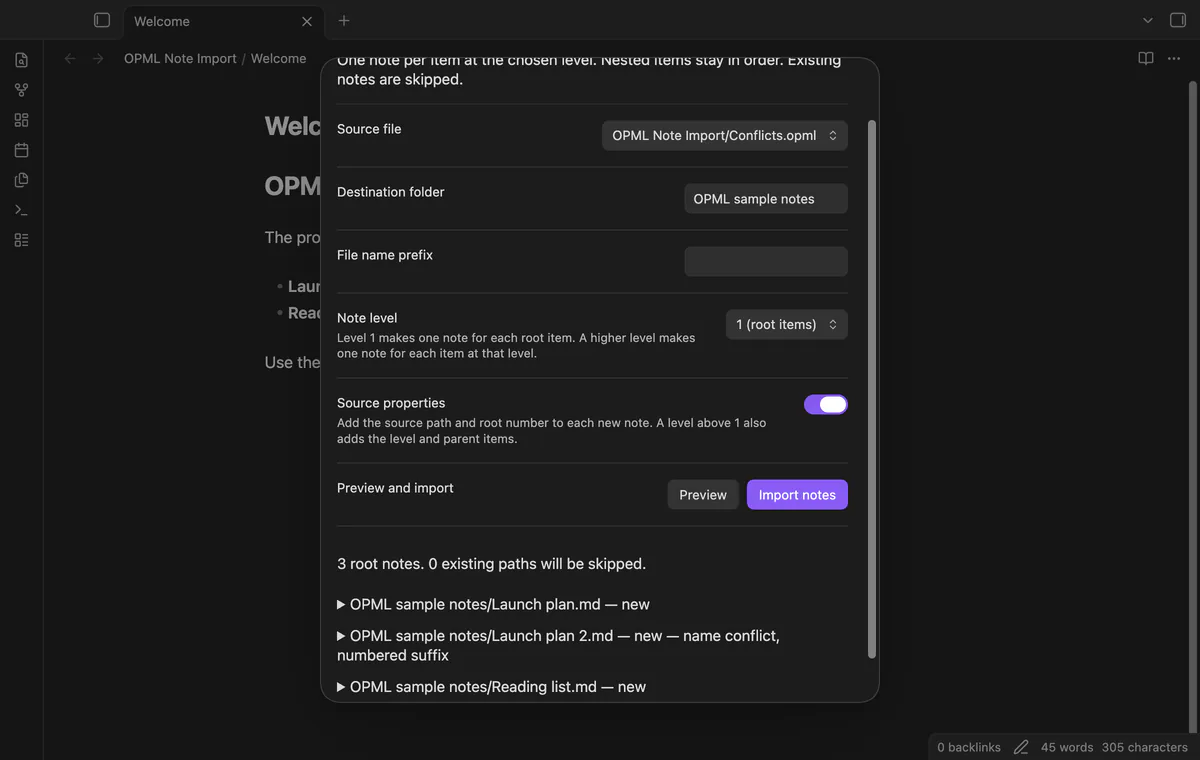
Copy an .opml file into the vault, run Import an outline file, and choose your destination and prefix. Preview the planned roots and expand a path to read its Markdown.
The importer preserves supported nested text, item notes and common URL attributes. Source properties can record the source path and root position, while existing output paths are skipped.
MIT · no telemetry · core features free
Export your outline as OPML and copy the file into the vault.
Run Import an outline file from the command palette.
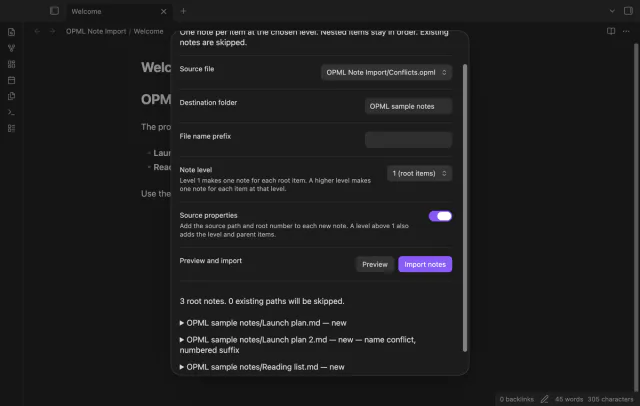
Choose the source, note level, destination folder, prefix and source property option.
Select Preview, then expand a root path to inspect its Markdown text.
Select Import notes and read the created, skipped and error paths.
Duplicate cleaned names receive numbered suffixes starting at 2. Case variants count as duplicates too. Preview shows those paths before you write.
Use the same level, destination folder and prefix to compare matching paths. A root title change makes a new path. The preview doesn't find notes moved elsewhere.
No. Escaped HTML remains literal text, and Markdown control characters receive escaping. Review the preview if your outline contains rich formatting.
 You can now import OPML outlines into Obsidian.
You're officially a regular.
Obsidian rewards people who share. NoteMods is just me and a lot of coffee. If this guide saved you a fight with the syntax, buy me a cup.
That's visit . Regulars are the reason I keep NoteMods running. If it's part of your routine now, a coffee says thanks better than anything.
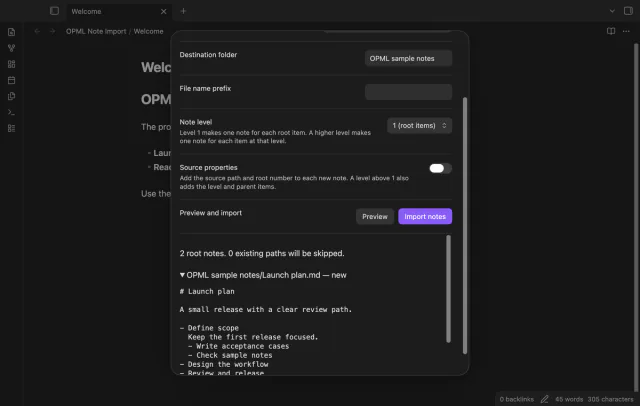
Import OPML roots as notes with nested items in source order.