PDF Cover Cards
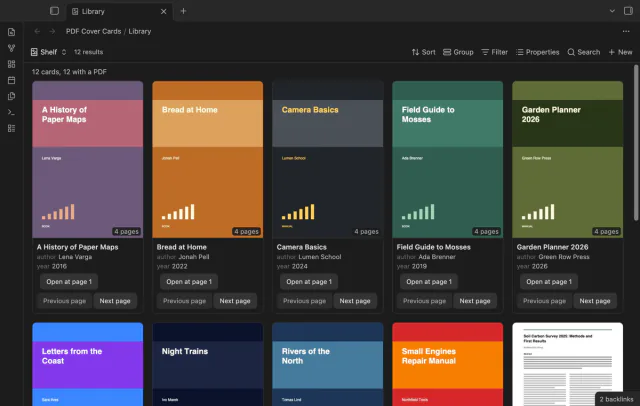
Show the first PDF page as a cover in your base.
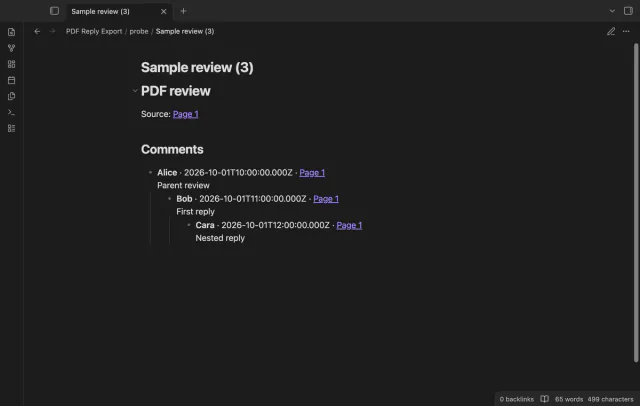
Save PDF comments and replies in notes.
MIT · no telemetry · core features free
The README reports macOS checks with local fixture PDFs and simulated sponsorship responses. Mobile, Linux, Windows, live sign-in and payments were not tested.
Directory facts fetched from community.obsidian.md/users/theluckystrike.
You review local PDFs and want the discussion beside your project notes.
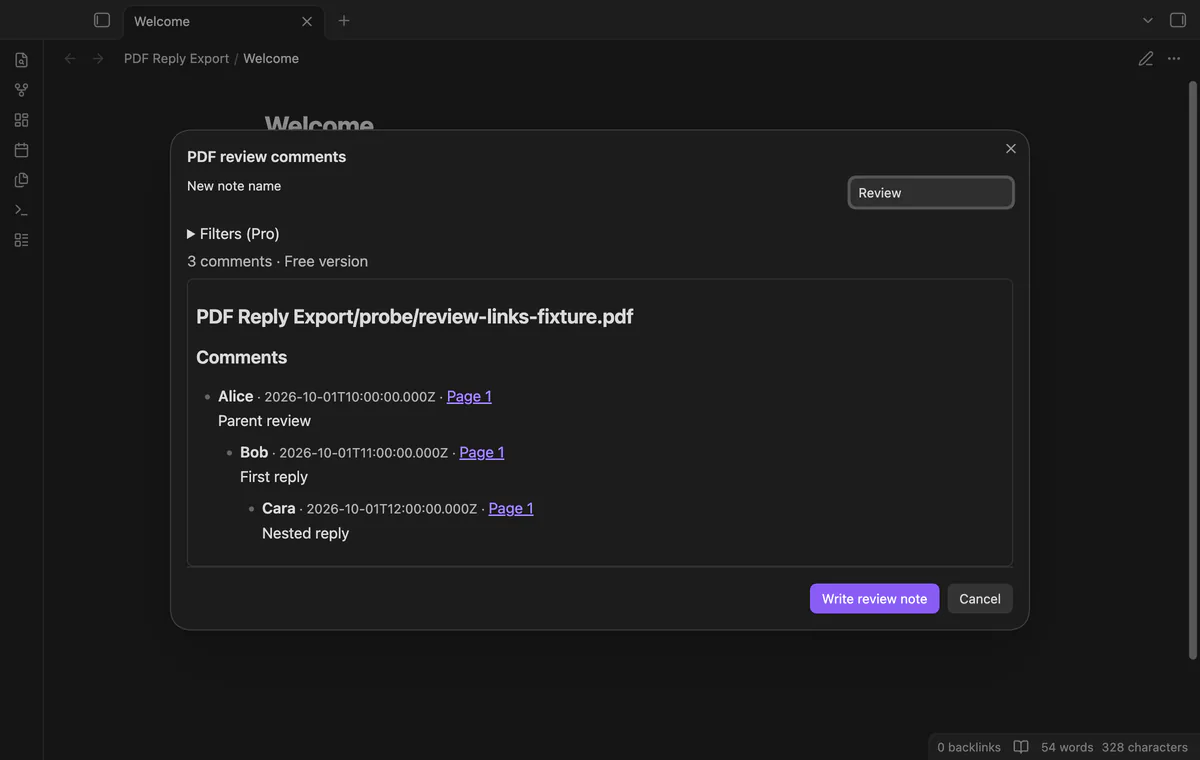
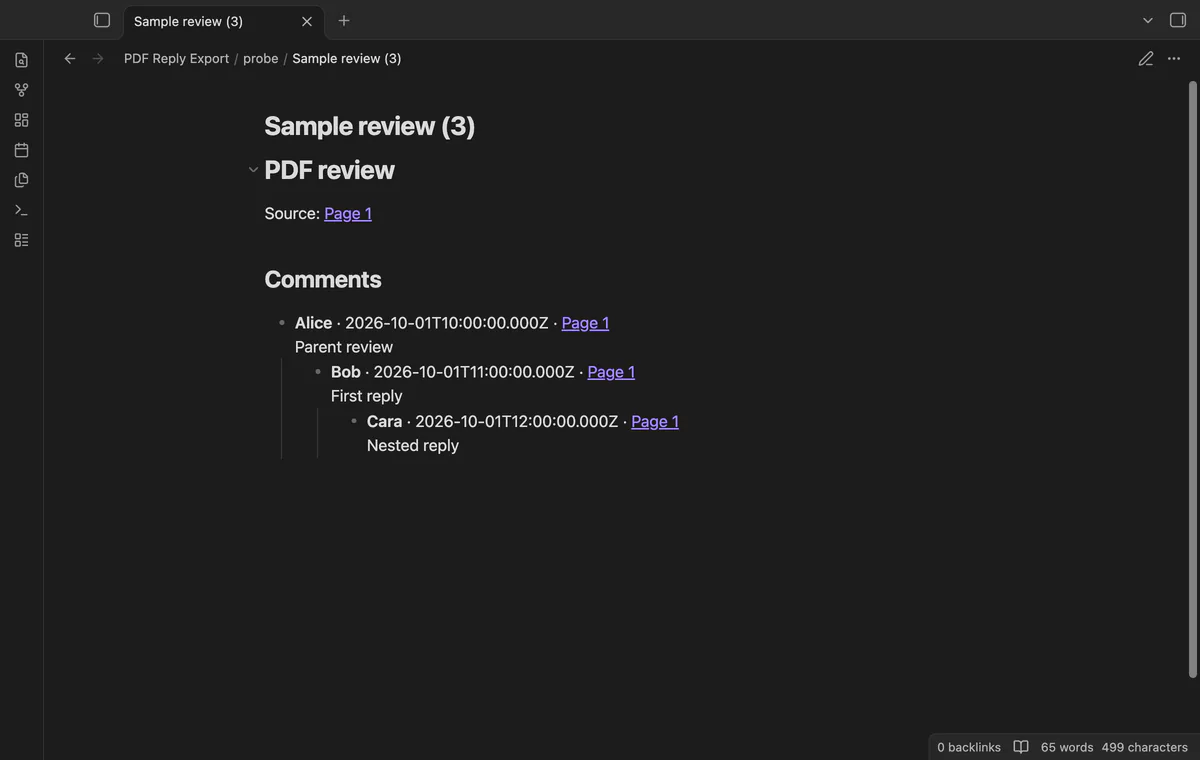
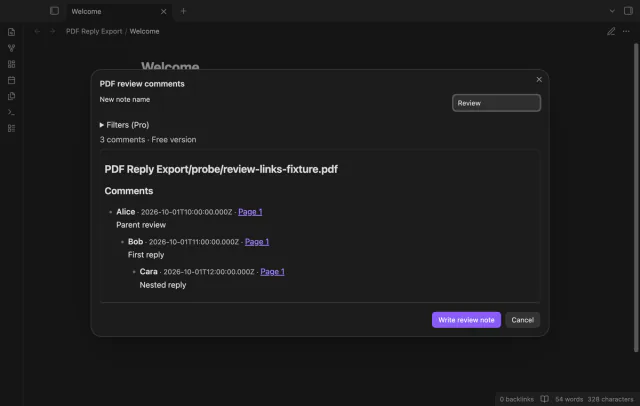

Open a saved PDF in your vault and preview its native comments. PDF Reply Export writes a new Markdown note beside the PDF, with nested replies and page links.
It reads annotations stored inside the PDF. Comments in an external review service or separate Markdown file aren't part of the export.
 Play demo
Preview supported native comments with author, saved date, text and page. Select a page link to open the source. A blank highlight appears only when a reply needs it as a parent.
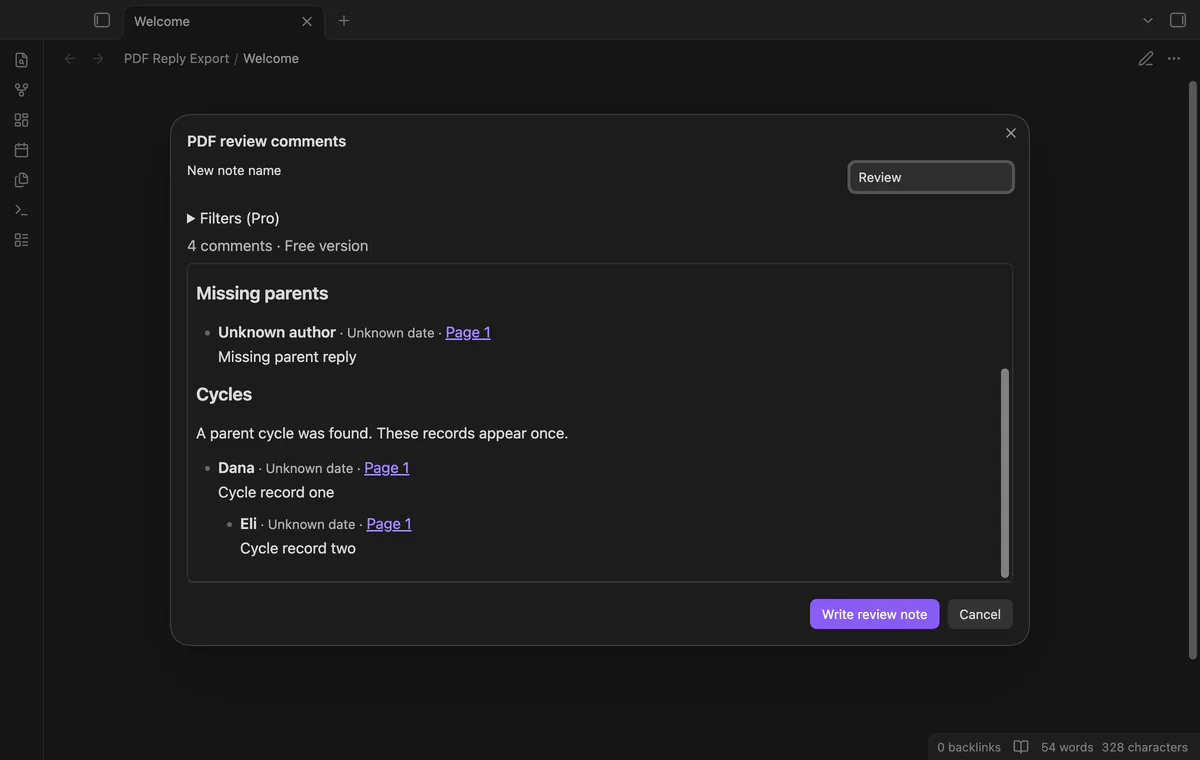
Annotation IDs and reply IDs determine the nesting. Replies with usable dates appear in date order, followed by unknown dates. Missing parents and cycles get separate groups with retained comment text.
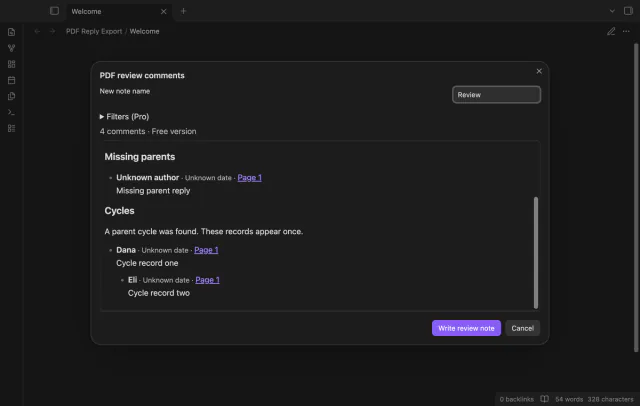
Write review note creates a file beside your PDF without replacing an existing note. A name conflict adds a number, such as Review (2).md. The output escapes Markdown markers and HTML characters.
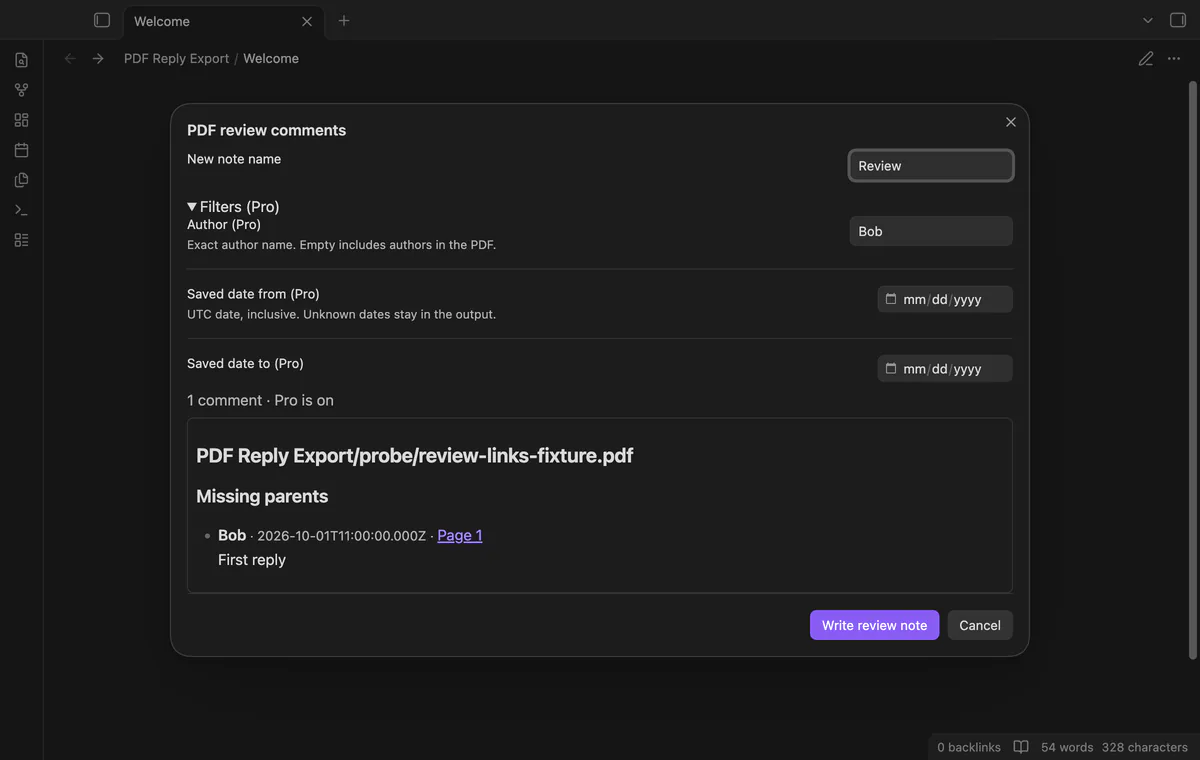
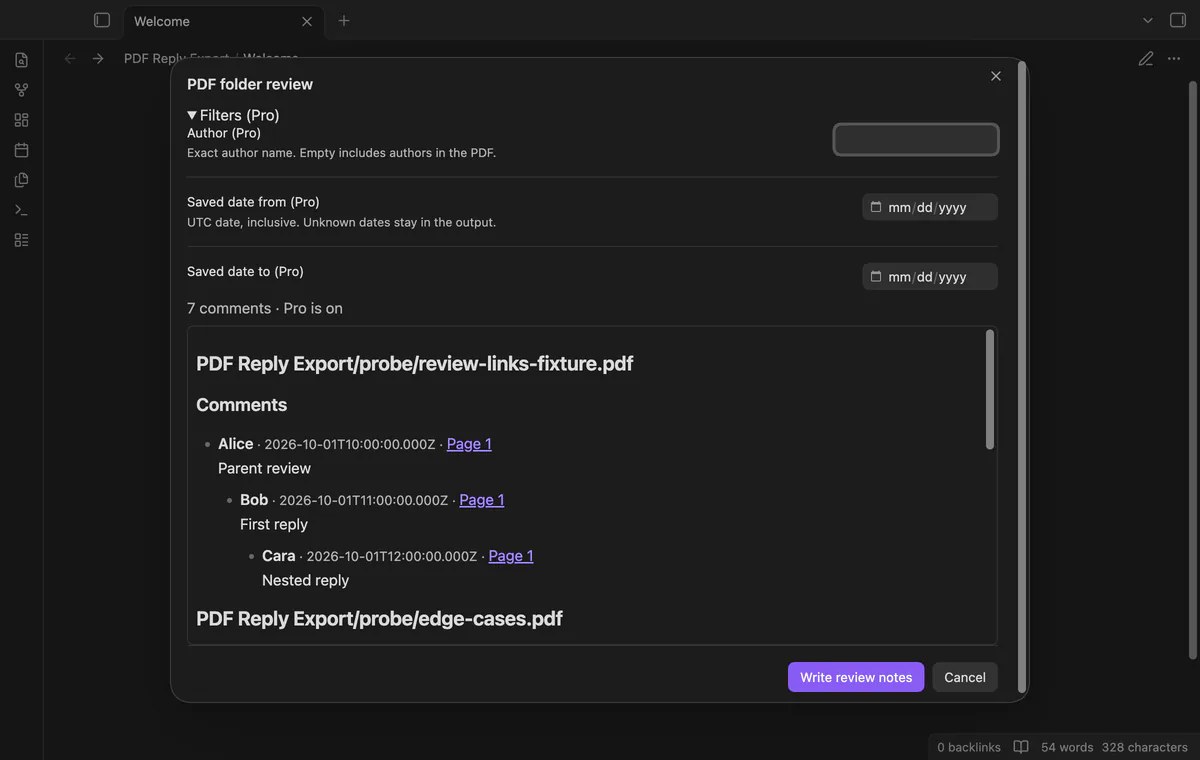
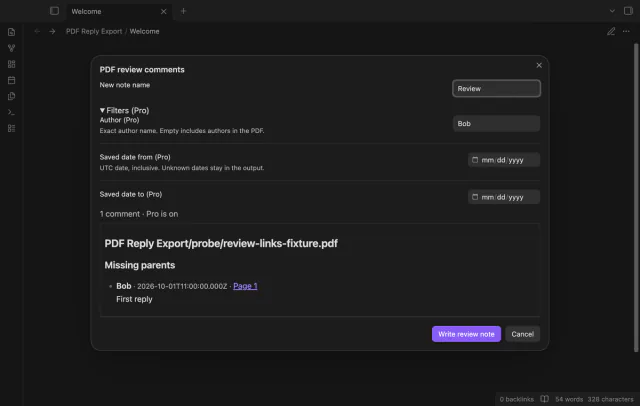
Author and saved date filters and selected folder export need Pro.
Pro costs $5 a month or $15 one time through GitHub Sponsors. One sponsorship turns on Pro in every plugin that has it.
Select an exact author name or an inclusive UTC date range. Unknown dates remain eligible for date filtering. A retained reply moves to Missing parents if the filter removes its parent.
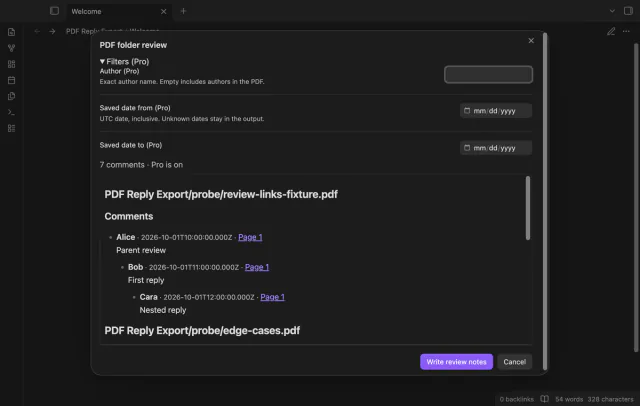
Preview PDFs from a selected folder and its subfolders before writing one note per PDF with selected comments. Notes go beside their source PDFs. Errors can leave completed notes; the batch has no rollback.
needs
steps
Save the PDF inside your vault, including changes from your PDF editor.
Open the PDF and run Preview comments from the active PDF.
Check missing parents, cycle warnings and unknown dates in the preview.
Enter a note name and, with Pro, set an author or date range if needed.
Select Write review note to create the output and open the first completed note.
If the app can't find a new plugin yet, try again later. Obsidian says a plugin that passes the review shows in the app within 24 hours.
How to export PDF comments and replies to Markdown in Obsidian
Need a change for your team? I build custom Obsidian plugins and features.
A blank highlight without a discussion is omitted. The export doesn't include quoted highlight text.
The plugin creates a new note and chooses a numbered name when needed. Repeated exports don't merge changed comments into your earlier note.
Missing authors show Unknown author. Missing or invalid dates show Unknown date, while the comment text and page remain.
Folder export has no batch rollback. Check the completion notice for the number of notes written and any errors.
Before you select Sign in with GitHub, the plugin makes no network requests. Sign-in sends its public client ID, device codes and read:user scope to github.com; later checks send an authenticated sponsorship query to api.github.com. Checks request your tier and total payment, reuse success for seven days, and send no note content, file names or vault data.
Tell me what is broken in PDF Reply Export, or what it should do next.
PDF Reply Export 1.1.0, MIT license
MIT · no telemetry · core features free
Show the first PDF page as a cover in your base.

See headings from embedded notes in one outline.