How to save and refresh PDF crops in Obsidian
As of October 2026, Obsidian documents PDF page embeds using a page parameter.
As of October 2026, Obsidian documents PDF page embeds, which keep a PDF visible inside a note. To turn native comments into Markdown, PDF Reply Export creates a separate review note. Acrobat also exports comment data for transfer between PDFs.
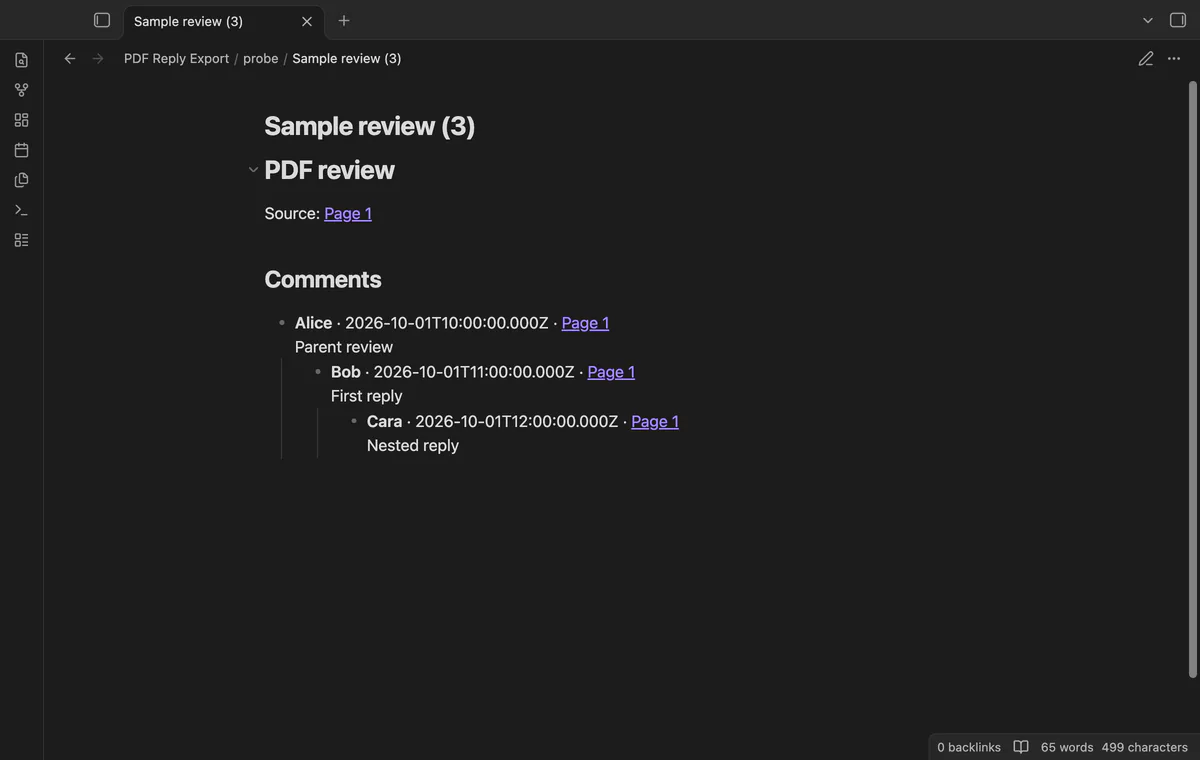
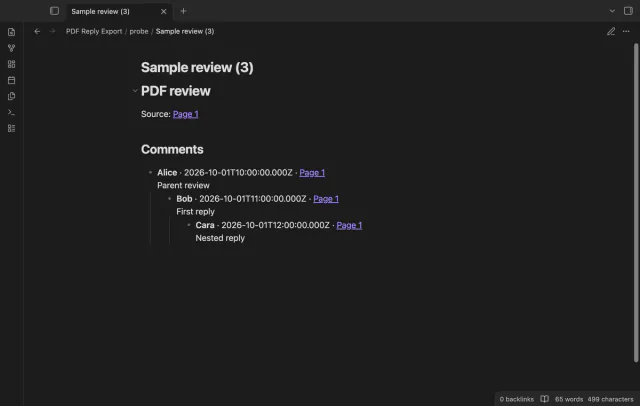
A document review can contain replies to replies, missing authors and broken parent references. PDF Reply Export keeps supported comment text with source page links and marks incomplete relationships.
Embed the PDF in your note, or add a page parameter to show a particular page. This keeps the source document beside your written notes.
Acrobat documents exporting comments to a data file and importing them into another PDF. Choose this route when you need to transfer annotations between documents.
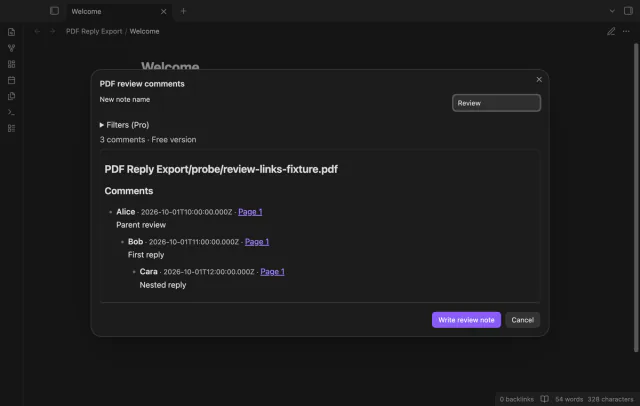
Open a local PDF, preview its supported native comments, then write a new Markdown note beside it. Replies retain their parent groups and source page links.
MIT · no telemetry · core features free
Save the PDF inside your vault, including changes from your PDF editor.
Open the PDF and run Preview comments from the active PDF.
Check missing parents, cycle warnings and unknown dates in the preview.
Enter a note name and, with Pro, set an author or date range if needed.
Select Write review note to create the output and open the first completed note.
Reopen it after saving PDF changes in another application. The existing preview holds the earlier snapshot.
The plugin reads annotation records saved inside your local PDF. It doesn't fetch a discussion from an external review service.
 That's every step, start to finish.
You're officially a regular.
Obsidian rewards people who share. NoteMods is just me and a lot of coffee. If this guide saved you a fight with the syntax, buy me a cup.
That's visit . Regulars are the reason I keep NoteMods running. If it's part of your routine now, a coffee says thanks better than anything.
Save PDF comments and replies in notes.