How to export PDF comments and replies to Markdown in Obsidian
As of October 2026, Obsidian documents PDF page embeds, which keep a PDF visible inside a note.
As of October 2026, Obsidian documents PDF page embeds using a page parameter. For a separate PNG crop with saved coordinates, use PDF Crop Refresh and run its refresh command after source edits.
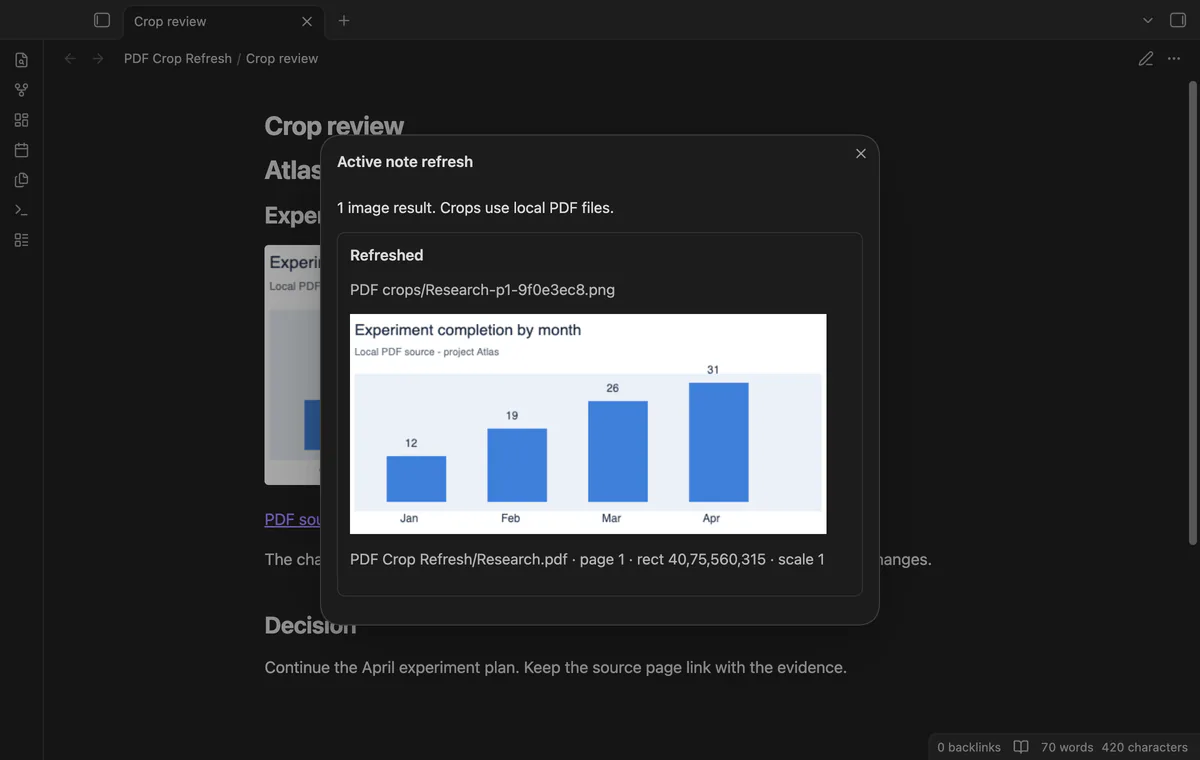
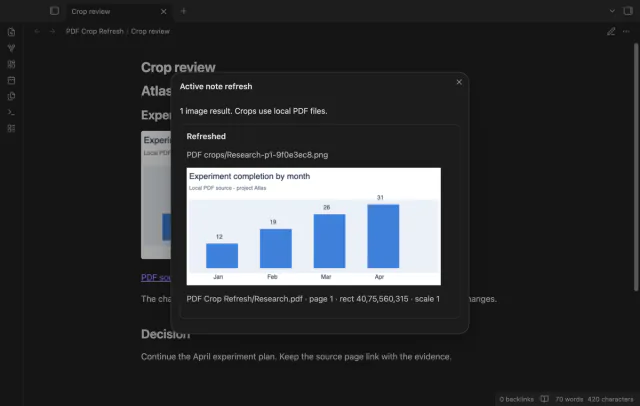
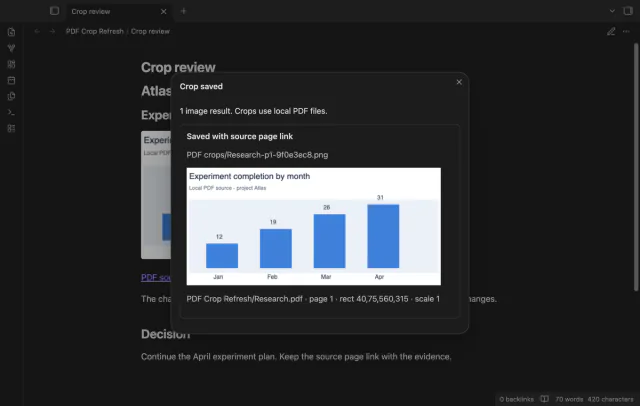
A chart beside a research decision needs a route back to the source. PDF Crop Refresh keeps a source page link and a local registry so you can render the same rectangle again.
Embed Document.pdf and append #page=3 to show its third page in your note. The Obsidian help page documents page and viewer height parameters.
Select a PDF link with page and rect coordinates, then save the rectangle as a PNG. After source edits, manually refresh registered images in the active note.
MIT · no telemetry · core features free
Put a PDF inside your vault and open a Markdown note.
Add a link such as [[Research.pdf#page=1&rect=40,75,560,315&scale=1]].
Select the complete link and run Save selected PDF rectangle as PNG.
Review the image and its source page link.
After the PDF changes, run Refresh crops in active note.
Use left, bottom, right and top in PDF points. The origin is near the lower left of the unrotated page.
Active note refresh is free and needs no account. Pro adds folder refresh and the changed source report.
 You can now save and refresh PDF crops.
You're officially a regular.
Obsidian rewards people who share. NoteMods is just me and a lot of coffee. If this guide saved you a fight with the syntax, buy me a cup.
That's visit . Regulars are the reason I keep NoteMods running. If it's part of your routine now, a coffee says thanks better than anything.
Save PDF crops as PNG files and refresh them.