PDF Cover Cards
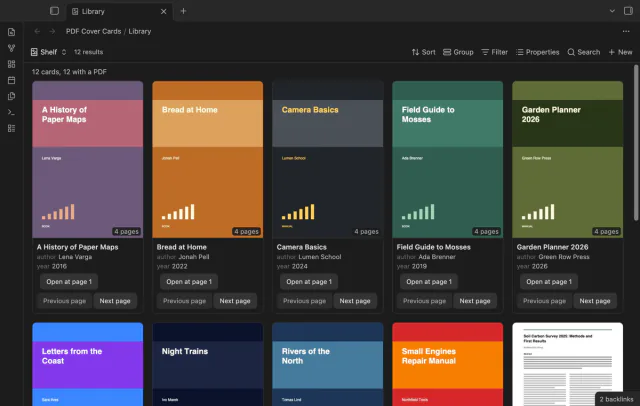
Show the first PDF page as a cover in your base.
Save PDF crops as PNG files and refresh them.
MIT · no telemetry · core features free
The README reports macOS app tests with simulated sponsorship responses. Phone, tablet, Linux, Windows, live GitHub sign-in and payments were not tested.
Directory facts fetched from community.obsidian.md/users/theluckystrike.
You keep charts, diagrams or tables beside your notes and need to refresh them after a PDF changes.
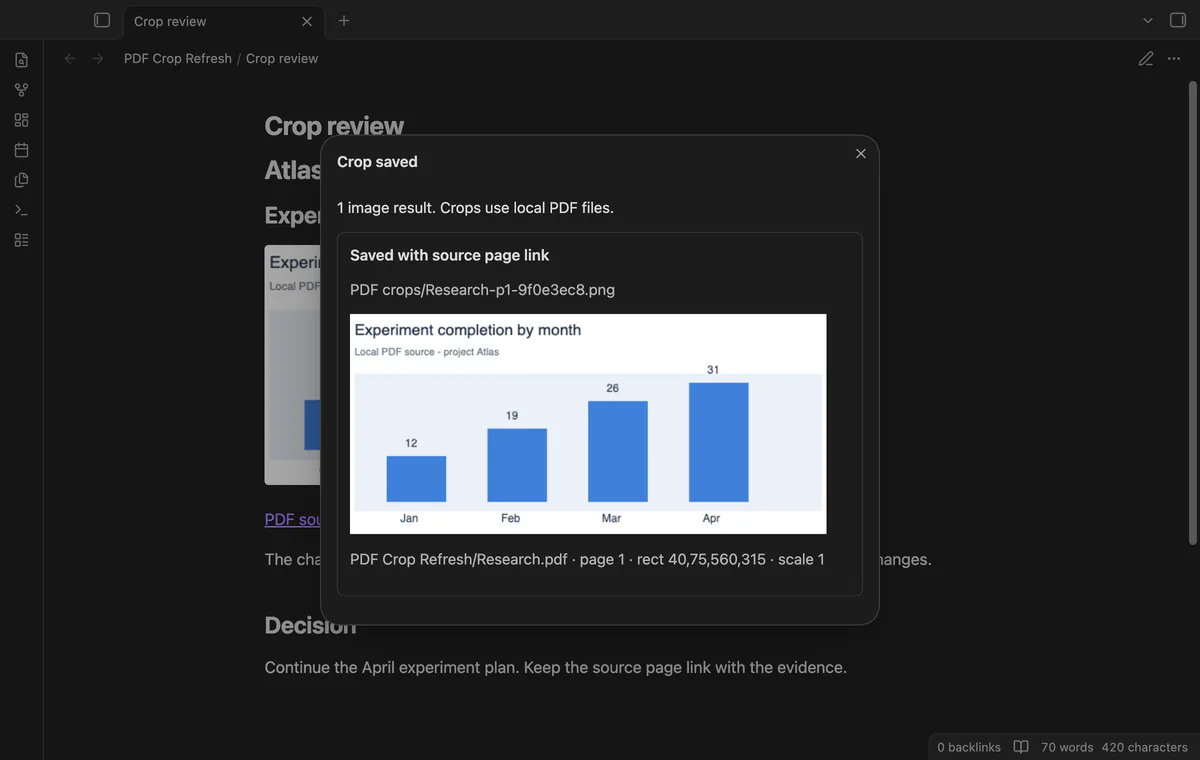
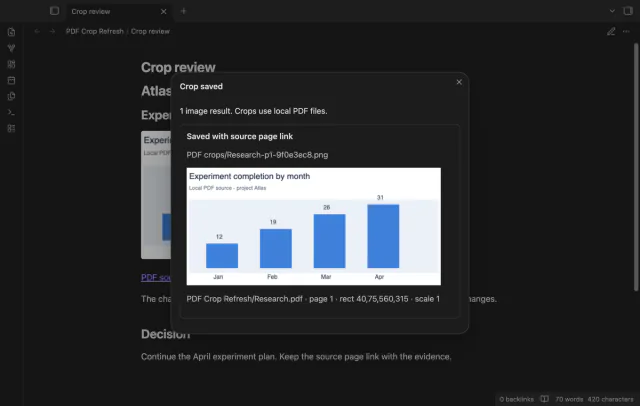
Save a rectangle from a local PDF as a PNG, with a link back to its source page. PDF Crop Refresh remembers the coordinates so you can render it again at the same image path.
Refresh is manual. You'll need a PDF link with coordinates; this version has no rectangle drawing tool.
 Play demo
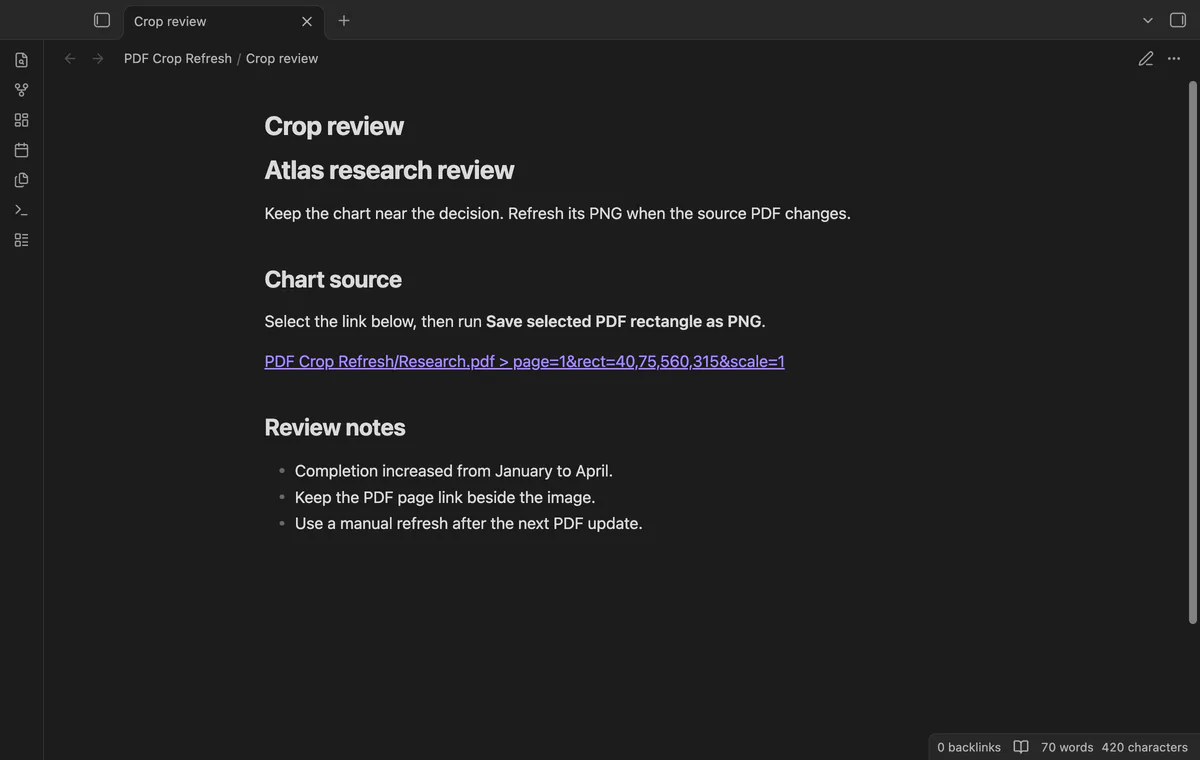
Select a complete wikilink, Markdown link or bare local path with page and rect parameters. Coordinates run left, bottom, right, top in PDF points. Remote PDF URLs are refused.
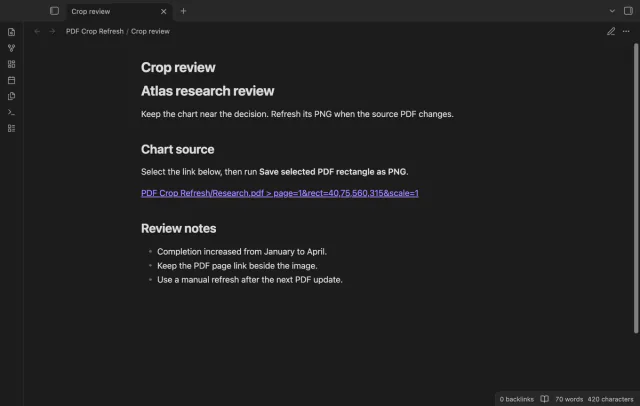
Run Save selected PDF rectangle as PNG to check the bounds and render the image. If your editor selection still matches, the command inserts an image embed and a source link. Rotated pages use transformed rectangle corners.
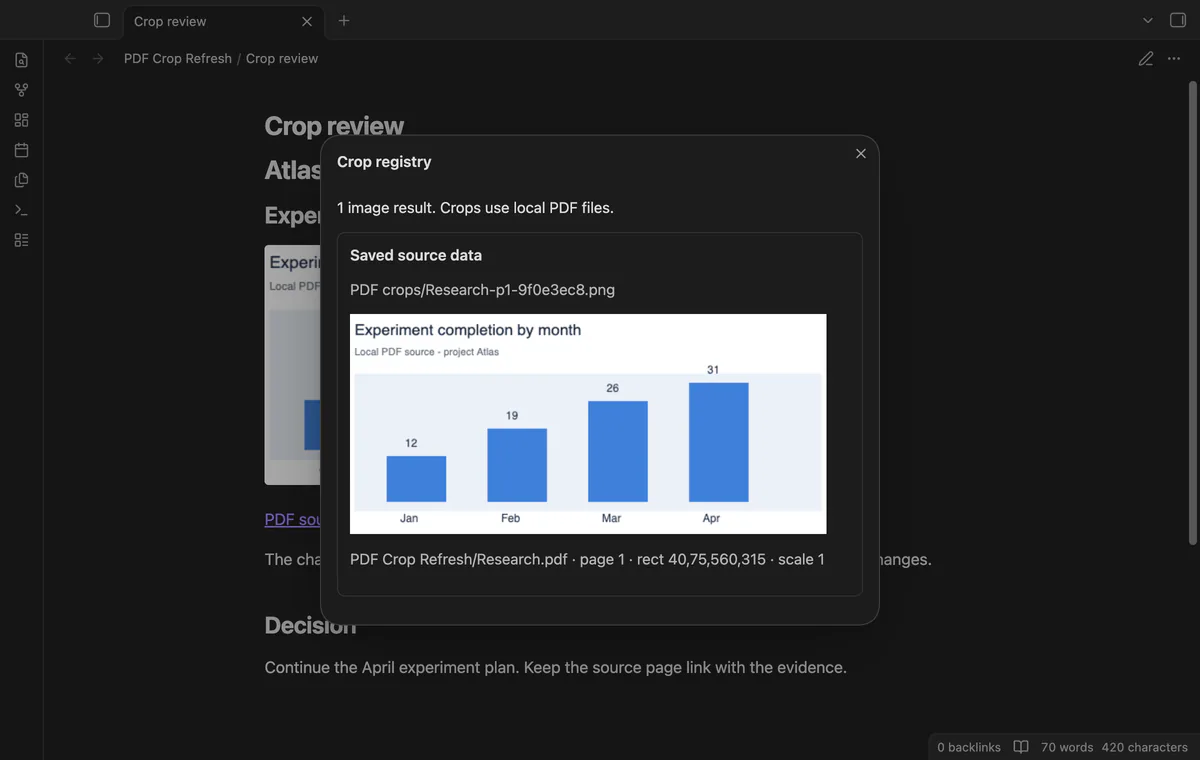
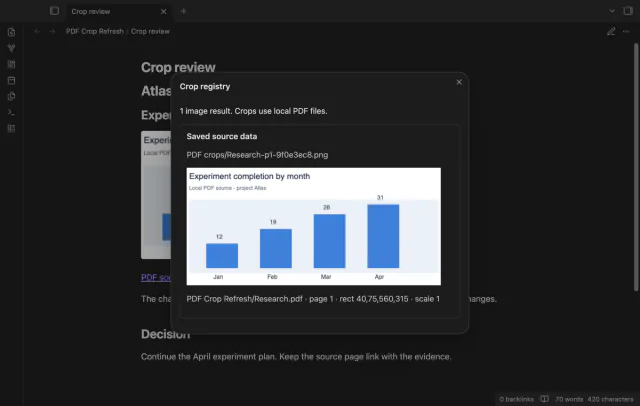
Open Show crop registry to inspect your saved sources and PNG previews. The plugin keeps the paths, page, rectangle, scale, render time and source modification time and size in its local data.
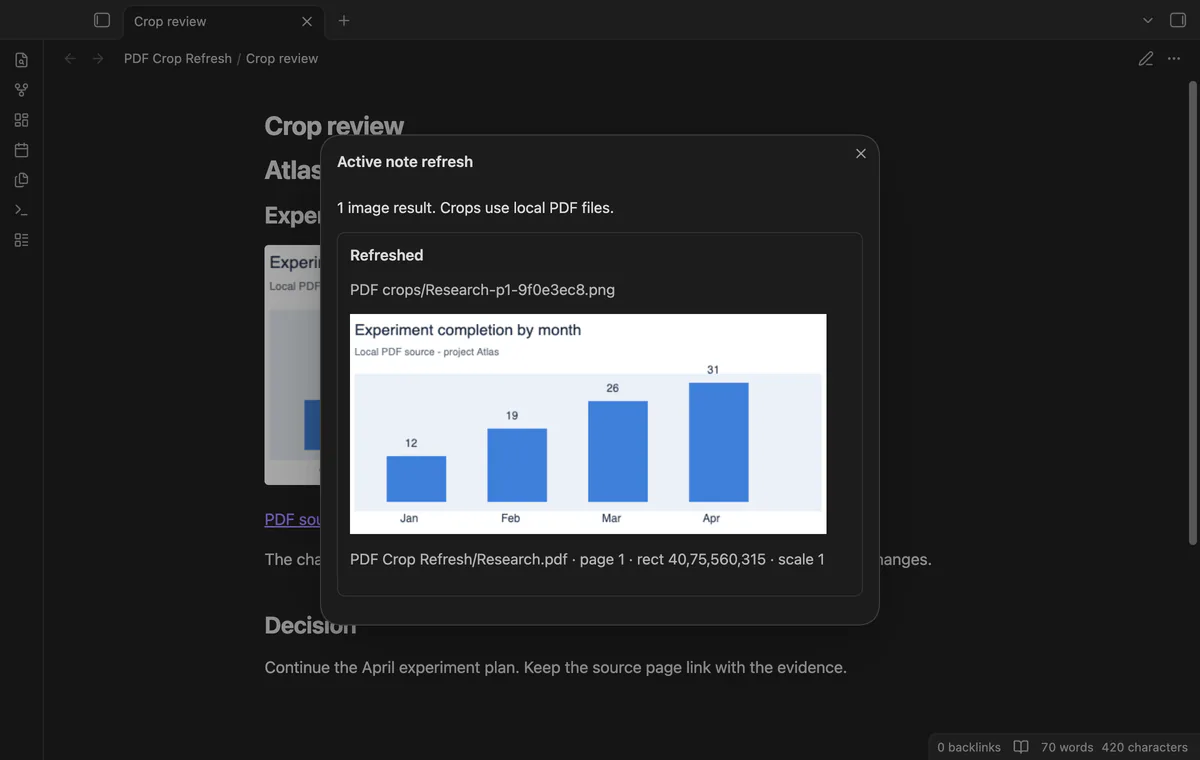
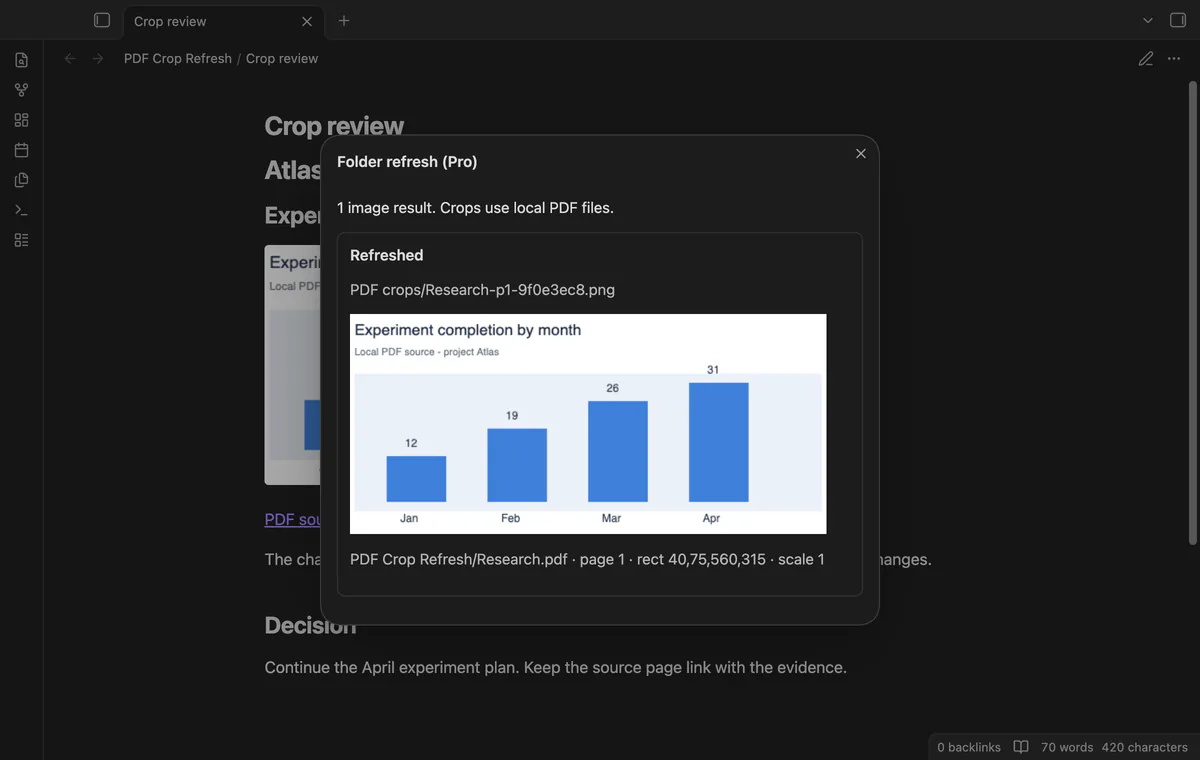
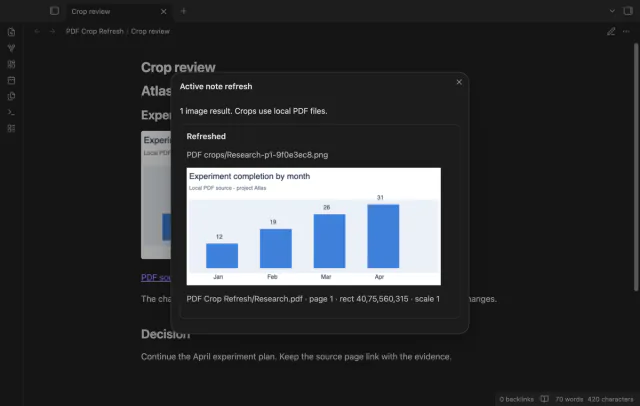
Run Refresh crops in active note to replace registered PNGs at their existing paths. Missing sources, duplicate output paths and render errors leave the previous image in place. Ordinary PNGs without a registry entry stay unchanged.
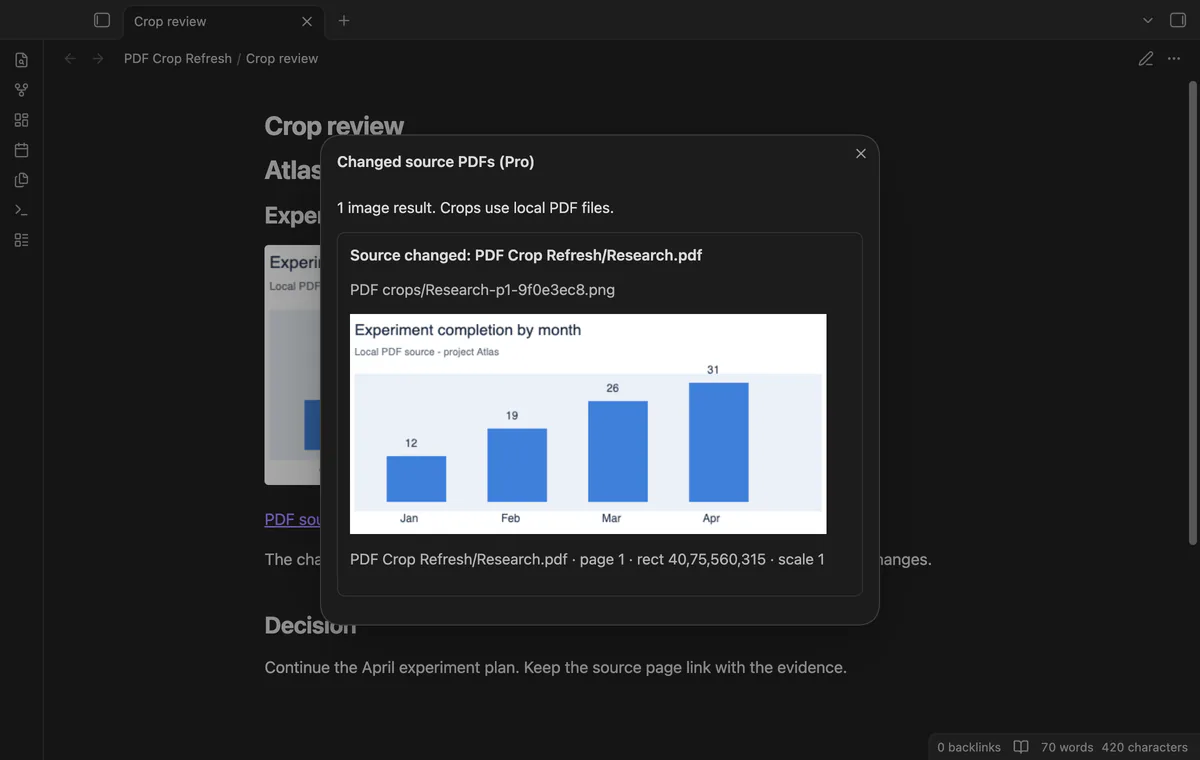
Folder refresh and the changed source report need Pro.
Pro costs $5 a month or $15 one time through GitHub Sponsors. One sponsorship turns on Pro in every plugin that has it.
Choose a note folder to refresh registered crops in its notes and subfolders. Rendering runs one crop at a time.
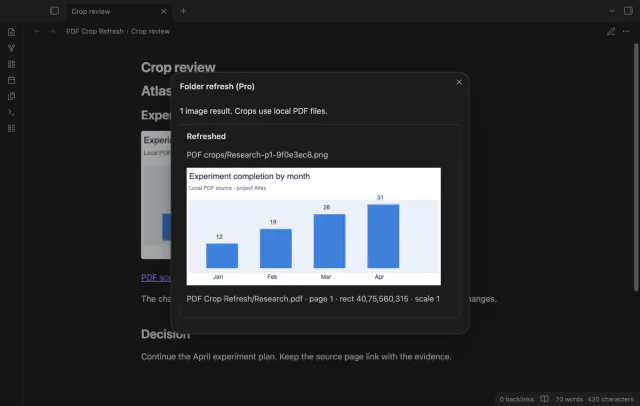
List crops whose source has a later modification time or a different file size. The report includes missing sources and output conflicts without rendering images.
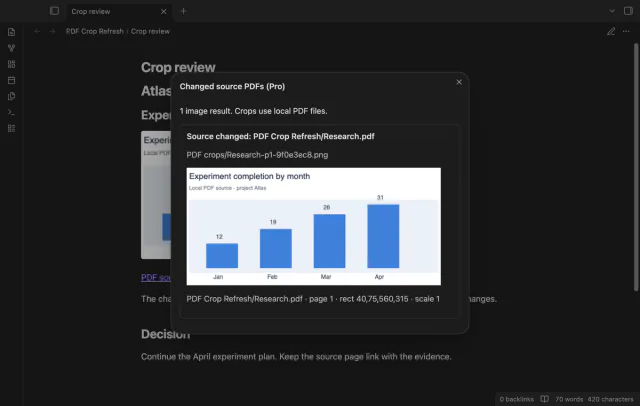
needs
steps
Put a PDF inside your vault and open a Markdown note.
Add a link such as [[Research.pdf#page=1&rect=40,75,560,315&scale=1]].
Select the complete link and run Save selected PDF rectangle as PNG.
Review the image and its source page link.
After the PDF changes, run Refresh crops in active note.
If the app can't find a new plugin yet, try again later. Obsidian says a plugin that passes the review shows in the app within 24 hours.
Need a change for your team? I build custom Obsidian plugins and features.
No background watcher refreshes them. Run Refresh crops in active note after saving the changed PDF.
Saved paths don't track renames. Keep the registered paths, or create a new crop using the new source link.
It compares modification time and size. A replacement with the same size and an older timestamp can escape the report.
Render scale ranges from 0.25 to 4 pixels per PDF point. The canvas cannot exceed 8192 pixels per side or 16 million pixels in area.
Before you select Sign in with GitHub, the plugin makes no network requests. Sign-in sends its public client ID, device codes and read:user scope to github.com; later checks send an authenticated sponsorship query to api.github.com. Checks request your tier and total payment, reuse success for seven days, and send no note content, file names or vault data.
Tell me what is broken in PDF Crop Refresh, or what it should do next.
PDF Crop Refresh 1.1.0, MIT license
MIT · no telemetry · core features free
Show the first PDF page as a cover in your base.

See headings from embedded notes in one outline.