Card Question Sheet
Save PDF questions with a separate answer key.
As of October 2026, desktop Obsidian offers PDF export for notes. To split text study cards into numbered questions and an answer key, use Card Question Sheet or arrange a separate note manually.
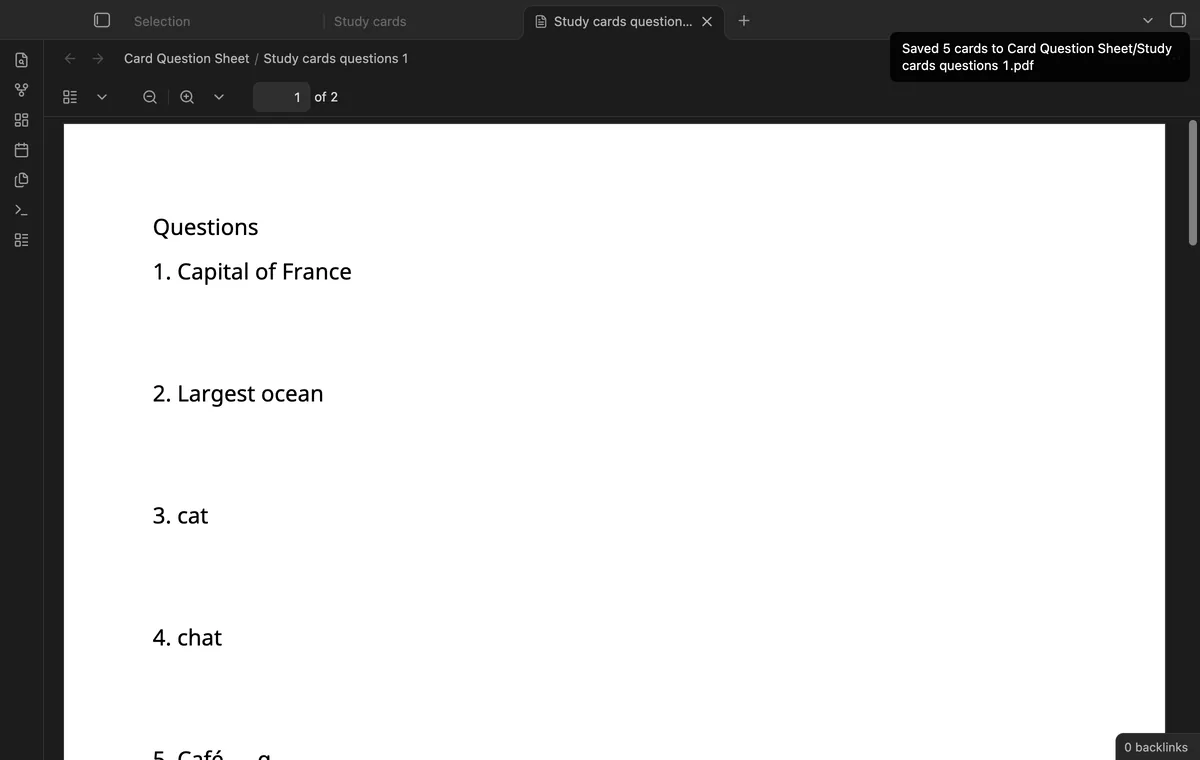
A study sheet needs questions without their answers beside them. Card Question Sheet parses one text card per line and puts the answer key after the question pages.
Create an ordered list of questions in a new note and put a matching answer list below it. Use desktop Obsidian's Export to PDF function to save the arranged note. Obsidian documents ordered lists.
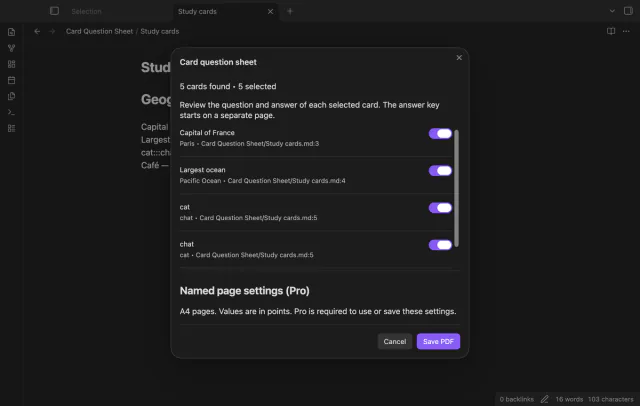
Write Question::Answer on one line, then run the current-note export command. Review the parsed cards, clear unwanted selections and save the PDF in your vault.
MIT · no telemetry · core features free
Open a Markdown note with single-line text study cards.
Run Export current note as a question sheet.
Check the questions and answers, then clear unwanted cards.
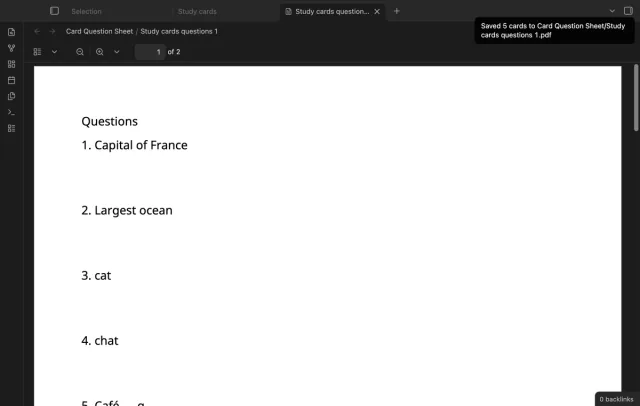
Select Save PDF and inspect the saved file before printing or sharing it.
A triple colon creates a card in each direction. Each selected card gets its own number in the questions and answer key.
Save again after reopening your preview. The plugin uses a numbered suffix when an output name exists.
 That's every step, start to finish.
You're officially a regular.
Obsidian rewards people who share. NoteMods is just me and a lot of coffee. If this guide saved you a fight with the syntax, buy me a cup.
That's visit . Regulars are the reason I keep NoteMods running. If it's part of your routine now, a coffee says thanks better than anything.
Save PDF questions with a separate answer key.