How to check translation glossary terms in Obsidian
As of October 2026, Obsidian Search can locate phrases and restrict results by path.
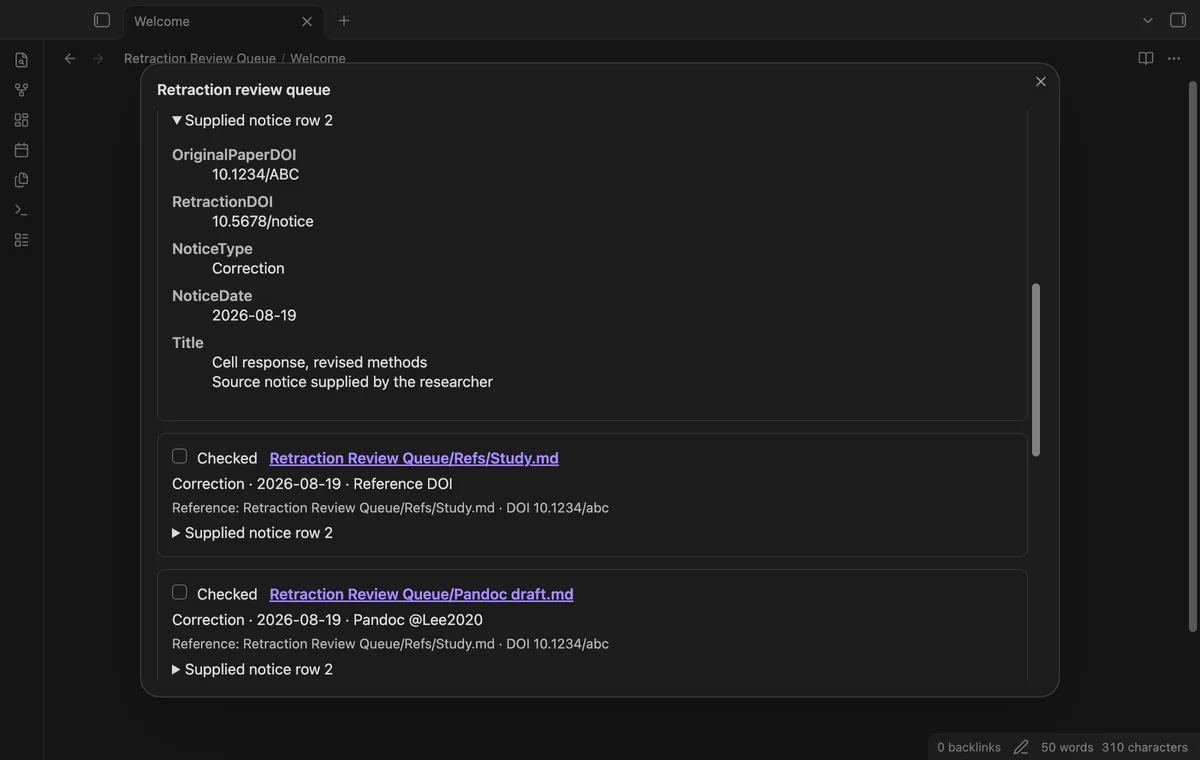
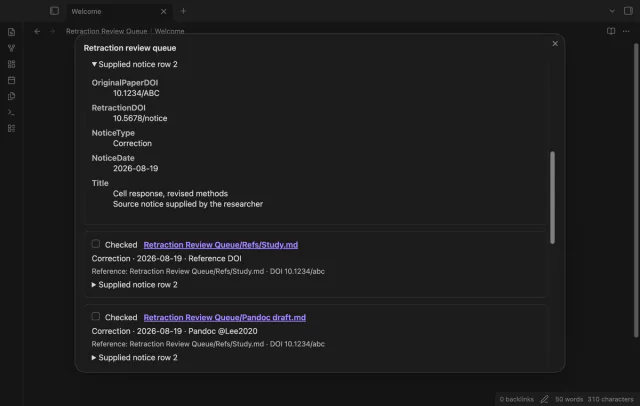
As of October 2026, Obsidian Search can find text and property values for manual DOI review. Retraction Review Queue can compare your local notice CSV with reference properties and list directly linked manuscripts. Neither a match nor an empty result settles a paper’s reliability.
A notice concerns a paper, while your argument lives in reference notes and manuscripts. The plugin brief calls for a local review queue with supplied notice fields and checked state; it gives no demand statistics.
Search a DOI from your supplied notice list, or use a property query for your reference notes. Inspect manuscript links and record your review in a note.
Load your vault CSV, verify the paper DOI column and select Match notes. The queue includes matched references and manuscripts connected through direct native links or supported bracketed Pandoc keys.
MIT · no telemetry · core features free
Put your notice CSV in the vault and add a DOI string to each reference note.
Add a citekey property if you use Pandoc citations.
Run Open review queue from the command palette.
Load your CSV, verify the columns and select Match notes.
Read warnings and supplied notice rows, open notes and mark reviewed items checked.
Choose the DOI for the original paper. RetractionDOI may identify the notice, so the plugin does not select it by default.
Run Match notes after note edits or after metadata resolves a new link. Reload the CSV first when its source rows change.
 That's every step, start to finish.
You're officially a regular.
Obsidian rewards people who share. NoteMods is just me and a lot of coffee. If this guide saved you a fight with the syntax, buy me a cup.
That's visit . Regulars are the reason I keep NoteMods running. If it's part of your routine now, a coffee says thanks better than anything.
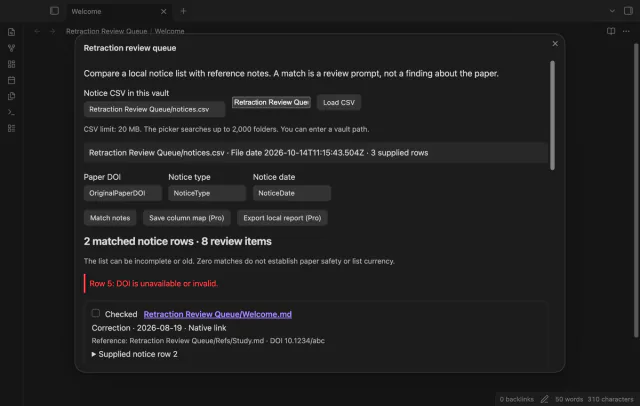
Match CSV notices to notes for review.